


While implementing automation testing, one of the most popular challenges is flaky test. In this article, let’s understand more about it and solution for resolve flaky test in our framework.
1.Flaky test
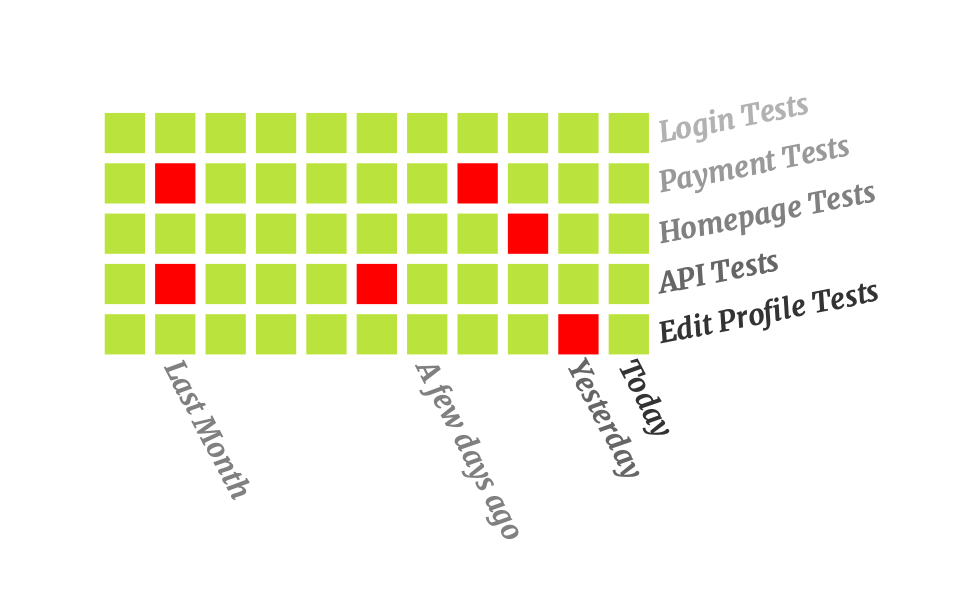
A flaky test is a test that has inconsistent results in multiple test run, even when the automation script has not been changed. Sometimes it passes, and sometimes it fails, which makes it unreliable and difficult to trust for identifying issues.
1.1 Popular root cause of flaky test
- Timing issues: why implementing the automation test script, automation usually use hard sleep for delaying before doing the next action. If the performance of the application changes slightly, the test case will be easy to be failed.
- Concurrency issues: For reducing time for test execution, we usually run test case in parallel. If we don’t have good strategy, the test data maybe be conflict, and it will lead the failed test case. Beside test data, the test run also depends on some global variables which can be impacted by the test run. Their values can be changed by other thread if we don’t control it carefully.
- Environment independent: For separated test environment like dev, test, staging or production, the infrastructure and performance can be different. If we use one test script for all environments, the performance and stability of the test case can be impacted.
- Order independency: When designing automation test scripts, some test cases can depend on a specific test case or test execution so that we can reduce the time for test execution and avoid duplicated code. However, when we change the order of test execution or run the test case in isolation, the test case can be failed.
- Third-party dependencies: External API or service can be down during the execution, and they prevent us from running the test case successfully.
- Change of application under test: when the application is changed on UI or backend, it will lead to broken test in our automation test script. We’ll need to update the test script again after investigating the issue.
1.2 Why do we need to resolve flaky test?
- Consistent test result: If there’re a lot of flaky tests in our test script, the test result won’t be consistent. We can’t be confident about the status of the production quality.
- Save effort for debugging and investigating issue: Currently, we’re applying continuous testing in most of projects which apply automation testing. It means the test script is run continuously, and we need to spend our effort to review and analyze test result. Let’s imagine we have thousands of test cases, and hundreds of them are failed because of flaky test. We’ll need a lot of effort for investigating the issue
- Faster development cycle: The automation pipeline is usually integrated into the pipeline of developers so that we can know the quality of the changed code quickly. Whenever the develop adds new code into the repository, the automation script is also triggered automatically. If our script is not stable, it will prevent the developer from merging code or deploying the new features.
2. How to avoid flaky test
2.1 Implement robust automation framework
A robust automation framework plays an important role in reducing flaky test. We usually interact with the element immediately in our test script, and it can impact to the application and make our script unstable. We should wait for the element to be visible, enable or editable before interacting. For using Selenium, we can add create click/enter functions which contain the step for waiting the element be ready for interact into the framework so that the users don’t care about the state of element anymore. For modern automation tool like Playwright or Cypress, they have already handled smart wait to overcome this issue. Moreover, if any test steps are failed, they can retry these steps several times. For Playwright, it also supports to re-run the test cases with a defined time when the test cases are failed. Thank to that, we don’t need to spend too much time for investigating the issues.
2.2 Timing handling
Beside making sure that the elements are ready for interact, we can base on the UI to handle waiting better. One principle in automation test is avoiding using hard sleep, because it will impact to the stability and performance of the automation test script. In stead of sleep, we can wait for the spinner disappear or wait for progress bar finish loading, etc. Before interacting with other elements, we need to pay attention to the UI changes on the application to make sure that it’s ready to interact.
In case there is no change on the UI, we can base on the API in the background. Some automation tools like Cypress or Playwright allow us to intercept the API which runs in the background. We can make sure that all necessary API is finished by using these features before continuing interacting on UI.
2.3 Isolate test cases
One of our best practices is we should design the independent test cases. It means that we can run any test case separately. It will help us avoid conflict test data as well as make our framework scalable. For implementing this, the test data should be prepared and cleaned in pre-condition and pos-condition of each test case. If you find that the steps for preparing/cleaning test data takes a lot of time, you can leverage the API/Database to implement this.
2.4 Control sharing test data
Please pay attention to the manage test data, especially in the framework we apply parallel execution or run test dependently. We should isolate our test case as I mentioned in section 2.3. For running test in parallel, we need to care about the test data which can be used by many test cases. These data should be initialized before the test run and cleaned after all test cases are done. During the test execution, we should not change anything in the test data.
2.5 Run test in stable environment
If we don’t have a stable environment, making our test script stable will be a big challenge. It will impact to the performance of the application and make our script failed. Therefore, preparing test environments is quite important. Instead of preparing it manually, we can leverage some new techniques like docker, test container to deploy test environments. For compatibility testing, we can leverage cloud service like SauceLabs or BrowserStack.
2.6 Using mock or stub
Instead of depending on 3rd party tool or services, we can use mock or stub for simulating the test data. It helps us avoid failed test case when the 3rd party services go down. Moreover, using mock and stub helps us implement test case earlier, even when the integrated components/services are not ready.
2.7 Apply AI for working with locator changes
For solving the issue related to UI changes, we can leverage the technologies related to self-healing. Whenever the automation cannot find the defined elements, the self-healing technologies will support us to find the similar elements by AI. It will help us avoid broken test and continue the test cases instead of waiting for fixing and re-running the test cases again. Healenium is a good choice for integrating with Selenium-based frameworks.
2.8 Monitor test cases
We should keep continuously monitoring the test cases and determine the flaky test in our test framework. Based on this information, we can focus improving the necessary test cases and make our automation framework healthier. Not only monitor the status of passed/failed but also monitor the performance of test cases.
Conclusion
Flaky test handling is quite important in our automation activities, it help us save effort in investigating issues and release our product to market earlier. Using robust framework with good strategies for handling test data can support us to reduce the flaky test.