


Introduction
As Kubernetes adoption grows, multi-tenant cluster management becomes increasingly complex. Provisioning tenants manually for each team or application leads to inconsistency, delays, and human errors. Automation solves this problem by streamlining the tenant provisioning process, ensuring consistency and faster deployment.
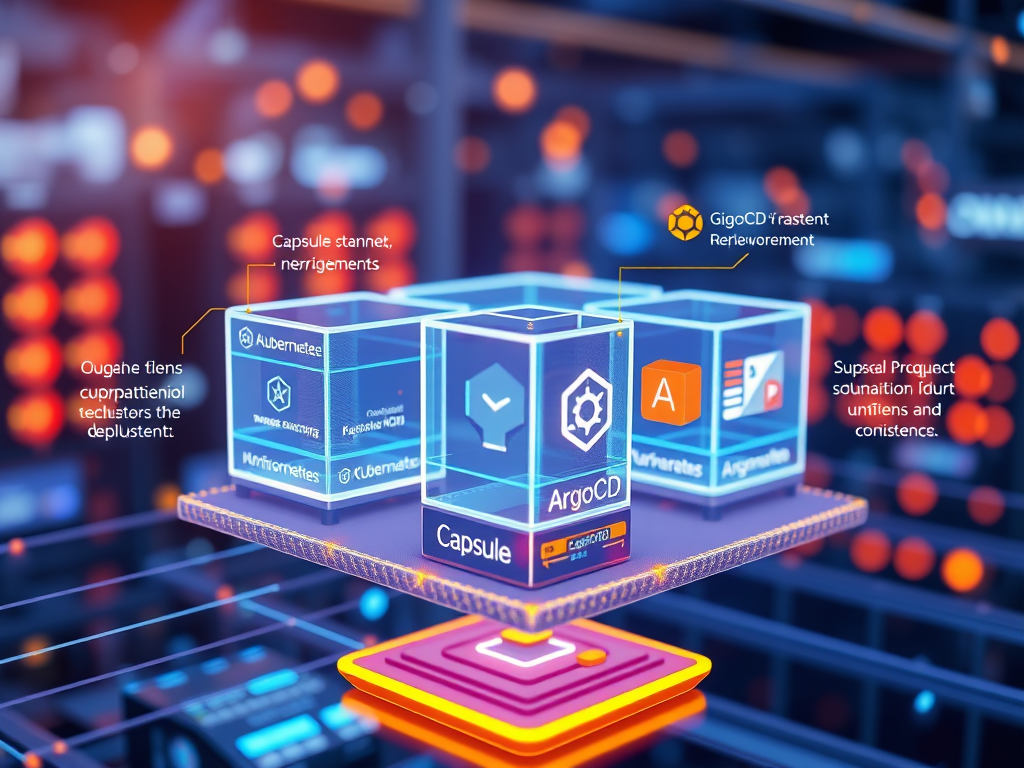
Capsule, a Kubernetes multi-tenancy operator, allows you to define tenants and enforce policies at the namespace level. ArgoCD, a GitOps tool, automates Kubernetes configuration management and ensures that the cluster state matches the desired state defined in a Git repository.
In this blog, we’ll explore how to automate tenant provisioning in Kubernetes using Capsule and ArgoCD — combining Capsule’s tenant management capabilities with ArgoCD’s automated GitOps deployment.
Why Automate Tenant Provisioning?
Manual tenant provisioning in Kubernetes can cause:
- Inconsistent configurations – Differences between tenants due to human error.
- Slow onboarding – Delays in creating namespaces and setting policies.
- Lack of reproducibility – No version control over tenant configurations.
Automating tenant provisioning offers:
1. Consistency – Same configuration for each tenant.
2. Faster Onboarding – Immediate tenant creation upon merge to Git.
3. Improved Governance – Centralized control over tenant policies.
What is Capsule?
Capsule is a Kubernetes operator designed for multi-tenant environments. It enables:
- Creation of tenants (logical grouping of namespaces).
- Enforcement of resource quotas and security policies.
- Isolation between tenants while allowing shared cluster infrastructure.
Example Capsule CRD (Custom Resource Definition) for Tenant:
apiVersion: capsule.clastix.io/v1beta1
kind: Tenant
metadata:
  name: team-a
spec:
  owner:
    kind: User
    name: alice
  namespaceOptions:
    quota:
      hard:
        cpu: "2"
        memory: 4Gi
What is ArgoCD?
ArgoCD is a declarative GitOps continuous delivery tool for Kubernetes.
- Monitors a Git repository for changes.
- Automatically syncs cluster state to match repository state.
- Provides a UI and CLI for managing deployments.
Example ArgoCD Application CRD:
apiVersion: argoproj.io/v1alpha1
kind: Application
metadata:
  name: capsule-tenant
  namespace: argocd
spec:
  destination:
    server: https://kubernetes.default.svc
    namespace: capsule-system
  project: default
  source:
    repoURL: https://github.com/my-org/capsule-config.git
    path: tenants/team-a
    targetRevision: HEAD
  syncPolicy:
    automated:
      prune: true
      selfHeal: true
Step 1: Install Capsule
First, install Capsule using Helm:
helm repo add clastix https://clastix.github.io/charts
helm install capsule clastix/capsule
Verify Capsule installation:
kubectl get pods -n capsule-system
Step 2: Create a Git Repository for Tenant Configurations
Create a Git repository to store tenant definitions.
Example repository structure:
├── tenants
│   ├── team-a
│   │   ├── tenant.yaml
│   │   ├── quota.yaml
Step 3: Define Tenant in Capsule
Create a tenant configuration in the Git repository (tenants/team-a/tenant.yaml):
apiVersion: capsule.clastix.io/v1beta1
kind: Tenant
metadata:
  name: team-a
spec:
  owner:
    kind: User
    name: alice
  namespaceOptions:
    quota:
      hard:
        cpu: "2"
        memory: 4Gi
    additionalMetadata:
      labels:
        env: production
      annotations:
        owner: alice
Step 4: Define Resource Quotas for the Tenant
Create a quota.yaml file under the same directory:
apiVersion: v1
kind: ResourceQuota
metadata:
  name: team-a-quota
spec:
  hard:
    cpu: "2"
    memory: 4Gi
Step 5: Create an ArgoCD Application for Capsule Tenant
Create an ArgoCD Application resource that points to the Git repository:
apiVersion: argoproj.io/v1alpha1
kind: Application
metadata:
  name: capsule-tenant-team-a
  namespace: argocd
spec:
  destination:
    server: https://kubernetes.default.svc
    namespace: capsule-system
  project: default
  source:
    repoURL: https://github.com/my-org/capsule-config.git
    path: tenants/team-a
    targetRevision: HEAD
  syncPolicy:
    automated:
      prune: true
      selfHeal: true
Step 6: Apply the ArgoCD Configuration
Apply the ArgoCD application:
kubectl apply -f argo-application.yaml
Step 7: Sync and Monitor Deployment
Check the ArgoCD sync status:
argocd app list
Sync the application manually (if not automated):
argocd app sync capsule-tenant-team-a
Monitor the deployment logs:
kubectl logs -n capsule-system -l app.kubernetes.io/name=capsule
Step 8: Verify Tenant Provisioning
Check if the tenant has been created:
kubectl get tenants
Check namespaces created for the tenant:
kubectl get namespaces --show-labels
Example Output:
NAME             STATUS   AGE   LABELS
team-a-ns        Active   1m    env=production,owner=alice
Real-World Application Example
Use Case: Multi-Team CI/CD Environment
- In a CI/CD pipeline, different teams need isolated environments.
- Capsule creates a tenant for each team with specific resource limits.
- ArgoCD ensures the environment is created/updated based on Git changes.
- When a new team is onboarded, creating a Git repo entry will automatically trigger ArgoCD to provision the tenant.
Use Case: Developer Sandbox Environments
- Developers need sandbox environments for testing.
- Capsule creates isolated namespaces for each developer.
- ArgoCD syncs the developer-specific configuration from a Git repo.
- Clean-up is automated when the developer finishes testing.
Best Practices
- Keep tenant definitions and quotas under version control.
- Use
syncPolicy.automatedin ArgoCD for full automation. - Limit Capsule tenant permissions using RBAC.
- Monitor tenant status using Prometheus and Grafana.
Conclusion
By combining Capsule and ArgoCD, you can fully automate the tenant provisioning process in Kubernetes. Capsule handles tenant creation and policy enforcement, while ArgoCD ensures that the cluster state remains consistent with the Git repository. This results in faster onboarding, consistent configurations, and improved operational efficiency — essential for scaling multi-tenant Kubernetes environments.
That’s it for now. I hope this article gave you some useful insights on the topic. Please feel free to drop a comment, question or suggestion.