


Hello Readers!! We are now again back with an exciting topic i.e. Azure Functions. Here in this blog, we will explore all about Azure Functions and how to build serverless apis with Azure Functions. We will also see how Azure Functions works.
Let’s get a deep dive into it!!
Azure Functions:
Azure Functions is a serverless compute service provided by Microsoft Azure that lets us run small pieces of code called “functions” without provisioning or managing infrastructure.
Key Features of Azure Functions:
- Event-driven: The functions are triggered by events, such as HTTP requests, timers, database changes, or message queues.
- Serverless: Here we don’t manage servers. Azure automatically scales the compute resources based on demand.
- Multiple languages: It supports multiple programming languages such as C#, JavaScript, Python, Java, PowerShell, and more.
- Integrated bindings: It connects easily with Azure services like Blob Storage, Cosmos DB, Event Hub, Service Bus, etc., through input and output bindings.
- Pay-per-use: We are charged only for the time our function runs.
How to build Serverless APIs with Azure Functions:
We can easily create an api with a serverless azure function. Each api call is executed by a function that spins up and scales automatically. And we only pay when the function is called. Let’s see step by step how we can build serverless apis with Azure Functions.
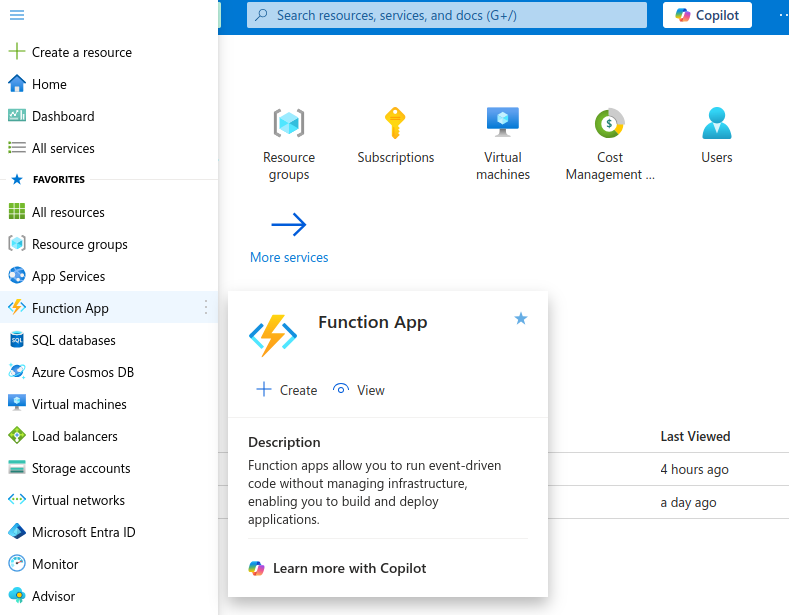
- Login to Azure account. Go to service > Function App.
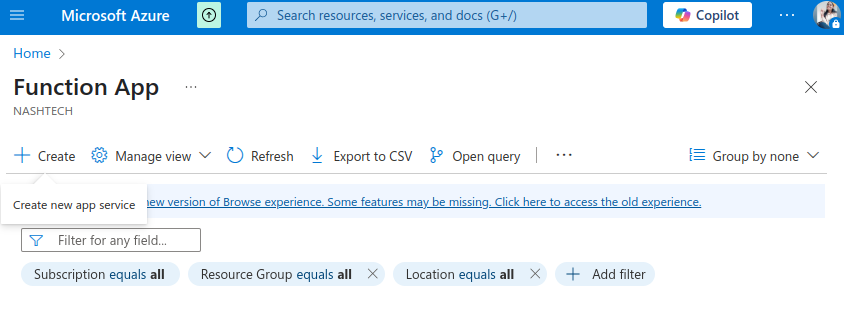
2. Click on create.
Select the hosting plan according to our requirement. These options determine how your app scales, resources available per instance, and pricing.
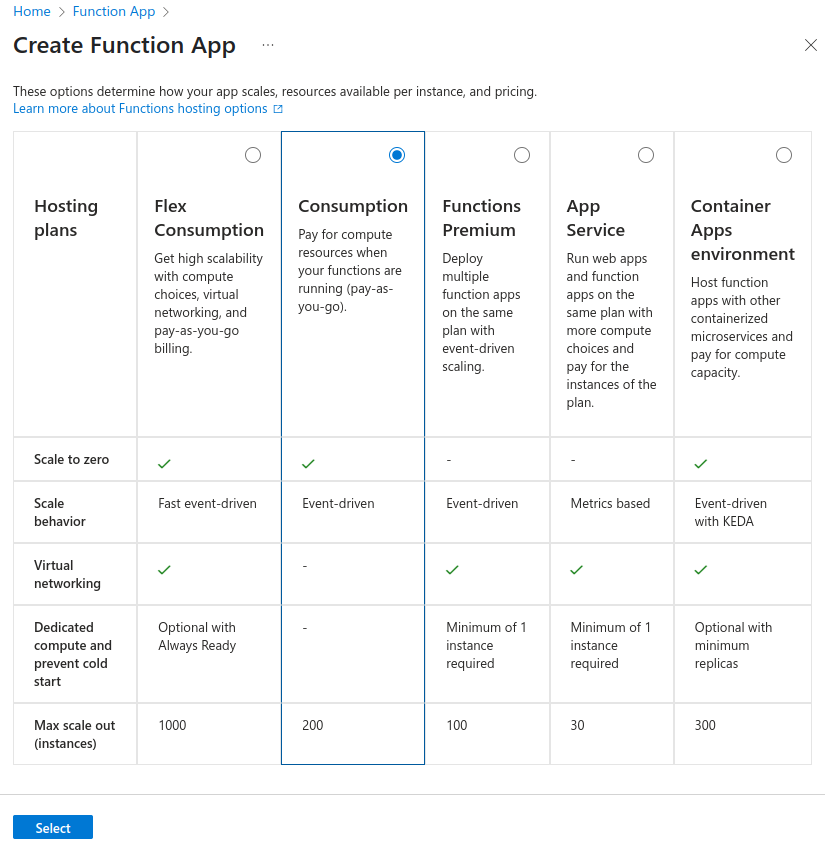
Click on Select.
3. Choose subscription and resource group. If we don’t have an existing resource group, we can create it easily.
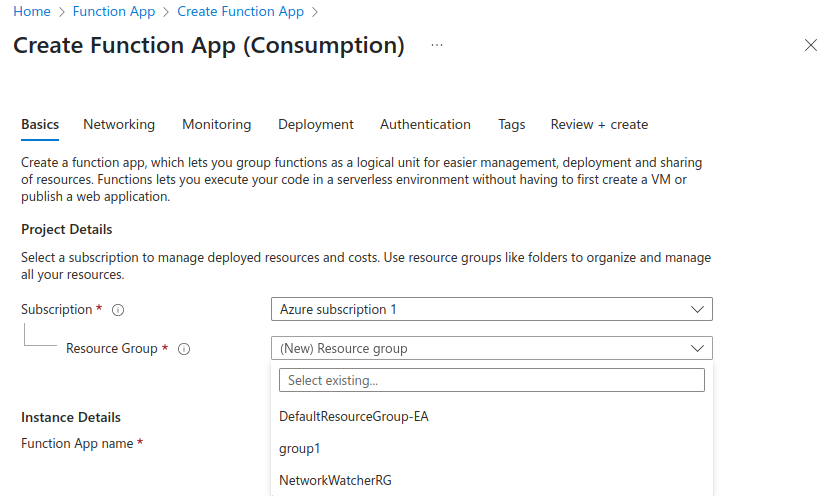
4. Provide function app name, operating system, it’s runtime stack, version. Select region in which your
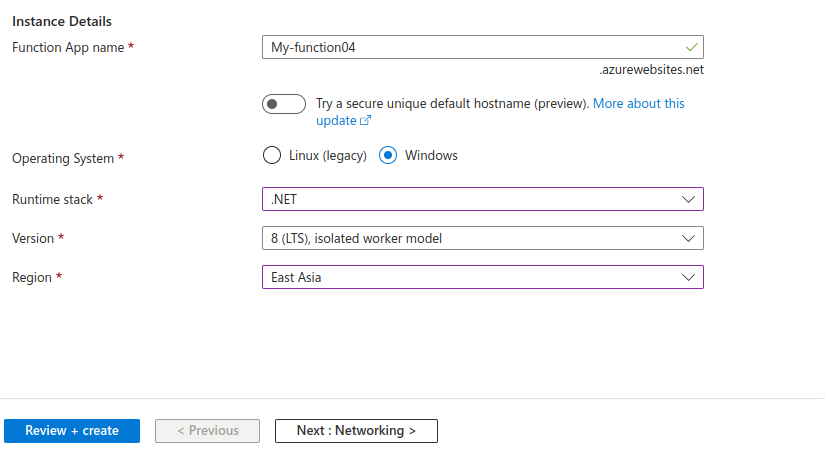
Click on Review+create.
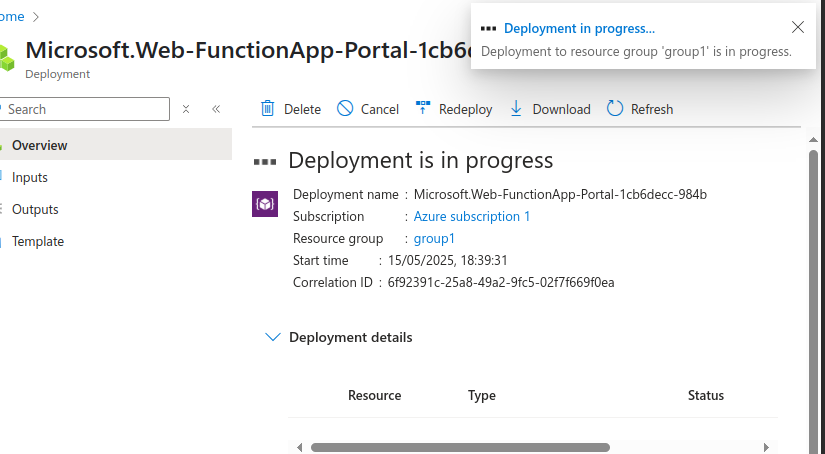
Deployment is in progress now.
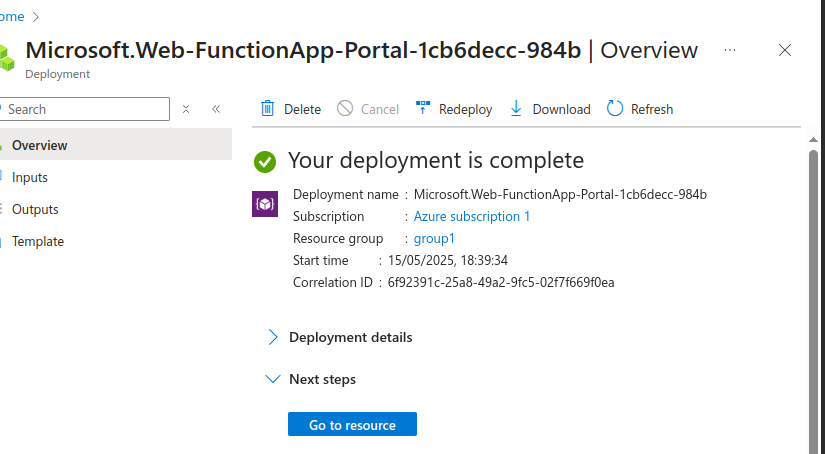
Now, it’s completed.
Azure Function is created successfully.
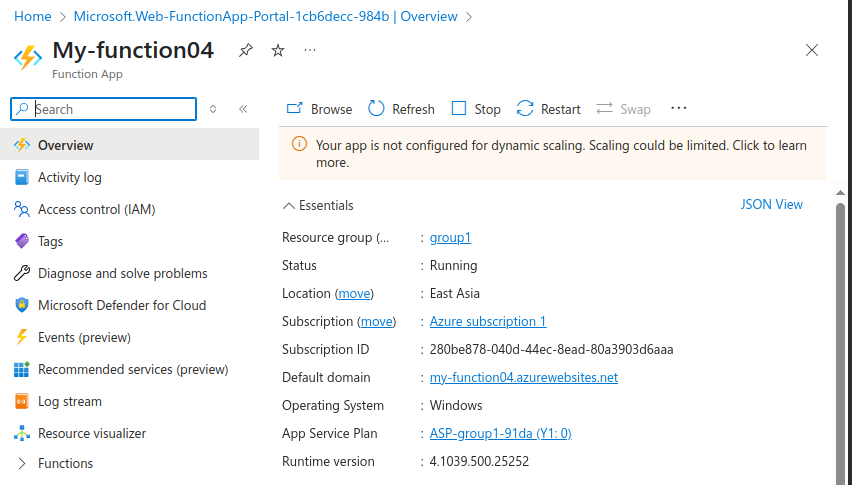
5. Now, let’s add functions from here.
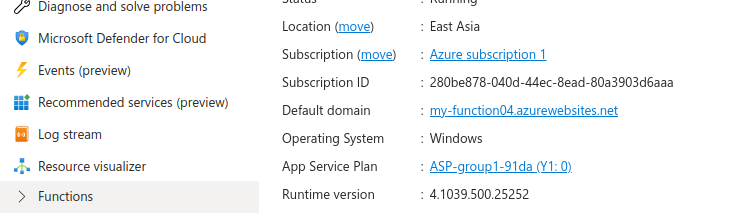
Click on create function.
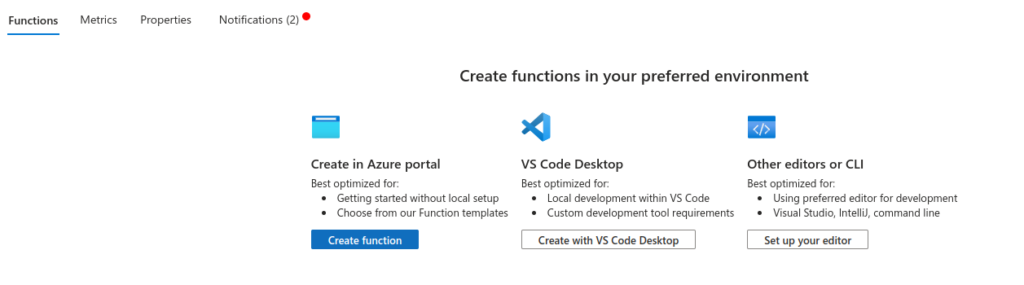
6. Select template. As, we are creating serverless apis, we will choose here HTTP trigger.

Click on Next. Provide function name and authorisation level.
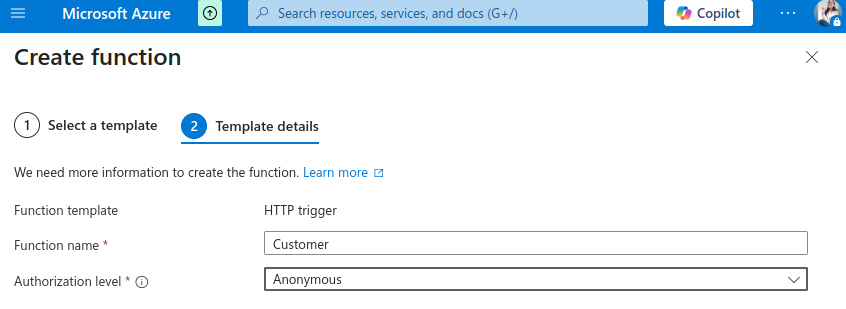
Click on create.
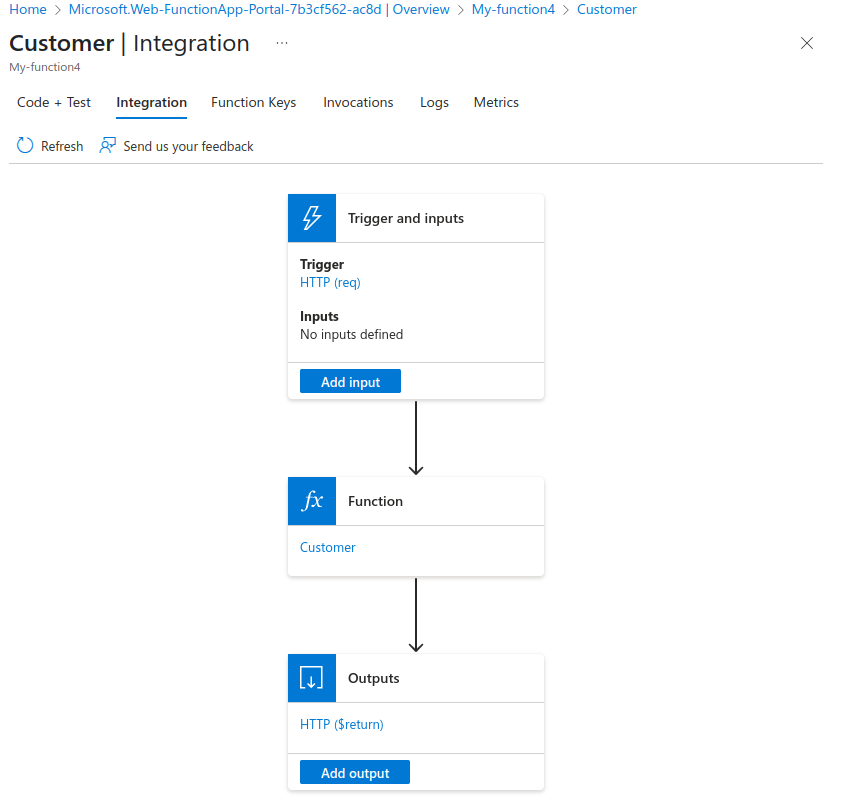
7. Function gets created. Move to integration, add a trigger. Click on save.
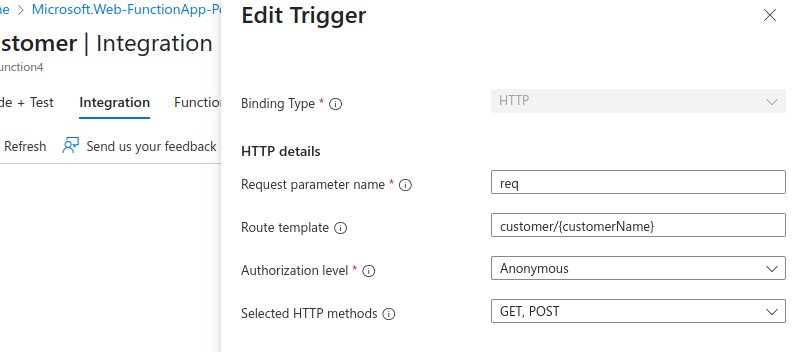
8. Move to edit code now. Add customerName here.
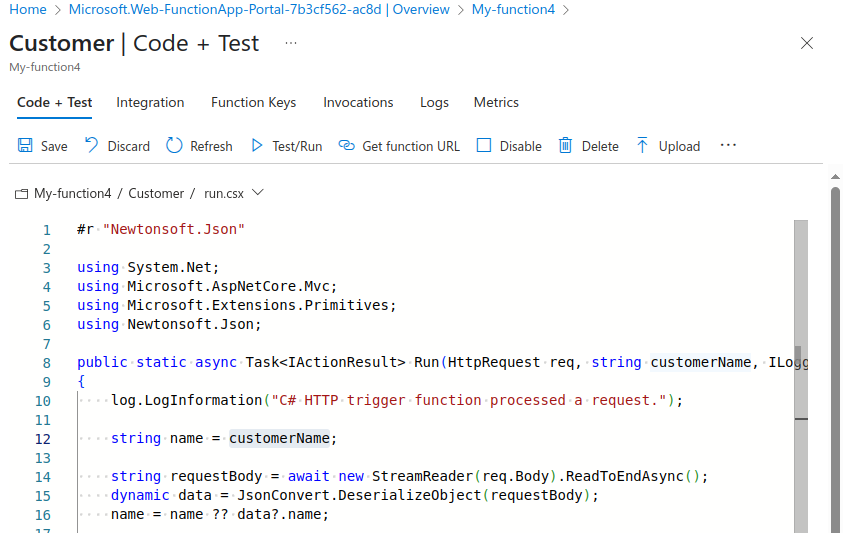
Click on save.
9. Let’s test it now. Click on Test/Run.
Provide here input as query parameter.
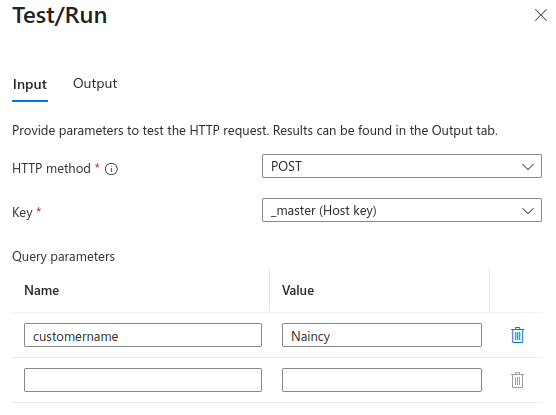
Click on Run. And below is the output we got.
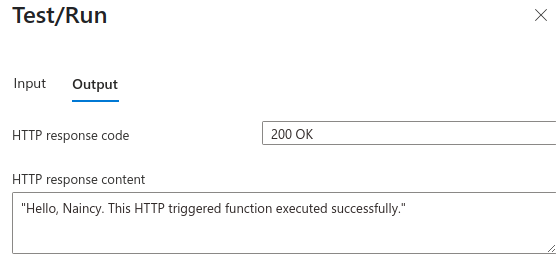
It worked fine.
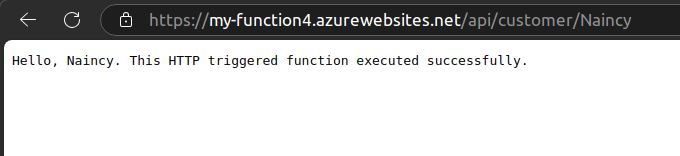
Now, let’s hit it using Azure Function api.
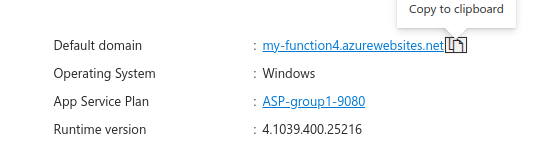
From here we can copy the domain and pass query parameter in the header.
And we got the response.
Yeahhhh!!! We are all done now. I hope you have enjoyed a lot.
Conclusion:
Thanks for being with me till end. In this blog we have learnt all about Microsoft Azure App Service. How we can deploy a web app to it. It’s quite really interesting and easy to explore. If this blog helped you somewhere do like and share this blog with the needful.
HAPPY READING!!!