


Introduction
In modern automation frameworks, test failures are expected. Testers often face problems like changes in the UI, slow backend responses, missing data, or unexpected environment issues. These make test scripts unstable. Traditional solutions like adding retries, wait times, or fixed backup options usually don’t work well and can’t easily adapt to different situations.
What if your framework could understand why a test failed and automatically choose the best way to fix it?
In this blog, we’ll learn how LangChain Agents use Large Language Models (LLMs) to bring smart, automatic recovery to your automation framework.
What is LangChain?
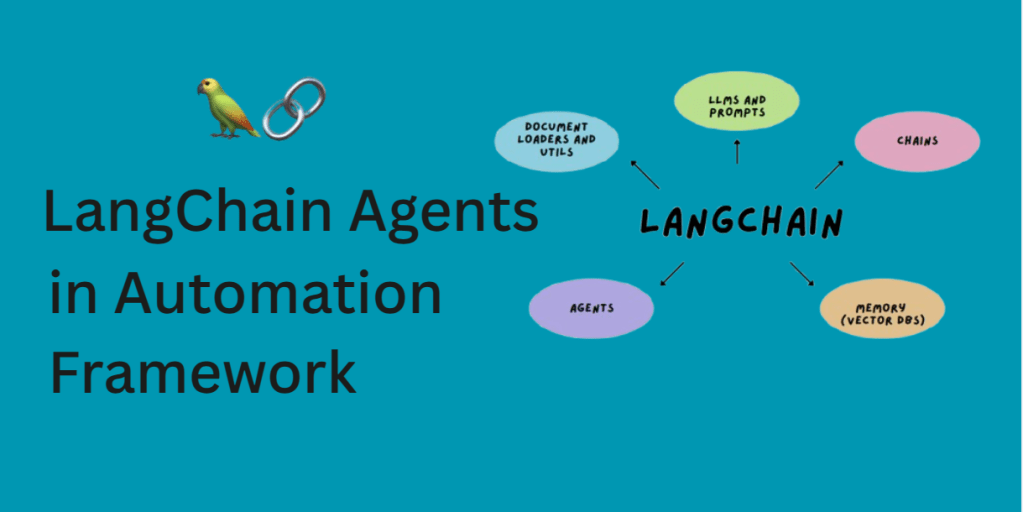
LangChain is a framework that helps build smart applications using language models like ChatGPT. It lets you connect LLMs to tools (APIs, databases, web search), manage memory, and create multi-step workflows or agents that can reason and act.
These agents can use:
- Tools – like APIs or functions that perform specific tasks
- Memory – to remember past conversations or information
- External Knowledge – such as documents, logs, or test results
- Prompts and LLM Responses – to generate intelligent outputs
In testing, LangChain Agents can analyze failure context, query logs, predict causes, and trigger healing tools based on logic not on hardcoded rules.
How LangChain Helps in Test Recovery
Let’s understand this with a simple example:
A test fails because the button with locator #login-btn is not found. Instead of simply retrying in normal framework, your framework:
- Checks historical log data.
- Searches if the element was renamed recently (e.g., to
.login-button). - Calls a healing service to update the locator.
- Reruns the test with the new element.
On failure, the agent notifies like a tester would, and escalate the issue by logging the failure, alerting the team, or even filing a bug report.
Prerequisites
Before integrating LangChain into your automation framework, there are a few things you should know about to ensure smooth setup and execution.
Technical Requirements
Make sure your project supports these technical capabilities :
- An automation framework which supports python setup (like Pytest or Robot Framework), or a custom one using Selenium, Playwright, etc.
- Basic knowledge of Python functions and decorators.
- Logs and failure metadata (JSON, files, database) accessible post-execution.
- APIs or tools to:
– Rerun test cases.
– Trigger healing or fallback.
– Query test logs.
Dependencies
These are the external Python packages you need to install:
pip install langchain openai langchain-community- langchain: The core framework for building intelligent agents.
- openai/OpenRouterAI : To connect with GPT-based models (or other LLMs).
- chromadb: A lightweight vector database used to store and retrieve past failure context or agent memory.
You’ll also need to create an account on OpenAI (or any LLM provider supported by LangChain, like Anthropic, Cohere, etc.) and get your API key.
This key allows LangChain to access the language model so the agent can “think” and generate intelligent responses.
Framework Architecture: LangChain Smart Recovery

Step-by-Step Integration:
Step 1: Set Up Your Environment
Make sure you have these:
- A simple Python automation framework that can be BDD-based or custom-built
- Python 3.9+ or above
- Any preferred browser setup
Install the necessary dependencies:
pip install langchain openai langchain-communityStep 2: Register on OpenRouter & Get an API Key
- Go to https://openrouter.ai
- Sign up and log in
- Generate your API key from https://openrouter.ai/keys
- Copy and store the key securely
Step 3: Setup LangChain with OpenRouter
Create a new file langchain_openrouter_agent.py:
This file will initialize your LangChain agent using OpenRouter:
import os
from langchain_community.chat_models import ChatOpenAI
from langchain.agents import initialize_agent, Tool
from langchain.agents.agent_types import AgentType
from langchain.memory import ConversationBufferMemory

os.environ["OPENAI_API_BASE"] = "https://openrouter.ai/api/v1"  # Important for OpenRouter

def get_langchain_agent():
    llm = ChatOpenAI(
        temperature=0.2,
        model="openai/gpt-3.5-turbo",  # You can also use `openrouter/meta-llama`, etc.
        openai_api_base="https://openrouter.ai/api/v1",
        openai_api_key="OPENROUTER_API_KEY" // Paste your API Key here.
    )

    tools = []  # You can define tools for debugging, rerunning, etc.

    memory = ConversationBufferMemory(memory_key="chat_history", return_messages=True)

    agent = initialize_agent(
        tools=tools,
        llm=llm,
        agent=AgentType.CHAT_CONVERSATIONAL_REACT_DESCRIPTION,
        memory=memory,
        verbose=True
    )
    return agent
Step 4: Create the Healing Agent
Create a new file healing_agent.py:
This file defines a function that uses the agent to suggest healing strategies when a test fails.
from utils.langchain_openrouter_agent import get_langchain_agent

def analyze_and_heal_failure(error_message: str, context_data: dict = None):
    agent = get_langchain_agent()

    prompt = f"""
    We have an automation test failure. Here's the error message:
    ---
    {error_message}
    ---
    Can you suggest a possible healing approach? Assume it's related to web element identification or test logic.

    If you need, here's some context:
    {context_data if context_data else "No additional context"}
    """

    response = agent.run(prompt)
    return response
Step 5: Trigger Healing on Test Failure
Wrap your test step in a try-except block to trigger LLM-based healing:
 try:
        context.login_page.click_login()
    except Exception as e:
        context_data = {
            "feature": "Login Page Functionality",
            "scenario": "login into Swag Labs",
            "step": "click login button"
        }
        analyze_and_heal_failure(str(e), context_data)
        raise e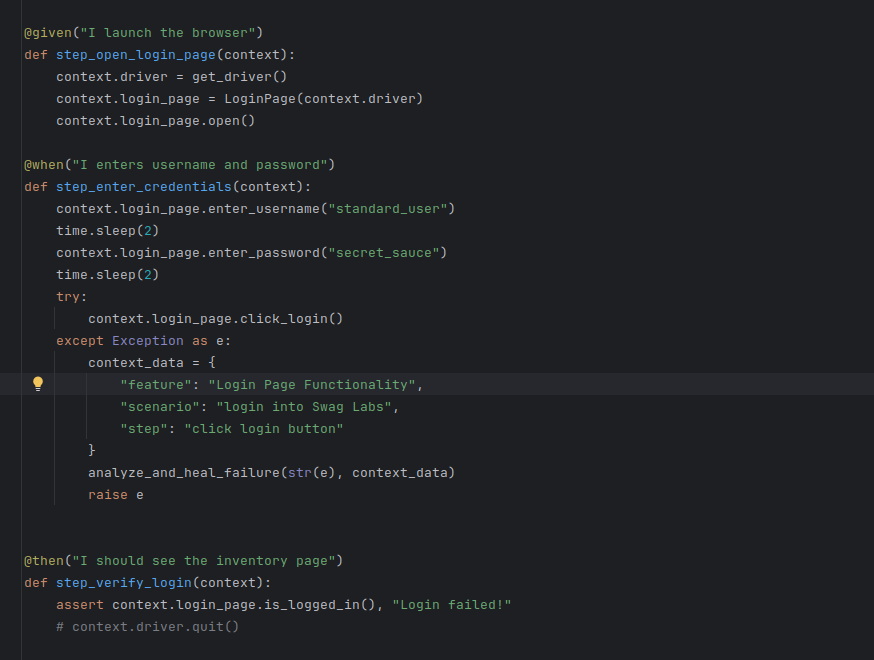
Step 6: Run the Test
Run your test suite using behave or your chosen runner. By passing an invalid locator, LangChain will be invoked via OpenRouter and provide a suggestion like:
 > Entering new AgentExecutor chain...
      ```json
      {
          "action": "Final Answer",
          "action_input": "Based on the error message indicating 'no such element' for the login button, a possible healing approach could be to verify the correctness of the CSS selector used to locate the element. Check if the ID 'logged-in-button' is correct and matches the actual ID of the login button on the webpage. Additionally, ensure that the element is present in the DOM before interacting with it. You may also consider using more robust locators or waiting strategies to handle element visibility or presence before performing actions on it."
      }
      ```
What’s Next
Congratulations! You’ve just added a brain to your automation framework.
By connecting LangChain agents with test execution flow, you’ve created a smart layer that doesn’t just run tests—it learns from them and adapts.
This is just the beginning. You can go even further:
- Connect to bug tracking systems
- Auto-heal broken locators
- Generate recovery suggestions into reports
- Or even pair this with visual testing tools
In the end, it’s not just about fixing one failure—it’s about building resilient, intelligent test systems that grow with your product.