



Welcome back to our journey to Akka Agentic AI! The last blog, Akka Agentic AI: Secret to Planning a Perfect Trip – Part 3, provides a step-by-step guide to add a Weather AI Agent that help us retrieve weather forecast info to plan a trip. However, till now a User had capability to look at a single trip plan at a moment. What if User wants to see all previous suggestions? To compare the plans and select the best suited one.
This article will guide us on adding a view via which a User can query all trip plans recommended by Akka AI Agents.
Add a Plan View
- The query selects all rows for a given userId.
- The view is updated from the state changes of the workflow.
- The workflow id corresponds to the session id.
import akka.javasdk.annotations.ComponentId;
import akka.javasdk.annotations.Consume;
import akka.javasdk.annotations.DeleteHandler;
import akka.javasdk.annotations.Query;
import akka.javasdk.view.TableUpdater;
import akka.javasdk.view.View;
import java.util.List;

@ComponentId("plan-view")
public class PlanView extends View {

    public record PlanEntries(List<PlanEntry> entries) {}

    public record PlanEntry(
            String userId,
            String sessionId,
            String userQuestion,
            String finalAnswer
    ) {}

    @Query("SELECT * AS entries FROM plans WHERE userId = :userId")
    public QueryEffect<PlanEntries> getPlans(String userId) {
        return queryResult();
    }

    @Consume.FromWorkflow(PlanTripWorkflow.class)
    public static class Updater extends TableUpdater<PlanEntry> {

        public Effect<PlanEntry> onStateChange(PlanTripWorkflow.State state) {
            var sessionId = updateContext().eventSubject().get();
            return effects()
                    .updateRow(
                            new PlanEntry(state.userId(), sessionId, state.userQuery(), state.finalAnswer())
                    );
        }

        @DeleteHandler
        public Effect<PlanEntry> onDelete() {
            return effects().deleteRow();
        }
    }
}
Expose the View via an Endpoint
Next, all we need to do is add a new endpoint that gets the previous plans for a given userId.
import akka.javasdk.annotations.Acl;
import akka.javasdk.annotations.http.Get;
import akka.javasdk.annotations.http.HttpEndpoint;
import akka.javasdk.annotations.http.Post;
import akka.javasdk.client.ComponentClient;
import com.example.application.PlanTripWorkflow;
import akka.http.javadsl.model.HttpResponse;
import akka.javasdk.http.HttpResponses;
import com.example.application.PlanView;
import com.example.entity.PreferencesEntity;

import java.util.List;
import java.util.UUID;

@Acl(allow = @Acl.Matcher(principal = Acl.Principal.INTERNET))
@HttpEndpoint
public class PlanningEndpoint {

    public record Request(String message) {}
    public record AddPreference(String preference) {}

    private final ComponentClient componentClient;

    public record PlansList(List<Suggestion> suggestions) {
        static PlansList fromView(PlanView.PlanEntries entries) {
            return new PlansList(
                    entries.entries().stream().map(Suggestion::fromView).toList()
            );
        }
    }

    public record Suggestion(String userQuestion, String answer) {
        static Suggestion fromView(PlanView.PlanEntry entry) {
            return new Suggestion(entry.userQuestion(), entry.finalAnswer());
        }
    }

    public PlanningEndpoint(ComponentClient componentClient) {
        this.componentClient = componentClient;
    }

    @Post("/plans/{userId}")
    public HttpResponse suggestPlans(String userId, Request request) {
        var sessionId = UUID.randomUUID().toString();
        var res = componentClient
                .forWorkflow(sessionId)
                .method(PlanTripWorkflow::start)
                .invoke(new PlanTripWorkflow.Request(userId, request.message()));
        return HttpResponses.created(res, "/plans/" + userId + "/" + sessionId);
    }

    @Get("/plans/{userId}/{sessionId}")
    public HttpResponse getAnswer(String userId, String sessionId) {
        var res = componentClient
                .forWorkflow(sessionId)
                .method(PlanTripWorkflow::getAnswer)
                .invoke();

        if (res.isEmpty()) return HttpResponses.notFound(
                "Answer for '" + sessionId + "' not available (yet)"
        );
        else return HttpResponses.ok(res);
    }

    @Post("/preferences/{userId}")
    public HttpResponse addPreference(String userId, AddPreference request) {
        componentClient
                .forEventSourcedEntity(userId)
                .method(PreferencesEntity::addPreference)
                .invoke(new PreferencesEntity.AddPreference(request.preference()));

        return HttpResponses.created();
    }

    @Get("/plans/{userId}")
    public PlansList listPlans(String userId) {
        var viewResult = componentClient
                .forView()
                .method(PlanView::getPlans)
                .invoke(userId);

        return PlansList.fromView(viewResult);
    }
}
Let’s Plan Trips!
1. Set OpenAI API Key as environment variable
set OPENAI_API_KEY=<your-openai-api-key>2. Start the service locally
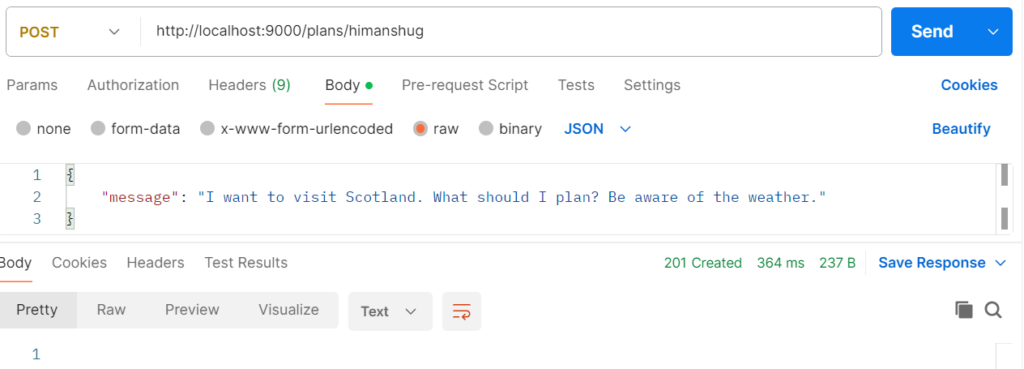
mvn compile exec:java3. Plan Trip 1
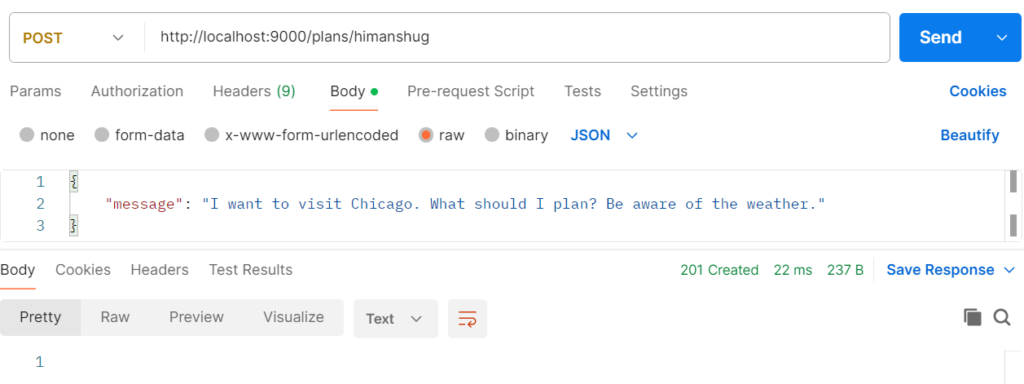
4. Plan Trip 2
5. Retrieve all Recommended Trips
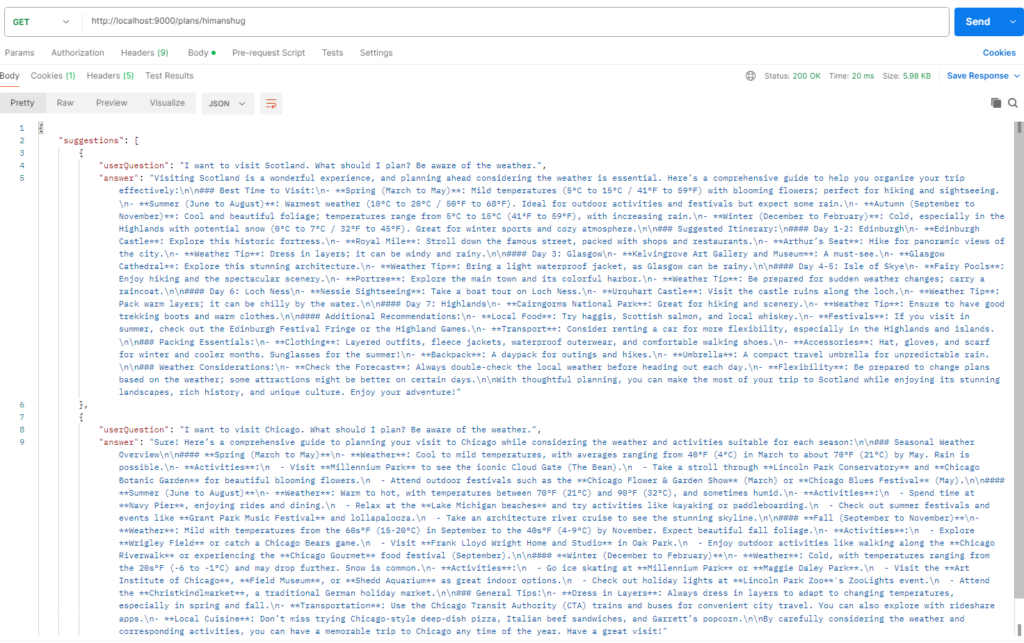
The point to note is, the list includes recommended plans for both – Scotland and Chicago.
Next Steps
Till now we have been telling the AI Agents (Weather Agent & Planning Agent) how to coordinate. But in a complex application, with 10s or 100s of AI Agents, managing their workflow can be cumbersome. To avoid that we can benefit from letting the AI model come up with a workflow which agents can use to process a request. We will explore that feature in our next blog, so stay tuned 🙂