


A plain but lightning-fast, responsive website, without any fancy animation, can leave an ever-lasting impression — and McMaster-Carr has proven just how powerful that can be.
The buzz began when Kenneth Cassel, a user on X (previously known as Twitter) pointed out how a century-old industrial supplier had managed to deliver such a snappy user experience. This tweet has gathered tens of millions of views at the time of this writing, plus a huge spike in traffic from other developers or just curious users. Which is the kind of marketing companies would be willing to pay top dollar for.
About McMaster-Carr
If you haven’t come across them before, you’re not alone. McMaster-Carr is an industrial supplies powerhouse that’s been quietly serving a loyal customer base for decades — even ranking third in online sales back in 2002, just behind Amazon and Barnes & Noble. Their audience knows the site well, and for good reason: it’s amazingly fast, making it effortless to navigate a catalog containing hundreds of thousands of parts.
We all know that sluggish websites can frustrate users, prompting them to leave prematurely and costing companies potential customers. Which is why so many businesses chase the latest frameworks and performance tricks. Yet McMaster-Carr defies that trend — delivering one of the snappiest web experiences around using what many might label “legacy” tech.
How Did They Do It?
Their speed comes from a layered, pragmatic approach: minimize what the browser must do, anticipate user actions, aggressively cache, and avoid surprises (layout shifts, blocking assets). Behind the scenes, they rely on ASP.NET for server-side rendering and sprinkle in jQuery along with the now-classic YUI (Yahoo! User Interface Library) — proof that with the right architecture and optimization, old tools can still move fast.
Below are key techniques and how you can observe them in action.
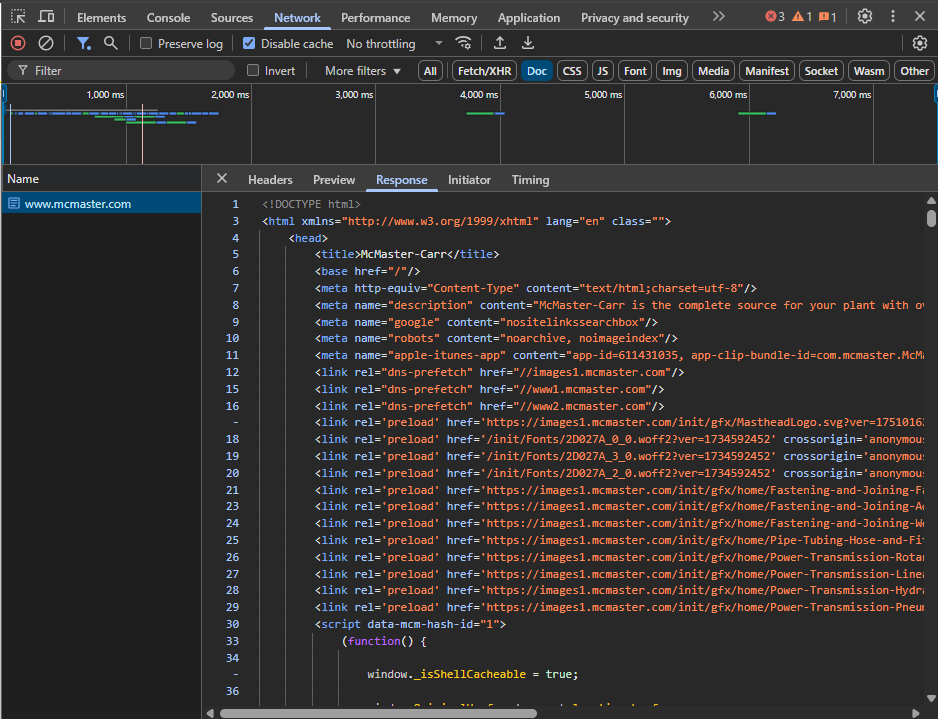
1. Server-Rendered HTML (Minimal reliance on client-side rendering)
One of the foundational choices is: McMaster-Carr leans heavily on server-side rendering (SSR), so the browser receives full HTML from the server rather than relying on heavy JavaScript to build the page.
Because there’s less dependence on client JavaScript, the initial render is faster, especially on slower devices or low-power CPUs.
2. Prefetching / “Hover-to-prefetch” behavior
To make transitions feel instantaneous, McMaster-Carr uses prefetching: when the user hovers (or is about to click) on a link, the site triggers a fetch of the target page’s HTML in advance. So by the time the user clicks, much of the content is already loaded.
This gives the illusion of “instant navigation.”

Network tab recording showing prefetch requests triggered by hovering over a navigation link.
3. Aggressive caching (CDN, server, client)
Caching is everywhere in their setup — it’s not just about caching static assets (images, CSS), but also caching HTML and page fragments. The site appears to leverage Akamai CDN to cache pre-rendered HTML closer to users, reducing latency.
Additionally, there are hints of client-side caching / service workers so repeat views are super fast.
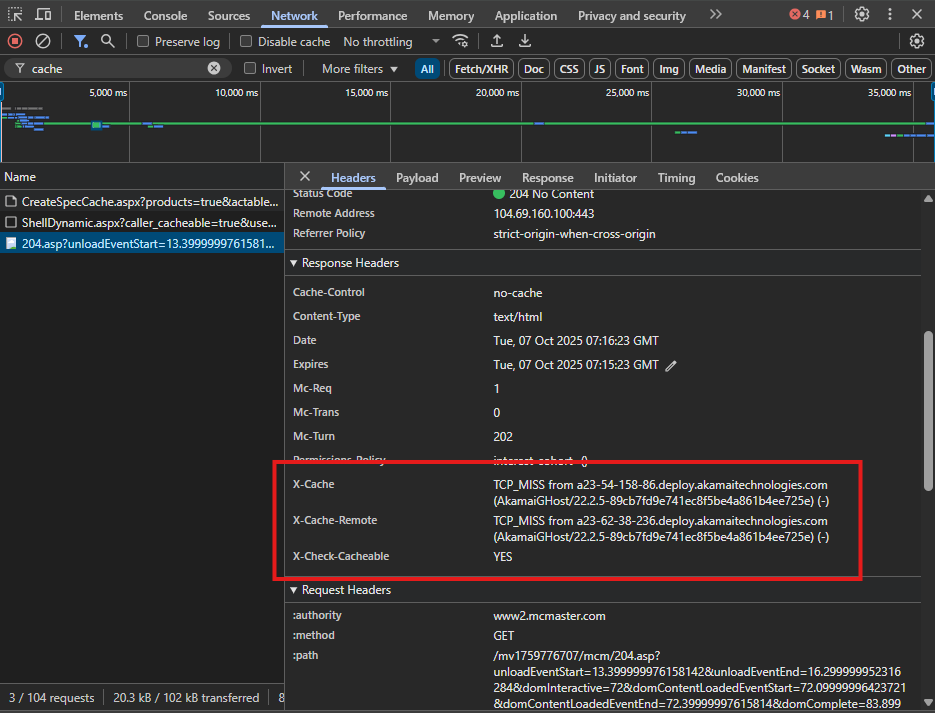
x-cache-remote from a CDN edge server.4. Inlined critical CSS / Critical styles in HTML
To avoid render-blocking delays, McMaster-Carr inlines critical CSS (the minimal styles needed for the “above the fold” portion) directly into HTML. That means the page appears styled immediately as the browser parses the markup without waiting for external CSS files.
Any non-critical CSS can be deferred or loaded asynchronously.
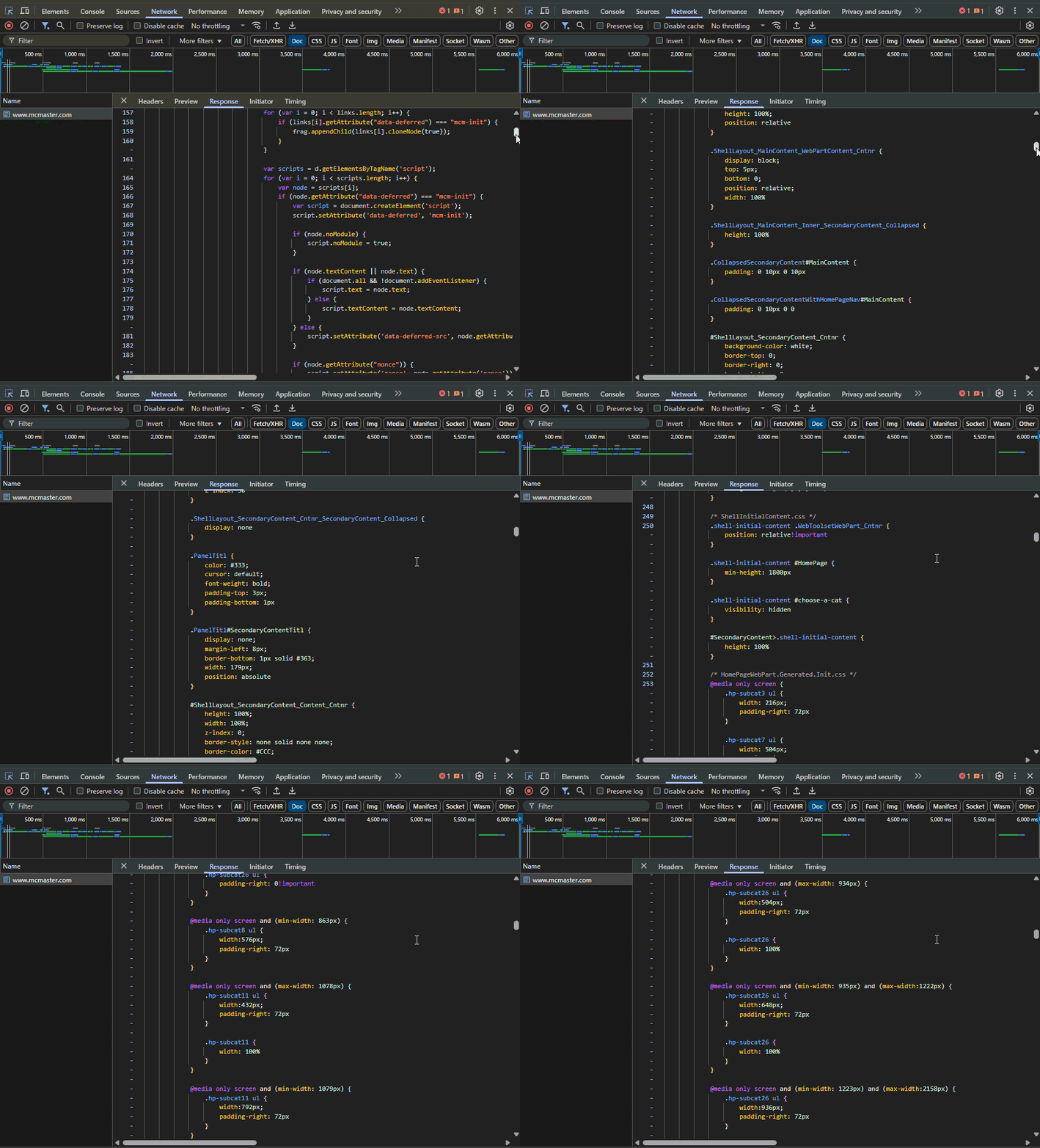
HTML <head> with inline <style> block showing critical CSS rules for layout and typography.
5. Fixed dimensions for images & layout stability
One common performance pitfall is layout shift: images loading late can cause content to jump around. McMaster mitigates that by specifying fixed width and height on image tags, reserving layout space ahead of download.
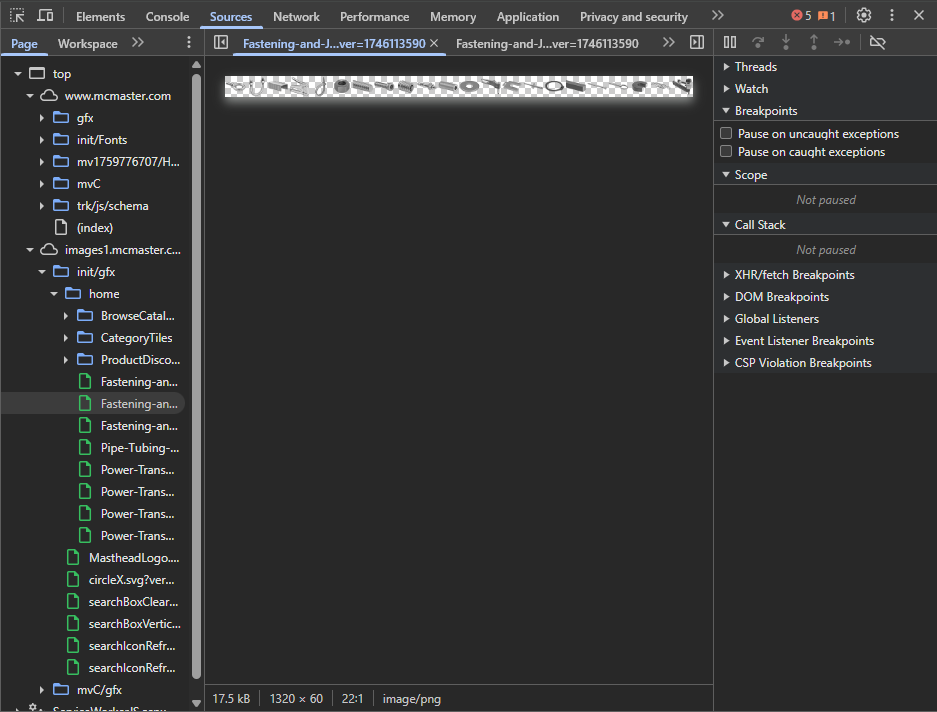
They also appear to use a technique called image sprites to reduce HTTP requests. This technique involves combining multiple small images into one and using CSS background positioning to get the exact portion to display as product image.
6. Minimal & modular JavaScript loading
Although McMaster’s site uses older JavaScript libraries (jQuery, YUI), it avoids bloat by only loading the JavaScript needed per page (i.e. not bundling everything everywhere) and deferring non-critical scripts.
This keeps parsing and execution overhead low, especially on slower devices.
7. Preload, preconnect, and DNS-prefetch hints
To optimize the resource fetch pipeline, McMaster uses HTML hints like <link rel="preload">, <link rel="preconnect"> (as shown in this previous screenshot), and perhaps DNS prefetches. These let the browser prepare connections or even start resource fetches earlier.
8. Performance monitoring & fine tuning
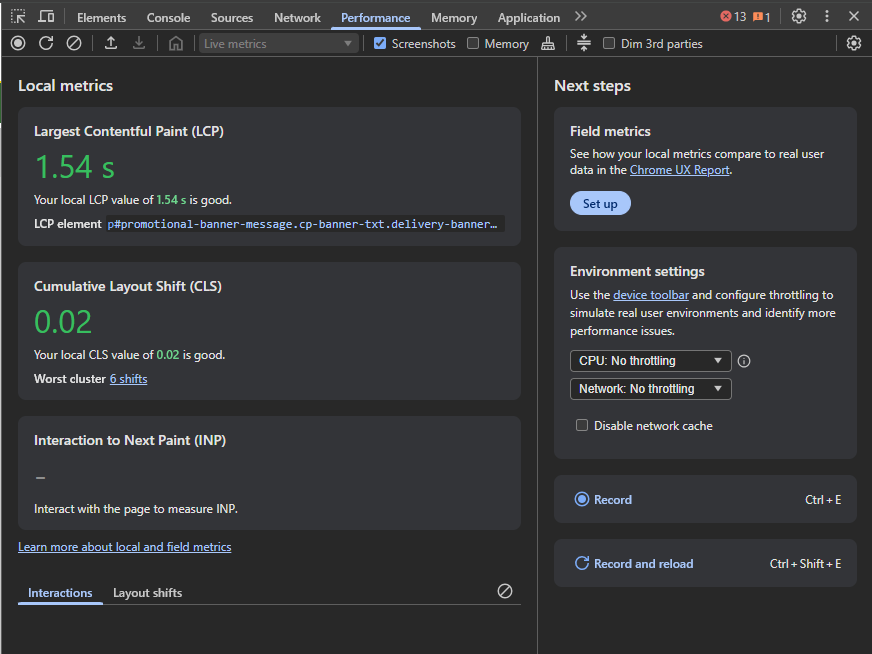
It’s one thing to ship a fast site; it’s another to maintain it under load. McMaster likely instruments performance metrics (e.g. window.performance, performance.mark, web vitals) to track load times, bottlenecks, and regressions.
Final Thoughts
McMaster-Carr’s website is a strong reminder for developers that true performance isn’t about chasing the newest frameworks — it’s about understanding the fundamentals. By leaning on server-side rendering, aggressive caching, smart prefetching, and careful attention to user experience, they’ve achieved what most modern stacks still struggle with: speed that feels effortless.