


When you start working with data on AWS, it doesn’t take long before your S3 bucket becomes a parking lot for every kind of file imaginable — CSVs from old systems, JSON from APIs, logs from various services, and sometimes things you didn’t even know existed.
At some point, all that raw information needs to be cleaned, organized, and made usable. AWS Glue makes that process much easier by giving you a fully managed environment for building ETL pipelines without worrying about servers, scaling, or maintenance.
In this post, I will walk through a practical ETL flow on AWS: starting with S3, letting Glue Crawlers discover the schema, using Glue Jobs to transform the data, and then loading it into Redshift or putting it back into S3 in a nicer format.

Why Build ETL with AWS Glue?
Glue is essentially the “set it and forget it” ETL service in AWS.
A few reasons why people gravitate toward it:
- It’s fully managed — no Spark clusters to babysit
- It handles schema discovery automatically
- It integrates nicely with Athena, Redshift, and S3
- It scales as needed
- It makes metadata management much cleaner
In other words: Glue removes a lot of the boring, repetitive parts of ETL.
A Quick Look at the Architecture
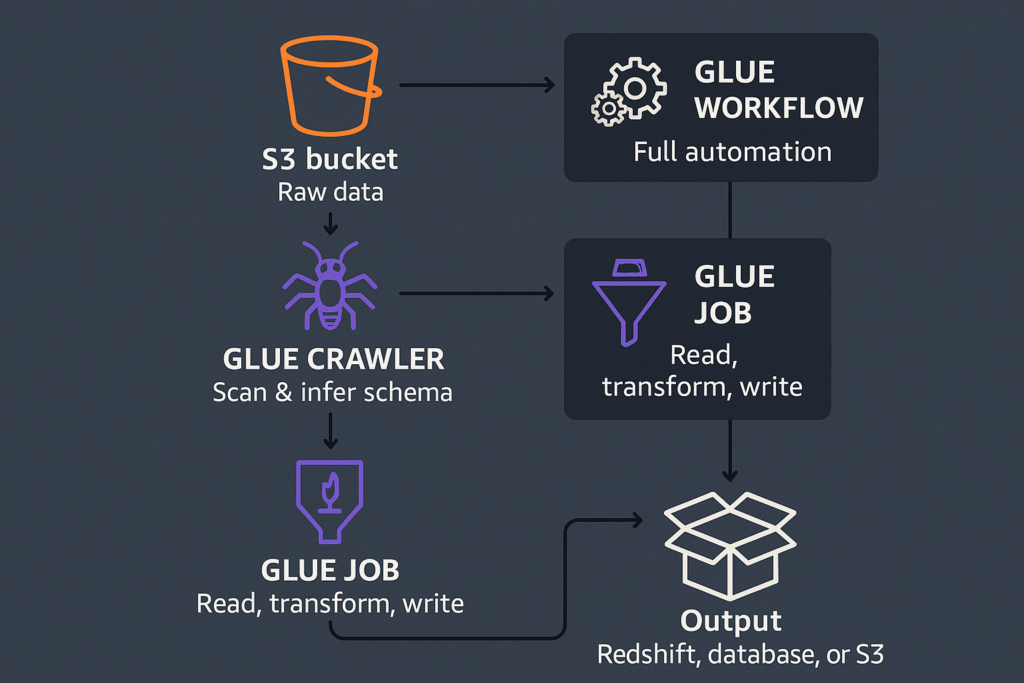
Here’s the pipeline we’re working with:
- Raw data lives in an S3 bucket
- A Glue Crawler scans the data and infers the schema
- The schema is stored in the Glue Data Catalog
- A Glue Job reads, transforms, and writes the data
- The output goes to Redshift, another database, or back to S3
You can also wrap everything in a Glue Workflow if you want full automation.
Structuring Your Data in S3
Before running anything in Glue, it’s worth organizing your S3 bucket. A clean structure helps teams stay consistent and gives Glue (and future you) a predictable place to look for data.
A common layout looks like this:
my-data-lake/
  raw/
  processed/
  curated/
raw/
Where the data lands as-is. No modification, no cleanup — “original files only.”
processed/
Data after being cleaned and standardized. Fewer surprises here.
curated/
Analytics-ready datasets, often stored in efficient formats like Parquet
Partitioning also matters for performance. For example:
s3://my-bucket/events/year=2024/month=01/day=05/Glue, Athena, and Redshift Spectrum all understand this pattern and use it to speed up queries.
Using Glue Crawlers to Discover Schema
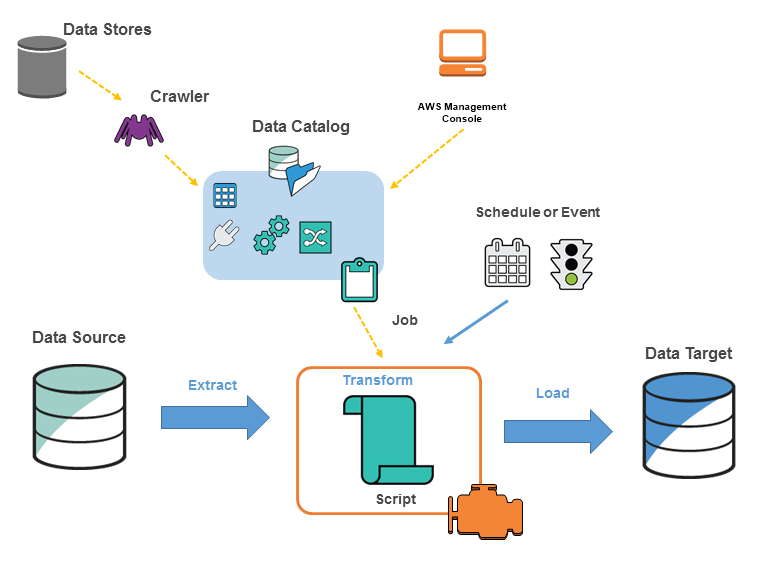
A Glue Crawler is like a small robot that scans your S3 folders and figures out:
- What columns exist
- What their data types are
- How the dataset is structured
- Whether there are partitions
When the crawler finishes, it updates the Glue Data Catalog, which acts like a metadata index for all your datasets.
You simply tell the crawler:
- Which S3 path to scan
- Which database in the Data Catalog to use
- (Optional) How often it should run
This step removes the painful manual work of maintaining schemas yourself.
Transforming Data with Glue Jobs
Before writing any transformation code, it helps to understand what type of data you might be dealing with in S3. In real-world pipelines, S3 often contains:
Structured and semi-structured formats
- CSV exports
- JSON from APIs or event streams
- Parquet/ORC files from previous ETL steps
Log formats
- CloudTrail logs
- ALB/NLB logs
- Application logs
Compressed files
.gz,.zip,.bz2,.snappy
Partitioned datasets
year=2024/month=01/day=05/
The good news: Glue Jobs (powered by Apache Spark) can read most of these directly.
Enable Job Bookmarks (very important for incremental ETL)
Job Bookmarks help Glue keep track of which files have already been processed.
If you enable bookmarks, your job will only process new or changed files, preventing duplicated output and saving both time and cost.
This is extremely useful for daily/hourly pipelines where new data arrives continuously.
How Glue Jobs Handle ETL
Glue Jobs let you write your transformations in PySpark or using Glue DynamicFrames (better for evolving or messy schemas).
Common tasks include:
- renaming or cleaning up fields
- fixing inconsistent data types
- flattening nested JSON
- removing duplicates
- joining multiple datasets
- converting CSV/JSON → Parquet
- generating partition columns
Here’s a short example:
from awsglue.context import GlueContext
from pyspark.context import SparkContext
from pyspark.sql.functions import year

sc = SparkContext()
glue_context = GlueContext(sc)
spark = glue_context.spark_session

# Read raw data
df = spark.read.json("s3://my-bucket/raw/events/")

# Clean + enrich
df_clean = (
    df.dropDuplicates()
      .withColumnRenamed("id", "event_id")
      .withColumn("year", year("timestamp"))
)

# Write processed data
df_clean.write.partitionBy("year").parquet(
    "s3://my-bucket/processed/events/"
)
Loading Data into Redshift, Databases, or Back to S3
After transforming data, you can deliver it downstream depending on your needs.
Load to Amazon Redshift
- Use COPY from S3 for high-performance bulk loading
- Or use Glue’s Redshift connector for smaller or incremental updates
Just remember to choose good sort keys and distribution keys.
Load to Other Databases
Glue can write to:
- MySQL / PostgreSQL / SQL Server (via RDS)
- Oracle
- Any JDBC endpoint
Useful for feeding operational systems or serving API layers.
Write Back to S3
Many data lake or lakehouse architectures prefer this:
- Write Parquet files
- Partition them properly
- Query using Athena or Redshift Spectrum
It’s cheap, fast, and scalable.
Automating the ETL Flow with Glue Workflows
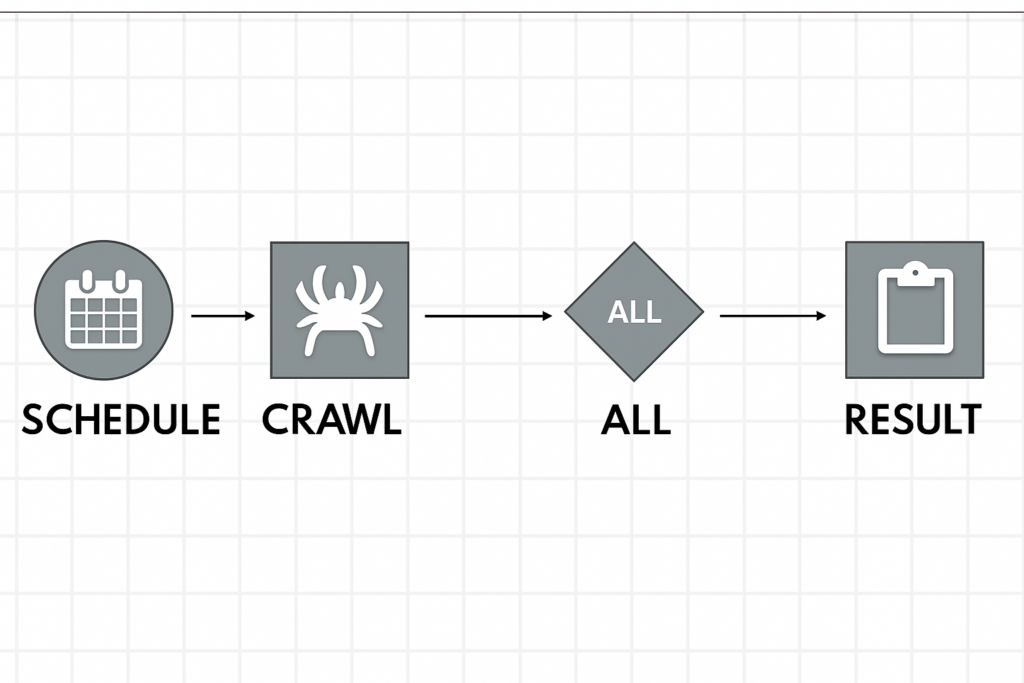
Glue Workflows allow you to chain steps into a full pipeline:
- crawl the raw data
- run a Glue Job
- run another job if needed
- send a notification when done
Workflows can run:
- on a schedule
- when new files appear in S3
- manually
This is ideal for recurring ETL pipelines (daily, hourly, etc.).
Final Thoughts
AWS Glue makes it surprisingly straightforward to build solid ETL pipelines without managing infrastructure. By combining S3, Crawlers, Glue Jobs, and Redshift, you can turn messy raw files into clean, analytics-ready datasets — all inside a managed, scalable environment.