


Many developers use async/await and Task every day in Web API projects. But if you ask:
“Why do we use async?”
“Where does the performance come from?”
“What exactly improves when using Task and async/await?”
Most cannot answer clearly.
Some say, “Because async is faster.”
But database queries don’t magically become faster.
HTTP calls also don’t become faster.
So what’s really happening?
To truly understand why async matters—and why it is essential for Web APIs—we need to clarify several confusing terms first.
1. Clearing Up the Confusing Terms (Task, Asynchronous, Async/Await)
Many developers believe:
“Using Task + async/await makes performance better.”
But they cannot explain:
- Why performance improves
- Where scalability comes from
- What async actually does under the hood
Let’s fix that by clarifying the fundamental concepts.
1.1 “Asynchronous” simply means non-blocking (the thread is blocked, not the CPU)
When we say asynchronous is “non-blocking,” it means:
- The thread is not stuck waiting
- The CPU is free to work on something else
- The operation will resume when the result is ready
Many developers confuse “thread is blocked” with “CPU is busy”.
But here is the truth:
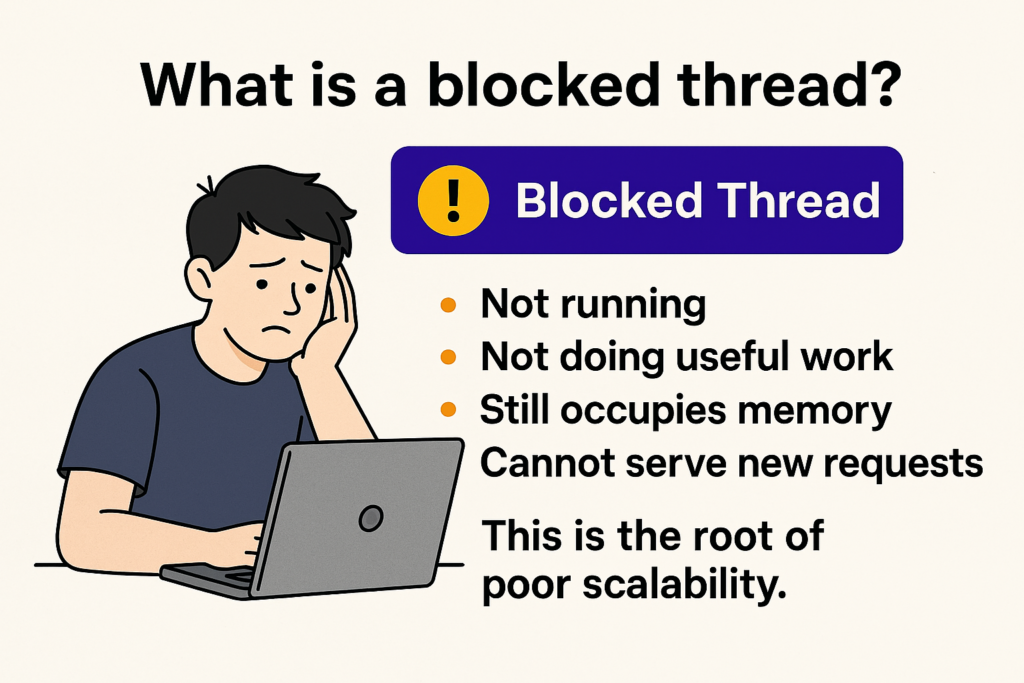
A blocked thread consumes RAM but uses zero CPU.
A busy CPU does work but doesn’t hold a thread unnecessarily.
What is a blocked thread?
1.2 Asynchronous ≠ Multi-threaded
Asynchronous does not mean you are running tasks on multiple threads.
Async code often uses fewer threads, not more.
I/O operations (database calls, file I/O, HTTP, etc.) complete using OS callbacks—not threads.
1.3 “Task” ≠ “Thread”
A Task is a promise representing future completion.
It is not a thread.
A Task may:
- run on a thread
- represent an I/O operation with no thread waiting
- complete immediately
- represent a compiler-generated state machine
Think of a Task like a receipt, not the worker.
1.4 async and await are syntax, not technology
async tells the compiler to build a state machine.await suspends the method until a Task completes.
async does not make things asynchronous.
It simply allows your method to consume asynchronous operations.
2. Why Asynchronous Programming Is Critical in Web APIs
Let’s understand what happens when hundreds of users hit your API simultaneously.
2.1 Every incoming HTTP request occupies a thread
ASP.NET Core uses a Thread Pool.
When a request arrives:
- Server assigns a thread
- Your controller executes on that thread
- The thread remains occupied until work completes
So:
1 request ≈ 1 active thread
2.2 With many users → many threads → big trouble
Imagine 800 concurrent requests.
You need ~800 threads to process them immediately.
But:
- Threads consume RAM (0.5–1 MB each)
- Too many threads cause CPU overhead
- Too many threads cause context switching
- The OS scheduler gets overloaded
What happens when thousands of synchronous requests hit a server?
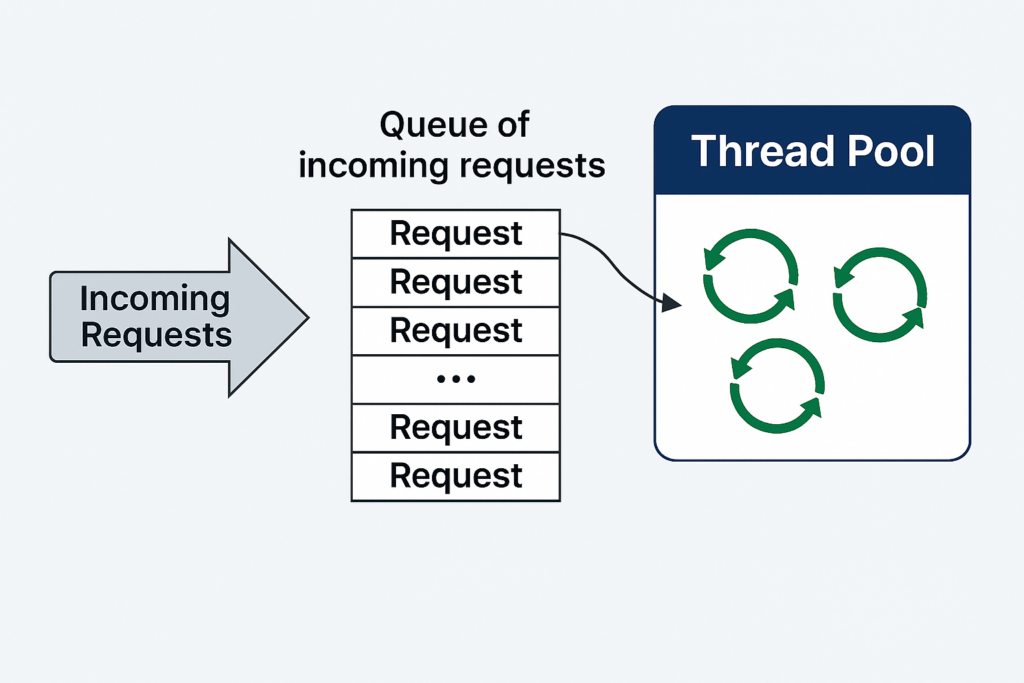
Pool cannot grow fast enough
This leads to queueing, timeouts, slow response times, and outages.
2.3 Why threads are expensive
1️⃣ Memory cost
Each thread uses a stack (typically 512 KB–1 MB).
1000 threads = ~1 GB RAM wasted
(Doing nothing while waiting on I/O!)
2️⃣ CPU cost (context switching)
When there are many threads, the OS constantly switches between them:
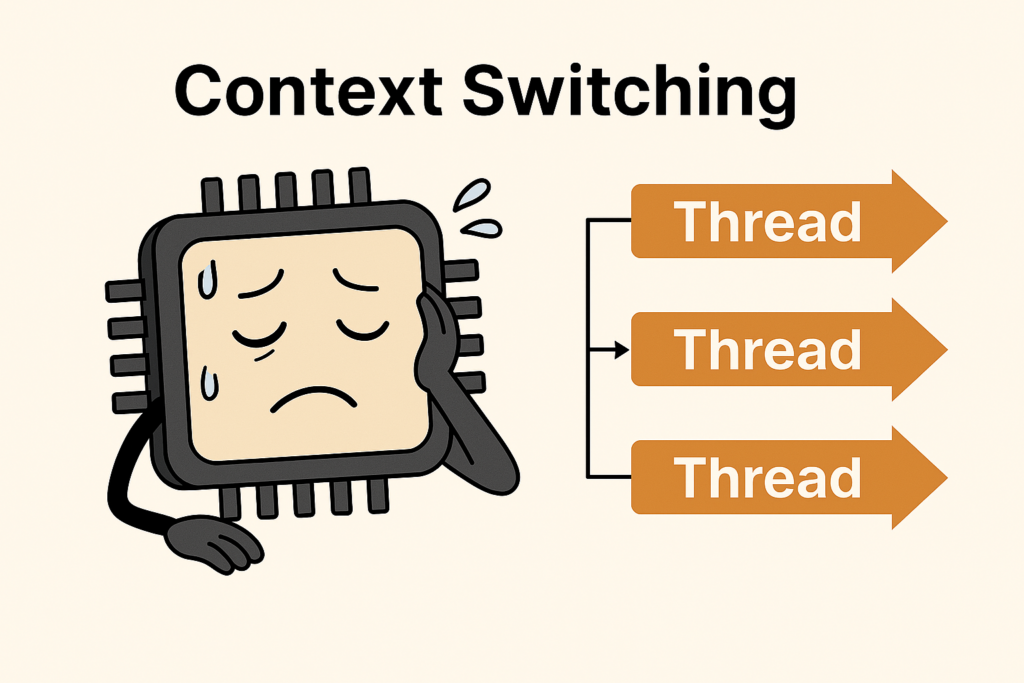
Each switch costs CPU time.
The more threads, the more switching, the slower your system becomes.
3️⃣ Thread pool starvation
If all threads are waiting on I/O:
- No threads left to process new work
- Requests queue
- API latency spikes
- Server hangs
This is the primary reason synchronous Web APIs fail under heavy load.
2.4 Blocking I/O is the killer
Most Web API logic is I/O-bound:
- Database queries
- HTTP calls
- Cloud services
- File operations
In synchronous code:
var users = db.Users.ToList(); // BLOCKING
The thread waits.
The CPU waits.
The API waits.
The user waits.
This single line can freeze a whole server under load.
2.5 Asynchronous programming solves the blocked thread problem
Async I/O frees the thread:
var users = await db.Users.ToListAsync(); // NON-BLOCKING
What happens now?
- Database query is sent
- The thread is released back to the pool
- Server handles another request
- When the DB responds, the operation resumes
This is the whole point of async:
Async allows your server to wait for I/O without wasting threads.
2.6 So where does performance really come from?
Not from running faster.
Not from parallelism.
Not from Threads.
Async improves:
- Scalability
- Throughput
- Latency under load
- CPU efficiency
- Memory efficiency
Async allows your API to handle 5x–50x more requests with the same hardware.
3. How These Concepts Relate to Each Other
Now that we understand each concept, here’s how they connect:
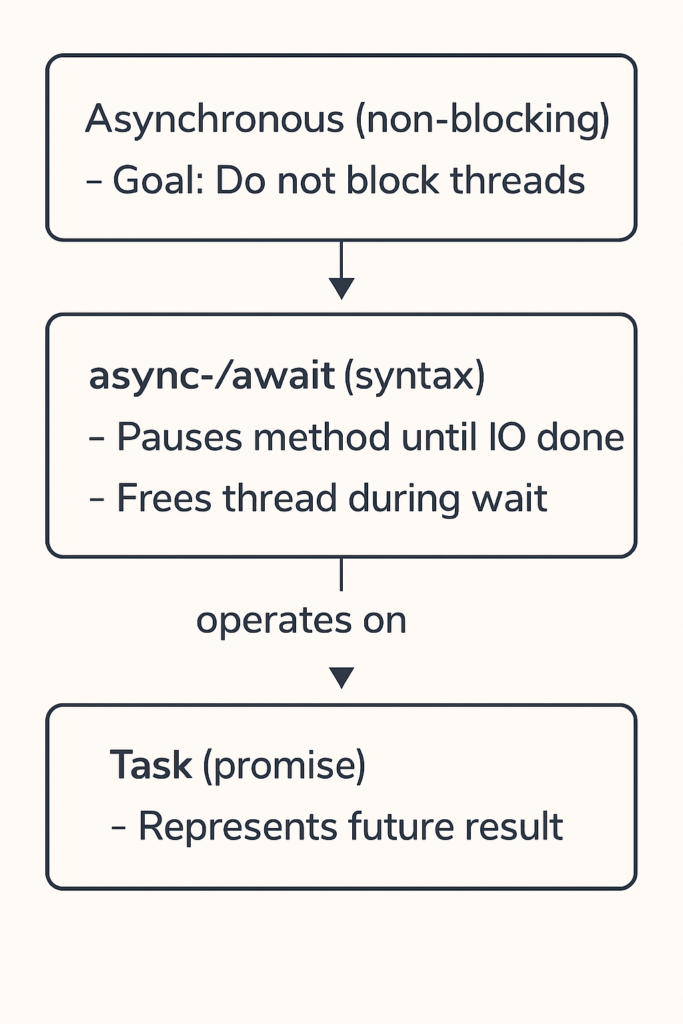
In short:
- Asynchronous = purpose
- Task = representation
- async/await = mechanism
These three together solve the most important scaling problem in Web APIs:
blocked threads.
4. How to Use Async/Await Correctly in C#
Below are the correct usage patterns for real-world Web APIs.
4.1 Use async for all I/O operations
public async Task<User> GetUserAsync(int id)
{
    return await _db.Users.FindAsync(id);
}
4.2 Controller example (best practice)
[HttpGet("users")]
public async Task<IActionResult> GetUsers()
{
    var users = await _db.Users.ToListAsync();
    return Ok(users);
}
4.3 NEVER block async code with .Result or .Wait()
❌ Bad (causes deadlocks & thread blocking):
var data = httpClient.GetStringAsync(url).Result;
✔ Good:
var data = await httpClient.GetStringAsync(url);
4.4 NEVER wrap I/O in Task.Run inside Web APIs
❌ Bad:
var data = await Task.Run(() => db.Users.ToList());
✔ Correct:
var data = await db.Users.ToListAsync();
4.5 Async all the way down
Once a method is async, callers must also be async.
This prevents mixing blocking + non-blocking code.
4.6 Understand I/O bound vs CPU bound
| Type | Should use async? | Should use Task.Run? |
|---|---|---|
| I/O-bound (DB, HTTP, file) | YES | NO |
| CPU-bound (math, compression) | NO | SOMETIMES (rare in APIs) |
Final Summary
Asynchronous programming in C# is not about making code “faster.”
It is about making your Web API scalable, efficient, and resilient.
Async/await:
- Frees threads during I/O
- Reduces memory usage
- Reduces context switching
- Prevents thread starvation
- Allows your API to handle far more concurrent users
- Reduces infrastructure cost
Understanding Task + async/await + thread behavior is essential for writing modern, high-performance C# Web APIs.