


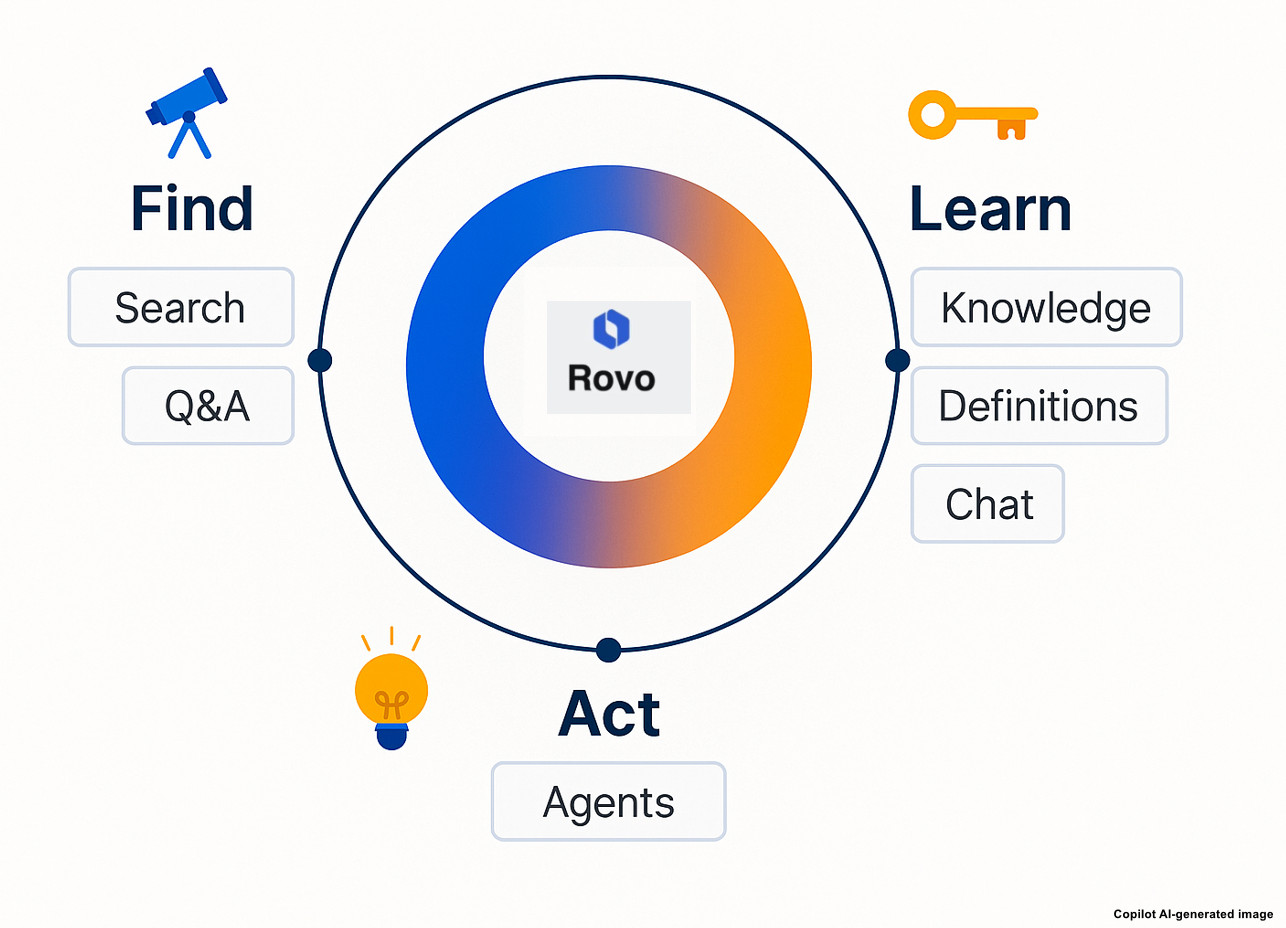
As testers, we constantly balance speed and quality. We need to create clear bug reports, design comprehensive test cases, analyze requirements, and handle regression testing – all while keeping up with tight sprint timelines. With Rovo AI (Atlassian Intelligence) integrated into Jira, testers gain an assistant that drafts, structures, and summarizes testing artifacts so that the testing team can spend more time on risk-based and exploratory testing. This blog shows how to use Rovo effectively – from core features to advanced workflows that elevate team productivity impact.
Practical Ways to Use Rovo
1. Generate Clear Bug Reports – Faster and More Consistent
Writing detailed and well-structured bug reports often consumes significant time, and the quality can differ from one tester to another. Rovo helps streamline this process by transforming raw notes into clear, developer-friendly reports with standardized sections. This leads to consistent report quality, faster triage, and fewer follow-up questions from developers. However, testers should still verify the accuracy of the error context and environment, and always include logs or screenshots to provide solid evidence for the issue.
How to use:
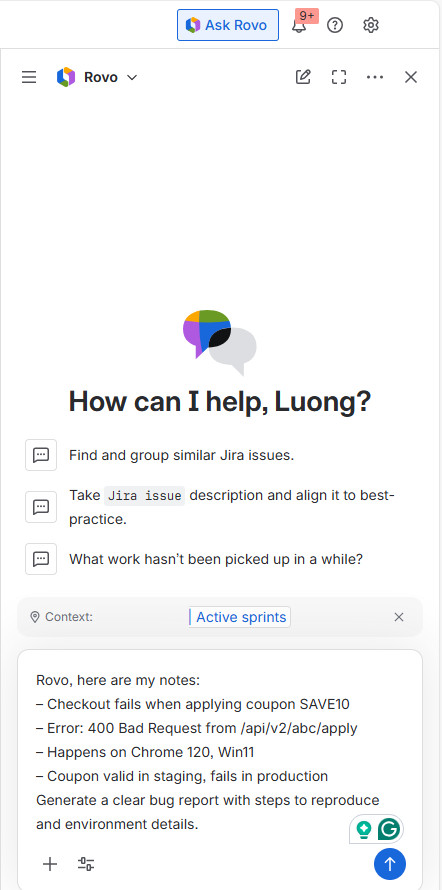
1. Open Jira and click “Ask Rovo”.
2. Enter our prompt by providing rough notes, logs, or screenshots…
Example prompt:
Rovo, here are my notes:
– Checkout fails when applying coupon SAVE10
– Error: 400 Bad Request from /api/v2/abc/apply
– Happens on Chrome 120, Win11
– Coupon valid in staging, fails in production
Generate a clear bug report with steps to reproduce and environment details.
2. Generate Test Cases from User Stories
Designing test coverage for new user stories can be repetitive and time-consuming. Rovo helps reduce this effort by automatically suggesting positive and negative flows, edge cases, and potential acceptance criteria. This gives teams a strong baseline for coverage and accelerates onboarding for new testers. However, it’s important to review the generated scenarios against actual business rules and remove any edge cases that are not relevant to the product context.
Example user story: As a registered user, I want to apply a promotional coupon at checkout so I can receive a discount.
Example prompt:
Rovo, generate test cases for the coupon story.
– Include positive and negative scenarios
– Input validations, edge cases,
– Input Gherkin acceptance criteria.
3. Summarize Long User Stories and Comment Threads
As issues evolve, they often become cluttered with comments from product owners, developers, and testers, making it difficult to track the latest decisions. Rovo helps cut through this noise by compiling key updates, important decisions, and remaining open questions into a clear summary. This enables faster comprehension and reduces the risk of missing requirements or critical context.
Example prompt:
Rovo, summarize this issue and thread.
– Highlight decisions made, pending clarifications, and next steps for the tester.
4. Generate Test Data Quickly
Preparing test data is often time-consuming and tends to be handled in an ad hoc manner across teams. Rovo streamlines this process by generating synthetic emails, user IDs, JSON payloads, and boundary values tailored to the testing scenario. This accelerates setup for validation tests and API suites, helping teams move faster with more consistent data. Testers should still ensure that no production PII is used and store all synthetic data in proper test fixtures for reuse and compliance.
Example prompt:
Rovo, generate 20 synthetic user records for API testing with:
– valid/invalid emails
– UUID v4 ids
– boundary names (0, 255 chars)
Return as JSON.
5. Improve or Expand Existing Test Cases
Legacy test cases often suffer from inconsistency and may overlook important edge conditions. Rovo can serve as a virtual reviewer by refining unclear steps, identifying missing scenarios, and even converting existing tests into standardized Gherkin format. This results in more maintainable test assets and a consistent testing language that aligns teams across the project.
Example prompt:
Rovo, review these test steps for clarity and consistency.
– Rewrite with numbered steps, add missing negative/edge cases, and convert to Gherkin.
– Update, such as: “Before: Try apply code; see discount. After: 1. Open checkout -> 2. Enter valid code -> 3. Click Apply -> 4. Verify total decreased by 10% -> 5. Confirm applied coupon tag is visible.”
6. Assist with Root Cause Analysis (RCA)
Reading stack traces and logs can significantly slow down the initial triage process. Rovo simplifies this by explaining errors in plain language, summarizing long traces, and suggesting the modules most likely to be impacted. This reduces unnecessary back-and-forth between testers and developers and speeds up the overall handoff, enabling quicker issue resolution.
Example prompt:
Rovo, summarize the stack trace and propose plausible root causes.
– Call out the service or module most likely affected.
7. Generate or Improve Acceptance Criteria (AC)
Vague acceptance criteria often cause misalignment, unnecessary churn, and rework across teams. Rovo addresses this by proposing clear, scenario-based acceptance criteria in Given–When–Then format, along with relevant validation rules. This helps testers, developers, and product owners stay aligned and significantly reduces ambiguity during implementation and testing.
Example prompt:
Rovo, write testable acceptance criteria for the coupon application.
– Include validations, error messages, and edge cases.
8. Enhance Jira Workflows with Rovo Suggestions
Sprint hygiene tasks—such as applying consistent labels, defining severity, creating sub-tasks, and preparing release notes—are often handled inconsistently across team members. Rovo helps streamline this by automatically suggesting appropriate priorities, severity levels, labels, testing sub-tasks, and draft release notes. This leads to better sprint visibility and smoother communication within the team and with stakeholders.
Example prompts:
Rovo, based on description and impact, suggest severity and priority.
– Draft release notes for tester sign‑off focusing on risk areas and known limitations
– Propose QA sub‑tasks for this epic and link them to the parent.
Advanced Tips for Testers Using Rovo
Use Rovo to find similar past bugs: Rovo’s search capabilities make it easier for testers to quickly retrieve historical bugs and past discussions. By surfacing similar issues, patterns, and resolutions, teams can better understand what has previously gone wrong. This not only helps prevent repeated mistakes but also accelerates troubleshooting for current defects. Over time, it builds a more informed testing culture where knowledge is easily accessible and consistently reused.
Treat AI output as a draft: While AI can significantly speed up test creation, testers should always review AI-generated test cases and bug descriptions to ensure accuracy. Rovo may occasionally miss business-specific rules or misinterpret edge conditions, so human validation remains essential. A quick review helps confirm that the steps, data, and expected results match real system behavior. This combination of AI efficiency and tester expertise leads to higher-quality deliverables and more reliable outcomes.
Combine AI with exploratory testing: Rovo is highly effective at generating standard scenarios, but testers should still go beyond what is documented. AI-driven coverage can miss nuanced behaviors, exploratory paths, or corner cases unique to the product. By combining Rovo’s baseline scenarios with human curiosity and domain knowledge, testers can uncover defects that automated suggestions might overlook. This balance ensures broader coverage and a more resilient testing strategy.
Reuse AI-generated templates for regression suites: Building structured and repeatable test libraries is essential for long-term product quality. With Rovo assisting in organizing and refining test cases, teams can maintain libraries that grow and evolve alongside the product. This ensures that knowledge is preserved, even as team members change or new features are introduced. Over time, a well-maintained test library becomes a strategic asset that improves consistency, speeds up onboarding, and strengthens overall test coverage.
Use Rovo during sprint refinement: To get the most value from Rovo, testers should ask highly specific questions rather than generic prompts. Targeted queries such as “Which scenarios are missing based on this requirement?” or “What edge cases could occur with this user input?” help the AI generate more relevant insights. This approach guides Rovo to focus on gaps that matter most to product quality. As a result, testers gain clearer direction and stronger scenario coverage with less effort.
Conclusion
Rovo AI in Jira is more than just a writing assistant — it’s a true productivity accelerator for testing teams. When used effectively, it empowers testers to create clearer bug reports, produce high-quality test cases, gain faster insight into complex issues, generate test data quickly, and communicate more effectively across teams, all while reducing repetitive manual work. AI will not replace testers, but testers who harness AI will undoubtedly outperform those who don’t. By combining Rovo’s speed with human judgment and domain expertise, teams can deliver higher-quality software in less time.