



1. Introduction to JMeter
Apache JMeter is a widely used open-source tool designed primarily for load testing and performance measurement. With its simple interface and powerful plugin ecosystem, JMeter allows QA engineers to simulate thousands of users and analyze how systems behave under stress. Over the years, it has evolved into a versatile testing platform capable of handling web services, APIs, databases, and more. Its flexibility makes JMeter not only a performance-testing tool but also a practical utility for many everyday QA tasks.
2. Benefit of JMeter
- Cross-platform & lightweight: open source, easy to install and works well on any operating system.
- Supports multiple protocols: HTTP, REST, SOAP, JDBC, FTP, and more—allowing you to test different system components in one place.
- User-friendly interface: intuitive, drag-and-drop style design; no coding required for most scenarios.
- Highly extensible: supports Groovy scripting and a rich plugin ecosystem for advanced customization.
- Comprehensive test elements: samplers, listeners, assertions, timers, and controllers to model complex test flows.
- CI/CD compatible: integrates smoothly with Jenkins, GitLab CI, Azure DevOps, and other automation pipelines.
Beyond these core strengths, JMeter also offers a surprisingly powerful capability that many overlook: extracting and filtering data from API responses — which I will explore in the next section.
3. Practical Example
3.1 Problem Scenario
Below are the scenarios pre-configured by the backend. Since our insurance system has been running for a long time, the backend has already prepared test data for each scenario, making it easy to simulate user accounts. To test a specific case, we simply use the account corresponding to the requirementNumber, representing a user who already holds an insurance policy.
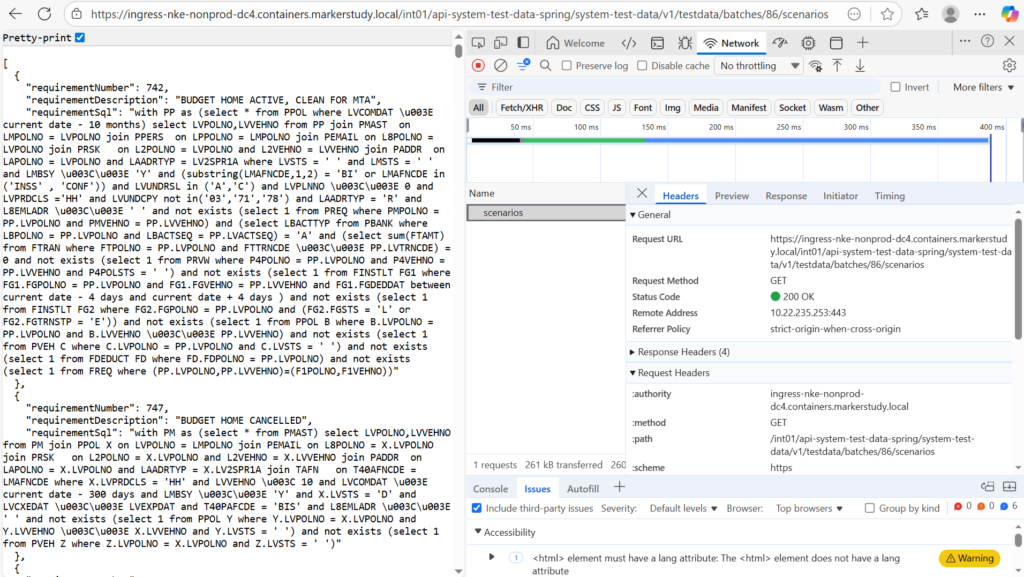
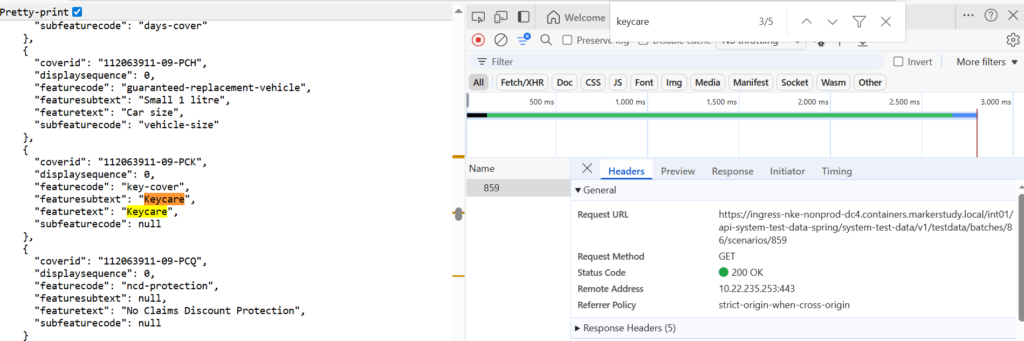
Each scenario has its own data that is not fully described in the description. To view all the fields of each scenario, we have to go through each scenario individually by appending /scenarioId to the endpoint, which can be quite time-consuming. To retrieve the correct test scenario, we filter using the appropriate keywords or the specific fields required from the scenario details.
In this example, the field we need to focus on is keycare.
3.2 Solution
We can see that manually checking each scenario one by one is very time-consuming. On top of that, the scenario data changes daily. Therefore, having a set of scripts to automate the data filtering process is essential.
Here, I leverage JMeter’s ability to retrieve the desired scenarios. What I want is an output file with the scenarios filtered to include the keycare attribute.
So, my idea is:
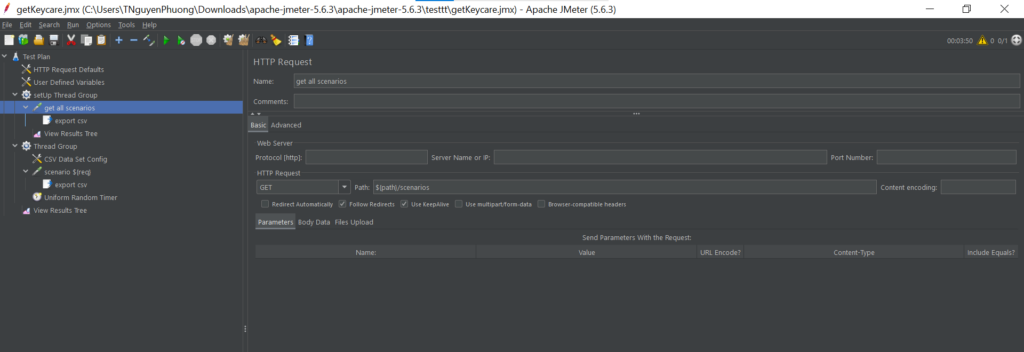
- 1 setUp thread group: to retrieve all the requirementNumber and requirementDescription, export them to a CSV file
- 1 Thread Group: to loop through all scenarios and filter out those that contain the
keycareattribute using CSV file from above.
Step 1: Create setup thread
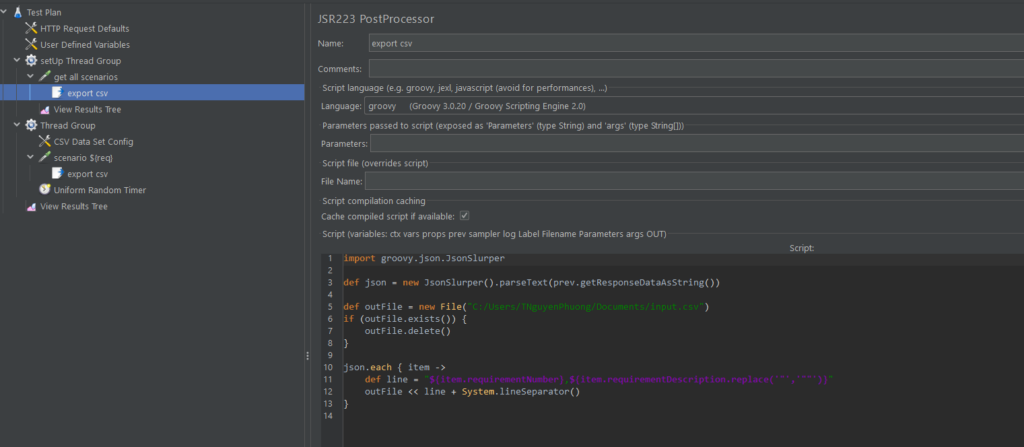
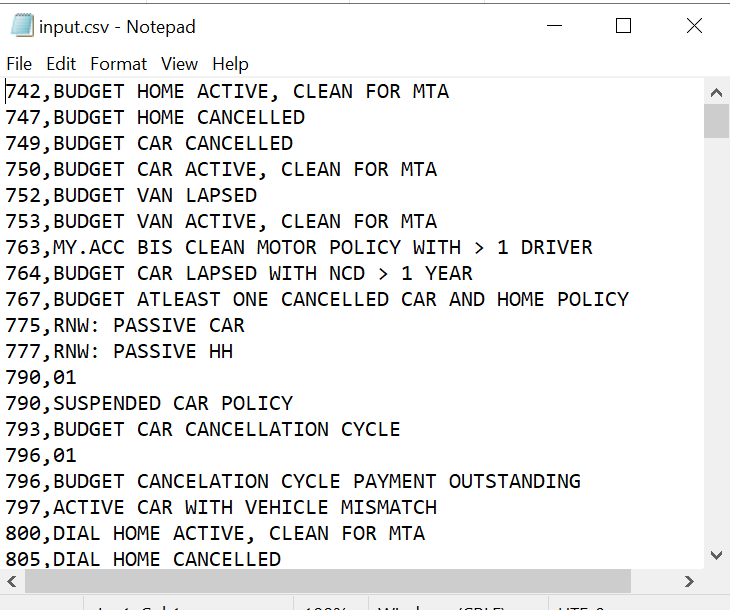
I’m using JSR223 PostProcessor to export requirementNumber and requirementDescription
Then, this is the result:
Step 2: Loop through all scenarios to filter data
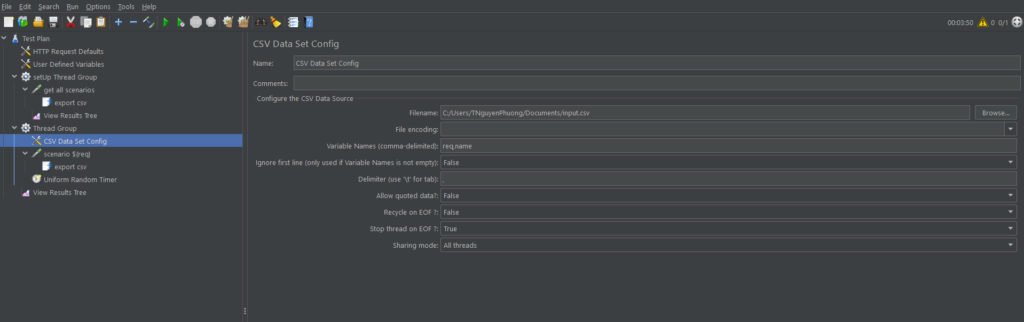
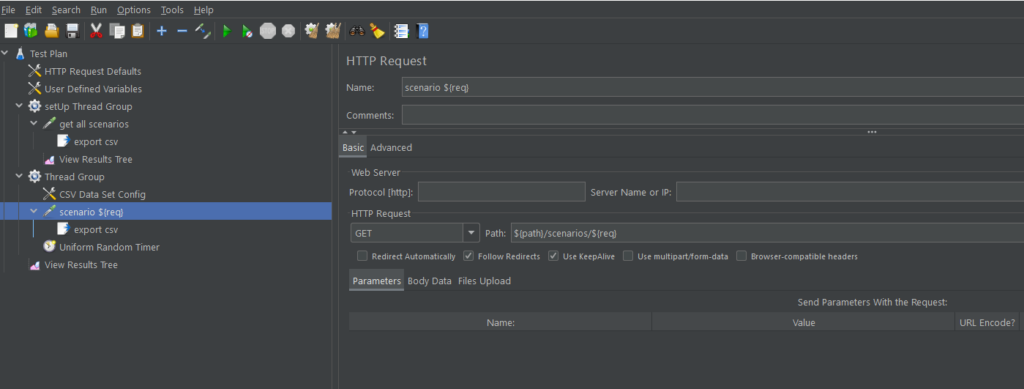
Using a CSV Data Set Config, I load the input.csv file from step 1, pass its data into the request, and loop through all rows until the end of the file.
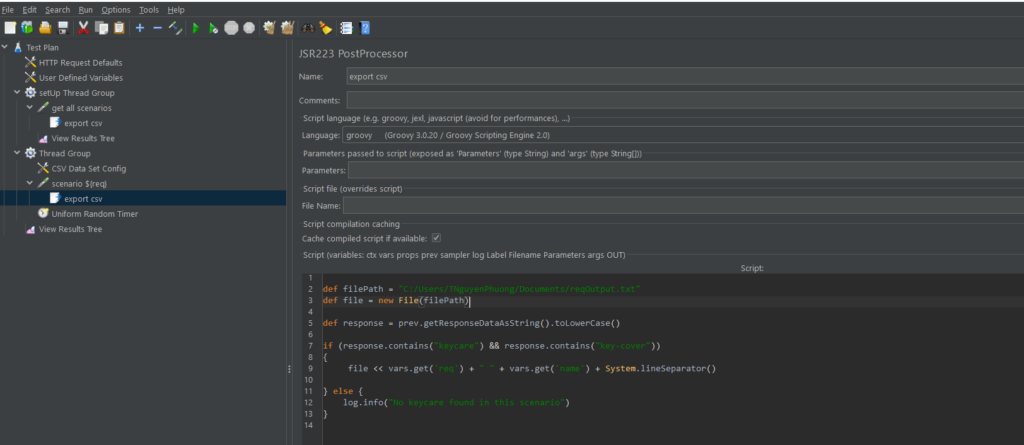
Also, I use a JSR223 PostProcessor to write a script that identifies scenarios containing the keycare attribute and exports them to an output file.
Finally, I obtained an output file that matches my expectations.
4. Conclusion
By leveraging JMeter’s capabilities, we can efficiently handle and process complex, dynamically changing data. Its ability to work with CSV input, iterate through multiple requests, call APIs, and process responses using scripting allows us to filter and extract relevant information with minimal manual effort. This approach ensures consistency, accuracy, and reliability in testing, while significantly improving productivity and streamlining the overall testing process.