


Concurrency, Measurement, and a Real-World Performance Strategy
If the previous parts focused on how React renders, how memoization works, and where performance problems usually live,
this final part answers a more important question:
How do we build React applications that stay fast over time?
Modern React performance is no longer just about render speed.
It’s about responsiveness, prioritization, and measuring the right things.
Welcome to React 18 performance thinking.
1. Performance vs Responsiveness — A Critical Shift in Thinking
Before React 18, performance discussions mostly meant:
- Reduce renders
- Reduce computation
- Reduce DOM updates
With concurrent rendering, React introduces a new axis:
The app does not need to be fast — it needs to feel fast.
Real-world Case Study: “The app was fast, but users hated it”
Scenario
- Search page with heavy filtering logic
- Filtering takes ~200ms
- Rendering optimized, memoized
Metrics
- CPU usage acceptable
- FPS stable
User Feedback
- “The UI freezes when typing”
Root Cause
- React blocked the main thread
- User input had the same priority as heavy computation
👉 The app was fast, but not responsive.
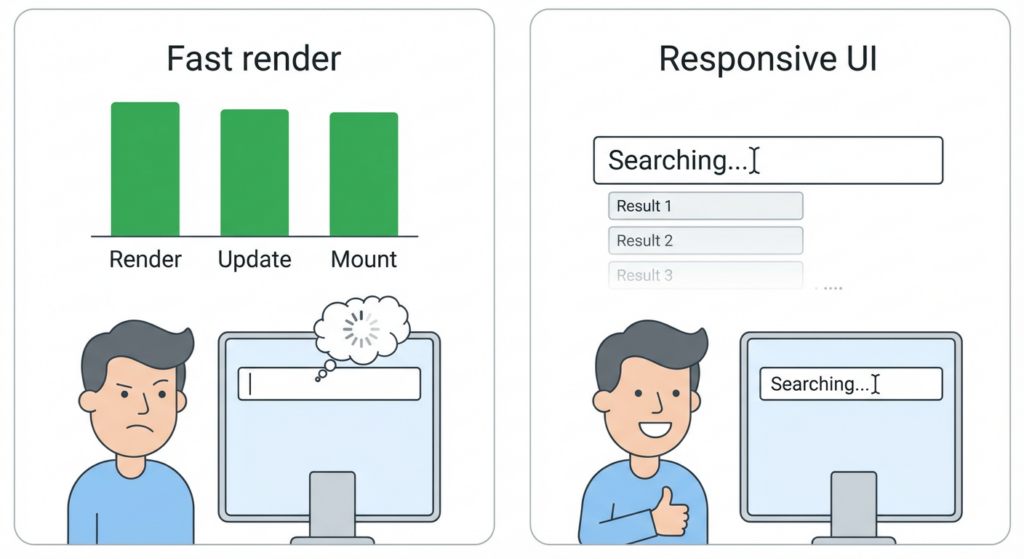
On the left, renders are fast but typing feels frozen; on the right, the UI stays responsive even though results appear slightly later, illustrating the difference between raw speed and perceived responsiveness.
2. Concurrent Rendering: What Problem It Actually Solves
Concurrent rendering allows React to:
- Pause rendering work
- Resume later
- Prioritize urgent updates (like typing, clicking)
This is not about making rendering faster —
it’s about not blocking the user.
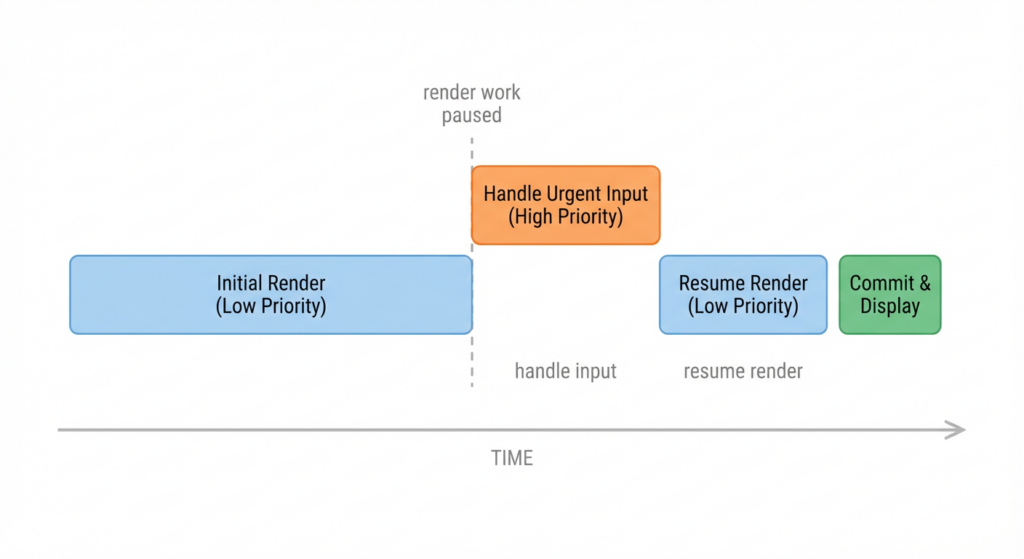
A time-based view of concurrent rendering where React pauses ongoing render work, handles urgent user input, then resumes rendering, showing that concurrency is about scheduling rather than raw speed.
3. startTransition: Prioritizing User Intent
Example
const [query, setQuery] = useState('');
const [results, setResults] = useState([]);

function handleChange(e) {
  const value = e.target.value;
  setQuery(value);

  startTransition(() => {
    setResults(expensiveFilter(value));
  });
}
What Changed?
- Typing stays instant
- Results update slightly later
- UI feels smooth
Real-world Case Study: Search at Scale
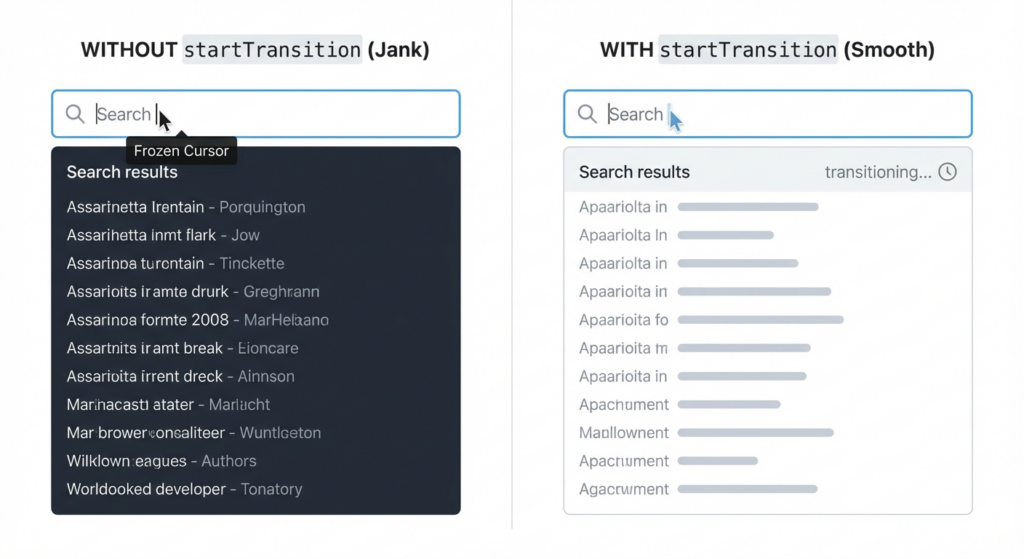
Without startTransition the list tries to update on every keystroke and typing feels laggy; with startTransition the input stays instant while the results list updates as a lower-priority transition.
Before
- Typing lag with large datasets
- Complaints from users on low-end devices
After
- Immediate input feedback
- Deferred list updates
- No architectural rewrite
👉 startTransition solved a UX problem, not a performance benchmark.
4. useDeferredValue: When Data Can Wait
Use Case
- Rendering a large list
- Input should remain responsive
const deferredQuery = useDeferredValue(query);
const results = filterData(deferredQuery);
Real-world Case Study: Analytics Dashboard
- Thousands of rows
- Frequent filtering
- Expensive chart recalculations
Outcome
- Charts update slightly later
- Interactions remain fluid
- Perceived performance improves dramatically
👉 useDeferredValue trades immediacy for responsiveness — intentionally.
5. Automatic Batching: Hidden Performance Wins
React 18 batches updates automatically, even across:
- Promises
- setTimeout
- Native event handlers
Example
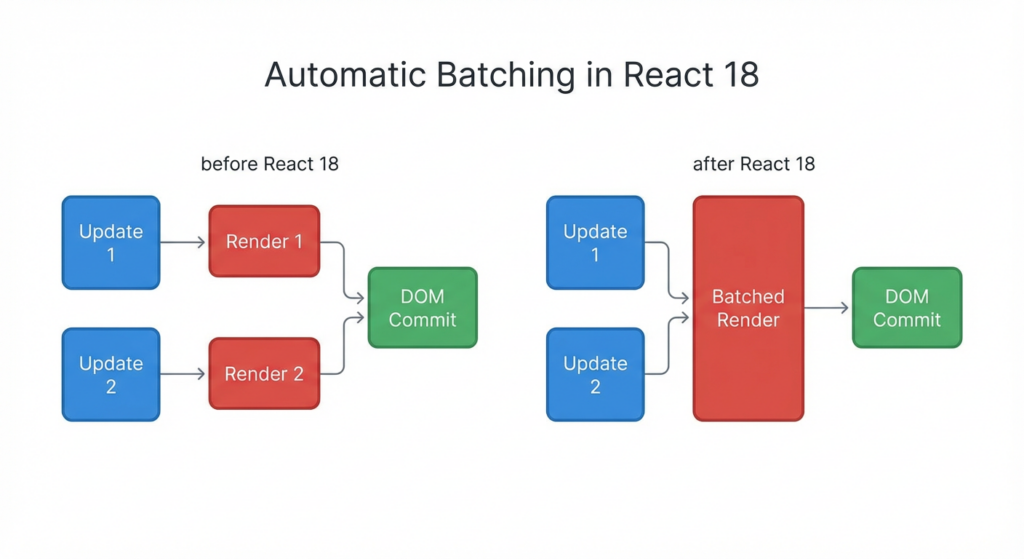
Before React 18, separate state updates could trigger multiple renders; after React 18, the same updates are batched into a single render, reducing work without extra code.
setCount(c => c + 1);
setFlag(true);
Before React 18:
- Two renders
After React 18:
- One render
Real-world Impact
- Fewer re-renders
- Less need for manual optimization
- Cleaner code
👉 Modern React removes some optimization burdens — if you let it.
6. Measuring Performance the Right Way (This Is Where Most Teams Fail)
Rule #1
Never optimize without measuring first.
Yet many teams:
- Add
React.memoeverywhere - Add
useCallbackeverywhere - Still feel performance issues
7. React DevTools Profiler: Your Primary Weapon
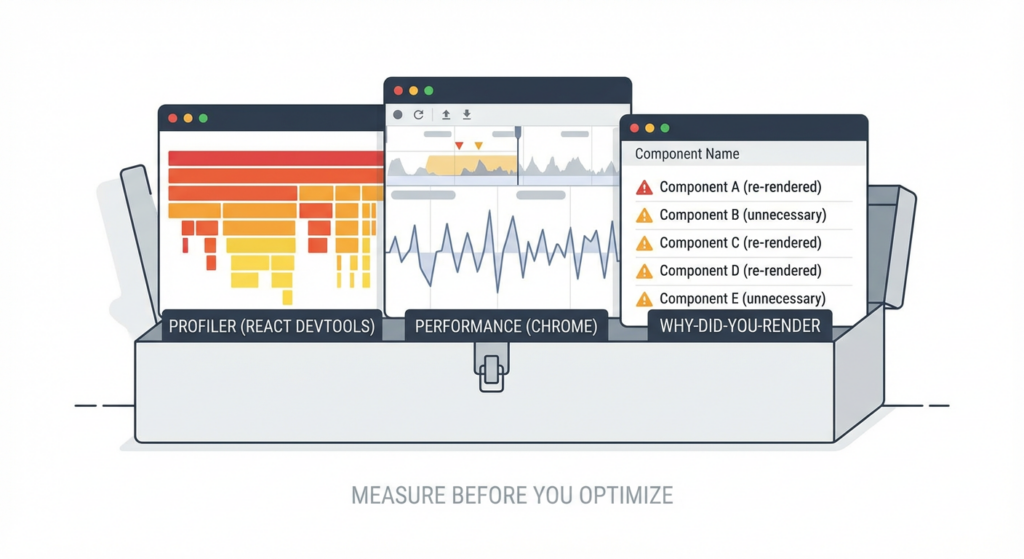
A React performance toolbox combining React DevTools Profiler for render analysis, Chrome Performance panel for browser-level issues, and why-did-you-render for pinpointing unnecessary re-renders.
What to Look For
- Flamegraph size
- Commit duration
- Re-render reasons
Real-world Profiling Session
Symptom
- Clicking checkbox lags
Profiler Findings
- Large subtree re-render
- Render reason: “context changed”
Fix
- Narrow context scope
- Split provider
- Move state closer
Result
- Commit time drops by 70%
👉 Profiling reveals structural issues, not just slow components.
8. Chrome Performance Panel: When React Is Not the Bottleneck
Sometimes React is not the problem.
Real-world Case Study: “React is slow” (It wasn’t)
Findings
- Long “Recalculate Style”
- Layout thrashing
- Heavy CSS selectors
Fix
- Simplify layout
- Reduce forced reflows
- Adjust animation strategy
👉 Performance is a browser problem as much as a React problem.
9. why-did-you-render: Precision Debugging
Use it when:
- You suspect unnecessary re-renders
- You want exact causes
whyDidYouRender(React);
Real-world Use
- Identify unstable props
- Catch inline object recreation
- Validate memoization assumptions
👉 Use it surgically, not globally.
10. Performance Strategy for Large-Scale React Applications
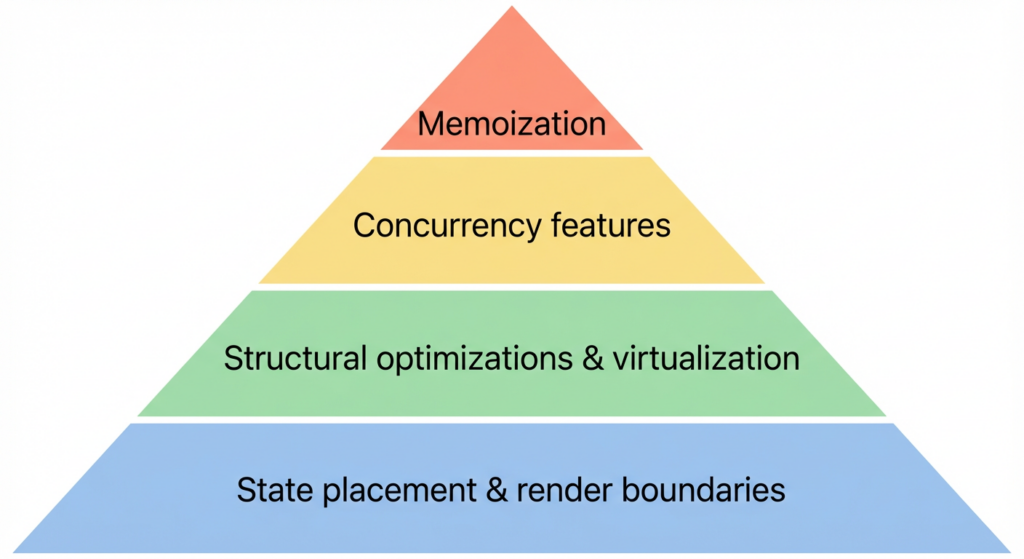
A performance strategy pyramid: at the base, state placement and render boundaries; above that, structural optimizations and virtualization; then concurrency features; and only at the top, targeted memoization.
What Actually Works in Production
Layered approach
- Good state placement
- Clear render boundaries
- Structural optimizations
- Virtualization
- Concurrency features
- Memoization (last)
What Doesn’t Scale
- Blanket memoization
- Premature optimization
- Ignoring UX responsiveness
11. Performance Is an Architectural Concern
At scale:
- Performance decisions affect readability
- Over-optimization increases cognitive load
- Every
memois a trade-off
Senior Rule of Thumb
If the code becomes harder to reason about, the optimization must be justified by data.
12. Final Takeaways from the Entire Series
- Re-renders are not inherently bad
- Structure matters more than hooks
- Memoization is not a default
- Context is powerful but dangerous
- Concurrency improves responsiveness, not raw speed
- Measurement beats intuition
- Performance is a mindset, not a checklist
Series Conclusion
Great React performance doesn’t come from tricks.
It comes from understanding how rendering, state, structure, and users interact.
If you internalize:
- How React renders (Part 1)
- When memoization helps (Part 2)
- Why structure dominates performance (Part 3)
- How concurrency and measurement complete the picture (Part 4)
You’ll write React applications that:
- Scale gracefully
- Stay responsive
- Remain maintainable for years