



Introduction
Feature flags are a software development technique that allow teams ship code safely by controlling whether a feature is active or hidden. Instead of tying releases to deployments, features can be toggled on or off at runtime. Flagsmith provides a centralized platform to manage these flags, either through self‑hosted or via its hosted service Flagmith.
Benefits of Using Flagsmith
- Decouple deployment from release: Ship code into production but keep features disabled until ready.
- Staged rollouts: Gradually enable features for subsets of users to reduce risk.
- A/B testing and experimentation: Serve different variants of a feature and measure impact.
- Remote configuration: Adjust app behavior in real time without redeploying.
- Centralized management: Manage flags across multiple environments and platforms from one dashboard.
Use Cases
- Gradual rollouts: Enable features for 10% of users, then expand.
- Beta testing: Allow early adopters to access experimental features.
- Kill switches: Disable problematic features instantly without redeploying.
- Configuration management: Adjust values like API endpoints or UI themes remotely.
Risks and Considerations
- Complexity: Overuse of flags can lead to “flag debt” if not managed properly.
- Testing overhead: Multiple flag combinations increase test scenarios.
- Governance: Ensure flags are documented and retired when no longer needed.
Setup
- Install the SDK: Add the NuGet package
Flagsmith.Clientto your project. - API Key: Obtain your environment API key from the Flagsmith dashboard.
- Initialize Client: Create a
FlagsmithClientinstance with your key.
Example installation:
dotnet add package Flagsmith.Client
Define Feature Flags in Dashboard
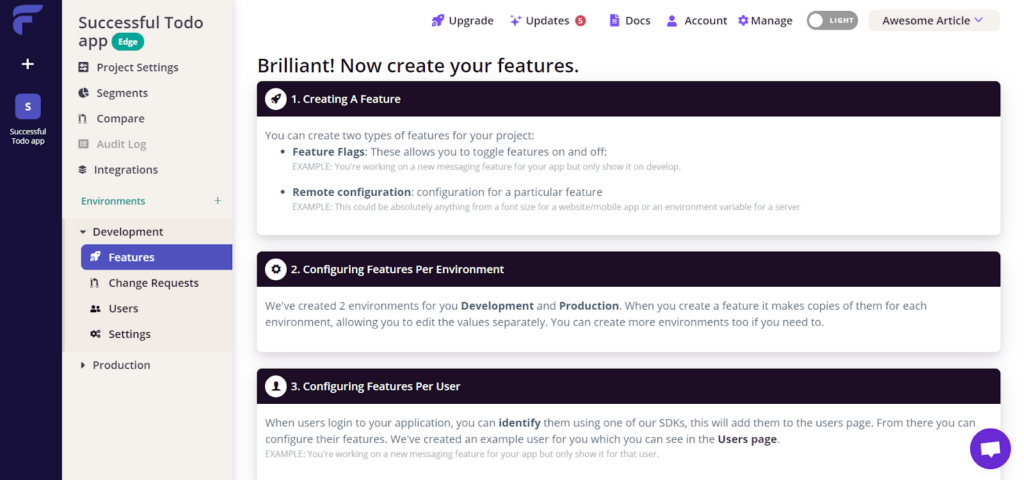
In the Flagsmith dashboard:
- Create a project.
- Add environments (e.g., Development, Staging, Production).
- Define flags such as:
new_feature(boolean)theme_color(multivariate string)
Basic Usage
Here’s how you can check if a feature flag is enabled and retrieve a configuration value:
using Flagsmith;
using Flagsmith.Interfaces;

class Program
{
    static async Task Main(string[] args)
    {
        // Initialize Flagsmith client
        var client = new FlagsmithClient("YOUR_API_KEY");

        // Check if a feature flag is enabled
        bool isNewFeatureEnabled = await client.HasFeatureFlag("new_feature");

        if (isNewFeatureEnabled)
        {
            Console.WriteLine("New feature is active!");
            // Execute new feature logic
        }
        else
        {
            Console.WriteLine("New feature is disabled.");
            // Fallback logic
        }

        // Retrieve a remote config value
        var themeColor = await client.GetFeatureValue("theme_color");
        Console.WriteLine($"Theme color: {themeColor}");
    }
}
Targeting Users
Flagsmith supports identities and traits so you can target specific users or groups:
// Identify a user
var identityFlags = await client.GetIdentityFlags("user_123");

// Check if a flag is enabled for this identity
bool betaAccess = identityFlags.IsFeatureEnabled("beta_feature");

if (betaAccess)
{
    Console.WriteLine("User has beta access!");
}
This allows you to roll out features to specific cohorts (e.g., premium users, geographic segments).
Advanced Features
- Segments: Define rules (e.g., country = “US”) to enable flags for groups.
- Multivariate Flags: Return different values (e.g., discount percentages) instead of just true/false.
- Remote Config: Store environment variables like API endpoints or UI settings.
Flagsmith’s .NET SDK makes it straightforward to integrate feature flags and remote configuration. By using HasFeatureFlag and GetFeatureValue, you can control feature rollout dynamically, target specific users, and manage configuration centrally Flagsmith