



Functional API tests tell us whether an API works.
Performance tests tell us whether the API will survive real traffic.
In many projects, APIs pass all functional tests but still fail in production due to slow response times, timeouts, or unexpected load. As testers, our responsibility is to uncover these risks before users do.
In this article, we will focus on API performance testing using k6, explain why k6 is a strong choice, and walk through practical examples that reflect real-world testing scenarios.
Why k6 for API Performance Testing?
There are many performance testing tools available (JMeter, Gatling, Locust). k6 stands out, especially for modern teams, because:
- Designed for performance testing (not adapted from functional tools)
- Code-based (JavaScript) → version control, code review, reuse
- Clear metrics (avg, p95, p99, throughput, error rate)
- Excellent CI/CD integration
- Lightweight and fast, easy to run locally or in pipelines
Unlike Postman or Newman, k6 is built specifically to answer questions like:
- How many users can this API handle?
- Where does it break?
- How does response time degrade under load?
What Should We Measure?
Before writing scripts, we must define performance goals. Common metrics include:
- Response Time
- Average
- p95 / p99 (far more important than average)
- Throughput
- Requests per second
- Error Rate
- 4xx / 5xx under load
- Stability
- Performance over time
Example acceptance criteria:
- 95% of requests respond under 500 ms
- Error rate < 1% under expected peak load
Without clear criteria, performance testing is just “running scripts”.
Basic k6 API Performance Test
A simple example that every team should start with:
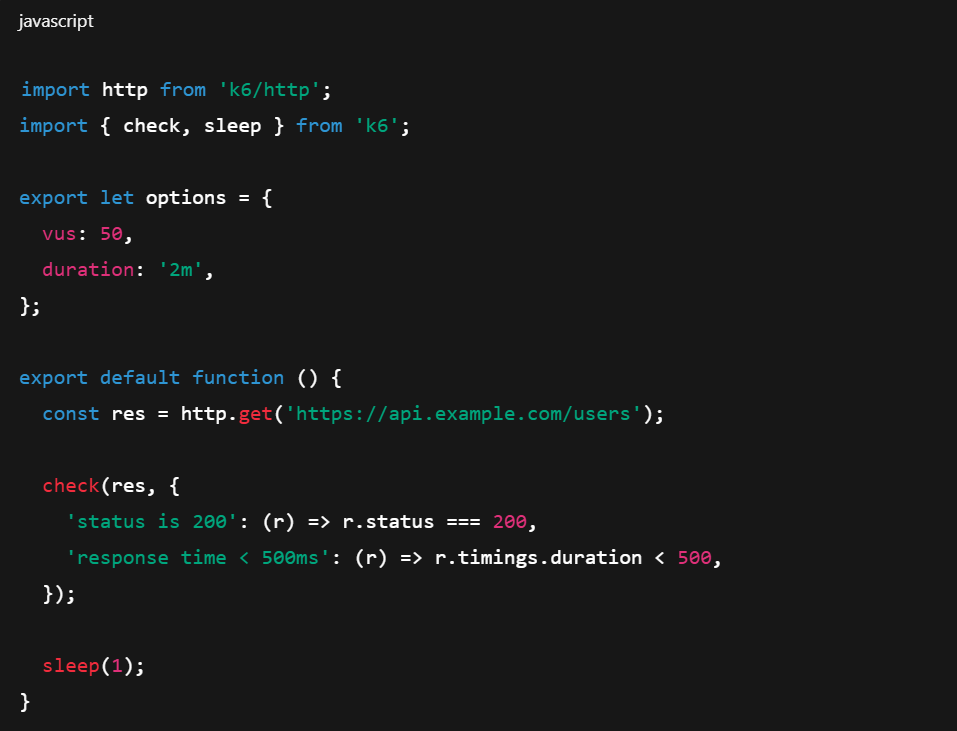
This script:
- Simulates 50 concurrent users
- Runs for 2 minutes
- Validates both functional correctness and performance thresholds
Load Testing with Ramp-Up
Real traffic does not appear instantly. We should ramp up gradually:
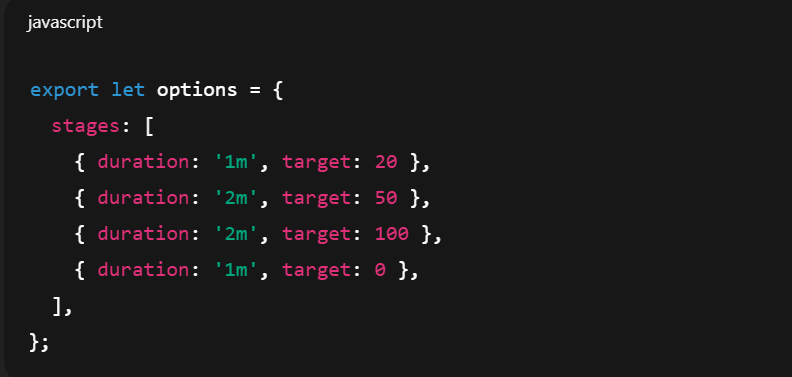
This helps us:
- Observe how the system behaves under increasing load
- Identify when response times start degrading
- Detect bottlenecks early
Stress Testing: Finding the Breaking Point
Stress testing pushes the system beyond expected limits:
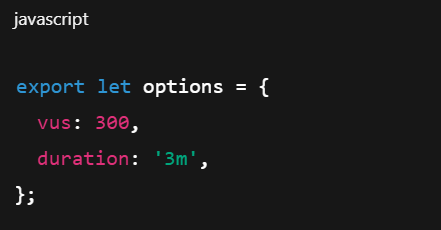
The goal is not to “pass” the test, but to learn:
- At what load errors start appearing
- How the system fails (gracefully or catastrophically)
- Whether recovery is possible after load drops
This information is critical for production readiness.
Data-Driven API Performance Testing
Using realistic data improves test accuracy:
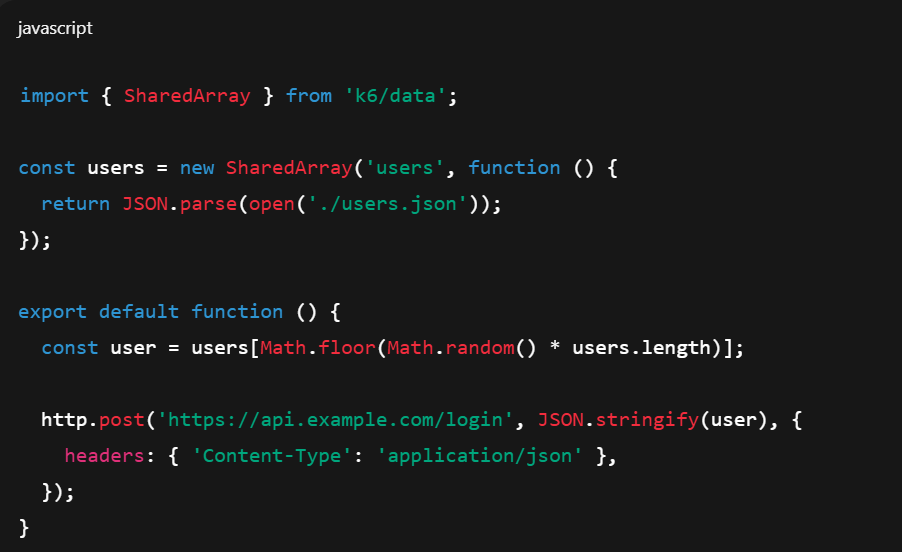
This avoids unrealistic scenarios where the same request is repeated endlessly.
Performance Thresholds as Quality Gates
One of k6’s strongest features is thresholds:
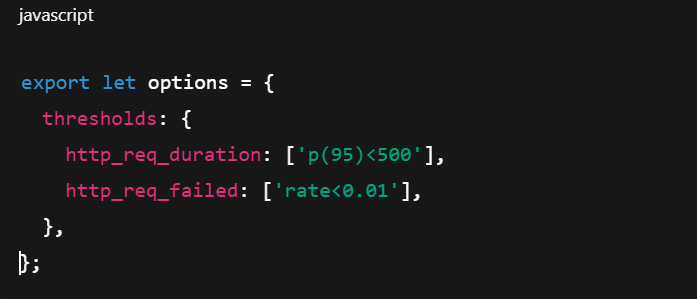
If thresholds fail:
- The test fails
- The CI pipeline can fail
- The release can be blocked
This turns performance testing into a quality gate, not just a report.
Integrating k6 into CI/CD
k6 works extremely well in CI pipelines:
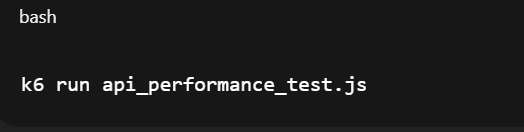
Typical strategy:
- Run lightweight tests on every commit
- Run heavier load tests nightly or before release
Performance issues found early are cheaper to fix.
Common Mistakes in API Performance Testing
From real projects, these mistakes appear repeatedly:
- Testing too late (just before release)
- Focusing only on average response time
- Ignoring error rates under load
- Using functional tools (Postman/Newman) as load tools
- Not monitoring backend systems during tests
Performance testing is a system-level activity, not just API calls.
Postman vs k6: Clear Responsibility Split
- A mature setup looks like this:
- Postman → Functional API testing
- Newman → Regression / smoke tests in CI
- k6 → Load, stress, and endurance testing
Trying to use one tool for everything usually leads to weak results.
Conclusion
API performance testing is not optional for modern systems. As senior testers, we must go beyond checking status codes and response bodies.
k6 provides:
- Realistic load simulation
- Meaningful performance metrics
- Automation-friendly workflows
- Clear pass/fail criteria
By using k6 properly, we protect production systems, user experience, and team credibility. Performance problems are inevitable—but discovering them in production is not.
References
- JMeter Performance Testing: https://jmeter.apache.org/
- k6 Documentation: https://k6.io/docs/
- k6 Documentation: https://k6.io/docs/