



In legal software, documents are not just files – they are the core assets that represent contracts, agreements, cases, and legally binding obligations. Even a small error in a legal document can lead to serious legal, financial, or compliance risks.
For that reason, testing legal documents requires a higher level of attention to detail, domain understanding, and precision than many other types of applications.
1. Accuracy of Content and Structure

Legal documents follow strict structures and conventions. Testers should verify that the document content is generated, displayed, and stored correctly.
Key aspects to check include:
- Clause numbering and hierarchy (articles, sections, subsections)
- Headings, titles, and indentation
- Mandatory clauses are present and not missing
- No duplicated or misplaced clauses
Even if Testers are not responsible for validating legal correctness, structural errors can break document integrity and reduce trust from end users such as lawyers or legal staff.
Example: While testing a contract generation feature, a tester found that one clause was duplicated and another was missing due to incorrect template mapping.
Lesson learned: Testers should always verify document completeness, not just visual appearance.
2. Formatting and Layout Consistency
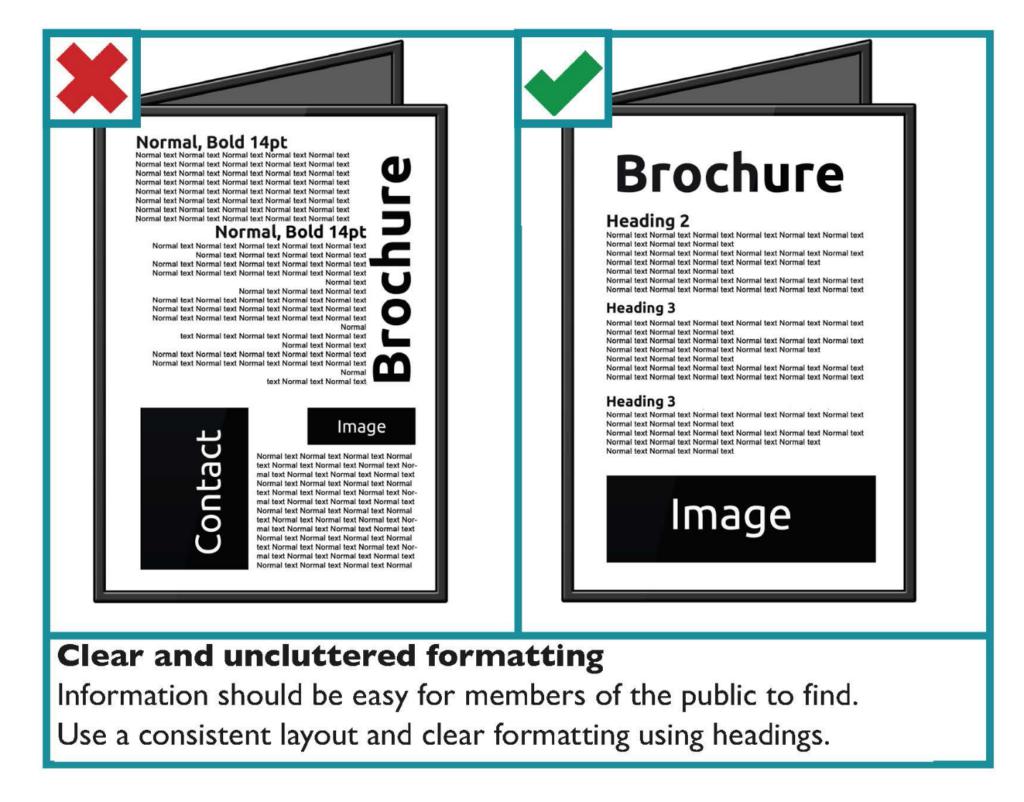
Formatting is critical in legal documents. Inconsistent layout may cause confusion or misinterpretation.
Testers should pay attention to:
- Font type, size, spacing, and alignment
- Page breaks and paragraph separation
- Numbering styles (e.g., 1, 1.1, (a), (i))
- Headers, footers, page numbers, and margins
Documents should remain consistent across browsers and export formats such as PDF or Word.
Example: A document appeared correct on the web UI but showed broken numbering and page breaks after being exported to PDF.
Lesson learned: Formatting must be validated across all supported output formats.
3. Versioning and Change Tracking
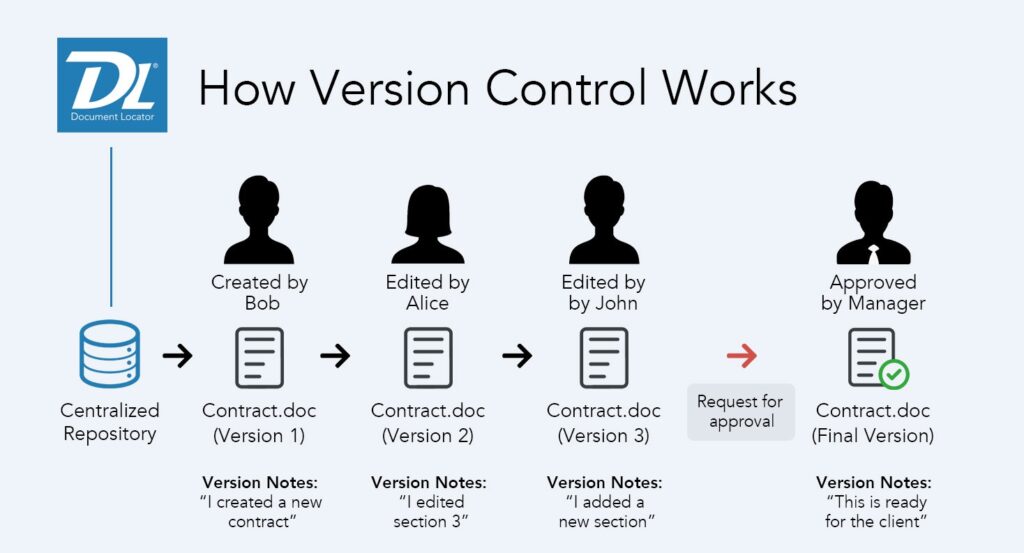
Legal documents often go through multiple revisions. Proper version control is essential for audit and traceability.
Testers should verify:
- New versions are created correctly when documents are edited
- Previous versions remain unchanged and accessible
- Version labels, timestamps, and authors are accurate
- Change history clearly shows what was modified and when
Example:
Editing a document unintentionally overwrote the previous version, causing loss of historical data.
Lesson learned:
Version history must remain immutable for audit and traceability.
4. Access Control and Permissions
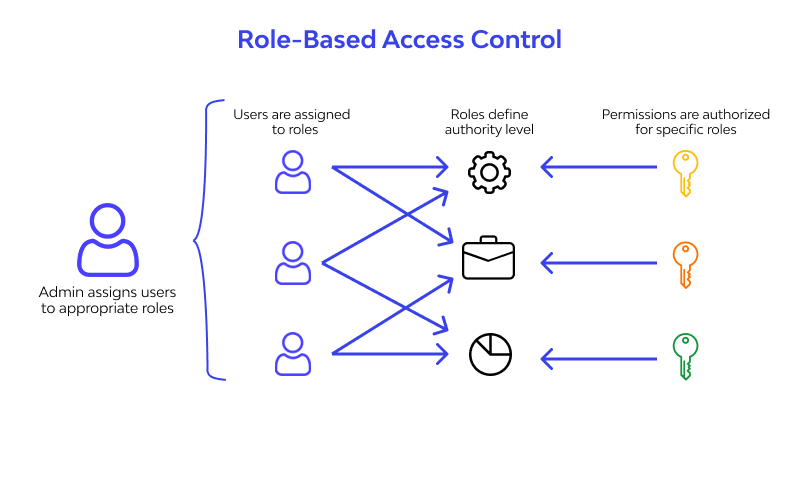
Legal documents usually contain highly sensitive and confidential information. Access must be strictly controlled.
Testers should test:
- Who can view, edit, delete, or download documents
- Role-based permissions (lawyer, paralegal, admin, client)
- Access behavior after role changes
- Permission enforcement on both UI and API levels
Example:
After a role downgrade, a user could still download documents via a saved link.
Lesson learned:
Permissions must be enforced consistently at all levels.
5. Search, Filter, and Navigation

In legal systems, users often work with large volumes of documents. Efficient search and navigation are critical.
Testers should ensure:
- Documents can be searched by title, keyword, clause content, or metadata
- Filters work correctly (status, date, version, document type)
- Search results are accurate and relevant
- Performance remains stable with large data sets
Example:
Search results excluded keywords inside clauses because only document titles were indexed.
Lesson learned:
Search scope and indexing logic must be clearly validated.
6. Export and Download Functionality
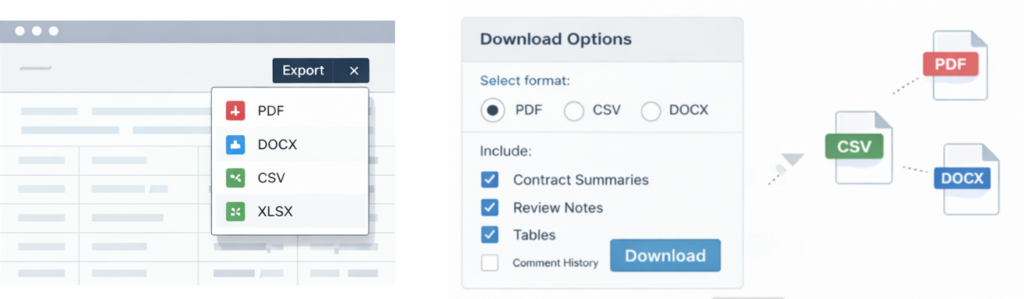
Legal documents are frequently shared with external parties.
Testers should verify:
- Correct export formats (PDF, Word, etc.)
- Content consistency between on-screen view and exported files
- Proper handling of confidential data in exported documents
- File naming conventions and metadata
Example:
Internal tracked changes appeared in a client-facing Word export.
Lesson learned:
Exported documents must respect visibility and confidentiality rules.
7. Compliance and Audit Readiness

Legal systems often need to meet regulatory and compliance requirements.
Testers should check:
- Audit logs record document access and changes
- Logs are accurate, complete, and tamper-proof
- Time zones and timestamps are consistent
- Compliance-related rules are enforced correctly
Example:
Audit logs recorded server time instead of user time, causing confusion during reviews.
Lesson learned:
Accurate logging is critical for legal compliance.
8. Conclusion
Testing legal documents is not just about checking UI behavior or basic functionality. It requires a solid understanding of how legal professionals work with documents and how critical accuracy, security, and traceability are in the legal domain.
By paying close attention to structure, formatting, versioning, permissions, and compliance, Testers can help ensure that legal software delivers reliable and trustworthy document management – a key factor in building confidence with law firm clients.
📚 References
- ISO – ISO/IEC 27001: Information Security Management Systems
- OWASP – OWASP Top 10 Web Application Security Risks
- NIST – Audit Logging and Compliance Guidelines
- Understanding Search Filters: Definition and Importance – Expertrec
- Document Design – Centre for Excellence in Universal Design
- Visual Hierarchy Helps You Tell a Clear Data Story