



If you’ve ever shopped online or used a streaming platform, you must have encountered experiences like “Recommended for you“, “Frequently bought together“, or “Top picks for you“. These signals have become so common that we rarely stop to think about the complex systems behind them.
What used to be a nice‑to‑have feature is now a baseline expectation. Users expect recommendations that are contextual, personalized, and up‑to‑date – and they expect them in real time. Meeting this expectation is non‑trivial. It requires well‑managed data, adaptable business rules, scalable infrastructure, continuous model improvement, and strong observability.
Building such a system from scratch can take months of ML development and experimentation.
This is where Amazon Personalize fits in.
In this blog, we’ll walk through a hands‑on, end‑to‑end implementation of an e‑commerce recommendation system using Amazon Personalize. We’ll learn how to model data, configure datasets, train managed recommenders, and generate real‑time recommendations – without building or maintaining ML models ourself.
What is Amazon Personalize?
Amazon Personalize is a fully managed AWS service that allows us to build a ML–powered, real-time recommendation systems. We just need to identify our use case and Amazon Personalize will handle all the heavy lifting, including continuous improvement, adapting to new business rules, and serving recommendations.
Supported use cases include:
- E-commerce
- OTT Platforms
- Social Media (or any content-driven media)
In this blog, we’ll focus on an e‑commerce use case and explore Amazon Personalize through a practical implementation.
Experimenting with Amazon Personalize
To evaluate Amazon Personalize, we’ll build and test several recommenders using sample e‑commerce data.
Step 1: Create a Dataset Group
A Dataset Group acts like a domain-specific container for holding the recommendations. They need to be separate for each application.
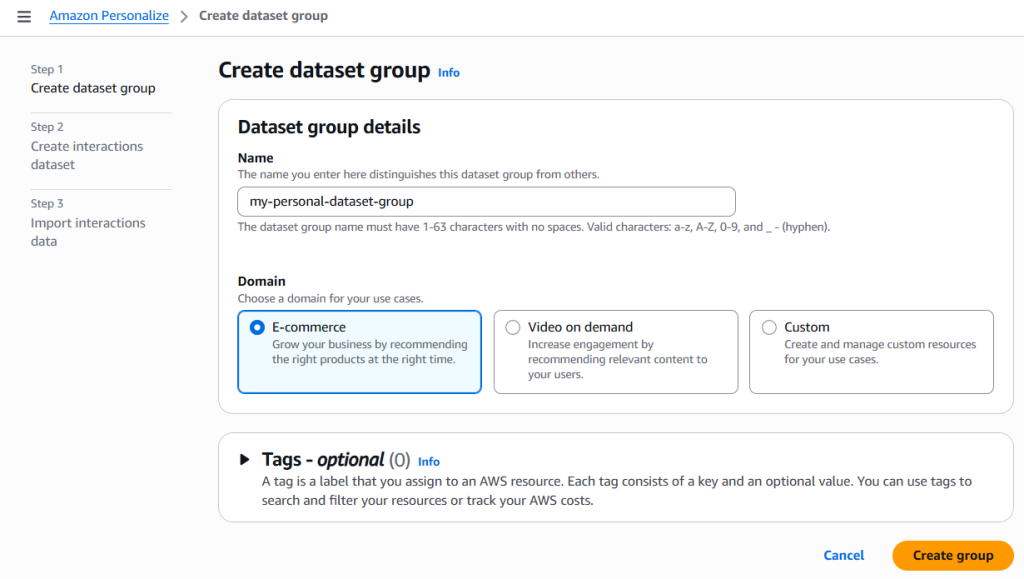
While creating the dataset group, we must also specify a domain. This allows Amazon Personalize to expose the appropriate recommenders for our use case. For this demo, we’ll use the E‑commerce domain, but we can select another domain depending on our scenario.
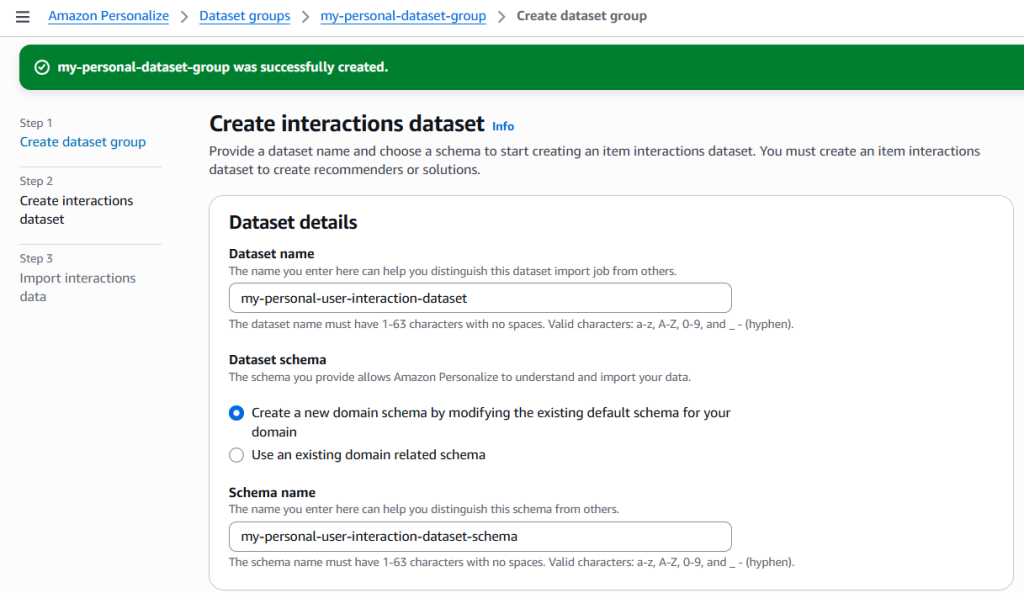
Step 2: Add User Interactions Dataset
The User Interactions dataset is mandatory and forms the foundation of any recommender.
Schema
For schema, we can either create a totally new one or use an existing one. For our purpose, we are creating a new one using the default personalize interactions schema as base.
{
  "type": "record",
  "name": "Interactions",
  "namespace": "com.amazonaws.personalize.schema",
  "fields": [
    {
      "name": "USER_ID",
      "type": "string"
    },
    {
      "name": "ITEM_ID",
      "type": "string"
    },
    {
      "name": "TIMESTAMP",
      "type": "long"
    },
    {
      "name": "EVENT_TYPE",
      "type": "string"
    }
  ],
  "version": "1.0"
}Note: The schema should always be defined in JSON format only.
Dataset Name
Step 3: Import User Interactions Data
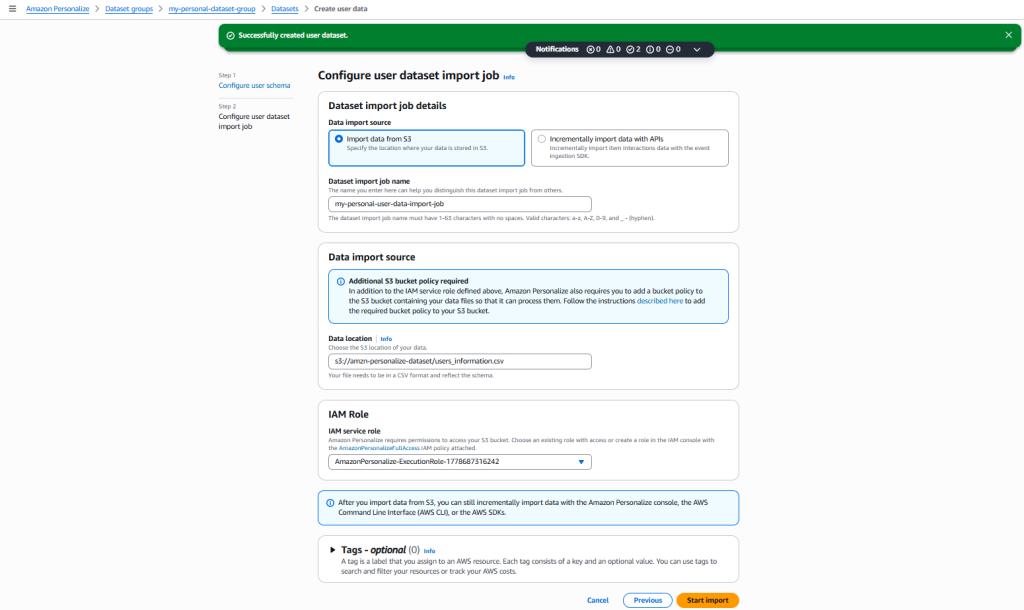
Once the dataset is created, we need to import interaction data from Amazon S3 (or via APIs). In this demo, we’ll use S3.
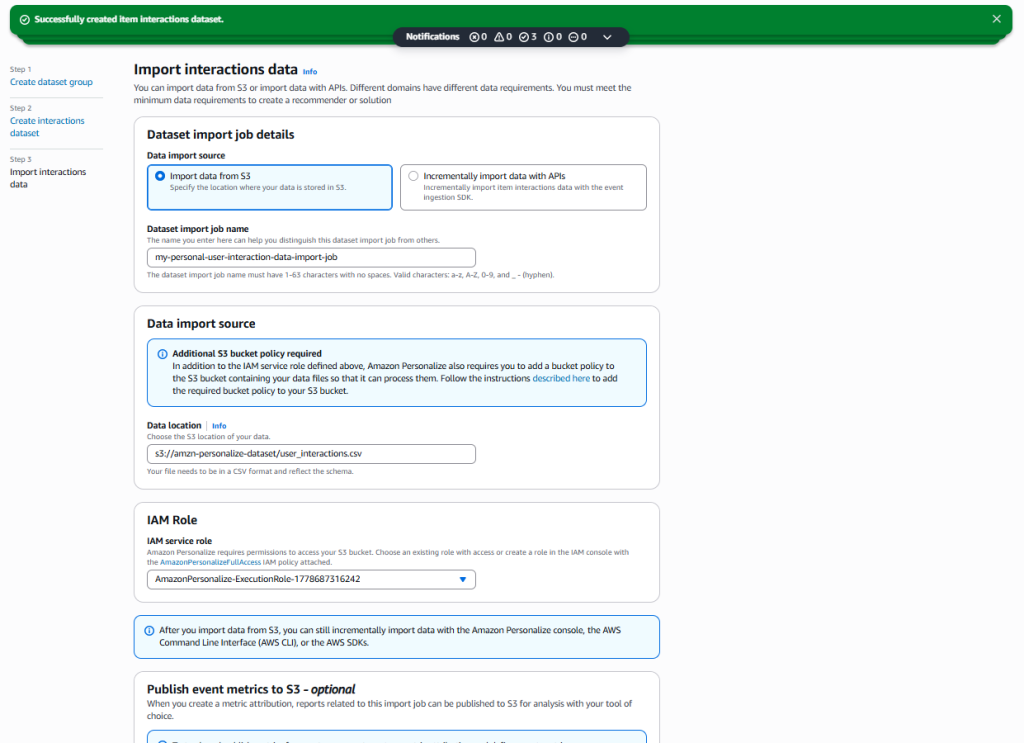
Note: There are two important points to note here:
- IAM Service Role: Amazon Personalize requires permissions to access the S3 bucket. We can either choose an existing role with access or create a role in the IAM console with the AmazonPersonalizeFullAccess IAM policy attached.
- Bucket Policy: We need to attach a bucket policy to the S3 bucket containing the data files so Amazon Personalize can access them. For instance,
{
    "Version": "2012-10-17",
    "Id": "PersonalizeS3BucketAccessPolicy",
    "Statement": [
        {
            "Sid": "PersonalizeS3BucketAccessPolicy",
            "Effect": "Allow",
            "Principal": {
                "Service": "personalize.amazonaws.com"
            },
            "Action": [
                "s3:GetObject",
                "s3:ListBucket"
            ],
            "Resource": [
                "arn:aws:s3:::amzn-personalize-dataset",
                "arn:aws:s3:::amzn-personalize-dataset/*"
            ]
        }
    ]
}
Without both IAM permissions and the correct bucket policy, data import will fail.
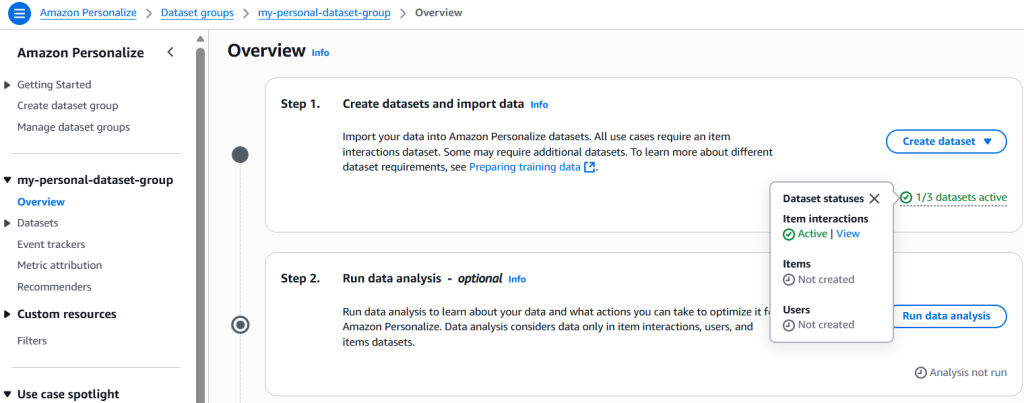
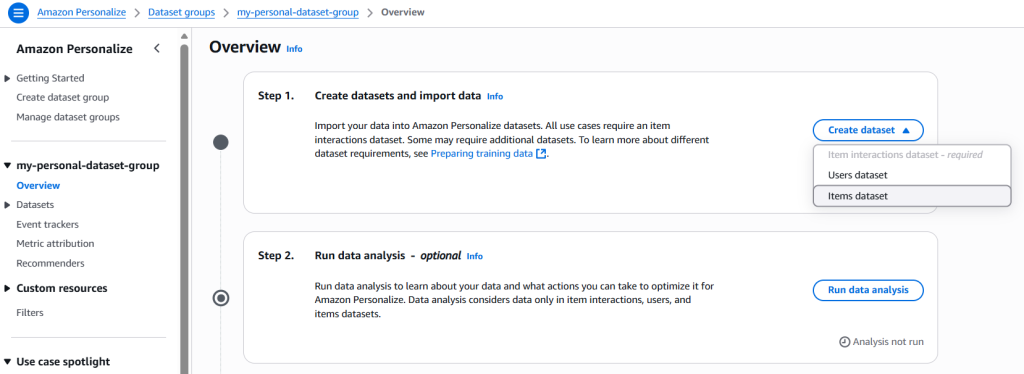
Step 4: Add Items Dataset
The Items dataset provides metadata about products and is required for most e‑commerce recommenders.
Schema
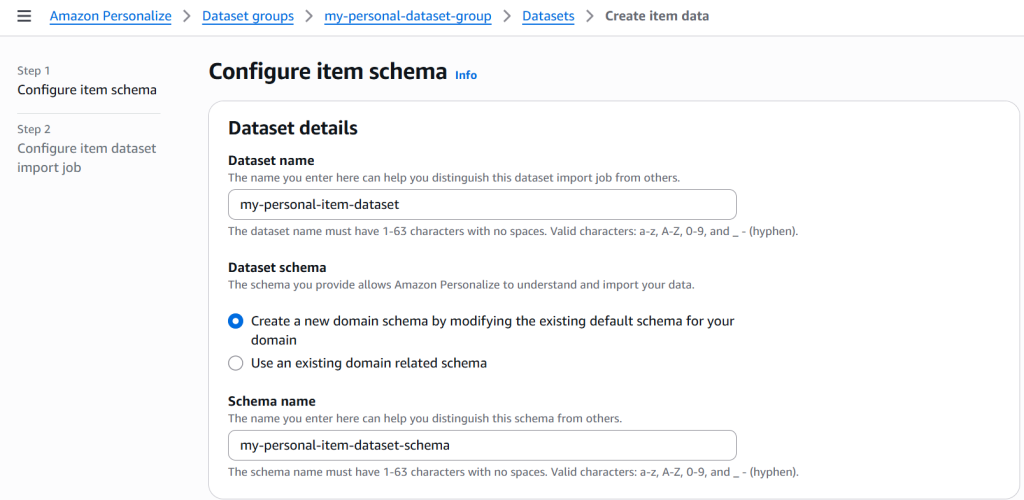
For schema, we can either create a totally new one or use an existing one. For our purpose, we are creating a totally new one.
{
	"type": "record",
	"name": "Items",
	"namespace": "com.amazonaws.personalize.schema",
	"fields": [
		{
			"name": "ITEM_ID",
			"type": "string"
		},
		{
			"name": "ITEM_NAME",
			"type": "string",
			"categorical": true
		},
		{
			"name": "CATEGORY_L1",
			"type": "string",
			"categorical": true
		},
		{
			"name": "PRICE",
			"type": "float"
		}
	],
	"version": "1.0"
}
Dataset Name
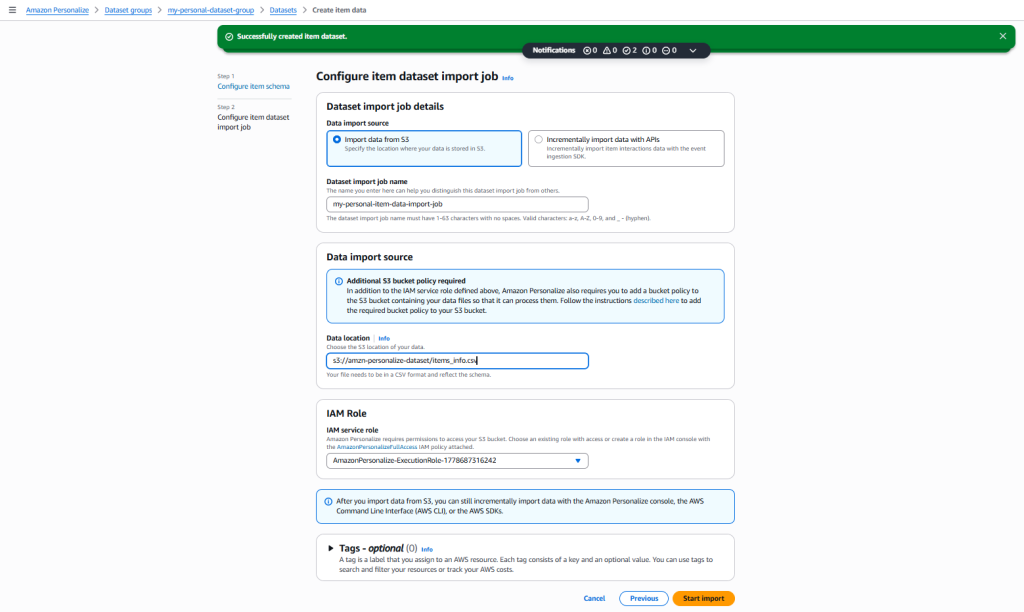
Import
We’ll use Amazon S3 again to import the items dataset.
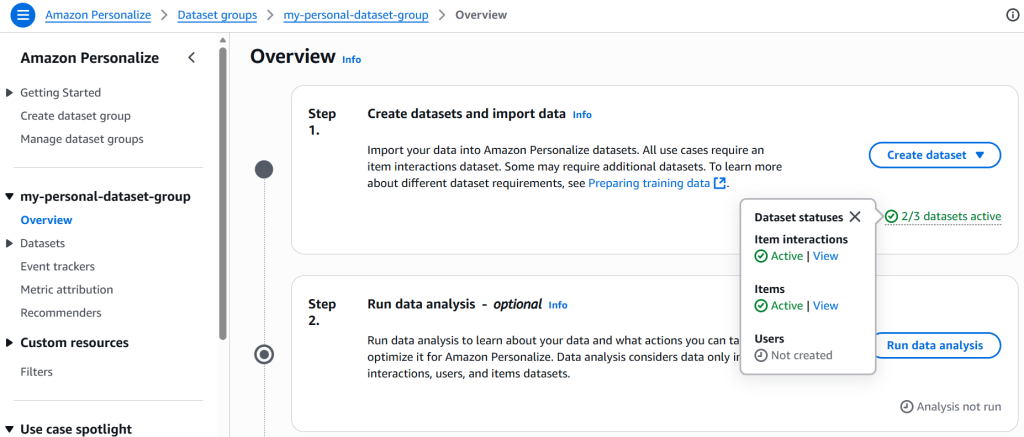
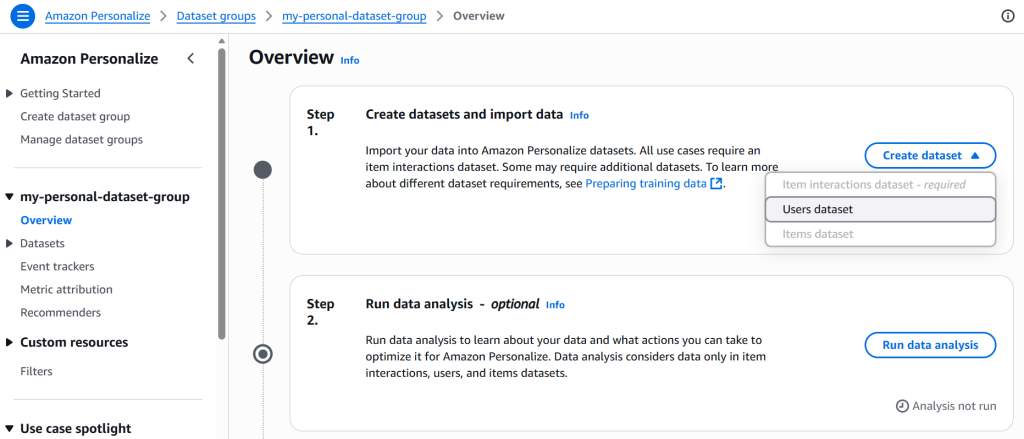
Step 5: Add Users Dataset
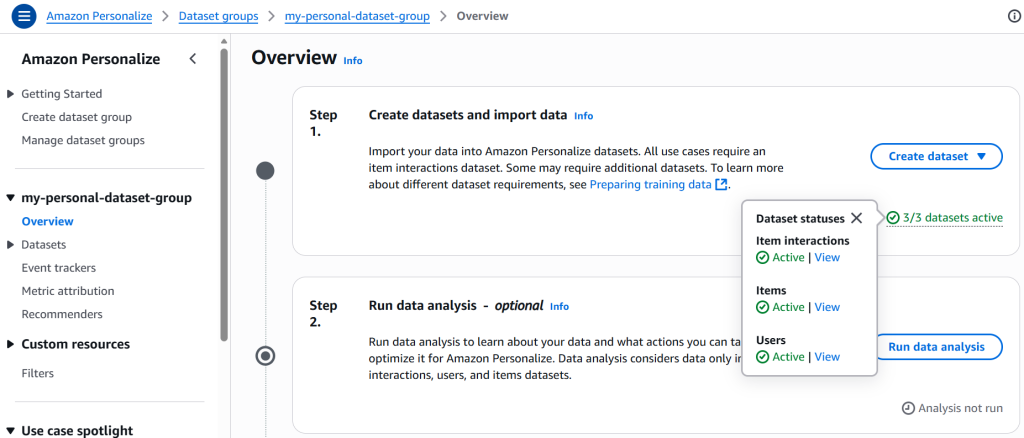
After importing items dataset, we need to add users dataset. The Users dataset enriches recommendations with user attributes. Also, this is the final dataset required before creating recommenders.
Schema
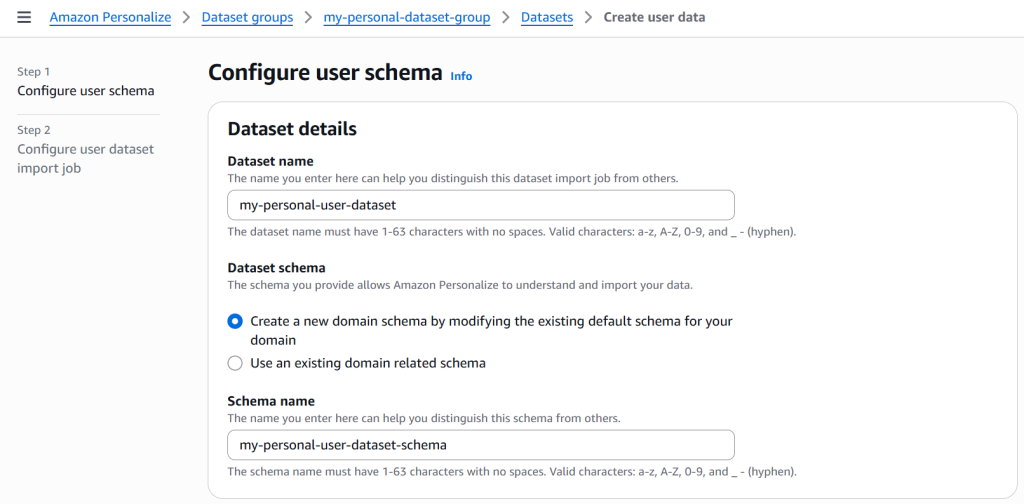
For schema, we are creating a totally new one.
{
	"type": "record",
	"name": "Users",
	"namespace": "com.amazonaws.personalize.schema",
	"fields": [
		{
			"name": "USER_ID",
			"type": "string"
		},
		{
			"name": "AGE_GROUP",
			"type": "string",
			"categorical": true
		},
		{
			"name": "GENDER",
			"type": "string",
			"categorical": true
		},
		{
			"name": "COUNTRY",
			"type": "string",
			"categorical": true
		},
		{
			"name": "INTERESTS",
			"type": "string",
			"categorical": true
		}
	],
	"version": "1.0"
}
Dataset Name
Import
We’ll use Amazon S3 again to import the Users data.
Step 6: Set up Training & Recommendation
To generate real-time recommendations, we need to use recommenders. It provides models which are pre-configured for e-commerce and other use cases.
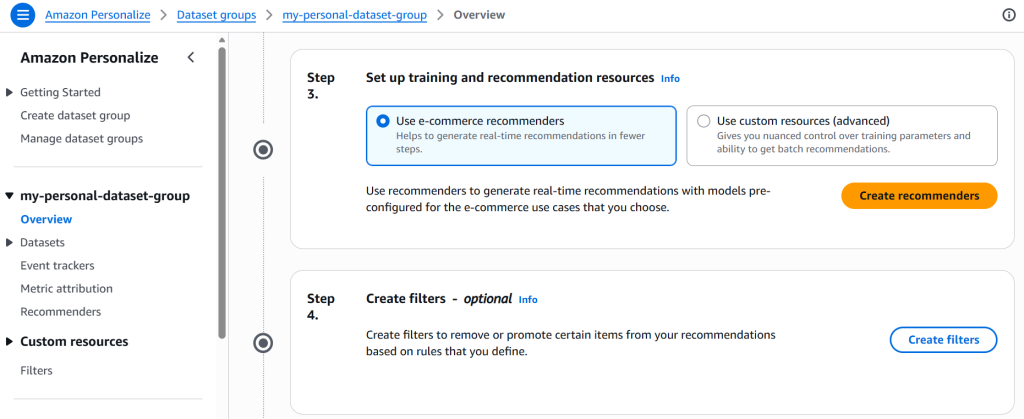
Amazon Personalize provides pre‑configured recommenders optimized for specific domains. For e‑commerce, the available recommenders include:
- Customers who viewed X also viewed
- Frequently bought together
- Best sellers
- Most viewed
- Recommended for you
For our demo, we’ll use the first 3, i.e., Customers who viewed X also viewed, Frequently bought together, and Best sellers.
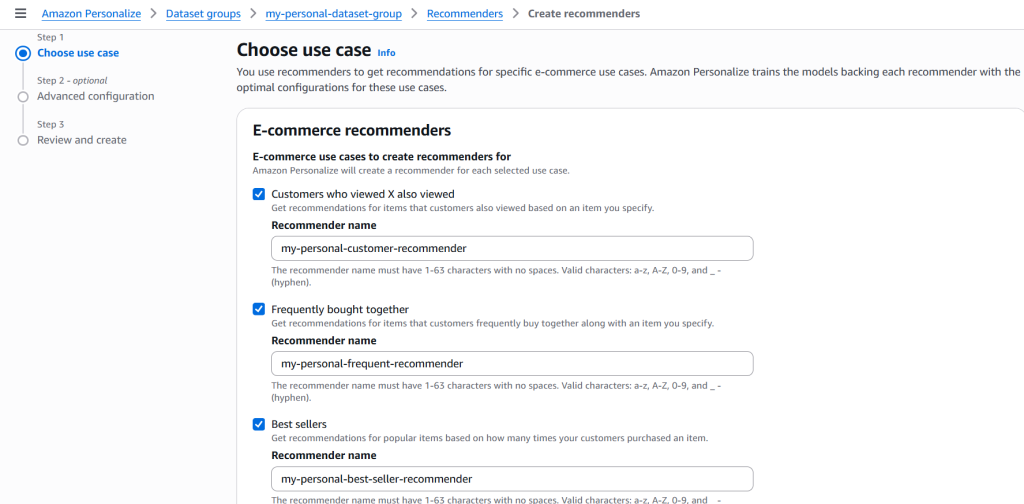
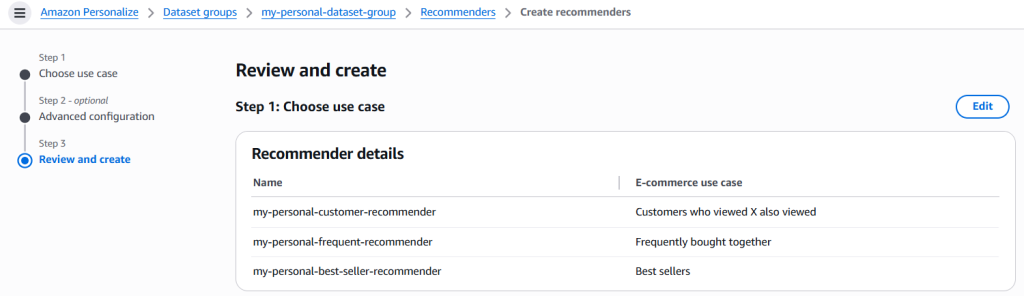
At last, we need to review and create the recommenders. Although, we can tweak the configuration (in step 2) for each recommender individually. However, for this demo, we are using the default configurations.
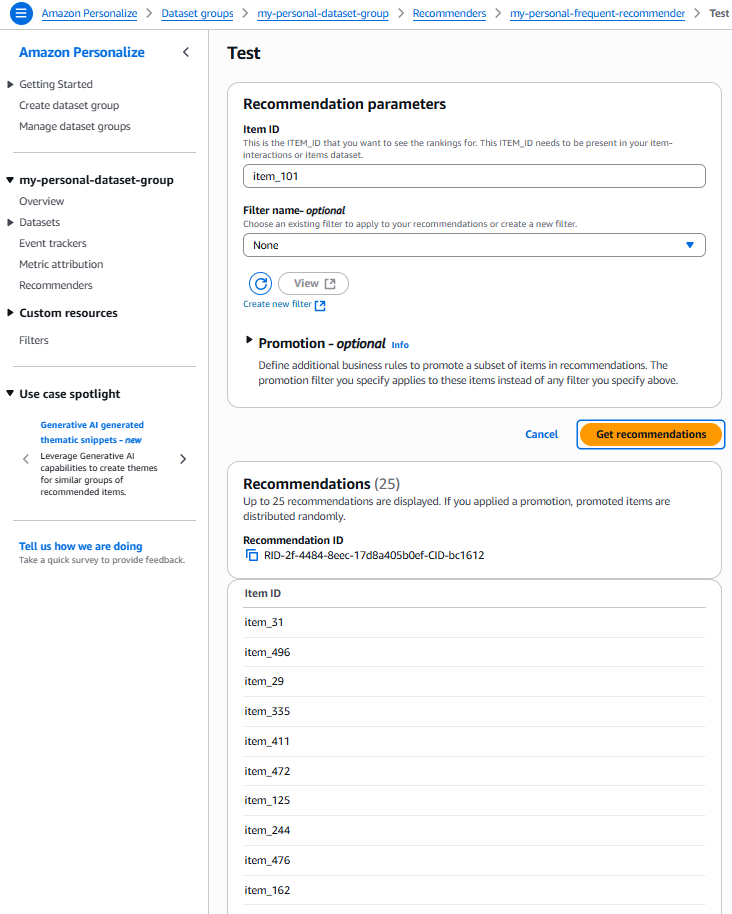
Step 7: Test Recommenders
Once, the recommenders are created, we can test them to generate recommendations.
Frequently bought together
For recommending frequently bought item(s) when a user views a related item, we need an ITEM_ID that should be present in our item-interactions or items dataset.
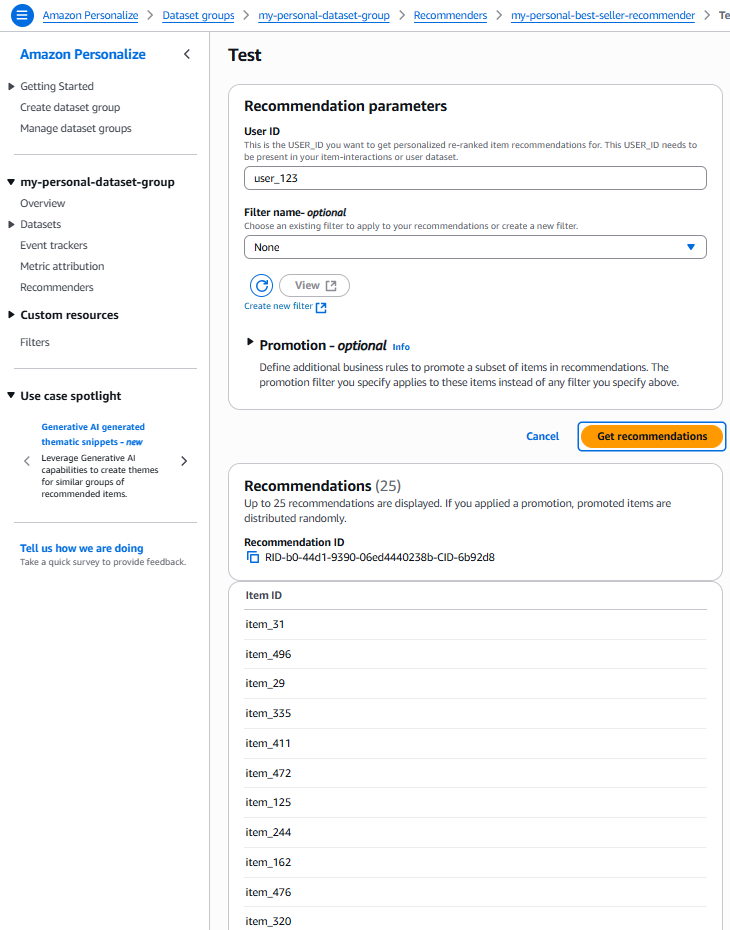
Best sellers
Best sellers are the items that a user is recommended on the basis of the user’s past interactions. For this we need a USER_ID that is present in the interactions dataset.
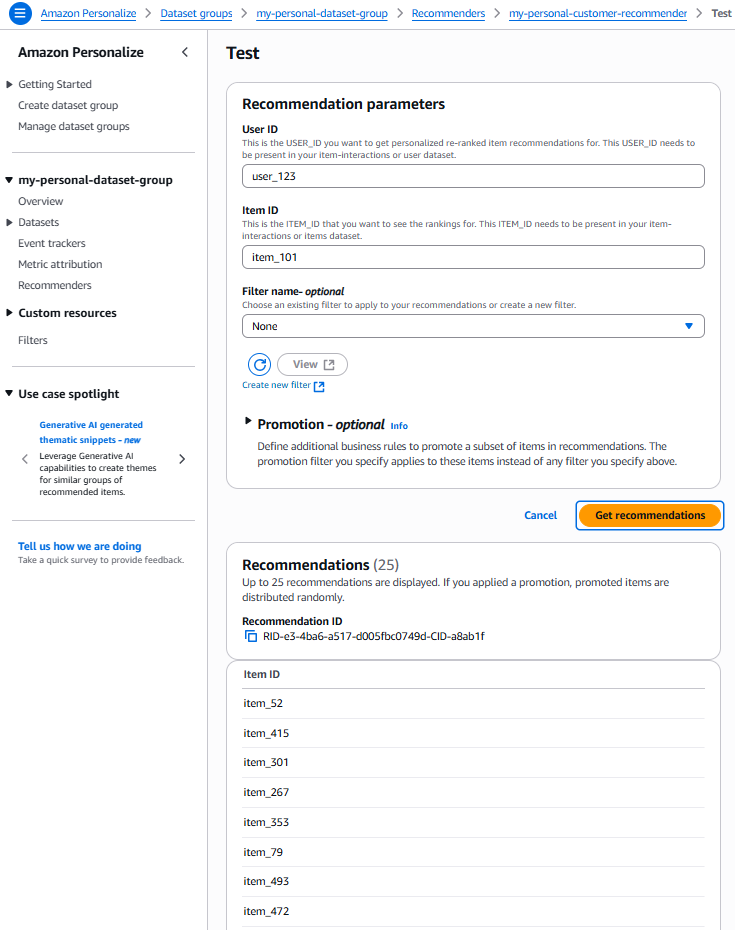
Customers who viewed X also viewed
This recommender is unique since it required both – USER_ID and ITEM_ID. That’s because to recommend item(s) to a user who is checking an item, we would need to understand the user’s past interactions with similar item(s).
Note: Amazon Personalize takes time to build the recommenders. Hence, we might have to wait for a couple of hours for the recommenders to be usable.
In Summary
Amazon Personalize is a powerful service that significantly reduces the effort required to build production‑grade recommendation systems. That said, it is setup‑heavy, and outcomes are highly dependent on data quality rather than configuration tweaks.
Before deploying Amazon Personalize, it’s important to account for:
- Data size and completeness
- Schema design and formatting
- IAM roles and S3 permissions
- Cold‑start limitations
- Ongoing data and model refresh strategies
If you have a well‑defined use case and sufficient interaction data, Amazon Personalize can save months of machine learning development while delivering scalable, real‑time recommendations.
Hopefully, this walkthrough helped clarify both the capabilities and trade‑offs of Amazon Personalize. If you have thoughts, questions, or alternate approaches, feel free to share them in the comments.