


Introduction
The rapid growth of mobile technology has transformed the software industry, making smartphones and tablets essential for communication, banking, education, healthcare, entertainment, and e-commerce. As mobile applications continue to expand, ensuring software quality has become a key objective. High-quality applications must provide reliable functionality, security, usability, and strong performance.
Software testing is essential for verifying that applications meet both functional and non-functional requirements before release. During testing, defects, unexpected behavior, and usability issues are identified and documented so developers can resolve them before deployment.
Documenting test results is an important part of this process. Testers often capture screenshots and screen recordings as evidence of application behavior, helping developers reproduce defects and verify fixes. However, manually transferring these files from mobile devices to computers can interrupt the testing workflow.
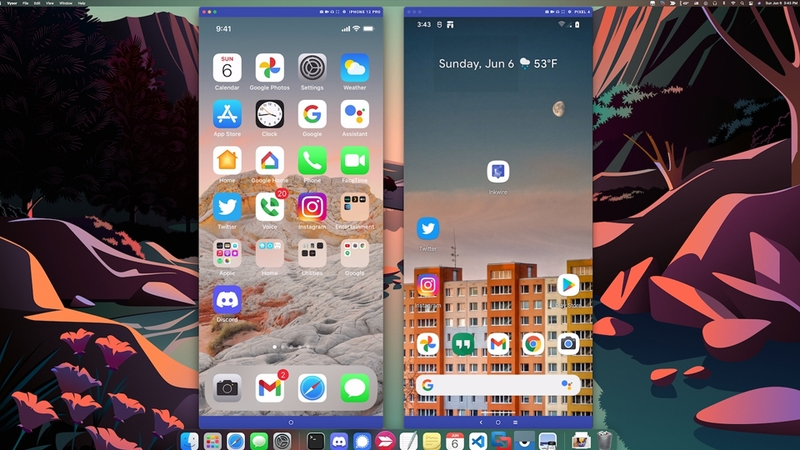
To streamline this process, testers often use screen mirroring tools that display and control mobile devices from a computer. One widely used tool is Vysor, which supports Android and iOS devices. By enabling screen mirroring, device control, and easy capture of screenshots and recordings, Vysor improves testing efficiency and reduces manual effort.
This essay introduces Vysor, explains its features and operation, describes its installation and configuration, discusses its role in mobile software testing, evaluates its strengths and limitations, and offers recommendations for its effective use in software quality assurance.
Overview of Vysor
1. Definition
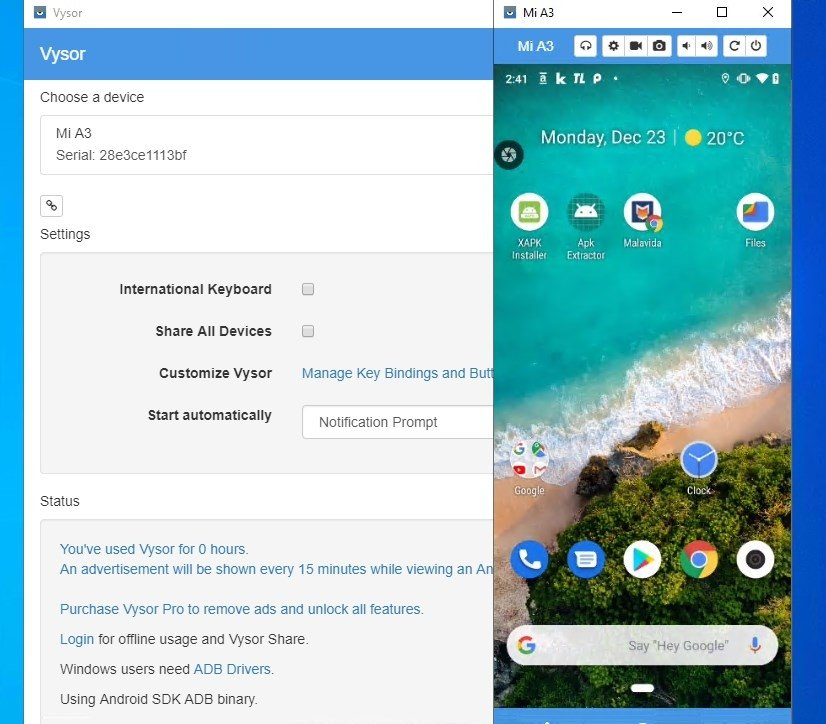
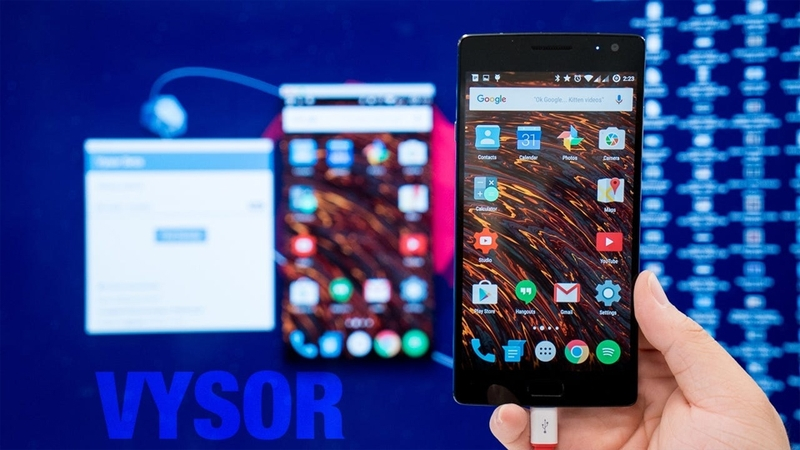
Vysor (Vysor)is a screen mirroring application developed to allow users to display and control a mobile device from a Windows, macOS, Linux, or ChromeOS computer. Instead of interacting directly with the smartphone, users can operate the device using a keyboard and mouse.
Originally designed for Android devices through the Android Debug Bridge (ADB), Vysor has gradually expanded its compatibility to support selected iOS features. The software is widely used by software developers, software testers, educators, and technical support personnel.
The primary purpose of Vysor is to simplify mobile device interaction by bringing the smartphone interface to the desktop environment.
2. Main Features
Vysor provides several useful features that improve productivity during mobile application development and testing.
Screen Mirroring
The software displays the smartphone screen in real time on the computer monitor with minimal delay.
Remote Device Control
Users can control the smartphone using a computer keyboard and mouse instead of touching the device.
Screenshot Capture
Testers can capture screenshots directly from the mirrored screen without manually transferring image files from the phone.
Screen Recording
Vysor supports recording testing sessions, making it easier to demonstrate software defects and application behavior.
Wireless Connection
Premium versions allow devices to connect through Wi-Fi after the initial USB configuration.
File Sharing
Some versions support transferring files between computers and mobile devices.
Multiple Device Support
Developers and testers can manage multiple Android devices simultaneously.
System Requirements
To use Vysor efficiently, several hardware and software requirements should be satisfied.
Computer Requirements
Windows 10 or later
macOS or Linux
At least 4 GB RAM
Stable Internet connection
USB port
Mobile Device Requirements
For Android:
Android 6.0 or later
USB Debugging enabled
Developer Options activated
For iOS:
Supported iPhone or iPad
Trust relationship established between device and computer
Installation and Configuration
1. Installing Vysor
The installation process is straightforward.
1. Download Vysor from the official website.
2. Install the software.
3. Connect the mobile device via USB.
4. Launch Vysor.
5. Select the detected device.
6. Start screen mirroring.
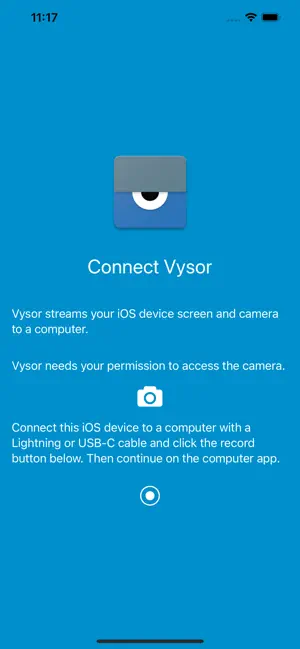
The software automatically installs necessary drivers if required.
2. Enabling USB Debugging (Android)
Before Vysor can communicate with Android devices, USB Debugging must be enabled.
Steps include:
1. Open Settings.
2. Navigate to About Phone.
3. Tap Build Number seven times.
4. Enable Developer Options.
5. Turn on USB Debugging.
6. Confirm the authorization request.
This process allows the computer to communicate with the Android device through ADB.
3. Wireless Connection
Premium users can connect devices wirelessly after completing the initial USB setup.
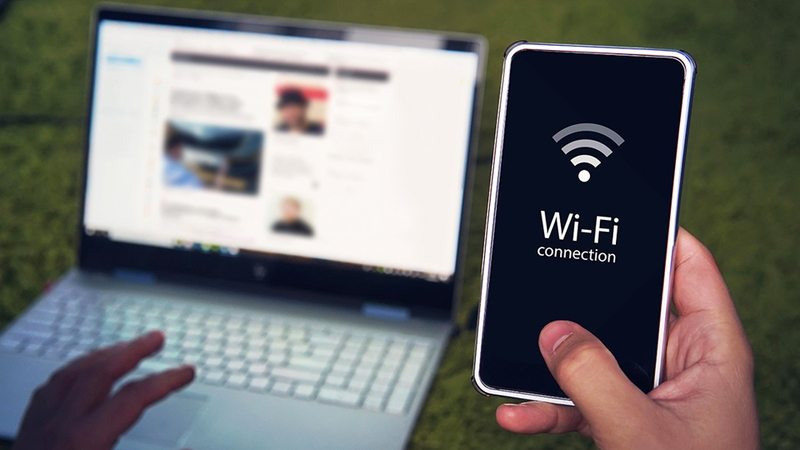
Wireless mode offers several advantages:
– Greater flexibility
– Reduced cable clutter
– Easier device positioning
However, wireless performance depends on network quality.
Applications of Vysor in Software Testing
Software testers perform numerous repetitive tasks during application verification. Vysor significantly improves efficiency in several testing activities.
1. Functional Testing
Functional testing verifies that application features behave according to system requirements.
Using Vysor, testers can:
– Launch applications
– Navigate between screens
– Enter test data
– Observe system responses
– Record unexpected behaviors
The larger computer display improves visibility during testing.
2. Regression Testing
Regression testing ensures that recent software modifications have not introduced new defects.
Vysor allows testers to:
– Repeat identical test procedures
– Record previous testing sessions
– Compare application behavior across software versions
This improves consistency and documentation.
3. Bug Reporting
A well-written bug report requires sufficient evidence.
Vysor simplifies documentation by allowing testers to:
– Capture screenshots instantly
– Record complete reproduction steps
– Demonstrate application crashes
– Highlight interface problems
These materials enable developers to reproduce issues more accurately.
4. User Interface Testing
Mobile applications rely heavily on attractive and responsive user interfaces.
Vysor assists testers in evaluating:
– Screen layouts
– Navigation flow
– Button responsiveness
– Visual consistency
– Animation behavior
The larger display makes interface inspection easier.
5. Demonstrations and Training
Besides testing, Vysor is useful during:
– Software demonstrations
– Classroom instruction
– Technical presentations
– User training
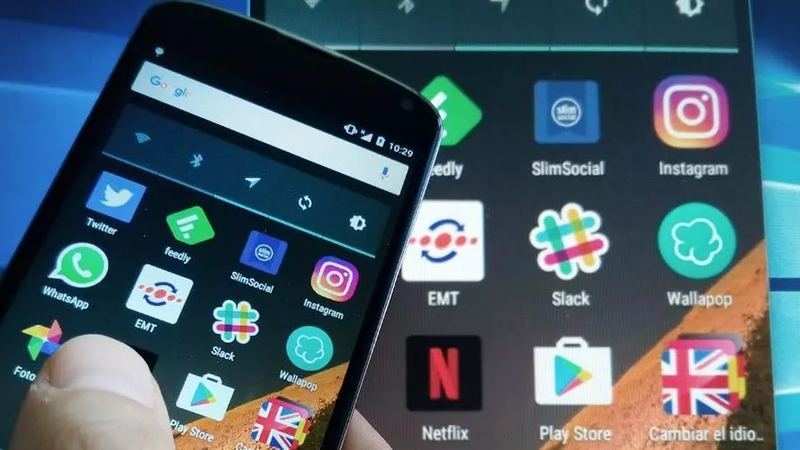
Presenters can control smartphones without projecting tiny screens.
Advantages of Vysor
Vysor offers several benefits for software professionals.
Improved Productivity
Reducing manual file transfers saves valuable testing time.
Better Documentation
Screenshots and recordings improve communication between testers and developers.
Larger Workspace
Viewing mobile applications on desktop monitors reduces eye strain.
Convenient Device Control
Keyboard and mouse input is often faster than touch input.
Easy Setup
Installation requires minimal technical knowledge.
Cross-Platform Support
The software supports multiple operating systems.
Limitations of Vysor
Despite its strengths, Vysor also has several limitations.
Premium Features
Wireless mode and high-quality mirroring require a paid subscription.
Dependence on USB Debugging
Android devices require Developer Options and USB Debugging.
Performance
Wireless connections may experience latency.
Limited iOS Support
Android functionality remains more comprehensive than iOS support.
Security Considerations
Organizations should ensure that screen mirroring complies with company security policies, particularly when testing applications that process sensitive or confidential information.
Comparison with Other Screen Mirroring Tools
Several alternatives to Vysor are available.
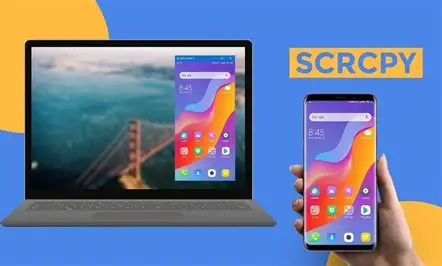
scrcpy (SCRCPY – Android Screen Mirroring Software (Latest)): scrcpy is an open-source screen mirroring tool.
(+) Advantages:
Free
Very low latency
High performance
(-) Disadvantages:
Command-line configuration
Less beginner-friendly
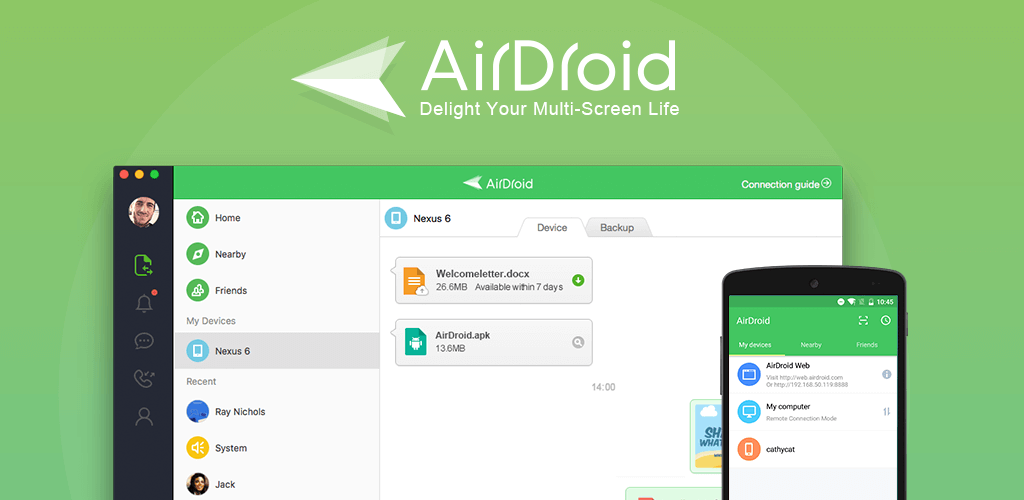
AirDroid: AirDroid focuses on wireless device management.
(+) Advantages:
Remote access
File transfer
Notification management
(-) Disadvantages:
More focused on device management than software testing.
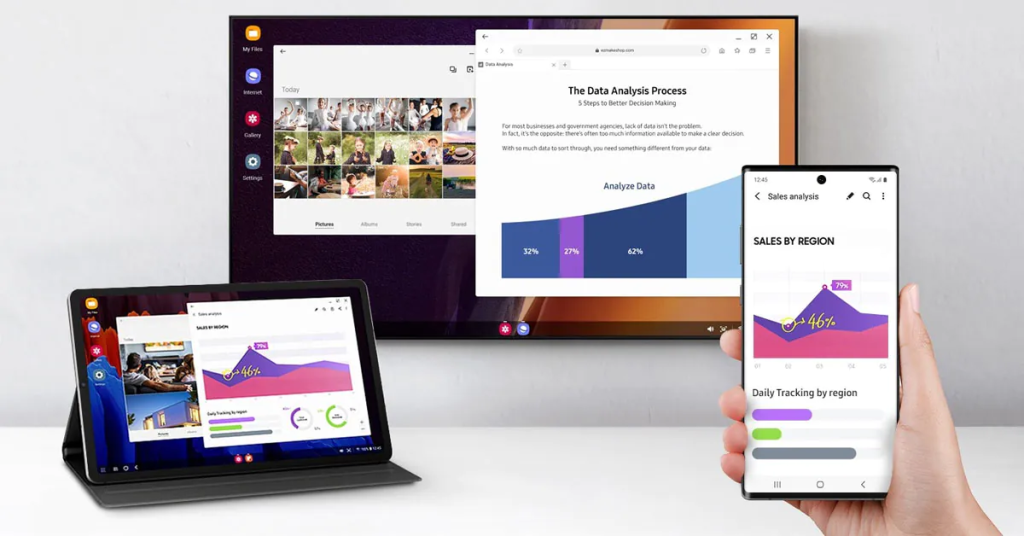
Samsung DeX: Samsung DeX creates a desktop environment.
(+) Advantages:
Excellent productivity
Desktop interface
(-) Disadvantages:
Limited to Samsung devices.
Comparison Summary
| Feature | Vysor | scrcpy | AirDroid |
|---|---|---|---|
| Screen Mirroring | Yes | Yes | Yes |
| Remote Control | Yes | Yes | Yes |
| Screen Recording | Yes | Yes | Limited |
| Wireless Mode | Premium | Yes | Yes |
| Beginner Friendly | High | Moderate | High |
| Open Source | No | Yes | No |
For beginners and professional software testers who prefer a graphical interface, Vysor provides an excellent balance between usability and functionality.
Best Practices for Using Vysor in Software Testing
To maximize the effectiveness of Vysor, software testers should follow several best practices.
First, maintain a stable USB connection during long testing sessions to reduce interruptions. When wireless mode is used, ensure that both the computer and the mobile device are connected to the same reliable network to minimize latency.
Second, organize screenshots and screen recordings using consistent naming conventions. Well-structured documentation makes it easier for developers to locate evidence associated with specific test cases or defect reports.
Third, combine Vysor with issue tracking systems such as Jira, Azure DevOps, or GitHub Issues. Attaching screenshots and recordings directly to bug reports improves communication and accelerates defect resolution.
Fourth, regularly update both Vysor and the mobile device operating system. Software updates often improve compatibility, stability, and security while fixing known issues.
Finally, when testing applications that handle confidential information, follow organizational security policies. Test evidence should be stored securely, and screen mirroring should be used only on trusted computers to reduce the risk of unauthorized access.
Future Development of Mobile Testing Tools
As mobile technologies continue to evolve, testing tools are expected to become more intelligent and integrated. Artificial intelligence can assist in identifying user interface changes, detecting visual defects, and automating repetitive testing tasks. Cloud-based device farms will also enable testers to execute tests on multiple physical devices without maintaining extensive hardware collections.
Although Vysor is primarily designed as a screen mirroring application rather than a complete testing platform, it complements automated testing frameworks by providing an efficient method for manual observation, debugging, and documentation. Future versions may include tighter integration with testing and defect management tools, enhanced support for iOS devices, and improved collaboration features for distributed development teams.
Conclusion
Software quality is a critical factor in the success of modern mobile applications, and software testing plays an essential role in ensuring that applications meet user expectations before release. Effective testing not only identifies defects but also requires accurate documentation to support communication among testers, developers, and project managers. Screenshots and screen recordings are valuable forms of evidence that facilitate defect analysis, reproduction, and verification.
Vysor provides a practical solution for improving the efficiency of these activities by allowing users to mirror and control mobile devices directly from a computer. Its features—including real-time screen mirroring, remote device control, screenshot capture, screen recording, and cross-platform compatibility enable testers to streamline their workflow and reduce the time spent on repetitive manual tasks. These capabilities are particularly valuable in manual testing, regression testing, bug reporting, user interface evaluation, demonstrations, and technical training.
Although Vysor has certain limitations, such as premium-only features, reliance on USB debugging for Android devices, and more limited support for iOS, its ease of use and practical functionality make it a valuable tool for students, software testers, developers, and quality assurance engineers. When combined with good testing practices and effective defect management processes, Vysor can significantly improve productivity and contribute to higher-quality mobile software.
In conclusion, Vysor is more than a simple screen mirroring application. It is a practical productivity tool that supports efficient mobile application testing by simplifying device interaction, improving evidence collection, and enhancing collaboration throughout the software development lifecycle. As mobile software continues to grow in complexity, tools such as Vysor will remain important in helping testing teams deliver reliable and high-quality applications.