



INTRODUCTION
Axon Framework is an open-source Java framework that simplifies the development of scalable and loosely coupled applications by providing a clean and efficient implementation of the CQRS (Command Query Responsibility Segregation) and Event Sourcing patterns. One of the key components of Axon Framework is Axon Messaging, which plays a crucial role in handling communication between different components of a distributed system
KEY CONCEPTS
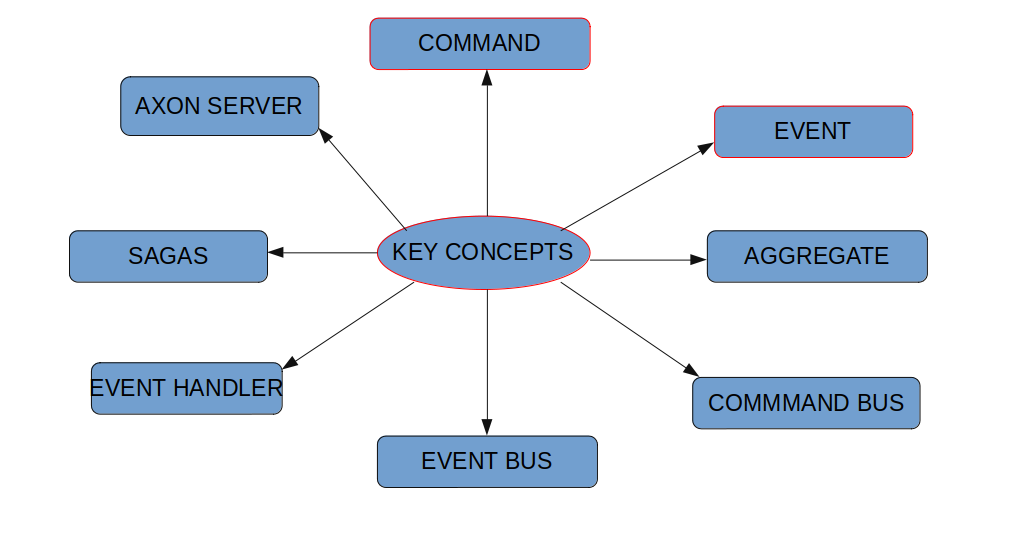
Above are some of the key concepts as shown in the above diagram:
Aggregates in Axon Framework:
In Axon, an aggregate represents an entity or a group of entities treated as a single unit for data changes. Aggregates encapsulate the business logic for handling commands and emitting events. Each aggregate has a unique identifier marked with @AggregateIdentifier, and state changes are managed through events applied to the aggregate.
Command Bus in Axon:
The command bus in Axon plays a pivotal role in dispatching commands to their respective command handlers. It effectively decouples the sender of a command from its processing, allowing for the implementation of various dispatching strategies.
Event Bus in Axon:
Axon’s event bus is responsible for distributing events to all registered event handlers. It supports diverse event bus implementations, ranging from simple in-memory buses to more advanced solutions like Axon Server or an AMQP message broker.
Command Handler:
A command handler, a vital component in Axon, listens for commands and contains the logic to process them. Command handlers are responsible for validating commands, authorizing their execution, and delegating the actual work to aggregates.
Event Handler:
Similarly, an event handler in Axon listens for events and reacts by updating the system’s state, sending notifications, or executing other actions. Event handlers are commonly used to update read models or trigger additional processes based on the occurrence of events.
Message Handling in Axon:
In Axon, both commands and events are treated as messages. These messages act as containers for data sent between different components of a distributed system. Messages in Axon can be of various types, such as commands, events, and queries.
Command and Event Bus Details:
The Command Bus is a crucial component responsible for dispatching commands, with Axon offering different implementations like the SimpleCommandBus for in-memory dispatching and the DistributedCommandBus for handling commands in a distributed environment.
The Event Bus, similar to the command bus, efficiently distributes events to registered event handlers. Axon provides various event bus implementations, including in-memory options and advanced solutions for distributed setups.
Sagas in Axon:
Axon introduces the concept of sagas, which are long-lived processes reacting to events by coordinating the execution of one or more commands. Sagas are instrumental in managing complex workflows or business processes that involve multiple steps and interactions.
Event Processing with Axon:
Axon introduces Event Processors to handle events asynchronously. These processors can be configured in different ways, such as tracking processors for real-time updates or subscribing processors for more flexible event handling.
Axon Server:
Axon Server is a specialized solution designed for handling messaging and event sourcing in Axon applications. It simplifies the configuration and deployment of Axon applications, particularly in a microservices architecture.
Let’s create a simple Spring Boot project to demonstrate the use of Axon Framework for messaging. For this example, we’ll implement a basic todo application.
Setting up a Spring Boot Project with Axon
- Project Setup: Create a new Spring Boot project using your preferred IDE or the Spring Initializer (https://start.spring.io/). Add the following dependencies:
Spring Web
Axon Starter - Domain Model: Define the domain model, including entities, commands, and events
public class TodoItem {

    private String id;
    private String description;

    // Constructors, getters, and setters
}
public class CreateTodoCommand {
private String id;
private String description;
// Constructors, getters
}public class TodoCreatedEvent {
private String id;
private String description;
// Constructors, getters
}- Aggregate: Create an aggregate to handle commands and emit events.
@Aggregate
public class TodoAggregate {

    @AggregateIdentifier
    private String id;
    private String description;

    public TodoAggregate() {
        // Required default constructor for Axon
    }

    @CommandHandler
    public TodoAggregate(CreateTodoCommand command) {
        apply(new TodoCreatedEvent(command.getId(), command.getDescription()));
    }

    @EventSourcingHandler
    public void on(TodoCreatedEvent event) {
        this.id = event.getId();
        this.description = event.getDescription();
    }

    // Getter and Setter methods
    public String getId() {
        return id;
    }

    public void setId(String id) {
        this.id = id;
    }

    public String getDescription() {
        return description;
    }

    public void setDescription(String description) {
        this.description = description;
    }
}- Command Handler: Implement a command handler to handle incoming commands.
@Component
public class TodoCommandHandler {

    @CommandHandler
    public void handle(CreateTodoCommand command) {
        apply(new TodoCreatedEvent(command.getId(), command.getDescription()));
    }
}- Event Handler: Create an event handler to react to events.
@Component
public class TodoEventHandler {

    @EventHandler
    public void handle(TodoCreatedEvent event) {
        System.out.println("Todo created: " + event.getDescription());
    }
}- Controller:
@RestController
@RequestMapping("/api/todos")
public class TodoRestController {

    private final CommandGateway commandGateway;

    public TodoRestController(CommandGateway commandGateway) {
        this.commandGateway = commandGateway;
    }

    @PostMapping
    public ResponseEntity<String> createTodo(@Valid @RequestBody CreateTodoCommand createTodoCommand) {
        String todoId = UUID.randomUUID().toString();
        createTodoCommand.setId(todoId);

        // Send the command
        commandGateway.sendAndWait(createTodoCommand);

        return new ResponseEntity<>(todoId, HttpStatus.CREATED);
    }
}- Configuration: Configure Axon in your
application.propertiesorapplication.ymlfile:
# Axon Server Configuration
axon.axonserver.servers=localhost:8124
CONCLUSION
In this blog post, we explored the basics of Axon Framework and its messaging capabilities within a Spring Boot application. We implemented a simple todo application to demonstrate the flow of commands and events, showcasing how Axon simplifies the implementation of CQRS and Event Sourcing patterns. Axon’s messaging model allows for scalable and loosely coupled systems, making it a powerful framework for building robust and maintainable applications