



Introduction
This post is the continuation of the Entity Framework Core Internals series, if you haven’t followed along please check out the previous posts below:
- Entity Framework Core Internals: High-Level Overview
- Entity Framework Core Internals: DbContext Instantiation and Initialization
- Entity Framework Core Internals: Dependency Injection and Internal Service Provider
EF Core uses a metadata model to describe how the application’s entity types are mapped to the underlying database.
EF models are built using a combination of three mechanisms: conventions, mapping attributes (data annotation), and the model builder API (fluent API).
In today’s article, we will investigate these mechanisms and show how they interact. We’ll also see how models are cached, and the ways caching can be controlled.
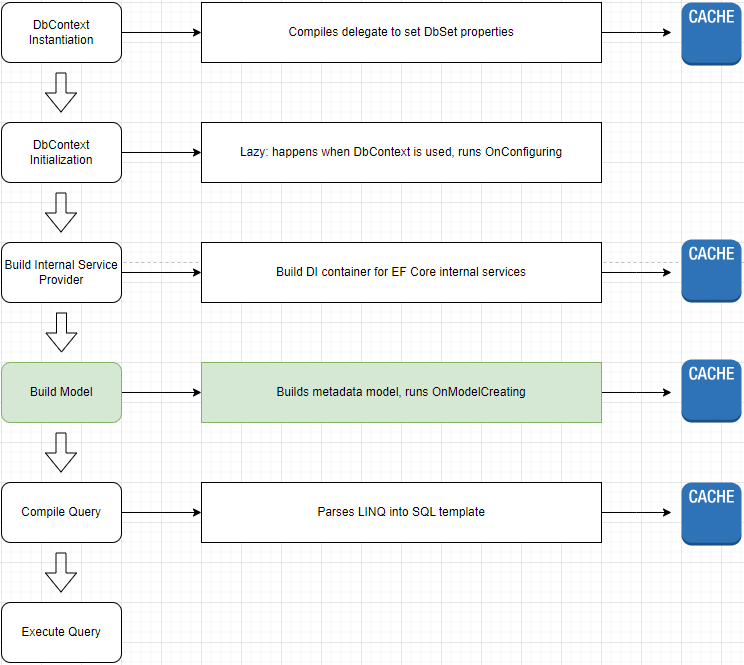
Model Creation
Let’s recall one of the previous posts: Entity Framework Core Internals: DbContext Instantiation and Initialization, when you start working with the DbContext, it usually requires one of the properties of the IDbContextServices ContextServices property and ContextServices.Model is one of them, let’s dig into the EF Core source code to see how it’s created.
Open the DbContext class:
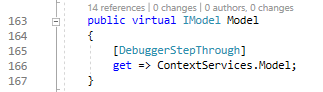
As you can see it’s just a forwarder of ContextServices.Model, let’s open the DbContextServices class next.
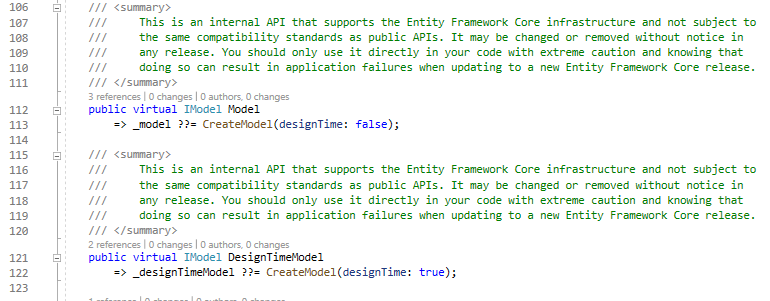
You also should notice that apart from the Model which is used at run time, there is also DesignTimeModel which is used at design time and they both call the CreateModel method with corresponding designTime flag. Let’s take a closer look at the CreateModel method next:
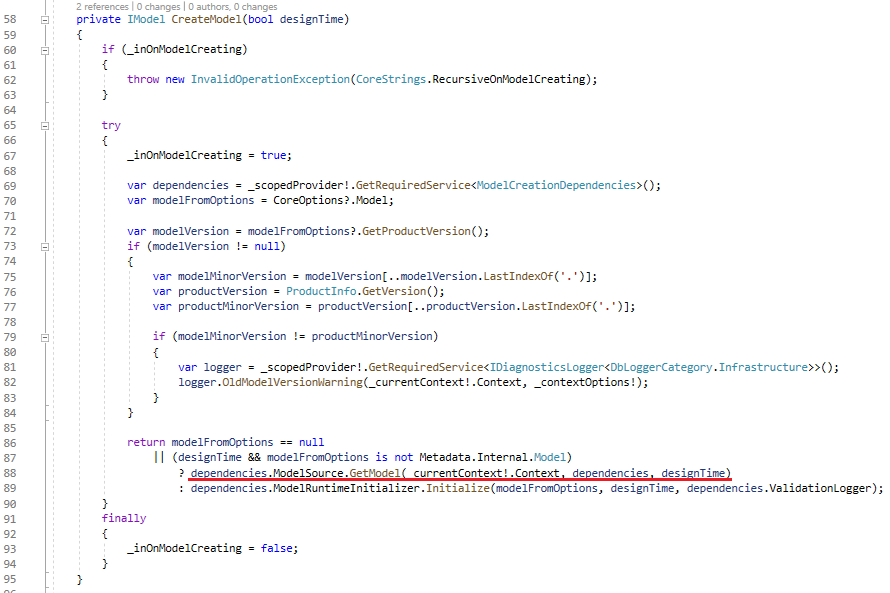
Pay attention to line 88 when it calls the ModelSource dependency to get the Model, let’s check the ModelSource class next:
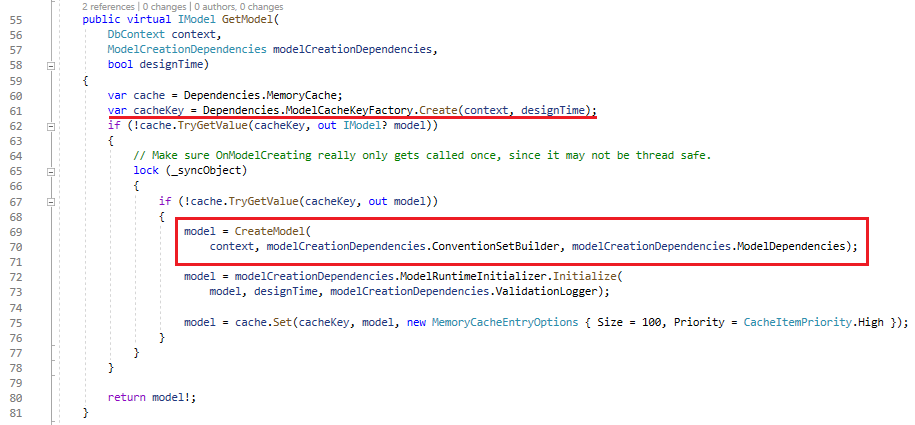
It applies caching here, the cacheKey is the combination of the DbContext type and the designTime flag, let’s pay attention to the CreateModel method next:
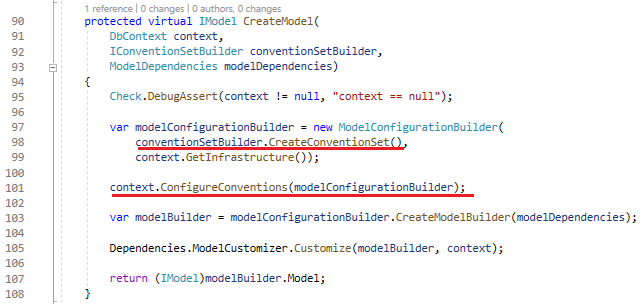
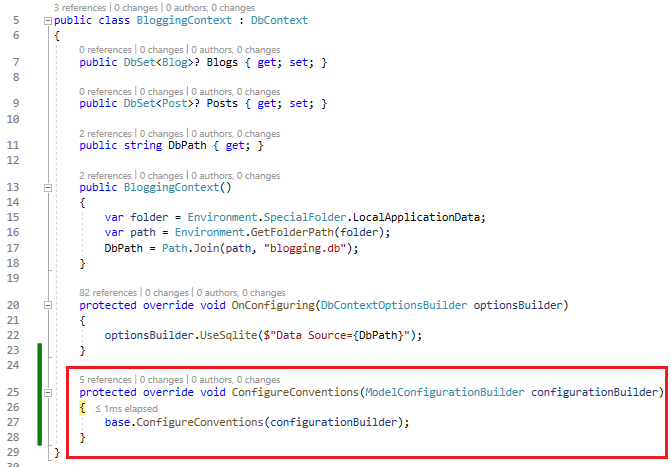
There are 2 things we should be interested in which are the CreateConventionSet() method and the context.ConfigureConventions method, let’s talk about ConventionSet in the next section, at this point in time, in our BloggingContext example the ConfigureConventions is invoked at line 101 to register additional conventions if any.
Convention Set
Conventions are default rules EF Core will try to infer your model if you don’t explicitly tell EF Core how your entities are mapped with your underlying database. For example, it will assume the property named Id will be used as the primary key unless you use data annotations or mapping API to tell it the primary key should be the other property.
Conventions can be provided by Core EF and other database providers, database providers can also remove, and replace conventions, and as a developer, we can also add, remove, and replace conventions.
Now let’s back to the ModelSource class and focus on the CreateModel method:
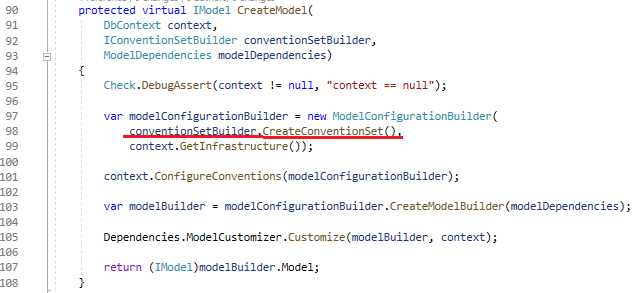
Continue drilling down to the CreateConventionSet method:
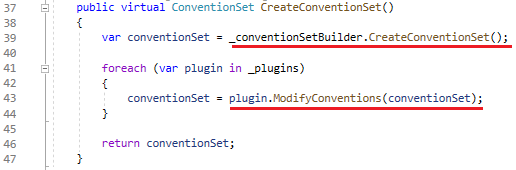
It invokes the IProviderConventionSetBuilder _conventionSetBuilder dependency to create the Convention Set, depending on which database provider we registered, the appropriate conventions will be registered.
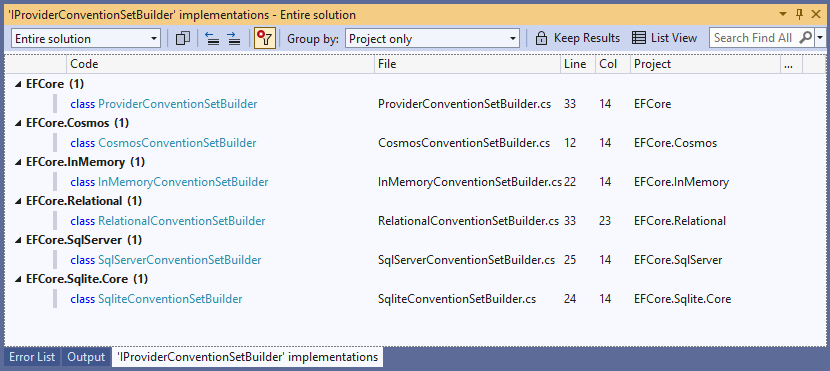
In our BloggingContext example, because we use Sqlite, the SqliteConventionSetBuilder is registered as the IProviderConventionSetBuilder.
After the convention set is created, It invokes the ModifyConventions method for each plugin registered if any.
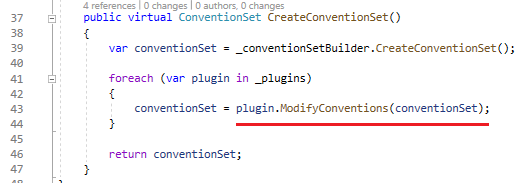
Now convention set is ready to play with, let’s take a look to see how ModelBuilder is created next.
Back to the ModelSource class, CreateModel method:
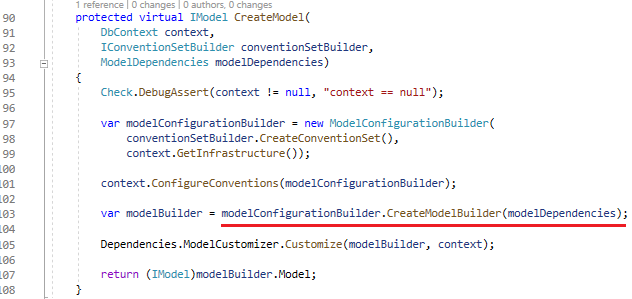
Go to the CreateModelBuilder method and keep drilling down:


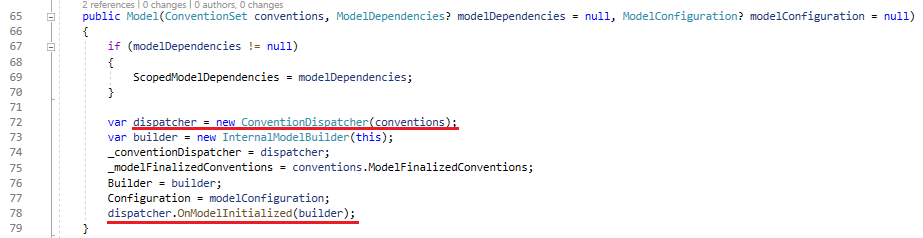
Stay focused on the ConventionDispatcher here, it’s a bit complicated and we should not dig into it further, basically, it will help to execute all the conventions registered.
Now that we know what conventions are and how they are registered, let’s take a look at a few of those conventions to see what they do and how they work.
One of the simple and easy to understand is DbSetFindingConvention which scans all DbSet properties you predefined in the DbContext and registers the entity type with the ModelBuilder.
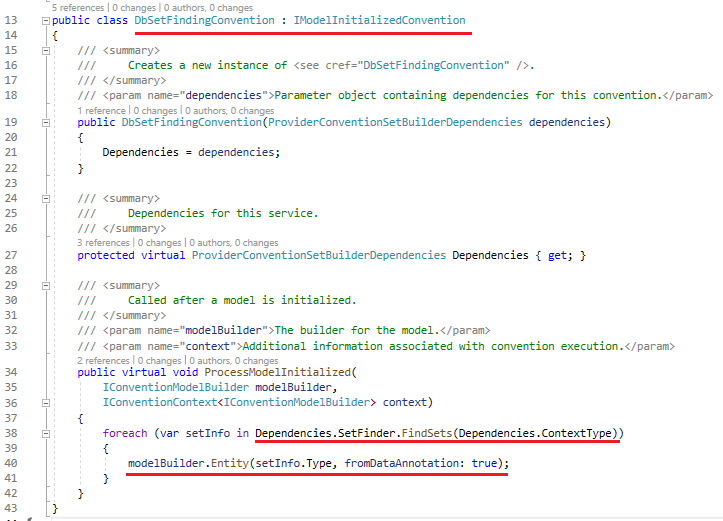
It uses the same DbSetFinder we examined in the previous post: Entity Framework Core Internals: DbContext Instantiation and Initialization to find all the DbSet properties.
Let’s take a look at another simple and important convention next which is KeyDiscoveryConvention.
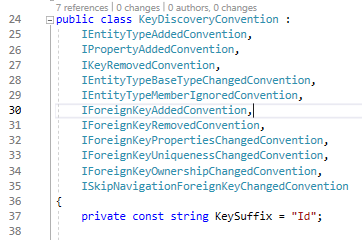
It implements quite a few Interfaces, however, the method we should focus on is DiscoverKeyProperties.
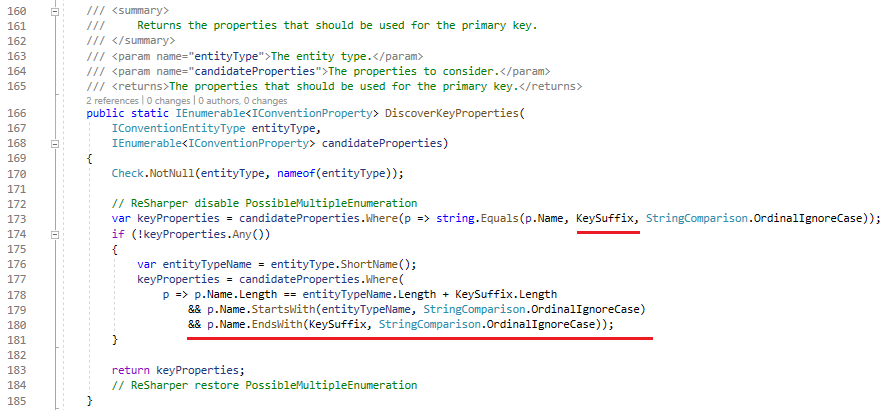
As you can see, it tries to find the property named Id first, if not it tries to find the combination of EntityName and Id, ex: BlogId, PostId, …
Another important convention we should not ignore is RelationshipDiscoveryConvention, it’s responsible for finding the relationship between your entities.
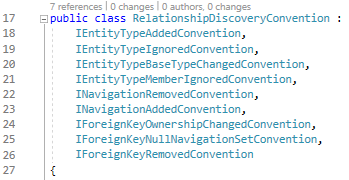
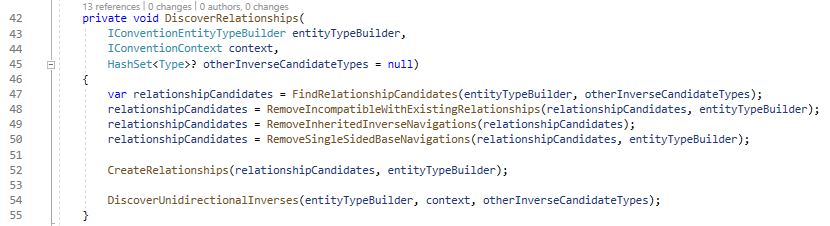
The code of it is quite complex so I will not dig deeply into that here and let you figure it out yourself as it’s not too hard to understand.
Mapping Attributes (Data Annotations)
Data annotation is a special kind of convention, but rather than inferring the model based on assumption, it tries to find whether you use a known attribute to decorate your class or property, then it uses this instruction to build the model.
In our BloggingContext example, in the Blog.cs class if we rename the BlogId property to BlogKey as below:
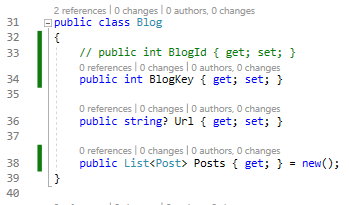
Because we don’t follow the rule defined by the KeyDiscoveryConvention, when EF Core tries to build the Model, it cannot find primary key information for the Blog and throws an exception.
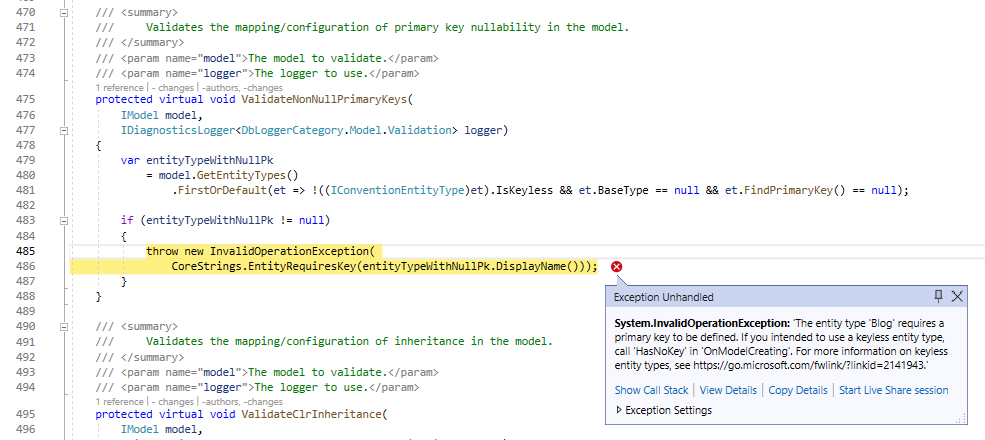
Now we need to tell EF Core that it should use the BlogKey as the primary key by using the KeyAttribute.
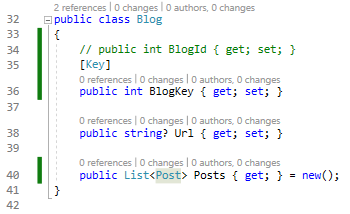
The way it works is pretty simple, there is a KeyAttributeConvention class which is a convention that looks into your entity class to find the properties that have the Key attribute decorated.
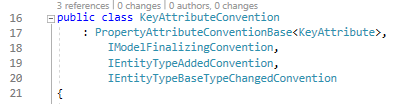
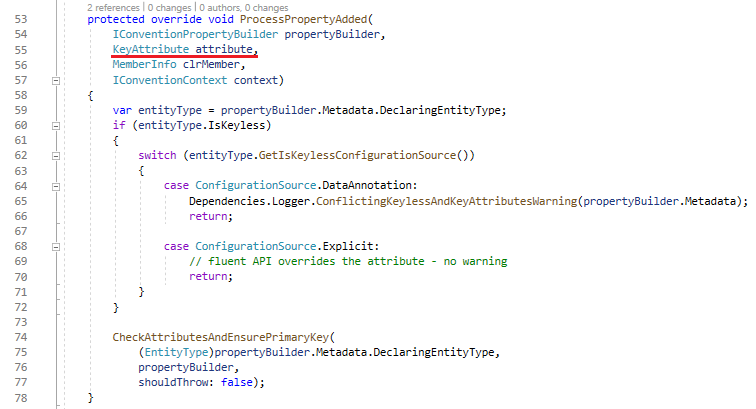
The method ProcessPropertyAdded will get called if the property has the KeyAttribute decorated.
Another attribute that we usually use a lot is MaxLengthAttribute, let’s see how the MaxLengthAttributeConvention works next:
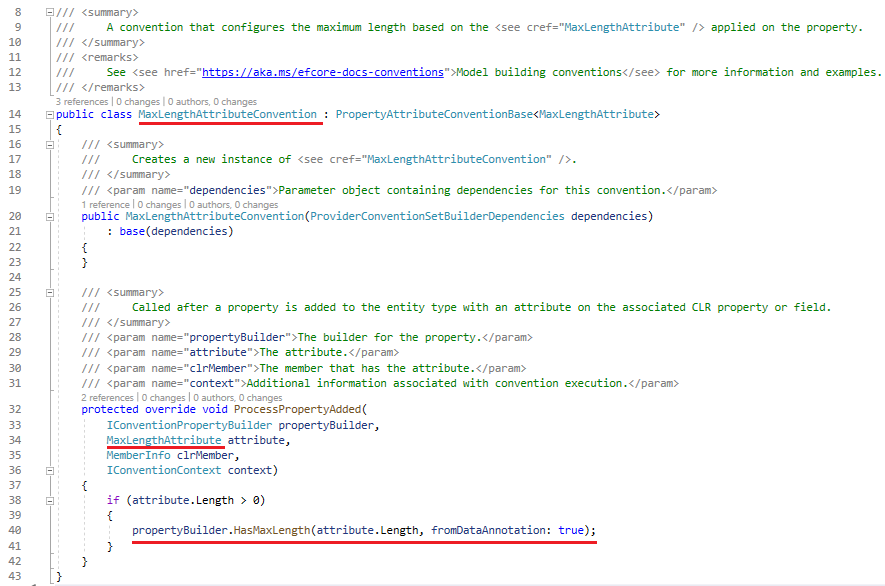
One thing to keep in mind is if the same kind of information (for example primary key) is discovered both by naming convention and data annotation, annotation will take precedence, so always pay attention to the final model if you use more than 1 mechanism.
Model Builder API (Fluent API)
Up until now, EF Core knows mostly about your model, let’s back to the ModelSource.cs class and the CreateModel method again, and pay attention to the method ModelCustomizer.Customize next:
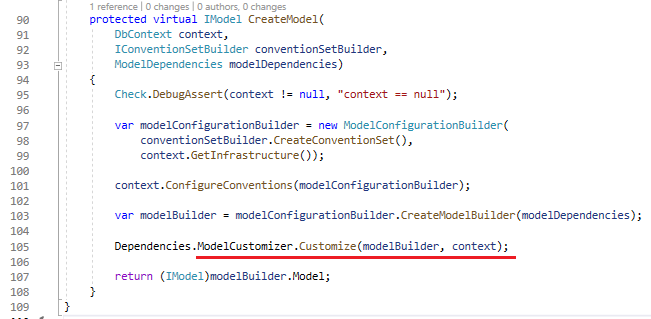

As you can see, it invokes the context.OnModelCreating method, in our BloggingContext example, the OnModelCreating method will be invoked.
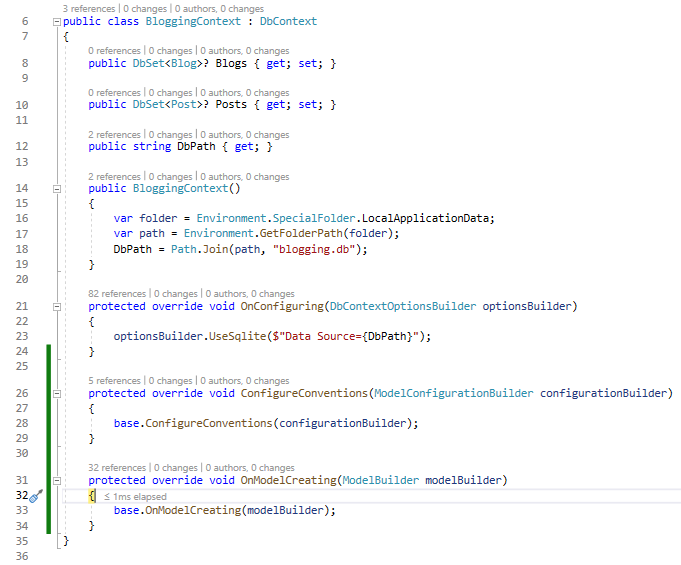
In this method, we can use the fluent API to configure the entity and the property directly and it will override all the information that was discovered by Convention Set and Data Annotations.
We can also examine how the Model looks so far by taking a look at the modelBuilder.Model.DebugView.ShortView property.

Wrapping Up
In this article, we went through the process of how the Model is discovered and created, and now it’s time for the database provider to leverage it to serve your queries/ commands.