



Semantic UI is a development framework that helps create beautiful, responsive layouts using human-friendly HTML. This article will show you how to install and integrate Semantic UI into Angular web applications with @angular-ex/semantic-ui library.
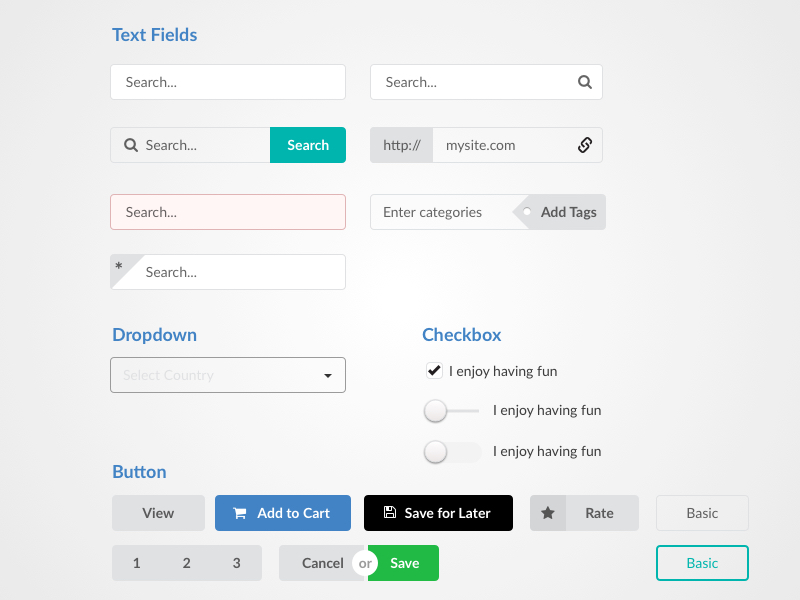
(source: https://www.sketchappsources.com/free-source/3043-semantic-ui-kit-sketch-freebie-resource.html)
@angular-ex/semantic-ui (a fork of ng2-semantic-ui) is written in pure Angular without jQuery required. Angular and jQuery don’t go together because this is the fundamental principle of this library. As a result, this library provides Angular component versions of the Semantic UI modules so that you don’t need to add jQuery to your app.
Installation & Usage
1. Install the library via npm
$ npm install --save @angular-ex/semantic-ui
// or yarn
$ yarn add @angular-ex/semantic-ui
// or pnpm
$ pnpm add @angular-ex/semantic-ui
2. Add the Semantic UI CSS file to your index.html
<head>
    ...
    <link rel="stylesheet" href="https://cdnjs.cloudflare.com/ajax/libs/semantic-ui/2.2.13/semantic.min.css">
    ...
</head>Note: you can find your index.html file in src/index.html (you can visit this code to refer).
3. Import the library to your feature modules
To add a Semantic UI component to your component, you need to import the library module into your feature modules with codes:
import { SuiPopupModule } from "@angular-ex/semantic-ui";

@NgModule({
    imports: [
	...
        SuiPopupModule,
	...
    ],
    declarations: [...],
    providers: [...],
})
export class YourFeatureModule {}
4. Demo
Visit this site for a demo: https://angular-ex.github.io/ngx-semantic-ui/
Why @angular-ex/semantic-ui?
Semantic UI library uses jQuery to handle UI action by default (https://semantic-ui.com). Of course, importing jQuery into an Angular application is unnecessary because it provides many powerful utilities to process UI/UX behavior.
The early version of ng2-semantic-ui (https://github.com/edcarroll/ng2-semantic-ui) successfully did its mission (re-wrote components in pure Angular without using jQuery). However, nowadays, that library has been outdated and no longer maintained. The forked version, @angular-ex/semantic-ui, was born to maintain and upgrade to the latest Angular version.
Conclusion
In brief, Semantic UI isn’t supported by Angular itself. Therefore, this package @angular-ex/semantic-ui is the latest package for the latest Angular version. If you found this article useful, please share or follow for more of my content here.