



AI is changing our world day by day and applying it in our work is becoming more popular now. It helps us save a lot of effort in daily tasks, and we can see AI applied in various kinds of fields like software development, graphic design, finance, transportation, etc. In this article, we’ll get to know how AI is leveraged in automation testing and check whether it can reduce the effort.
1. Test script generation
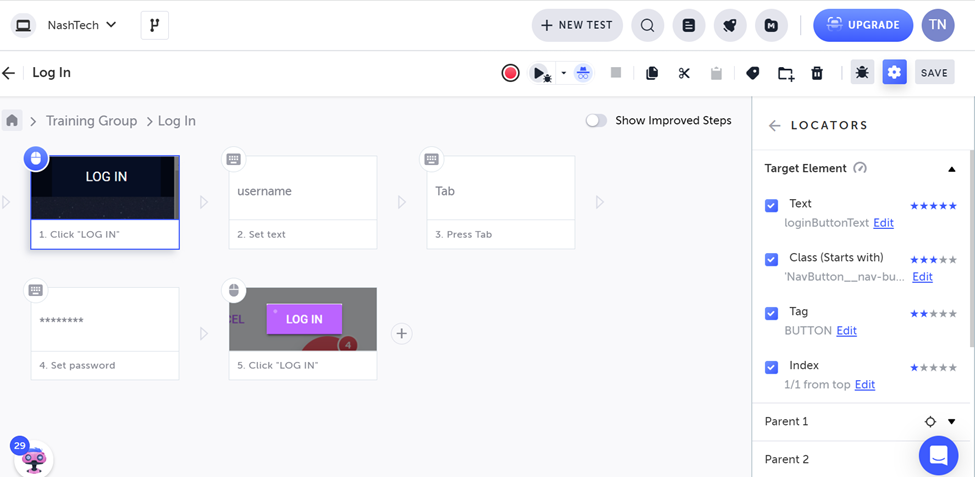
Record and playback are not new to automation tester. We’ve already had a lot of tools supporting us to record test steps in the past like Selenium IDE. However, the script generated at that time was unstable and hard to reuse because of the algorithm for generating the locator. For now, based on AI, many tools provide the smart locator feature which can create a locator based on many attributes, and each attribute has a different weight. That makes the locator more stable. Moreover, most of the AI automation testing tools also support the self-healing feature so that it can find another element for test steps when the application changes.
2. Self-healing
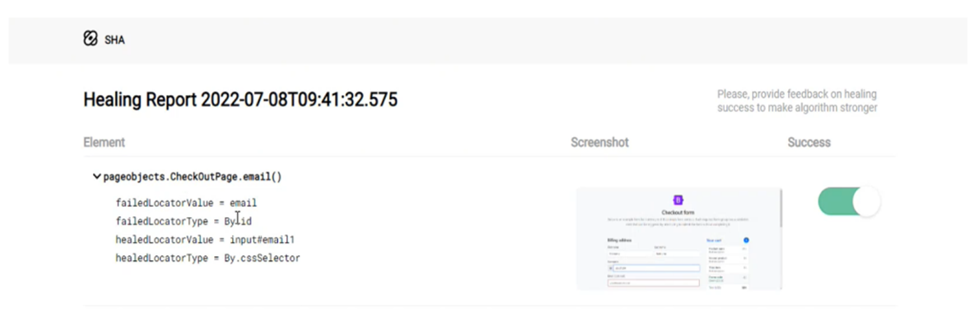
As mentioned in the 1st section, self-healing is an important feature for the automation testing tools. As we know, the application is changed continuously, and it leads to broken tests/flaky tests, and we need to update the test script. With the self-healing feature, it can automatically find similar elements for running the test script. Some tools also provide us with a plugin to update our test script automatically.
3. Testcase generation
AI can support us in designing the test cases quickly. We can type or use voice to share about your application and the features want to test, then AI will create test scenarios for them. Especially in unit tests, AI algorithms can support us to generate test data/scripts to achieve the highest code coverage.
4. Visual validation
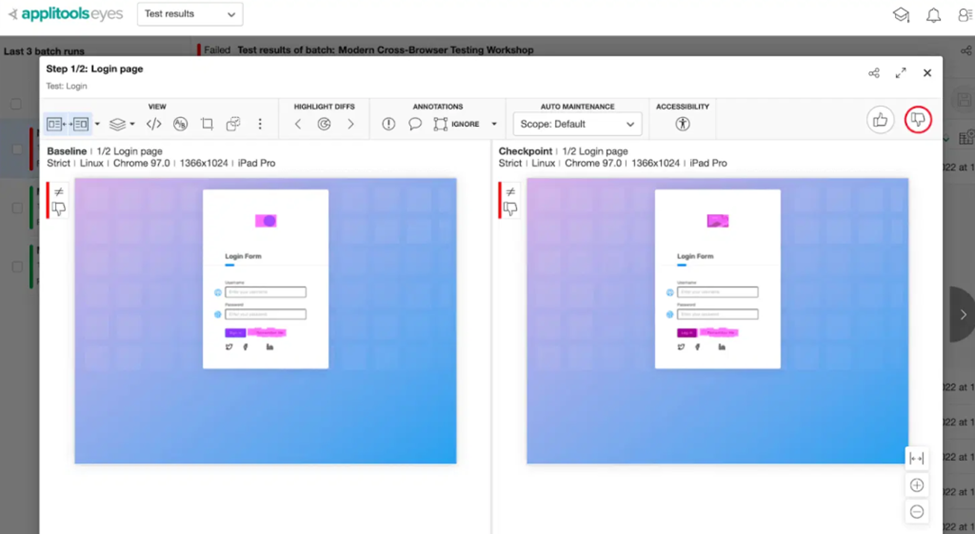
For image validation, we used to compare pixel by pixel, so it was easy to make the test case fail because of the picture size. Besides, the web page/application may contain advertisement information, and it changes continuously. Of course, we don’t need to avoid testing this information. For PDF testing, we used to extract the text from the file and compare it only, so we don’t know whether the format is correct. AI can solve the above problems, it allows us to define the region we want to test on the picture, check the PDF format, and we can run the test cases on various kinds of devices without caring about the size of the picture.
5. Duplicate code detection
While we’re generating or recording a new test case, some tools like Testim can suggest using the existing function instead of implementing the new function. This will help us avoid duplicated code in our script. Moreover, they also have a report about the percentage of duplicated code in our script so that we can improve our script.
6. Abnormally detection
When we run the automation script, some tools will record all the pictures of each element we interact with. Based on the history of test execution, it can detect the application changes and automatically correct the test script or raise the defect prediction. This will help us find the bug earlier and save time for test script maintenance.
7. Test result analysis
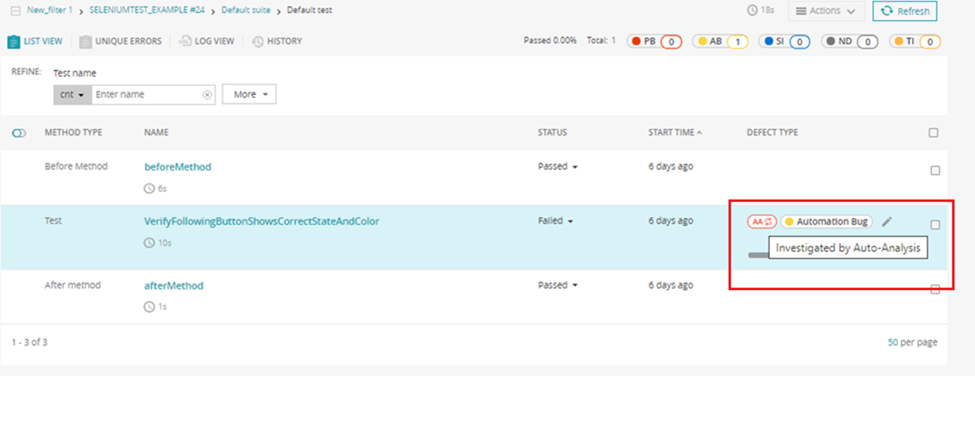
After the test execution, we need to detect the root cause of test failure like application bug, environment issue or unstable test script. Based on the history of test execution and the log of test cases, the AI tools can support us in classifying the root cause of failure automatically so that we can save a lot of time for test result analysis.
8. Top AI automations tools
In this section, I divide the tools into 3 groups.
8.1 Automation codeless tools
Those tools include a lot of features as we mentioned in above sections like test script generation, self-healing, visual validation, duplicated code detection, and result analysis, etc. Moreover, TestOps is also supported with these tools. We can manage test cases/test suites and have a great dashboard for the product status with these tools. Here are some popular tools:
- Testim
- Mabl
- Applitools
- Functionize
- AccelQ
- …
8.2 AI Coding assistant tool
If you choose the traditional tools like Selenium, you can leverage the AI coding assistant tools to improve your productivity in implementing new test cases. They’re built on top of code snippets so they can help you generate simple functions quicky. Especially, it can suggest and implement test cases for unit test/API test effectively. We can list out some AI coding assistant tools here:
- Github Copilot
- Tabnine
8.2 Open-source tool
If you don’t want to pay for the tool, there’re some open-source tools you can consider.
- Healenium: It’s a self-healing tool and able to integrate with Selenium Framework.
- ReportPortal: It’s an AI reporting tool and able to integrate with many kinds of automation tool.
Conclusion
AI is going to be a part of our daily work, so we need to learn and use it as early as possible. Applying AI in our daily tasks will help us reduce our effort and increase our productivity, but we need to care about security risks and data leaks when applying AI in our work. Therefore, we need to investigate carefully and understand the way the AI tools work before using them.