



Multiple workloads in a Kubernetes environment often involves orchestrating multiple container within a pod. While Kubernetes provides powerful tools for deploying and managing these workloads, there’s a need for more granular control over container updates without disrupting other components. This is where OpenKruise comes into play, offering enhanced functionality and flexibility in managing containerized applications in Kubernetes clusters.
What is OpenKruise?
It is an open-source project designed to extend Kubernetes functionalities with additional controllers and operators. It enhances the Kubernetes experience by providing features for more fine-grained control over workload management, including rolling updates, sidecar injection, and pod disruption budgets.
Benefits of OpenKruise
- Fine-Grained Update Strategies: OpenKruise allows precise control over which containers within a pod need updating, enabling users to update only the necessary components without restarting the entire pod.
- Enhanced Flexibility: With features like container cloning, pod disruption budgets, and automated sidecar injection, OpenKruise empowers users to manage a complex application scenarios more efficiently.
- Rolling Updates: It offers various rolling update strategies that can be customized based on application requirements, ensuring smoother updates without affecting overall application availability.
- Improved Resource Utilization: OpenKruise optimizes resource utilization by enabling the adjustment of resources for individual containers within a pod without requiring a complete pod restart.
Updating Specific Containers with OpenKruise
Let’s demonstrate the ability of OpenKruise to update only specific containers within a pod without restarting the other containers.
Pre-requisites:
Kubernetes cluster setup with OpenKruise installed
Steps:
- Create a Sample Pod
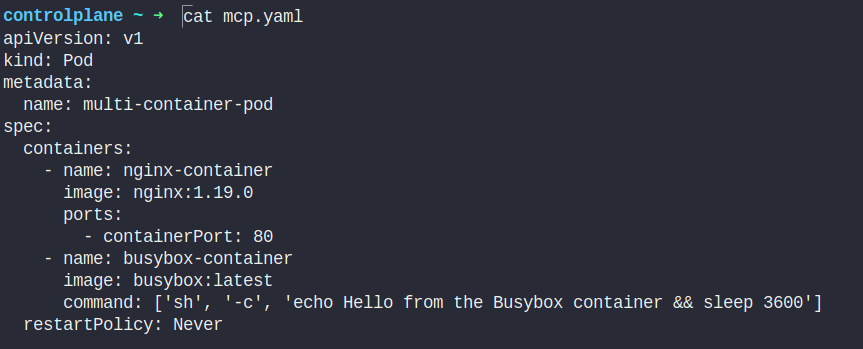
Let’s create a sample pod with multiple containers.
apiVersion: v1
kind: Pod
metadata:
  name: multi-container-pod
spec:
  containers:
    - name: nginx-container
      image: nginx:1.19.0
      ports:
        - containerPort: 80
    - name: busybox-container
      image: busybox:latest
      command: ['sh', '-c', 'echo Hello from the Busybox container && sleep 3600']
  restartPolicy: Never
2. Apply the pod
Apply the YAML manifest to create the pod:
kubectl apply -f mcp.yaml

3. Update a specific container
Let’s say we want to update only the ‘main’ container in the myapp application deployment.
apiVersion: apps.kruise.io/v1alpha1
kind: ContainerRecreateRequest
metadata:
  namespace: default
  name: mcp-update
spec:
  podName: multi-container-pod
  containers:
  - name: nginx-container
  strategy:
    failurePolicy: Fail
    orderedRecreate: false
    terminationGracePeriodSeconds: 30
    unreadyGracePeriodSeconds: 3
    minStartedSeconds: 10
  activeDeadlineSeconds: 300
  ttlSecondsAfterFinished: 1800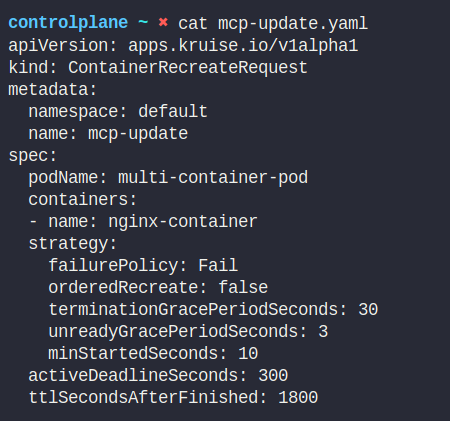
4. Apply the Rolling update strategy
kubectl apply -f myapp-update.yaml

Check the pod to see how many containers are active
kubectl get pods
kubectl describe po multi-container-pod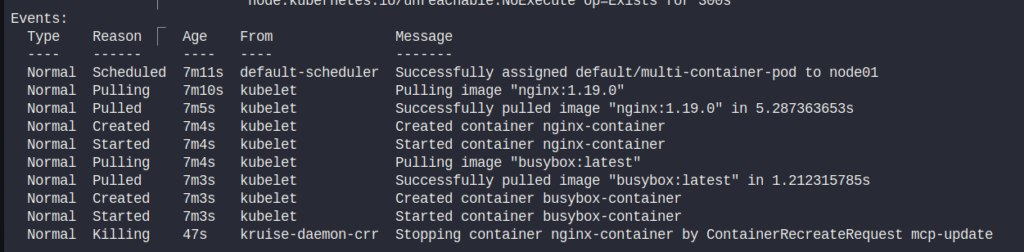
Check the container recreate request
kubectl get crr
By utilizing the OpenKruise StatefulSetRollingUpdate and specifying the target container for the update, you can efficiently manage conatiner image updates within the kubernetes deployments without disrupting the entire pod. This level of granular control ensures smoother and more targeted updates, reducing downtime and maintaining the stability of other components within the application.
Hey, readers! Thank you for sticking up till the end. This was a brief on simplifying Kubernetes deployments with OpenKruise. If you have any questions/feedbacks regarding this blog, I am reachable at vidushi.bansal@nashtechglobal.com. You can find more of my blogs here.