


Introduction to Buildpacks:
In the ever-evolving landscape of software development and deployment, innovation often emerges from the quest for simplicity and efficiency. Enter Buildpacks.io, a game-changer that redefines how we approach converting source code into container images. Today in this blog we are going to have a quick introduction to buildpacks.
What are Buildpacks?
Buildpacks are a crucial yet often unnoticed component in many cloud platforms, silently working behind the scenes to gather all the necessary elements for your application to build and run seamlessly. Despite their inconspicuous nature, buildpacks play a central role in the transformative process, turning your source code into a functional application image efficiently and effectively.
Benefits of using Buildpacks:
Cloud Native Buildpacks offer several advantages over traditional Buildpacks like Docker. Some key reasons include:
High Portability: Leveraging an open-source container format, Cloud Native Buildpacks demonstrate exceptional portability, making them compatible with various technologies such as Kubernetes.
Reproducibility: Buildpacks excel in reproducing application images by simply rerunning the build process.
Advanced Caching: The Buildpacks boast extensive caching capabilities, significantly enhancing performance during the build process.
Modularity: Cloud Native Buildpacks can combine multiple Buildpacks to effectively support and execute application images, showcasing a modular approach.
Auto-Detection: Unlike traditional methods, Buildpacks eliminates the need for extra instructions, generating the application solely based on the source code.
Reusability: Developers benefit from a repository of pre-existing builds crafted by the community, promoting the reuse of successful configurations over time.
Efficient Troubleshooting: The ability to run a Buildpack locally aids in pinpointing production issues swiftly, expediting the testing and troubleshooting processes.
Getting Started with Buildpacks.io
To install Pack, utilize the official PPA by executing the following commands:
-> sudo add-apt-repository ppa:cncf-buildpacks/pack-cli
-> sudo apt-get update
-> apt-get install pack-cli
Once installed, you have the flexibility to employ various language source codes supported by Buildpacks. These include popular languages like Java, Python, Ruby, Scala, PHP, Go, Griddle, and more.
you can create a Procfile for your application. This Procfile should encapsulate the execution command that will be invoked at runtime to bring your application to life and make it operational.
Important Note: The file name must be named as Procfile.
Once your source code is ready, the next step is to transform it into an OCI image using a builder. To find a suitable builder for your source code, you can use the command:
-> pack builder suggest
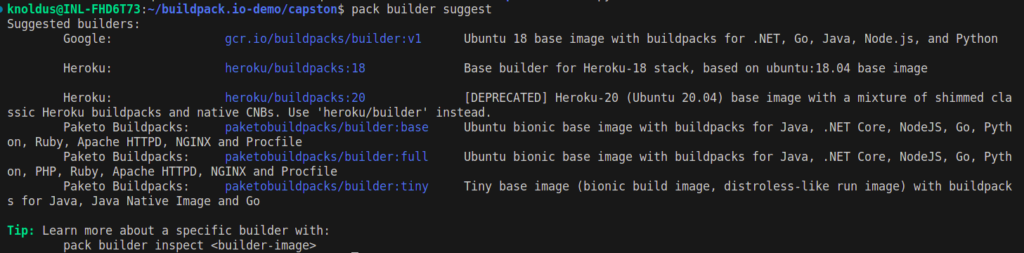
This command will recommend a builder based on your source code.
Inspect the builder image with the following command:
-> pack builder inspect <builder-image>
To set the default builder command, use:
-> pack config default-builder <builder-image-name>

If you have set a default builder image and you are on a root folder of the application, convert your source code into an OCI image with:
-> pack build <image-name>
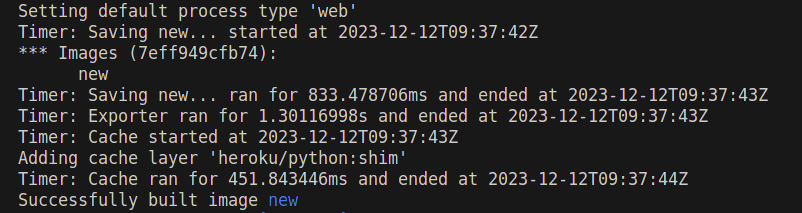
Alternatively, if you prefer not to use the default builder image, use the following command:
-> pack build –builder <your-builder> –path <path-to-your-app> <output-image-name>
These commands streamline the process of building and converting your source code into an OCI image, ensuring a smooth and efficient deployment.
Conclusion:
So, This quick introduction to Buildpacks simplifies the process of turning source code into runnable applications. Utilizing tools like Pack and Cloud Native Buildpacks, it streamlines the deployment workflow. The system detects, configures, and builds applications with high portability, advanced caching, and modular layering. By following straightforward commands, developers can efficiently convert their code into OCI images, ensuring optimal performance and adaptability across diverse environments. Buildpacks.io offers a technical edge by automating the intricate aspects of the build and deployment pipeline.