




Hello Learners, Welcome to the cloud insights today we will learn about the service principal and connection in Azure
Introduction to Service Prinicipal
It is a type of application where it exists in the Azure Active Directory (AD).
They are created to access certain Azure Resources.
We can restrict the permissions of the Service Principals using the role assignment at a level.
There are certain steps that need to be followed to create a service principal in the Azure portal.
Steps to Create Service Principal in Azure Portal
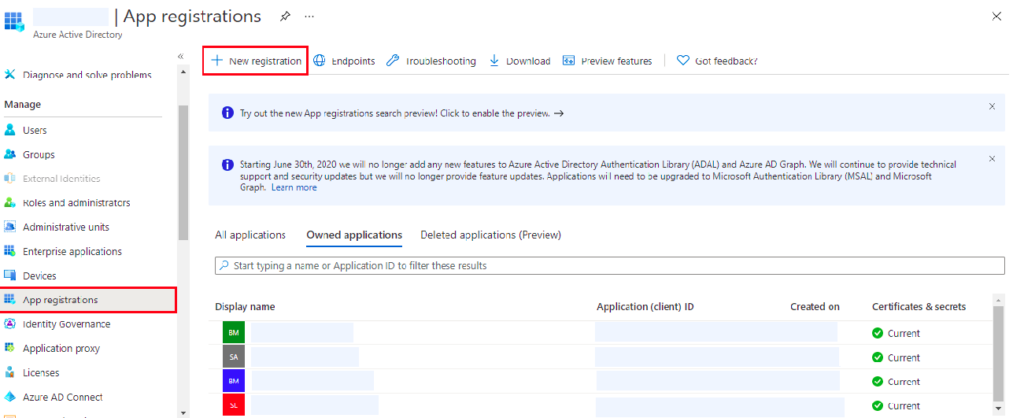
- Step 1: Open the Azure Portal and click on the Azure Active Directory (AD)
- Step 2: Click on the app registrations and inside that click on the new registration (as shown in the image).
- Step 3: Fill up all the details like the Name of the Principal and all the other details that need to be filled as mandatory.
These steps will create the service principal and to assign the particular role to it you can directly assign it.
from the resource under the role assignment section.
Conclusion
For more in-depth learning please visit the official documentation of Azure.
For more interesting and knowledgeable blogs please follow by clicking here.