



What is cross-account in AWS?
You can use AWS Identity and Access Management (IAM) roles and AWS Security Token Service to set up cross-account access between AWS accounts.
When you assume an IAM role in another AWS account to obtain cross-account access to services and resources in that account.
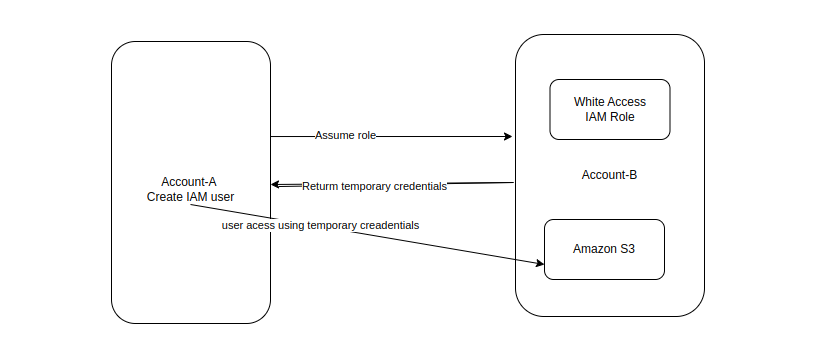
What is IAM role?
- IAM Stands For Identity and Access Management.
- It is a service that help you securely control access to the aws resources. You can use IAM to control who is authenticated (signed-in) and authorized (has permission) to the resources.
Prerequisites:
- Two AWS accounts that you can use, one is represent the Development account, and one is represent the prod account.
Create an IAM role in Account A:
- login to the account A
- Create one user and save the url and the credentials of user(console sign in url) that use in next time user login.
- Attach policy to the user ec2 readOnlyAccess
- Click on the group Inside the permission and provide the inline policy:
- Select the Security token service(STS).
- service –> Assume role
- Click and apply the Inline policy
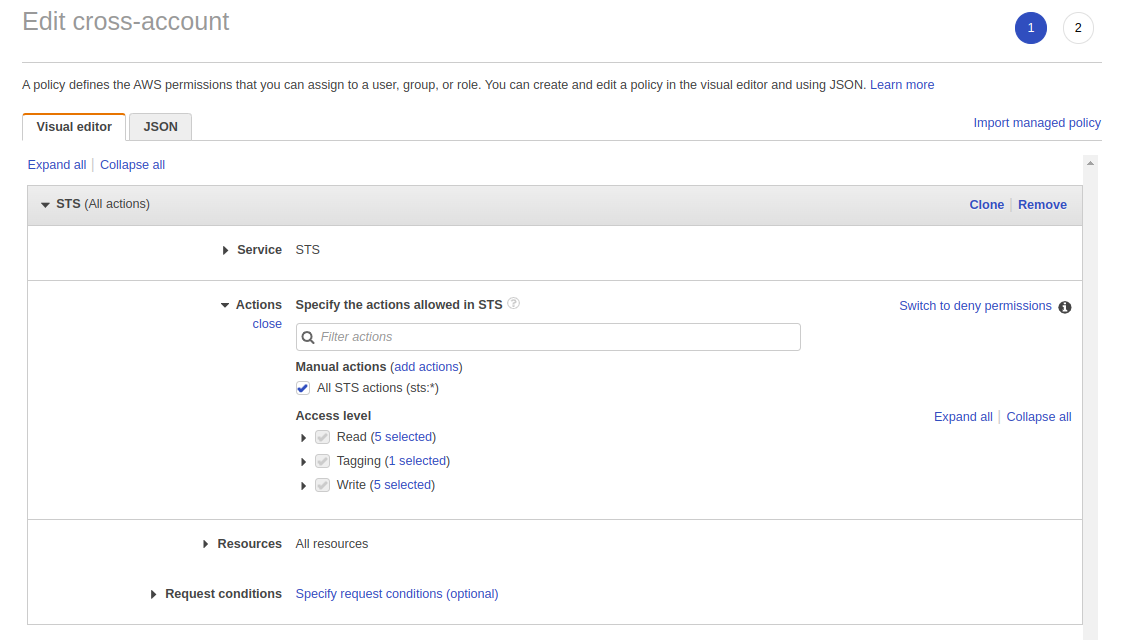
Using account B:
- Login to the Account B.
- Create one S3 Bucket.
- Create role And use the another AWS Account role Create
- Insert the Account ID of the AccountA.
- Attach policy –> s3 readOnlyAccess
- And provide the role name ex- s3role And save the role name that is used in next time.
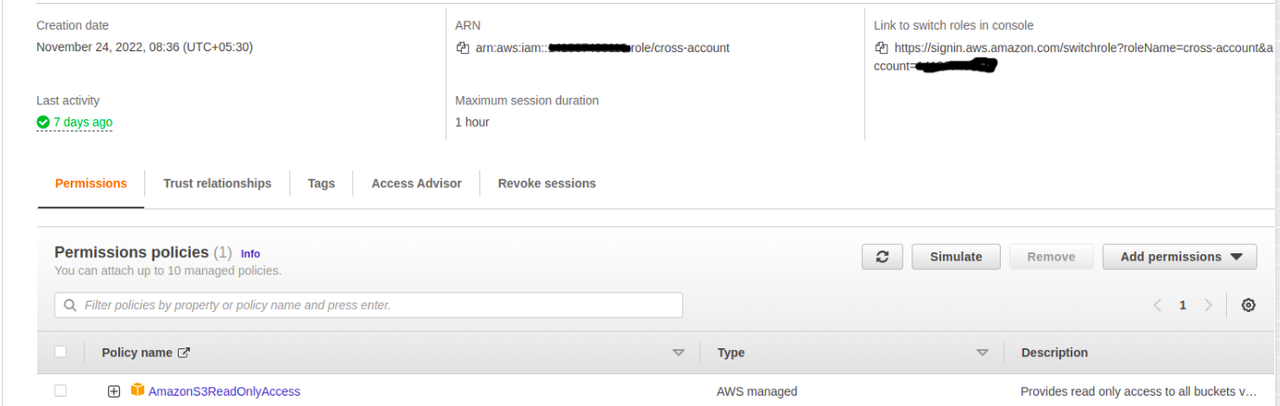
- In roles –> trusted policy edit
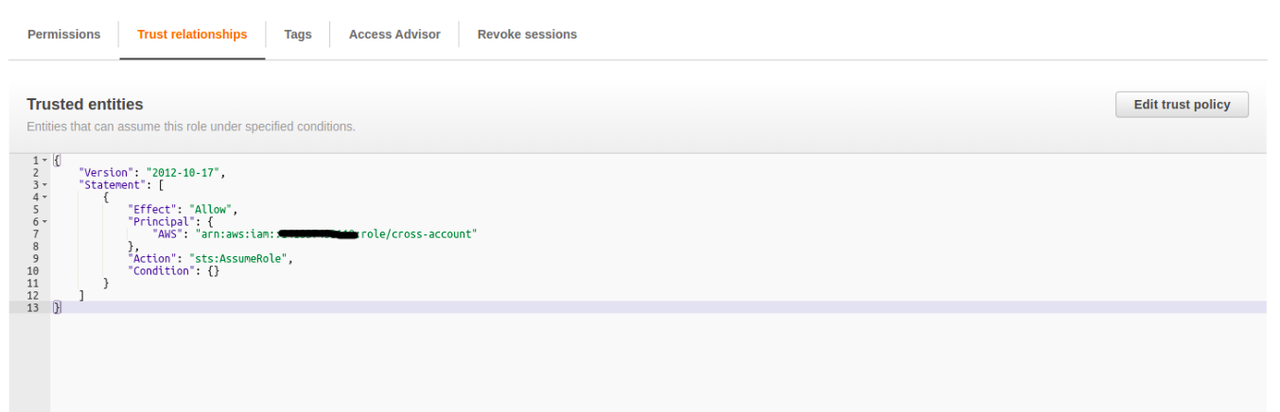
- And paste ARN(amazon resource name) of the Account A.
- you have access s3 through the Account A arn user.
- And you can test the role using the user login.
Test Switch the role:
- login to the user-1 through the https url which provide that time you create user(console sign in url)
- https://##########.signin.aws.amazon.com/console.(### –> account ID).
- After the login the user console.
- Right side corner choose the Switch role
- And Switch the role that you have already defined it (like s3read).
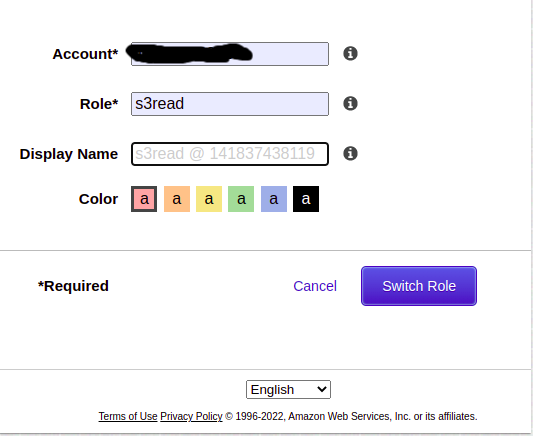
- After Switch Role.
- you successful login, you should see the new Assume Role at the top right of the main menu.
- Now use the menu bar at the top, click Services, and then click s3.
- And verify that the s3 bucket of Account B are accessible or the same.

All the same buckets thats are present in the account B and in the Switch role.