



In recent years, artificial intelligence (AI) has become an important tool in the software testing industry. Artificial Intelligence (AI) has greatly increased the efficiency, accuracy, and comprehensiveness of testing processes through its powers in automation, data analysis, and flexibility. It makes test case creation, execution, and monitoring simpler, which leads to more effective regression and continuous testing. AI is also useful in language-based systems for testing natural language processing, anomaly detection, and code analysis. The software development cycle is shortened by this AI integration, which also ensures the delivery of more durable and dependable software solutions.
There are currently many organizations in the software testing market that use AI in software testing. Let’s have a look at some of the most popular AI testing tools – Mabl
1. Overview
Mabl is a low-code software testing with user-friendly interface that allows to create and maintain the automated browser, API and mobile web testing. It removes the need for scripting, allowing user to write the test from the end-user perspective with less effort.
Mabl is created to deliver speedy and reliable end-to-end test coverage by combining the AI and Machine Learning. For improved test execution and problem discovery, the tool runs default tests, scans app screens, and uses machine learning algorithms.
Testing Type supported such as: Browser Testing, API Testing, Performance Testing, End to End testing, Functional Testing
2. Main Features
2.1 Low-code Test
Mabl provides the low code test authoring that helps non-tech users to contribute to the testing. We have no need to write the code, script but we can use the Mabl trainer interface to create, run the automated browser – the language is similar to the NPL.
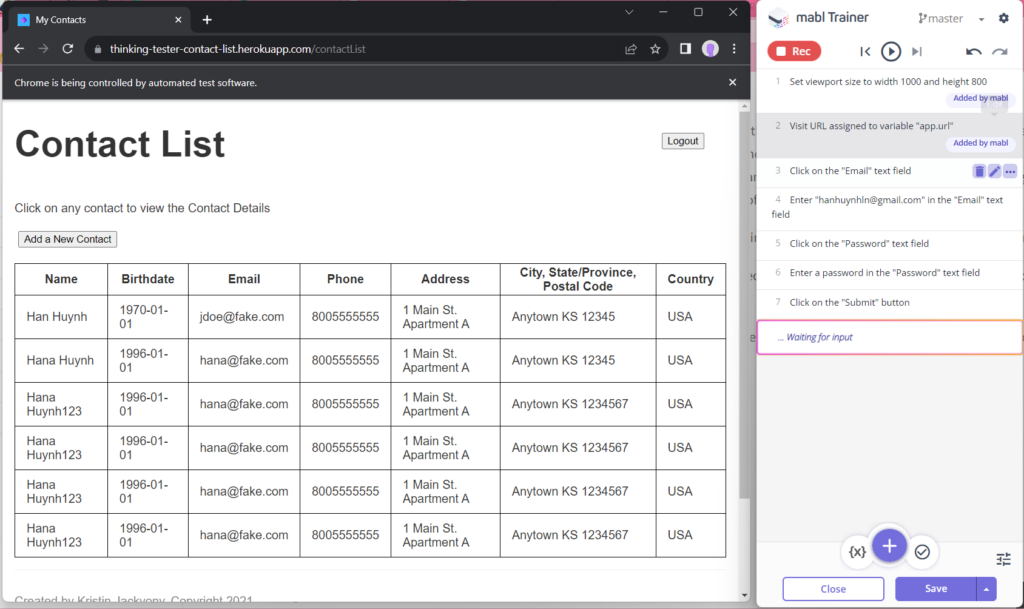
The record and playback feature also help to easy to take further into more advance’s assertions.
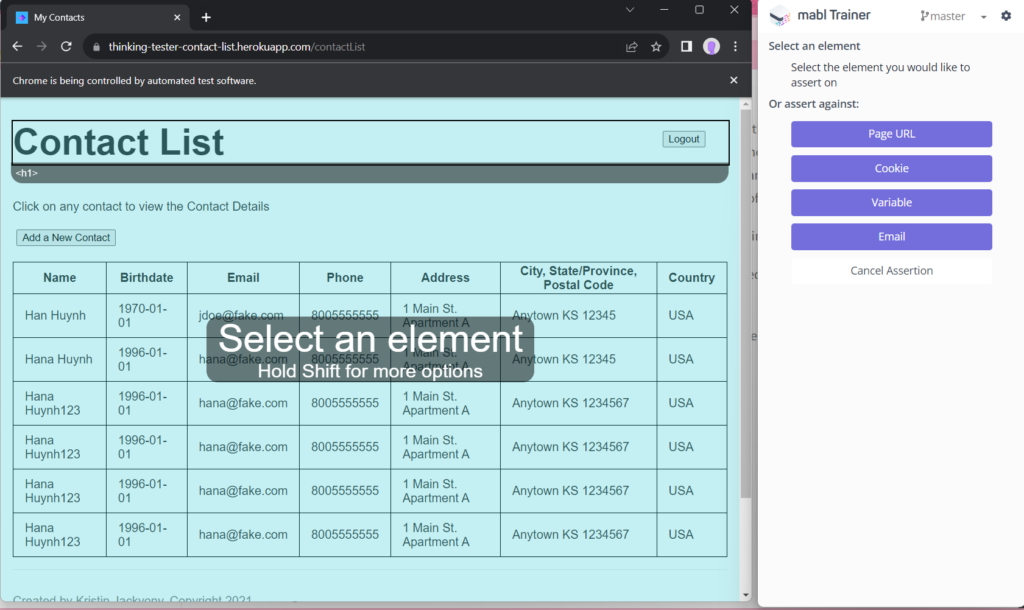
After capturing an action in the application, the user can do an assertion that would validate that these actions yielded the expected results.
2.2 Self-healing Test automation
What is the ‘Self-healing test automation’? Self-healing test automation is a feature available in modern software test automation solutions that automatically modifies tests when the user interface of an application changes. The biggest advantage of self-healing is reducing the burden of test maintenance.
Let’s look at how self-healing features help in script maintenance.

This process takes lots of time and team effort to maintain the list of tests.

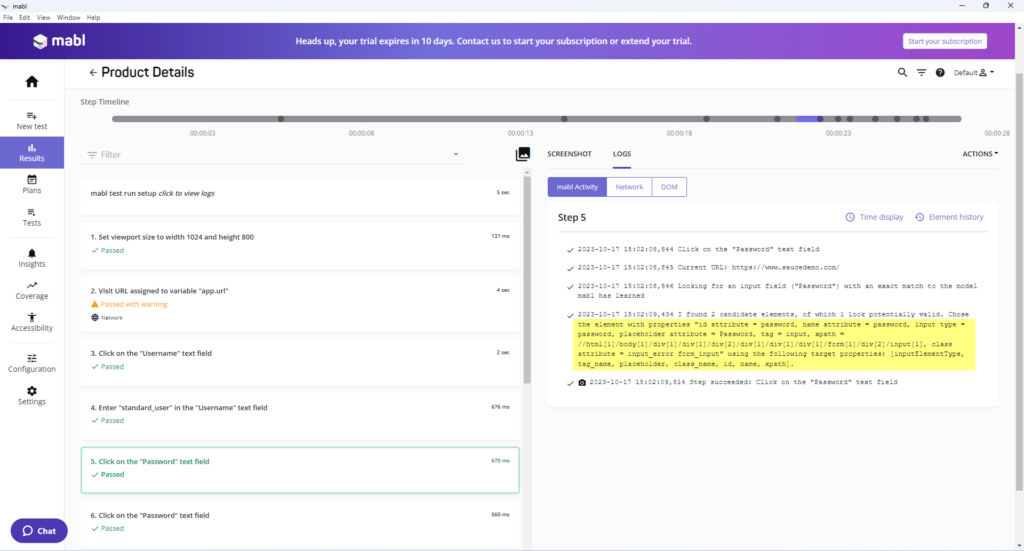
To do that, in every test creation and execution, Mabl captures 35 unique element attributes.
Even if one or more attributes have changed, self-healing can gather dozens of attributes for each element in a test to facilitate object location.
Over time, Mabl can automatically evolve our tests as your UI evolves. The captured attributes are clearly displayed under the Result > Test Step > Logs > Mabl Activity
2.3 Data-driven Test
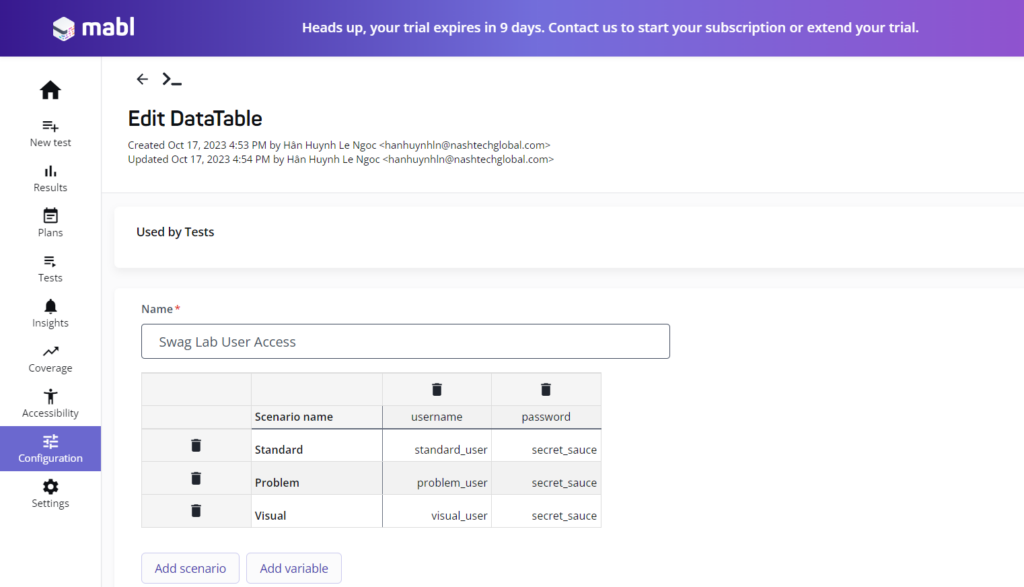
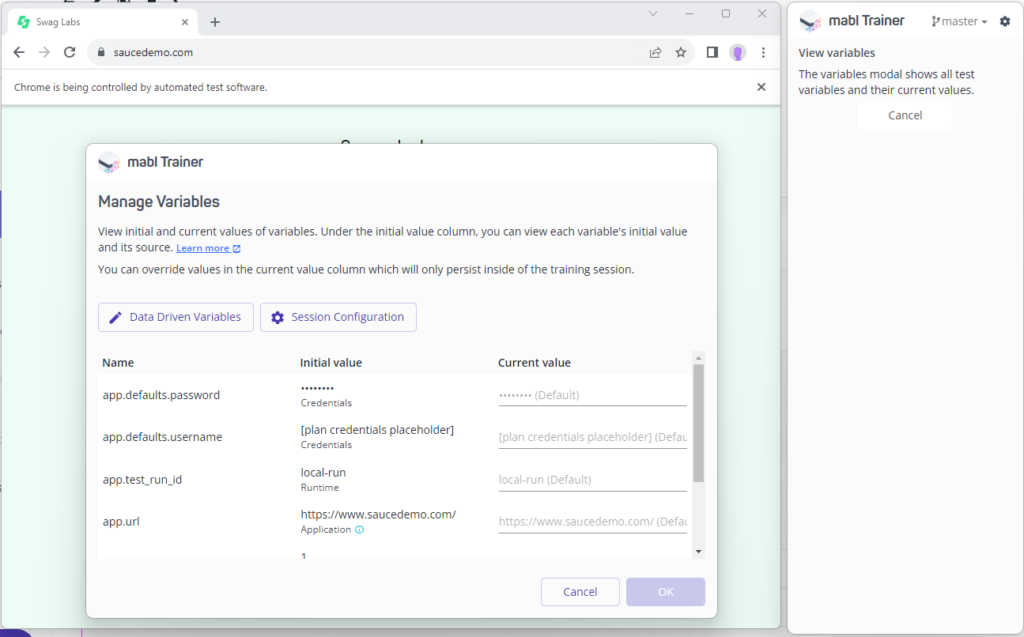
The Data-driven functionality allows us to change a hard-coded value with a variable or data connected from a data table. The variable or data table can be simply reused by the user, which means a single test can be run multiple times with varied inputs.
There are some common types of the data-driven: data tables, share variable and environment variable.
2.4 End2End Test
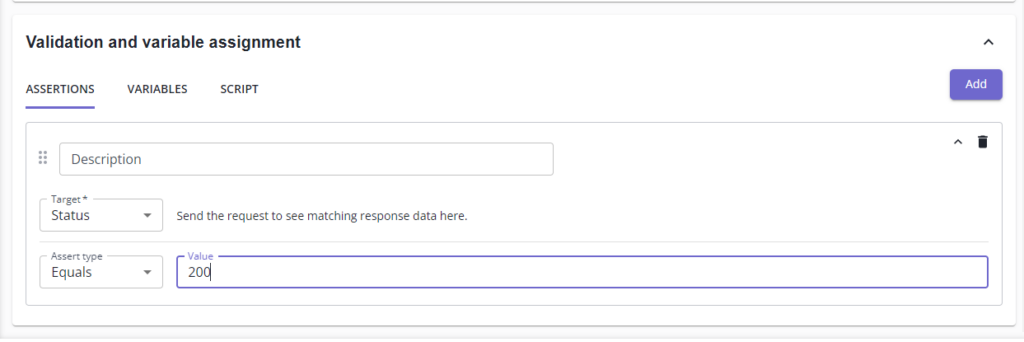
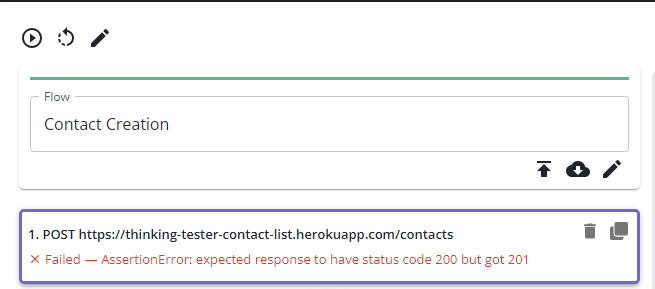
Mabl also provides the capacity to test end-to-end workflows by combining API and UI testing eliminates the need to switch between different tools, which is another intriguing feature of Mabl. We can gain independence from the environment that are using by creating preconditions at the API level for our UI tests and validating both UI and API behavior in the same test on a single platform.
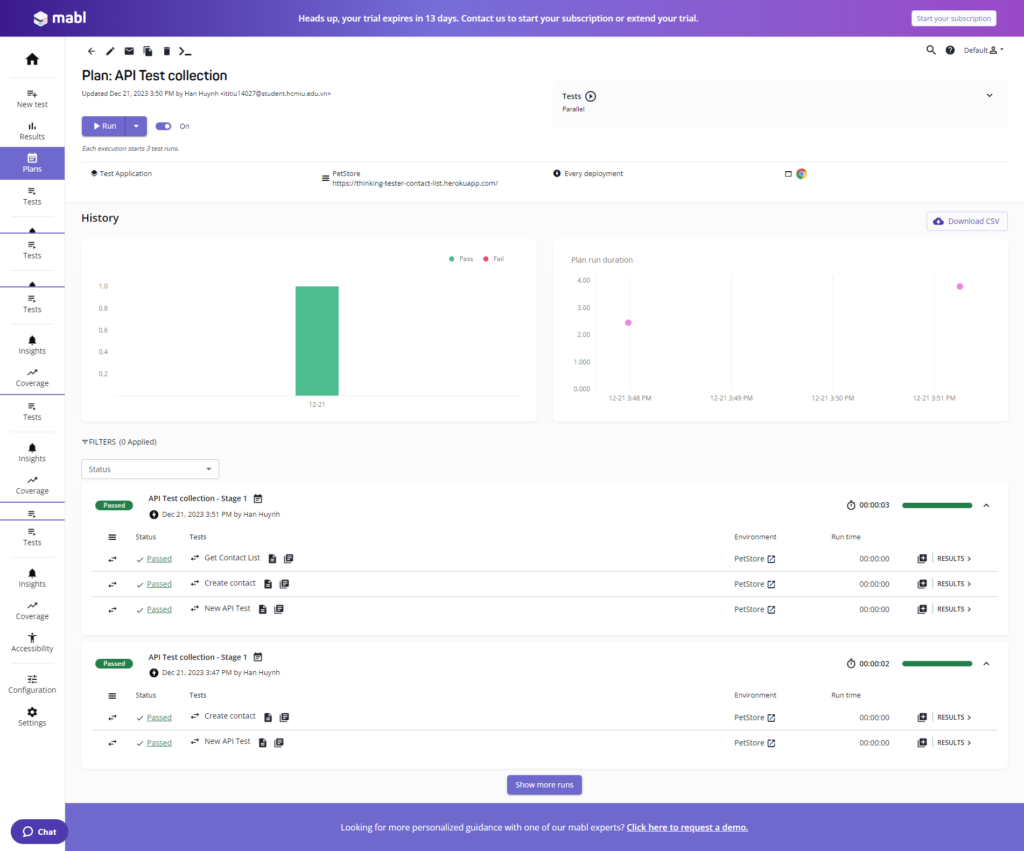
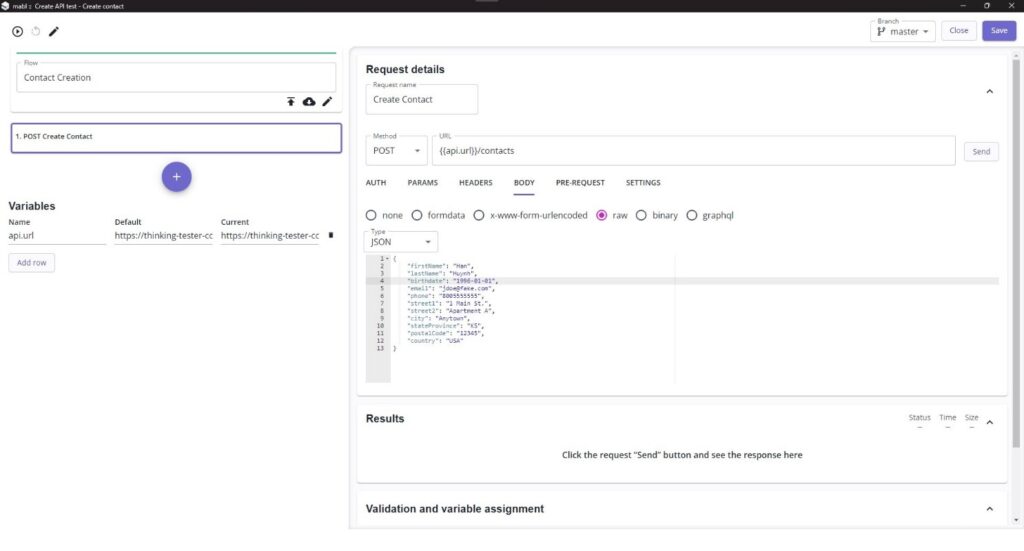
We can begin developing an API test as soon as we’ve set it up to use our environment and the desired endpoint.
The outcome will be displayed clearly along with the response and status code.
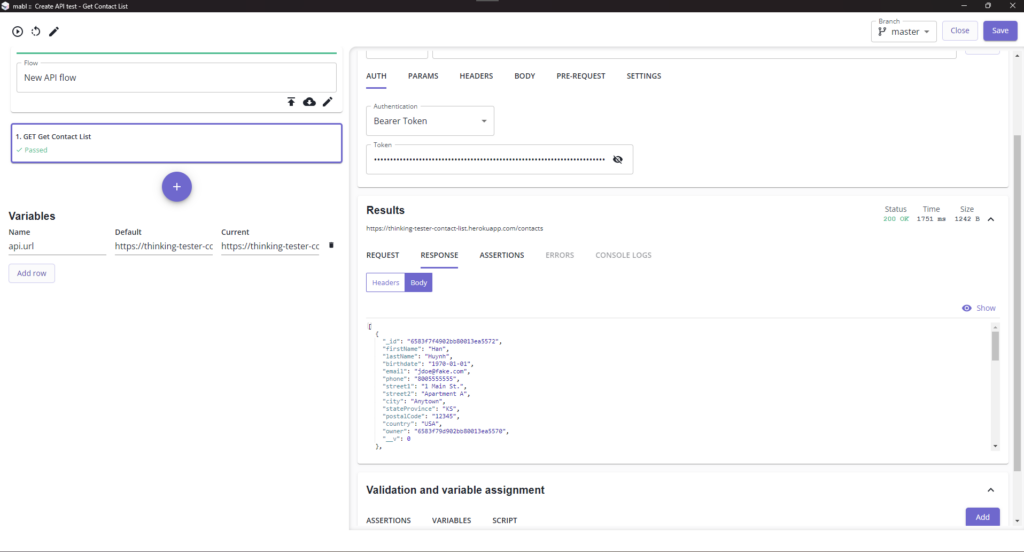
To validate the test, we can make assertions.
3. Advantages and Disadvantages
3.1 Advantages
- Easy to use and easy to get started with, particularly for less technical team members.
- Does not require a lot of programming knowledge to start writing test scripts
- Self-healing tests and machine learning to avoid needing to update locators
- Test failure investigation includes detailed screenshots and HAR captures
- Tutorials, Slack community, and customer support are available to help.
- Supports cross-browser, mobile testing, and accessibility testing.
3.2 Disadvantages
- Intelligent automation only supports record and playback tests
- Some of the popular test management tools are not integrated (Testrail).
- No open-source version
Conclusion
In conclusion, modern software testing has evolved to provide a variety of tools that can aid in the development of innovative solutions, such as Mabl, which provides non-technical users with low-code test authoring, self-healing test automation that automates test adjustments with changing interfaces, and data-driven testing for more efficient testing with variable inputs. These advancements enhance testing methods, reduce maintenance needs, and boost overall testing efficiency.