


Introduction
Automating the deployment of Azure Kubernetes Service (AKS) clusters is essential for ensuring a seamless and repeatable process in managing containerized applications. In this blog post, we’ll explore how to leverage Ansible, a powerful automation tool, to create an efficient Ansible role for deploying AKS clusters in your Azure environment.
Prerequisites
Before diving into the Ansible role, make sure you have the following prerequisites:
1. Ensure you have an active Azure subscription with the necessary permissions to create and manage AKS clusters.
2. Install Ansible on your local machine or a designated control node.
3. Install the Azure Command-Line Interface (CLI) to interact with your Azure resources.
4. Necessary Azure collections/modules are installed (e.g., azure.azcollection). you can install it with the following command:
$ ansible-galaxy collection install azure.azcollection
Creating the Ansible Role
1. Initialize the Role Structure by running the following command:
$ ansible-galaxy init aks-deployment-role
$ cd aks-deployment-role
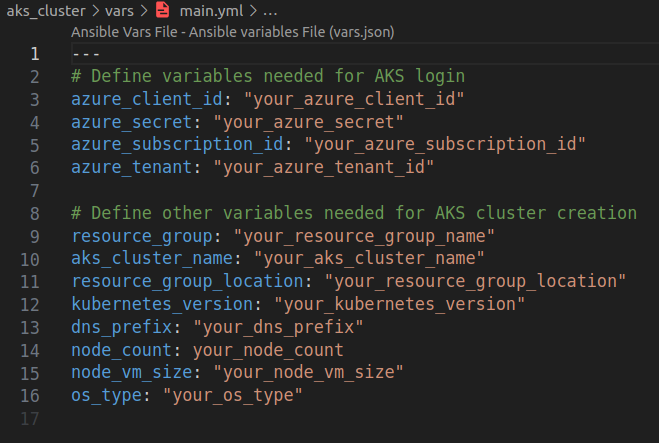
2. In vars/main.yml file store variables such as shown in the below image:
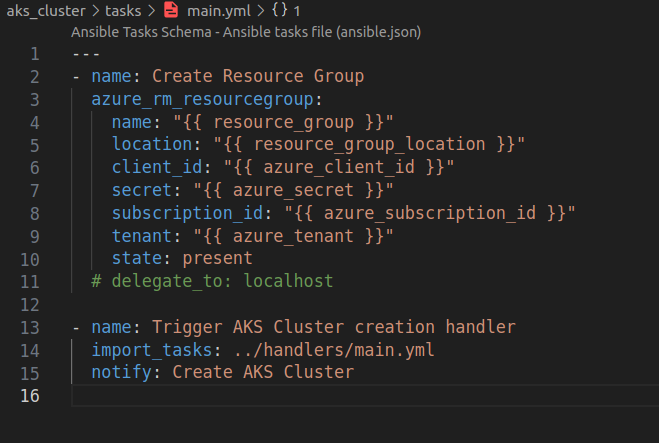
3. in tasks/main.yml file define the tasks required for AKS cluster deployment, here I have defined a task to create a resource group. To trigger the task of creating AKS cluster which is in the handlers/main.yml file, we need to add the notify block in the tasks/main.yml file.
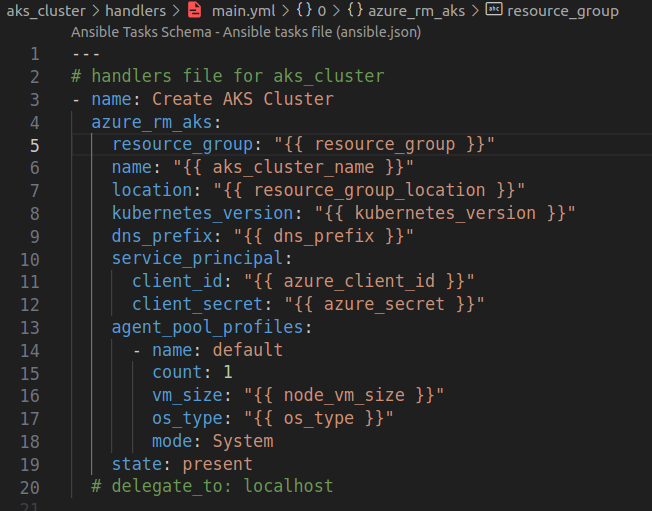
4. in handlers/main.yml file I have defined the task to create the AKS cluster.
5. Create an inventory file to define the upon which commands, modules, and tasks in a role or playbook operate.

6. Create the aks_cluster.yaml file that contains the tasks, roles, and other instructions for Ansible to execute.
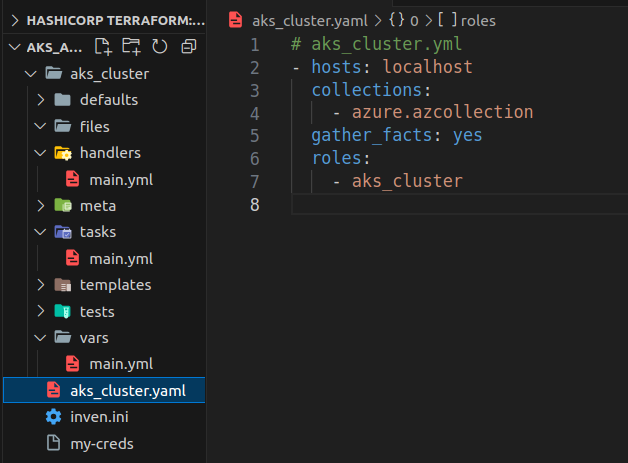
7. Run the Ansible playbook:
$ ansible-playbook -i inven.ini aks_cluster.yaml
Conclusion
Deploying Azure Kubernetes Service (AKS) with Ansible provides a streamlined and efficient method for managing containerized applications. The combination of AKS’s robustness and Ansible’s automation capabilities simplifies the process of deploying, scaling, and managing applications, thereby reducing the time and effort spent on these tasks.