


Introduction to Blazor
Microsoft’s Blazor web framework empowers developers to build dynamic and interactive web applications using C# and .NET which eliminates the reliance on JavaScript. This web framework allows developers to use the same language, tools, and libraries for both server-side and client-side web application development. It provides flexibility by supporting both server-side (Blazor Server) and browser-side (Blazor WebAssembly) execution, which gives the developers the freedom to choose their preferred approach.

There are two main hosting models in Blazor:
- Blazor Server: In the Blazor Server model, the C# code of the application operates on the server and the updates to the user interface are transmitted to the client using SignalR, a library for real-time communication. This setup is well-suited for applications that demand real-time updates and can efficiently use server-side resources.
- Blazor WebAssembly: Blazor WebAssembly allows applications to utilise WebAssembly for direct execution within the user’s web browser. In modern web browsers, WebAssembly functions as a binary instruction format, delivering performance that closely approaches native speeds. This tool proves to be highly valuable in crafting offline applications and progressive web apps (PWAs). Notably, the application’s logic retains the ability to interact with server-side APIs and services seamlessly, even in its client-side operations.
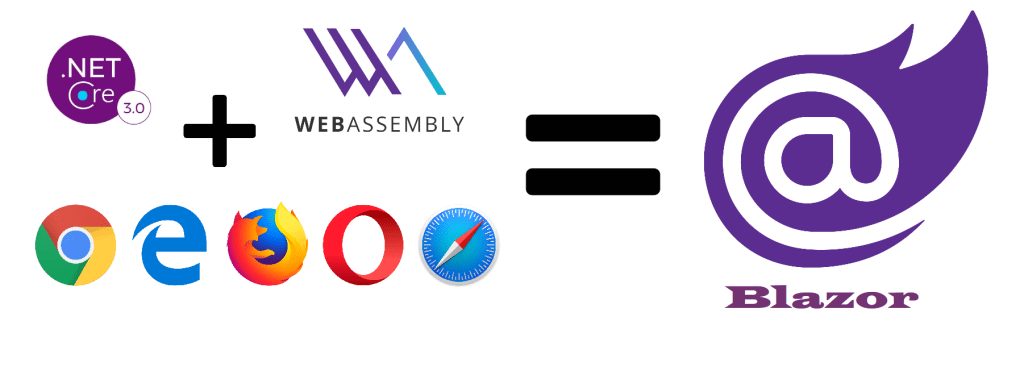
Leveraging C# and the Razor syntax, developers have the capability to create reusable user interface components within Blazor’s component-based architecture. By combining these elements, developers can construct intricate web applications. Blazor components serve as a powerful instrument for the development of sophisticated, interactive web applications as they can proficiently handle user interactions, data binding, and UI rendering.
Key Features of Blazor
Blazor presents a range of crucial features and advantages, making it an enticing choice for the development of online applications. The following list includes some of the of the key attributes and advantages of this web framework:
- Development with C#: Developers have the flexibility to utilise C#, a widely adopted and robustly typed language, for coding on both the client and server sides. This flexibility allows for a more cohesive and unified experience in development.
- Complete Integration with .NET Ecosystem: Blazor is constructed on the foundation of .NET and seamlessly integrates with the expansive .NET ecosystem, thus encompassing all the libraries, frameworks, and tools. This integration facilitates the usage of existing resources and expertise, simplifying the development process.
- Component-based Architecture: Blazor advocates for a component-based architecture, which allows developers to design and reuse UI components. This approach boosts code modularity and maintainability, therefore contributing to a more efficient development process.
- Server and WebAssembly Model: Blazor provides two hosting models—Blazor Server and Blazor WebAssembly—granting developers the flexibility to select the most suitable approach based on their project’s specific requirements.
- Progressive Web Apps: Blazor WebAssembly proves to be instrumental in crafting Progressive Web Apps (PWAs), offering features such as offline capabilities, installability, and enhanced user experiences across a multitude of devices.
- Data Binding: Blazor enables data binding which simplifies the synchronisation of data between the server and the client while still ensuring seamless updates to the user interface.
- Routing: Blazor comes equipped with an integrated routing system for client-side navigation. This empowers developers to effortlessly construct intricate, multi-page applications.
- Cross-platform support: Blazor demonstrates versatility by supporting various platforms, web browsers, mobile devices, and desktop applications. This makes it an adaptable and practical choice for cross-platform development.
Prerequisites
Before starting the development in Blazor, the following perquisites must be met:
- Operating System: Windows, macOS, or Linux
- Code Editor: Visual Studio (more feature rich) or Visual Studio Code (provides a lightweight experience).
- .NET SDK: .NET SDK is required to be installed on the development machine.
Create First Blazor App
Step 1: Create a new Blazor WebAssembly Project
Open your terminal and move to the directory where you intend to initiate your Blazor project. Afterwards, employ the subsequent command to generate a new Blazor WebAssembly project:
dotnet new blazorwasm -n FirstBlazorApp 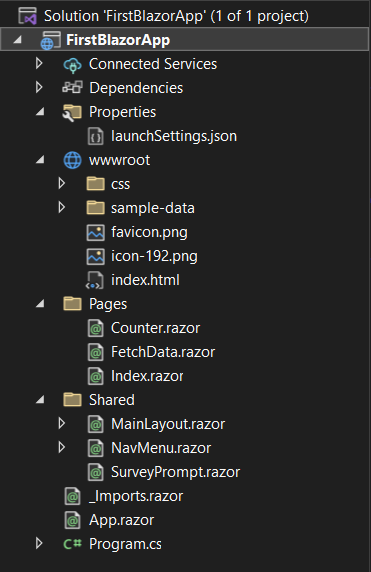
Step 2: Create a “Hello World” Component
Generate a simple “Hello World” Blazor component by initiating a new Razor component named HelloWorld.razor within the Pages folder. Add the following code inside the file:
@page "/hello"

<h3>Hello, Blazor World!</h3>
<p>This is your first Blazor WebAssembly app.</p>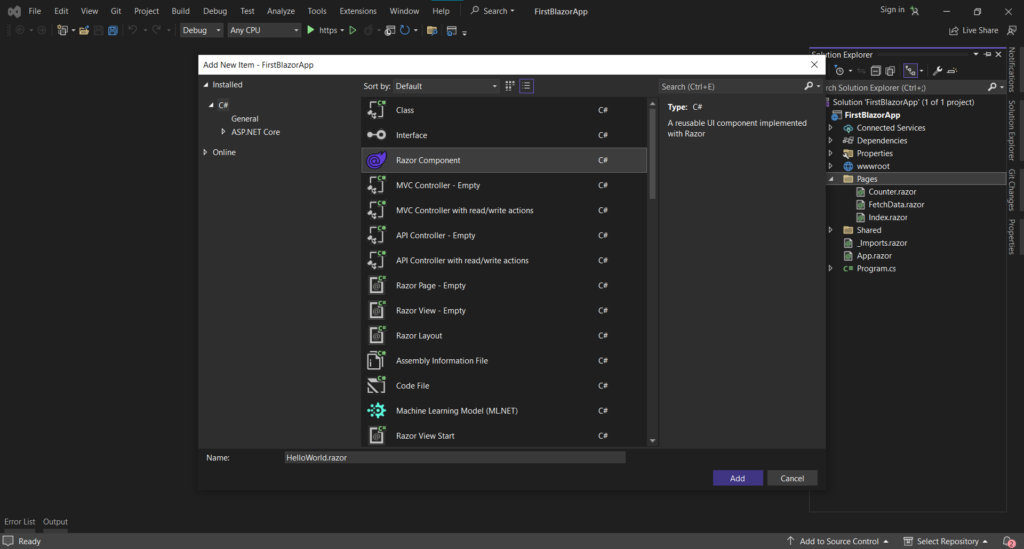
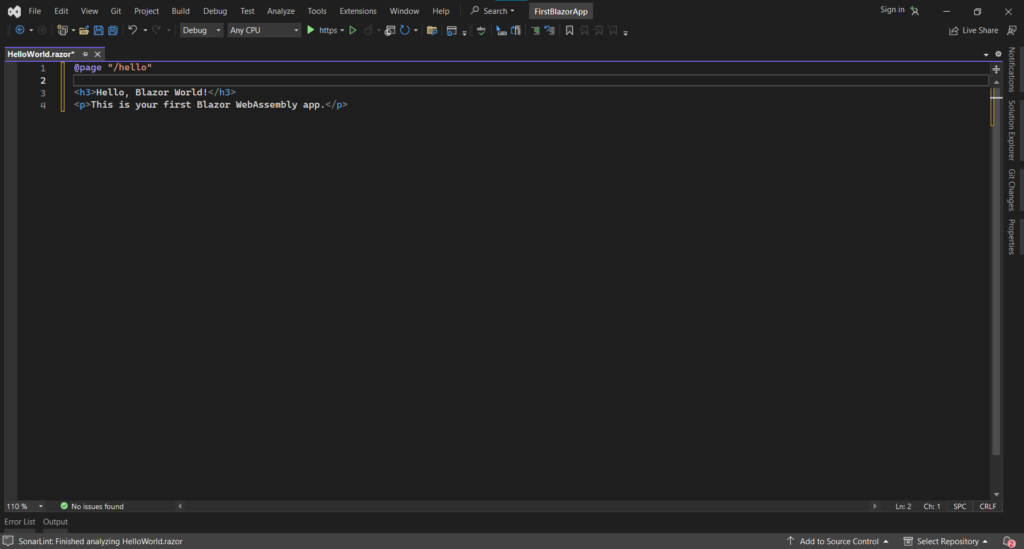
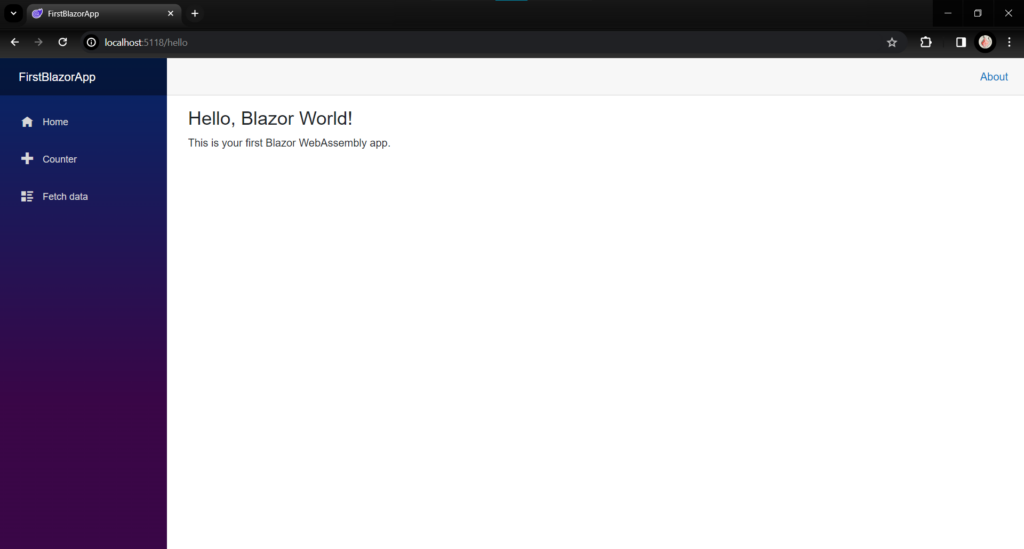
This code defines a simple component with a route to “/hello” and displays a “Hello, Blazor World!” message.
Step 3: Update the Index component
To establish a link to your “Hello World” page, open the Pages/Index.razor file and make the following modifications:
@page "/"

<h1>Welcome to My First Blazor App!</h1>
<p>Click below to see the Hello World page.</p>
<a href="/hello">Go to Hello World</a> 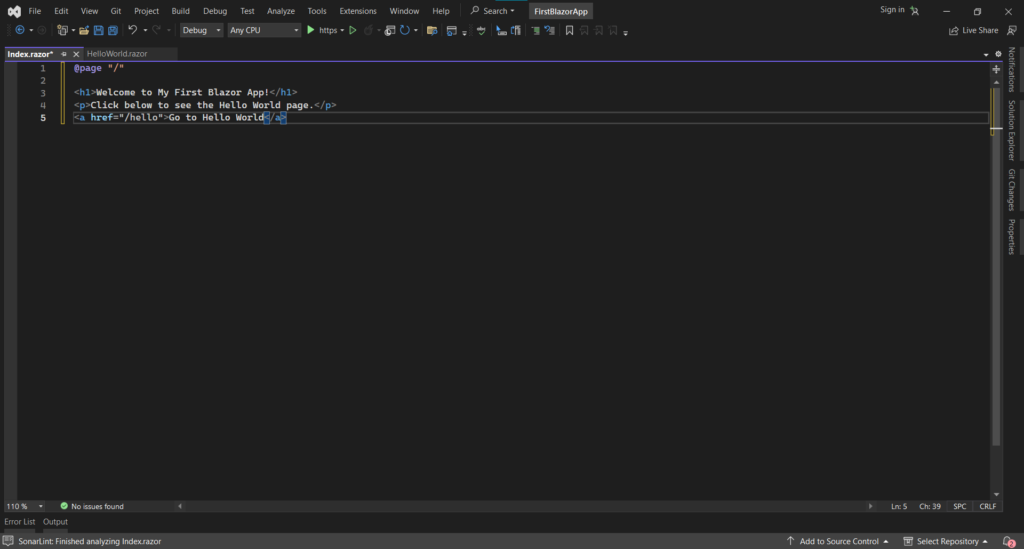
Step 4: Build and Run Your App
In your terminal, go to the root directory of the project and execute the following commands:
dotnet build
dotnet run 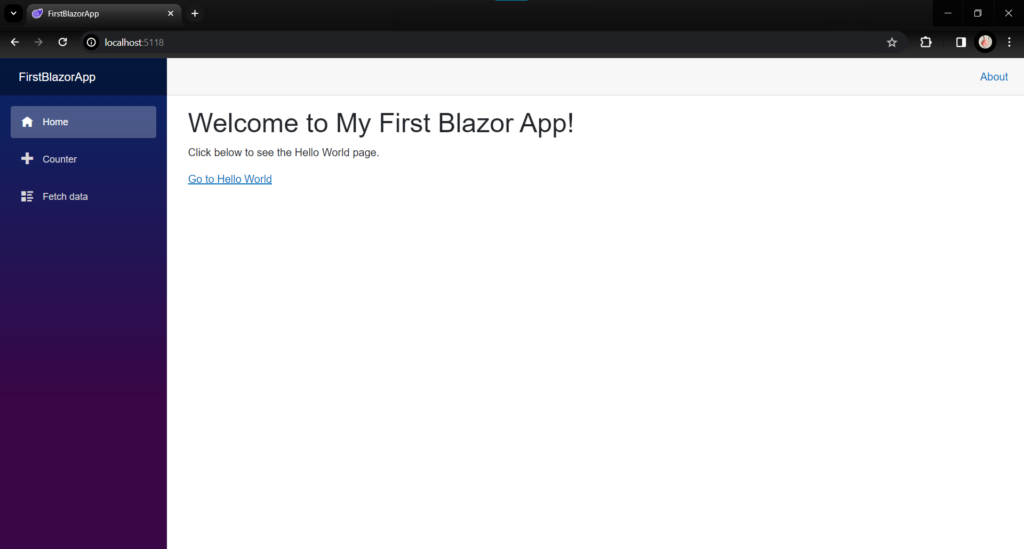
Your Blazor WebAssembly application will initiate, and you can access it through your web browser at https://localhost:5118.
When you open your app in the browser, you will encounter the “Welcome to My First Blazor App” message, accompanied by a link to “Hello World.” Simply click on this link to navigate to the “Hello World” page and witness the display of “Hello, Blazor World!”
Conclusion
In conclusion, our exploration of the Blazor framework has provided a comprehensive understanding of its features and capabilities, empowering users to build dynamic web applications with ease. We also learned how to create a simple “Hello World” web application using Blazor.