



Let’s explore the potential of React Hooks. React hooks, introduced in React 16.8, enable functional components to manage state and side effects. They transform functional components to behave like class components. React features, including state management, become accessible to function components through hooks. Consequently, class components, once essential for managing state, are often no longer required. This blog will delve into the fundamentals of React Hooks with simple, illustrative examples.
1. useState:
useState hook is a function to add state in functional components. State can be thought of as the memory of your application. It’s like a collection of information that your application remembers and can use to make decisions or update its appearance. This information could include things like user input, the current step in a process, or any other data that changes over time as the user interacts with the application. we can save this information in the form of values and in variables of our component.
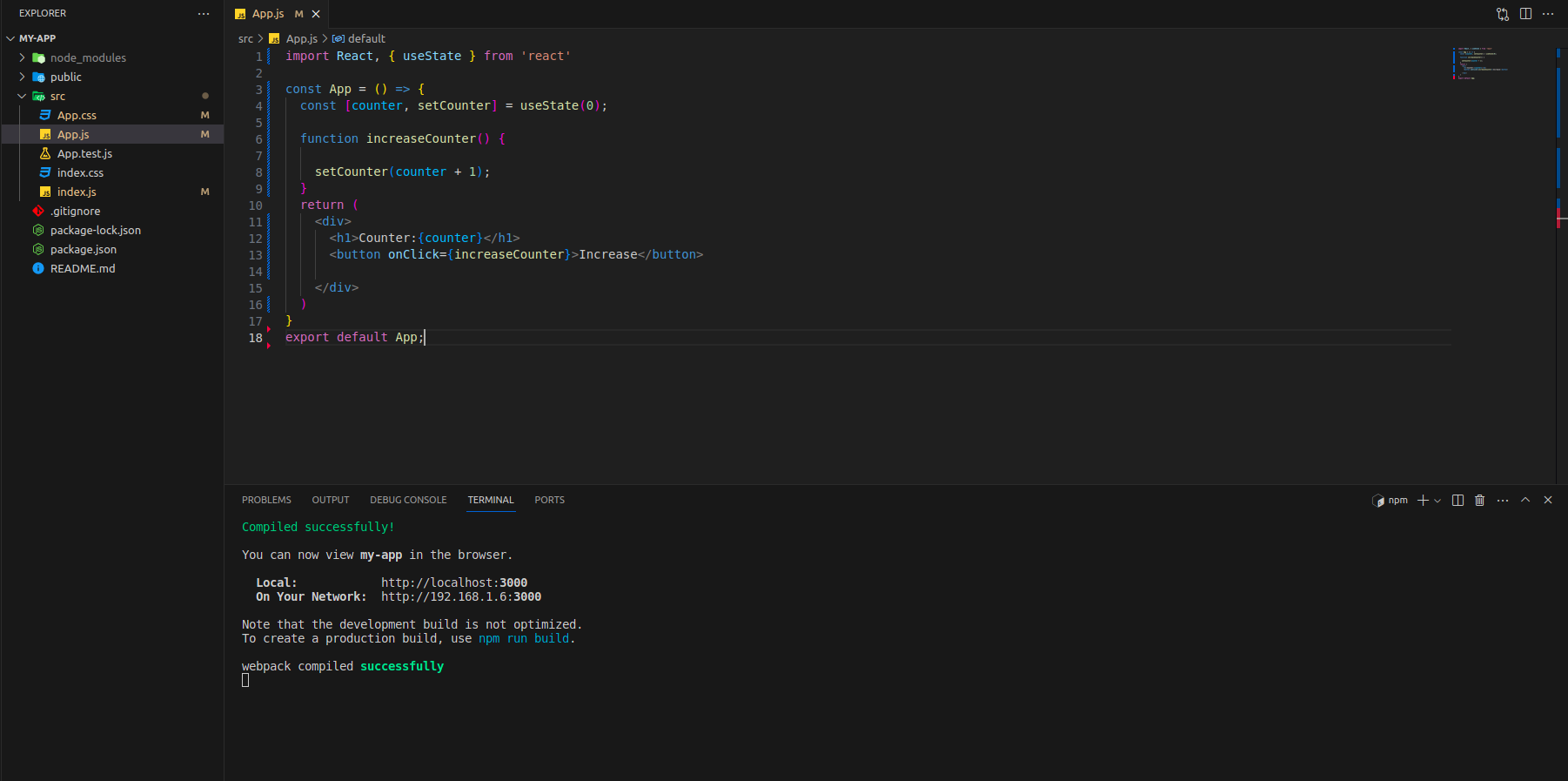
The steps for using the useState hook are as follows:
- Install ES7+React/Redux/React-Native snippet in your Visual Studio IDE.
- Now, you will be able to use rafc short cut to create a functional component.
- After creating App component, you can code for the feature that will have one simple counter and on click of counter button the counter value will increase by one.
2. useEffect:
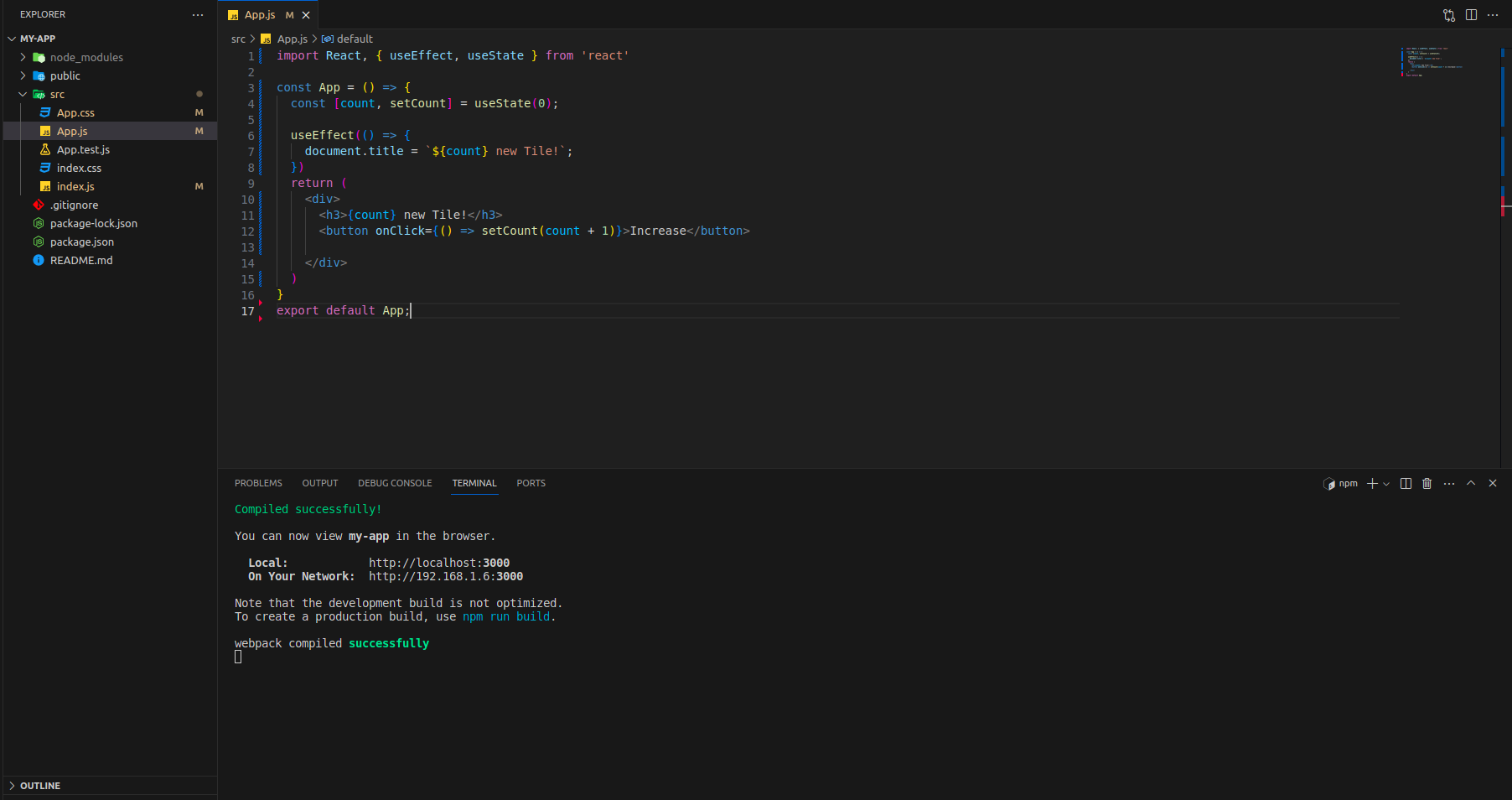
The useEffect hook in React is used to perform side effects in our component. It is a special function that runs after every render of your component. But sometimes, you might not want the effect to run after every render. Maybe you only want it to run when certain things change, like when a specific variable updates. That’s where the dependency array comes in. You can pass an array of variables to the useEffect hook. If any of these variables change between renders, the effect will run again. If none of the variables change, the effect won’t run.
We perform side effect when we need to reach outside of our React components to do something for example: fetching data from API, updating the DOM document&window, timer functions such as setTimeout and setInterval.
Variations of useEffect Hook
1.useEffect without dependency array
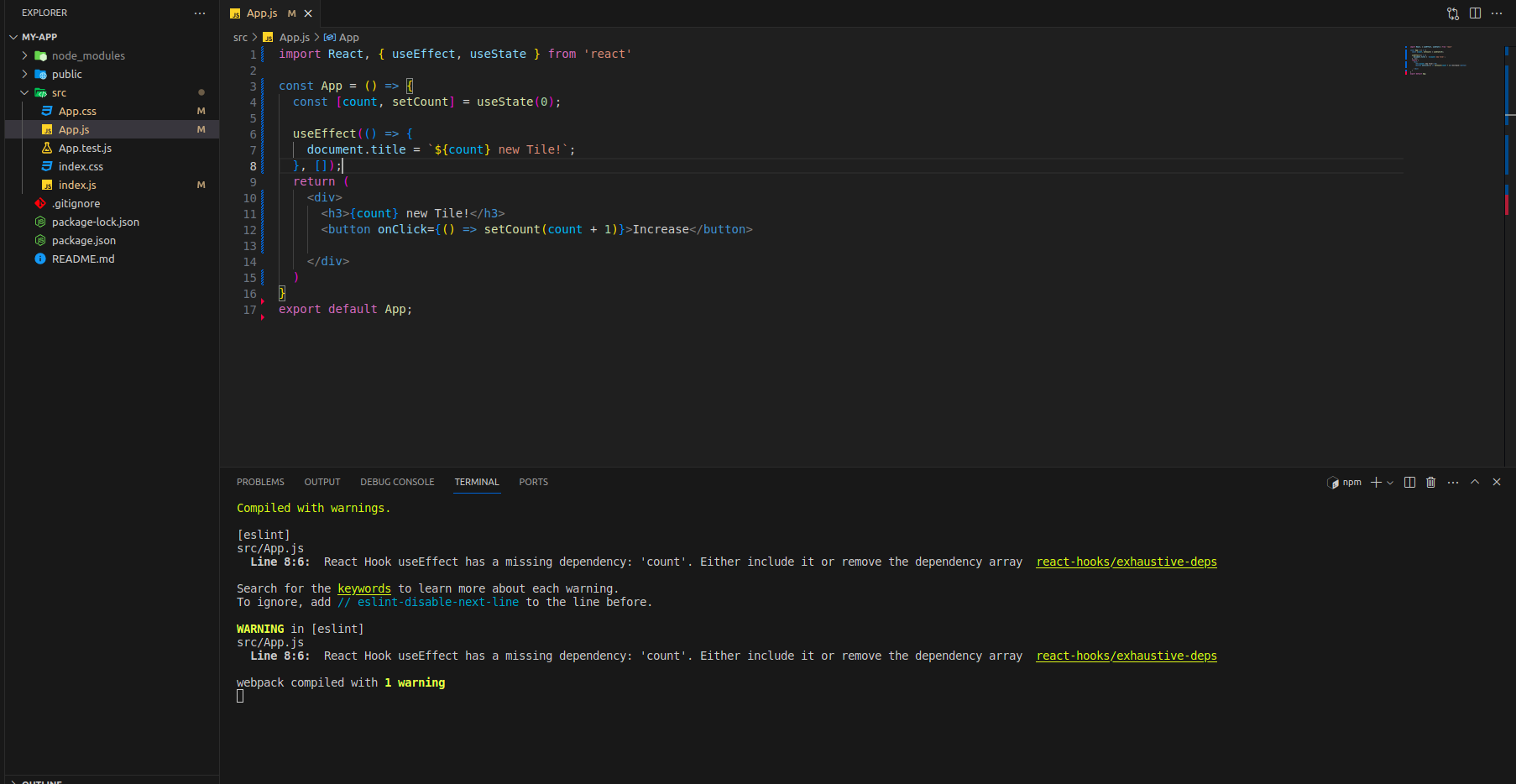
2.useEffect with empty dependency array
When we use useEffect with an empty array, useEffect will only run for the first time when component render first time and after that component will never run.
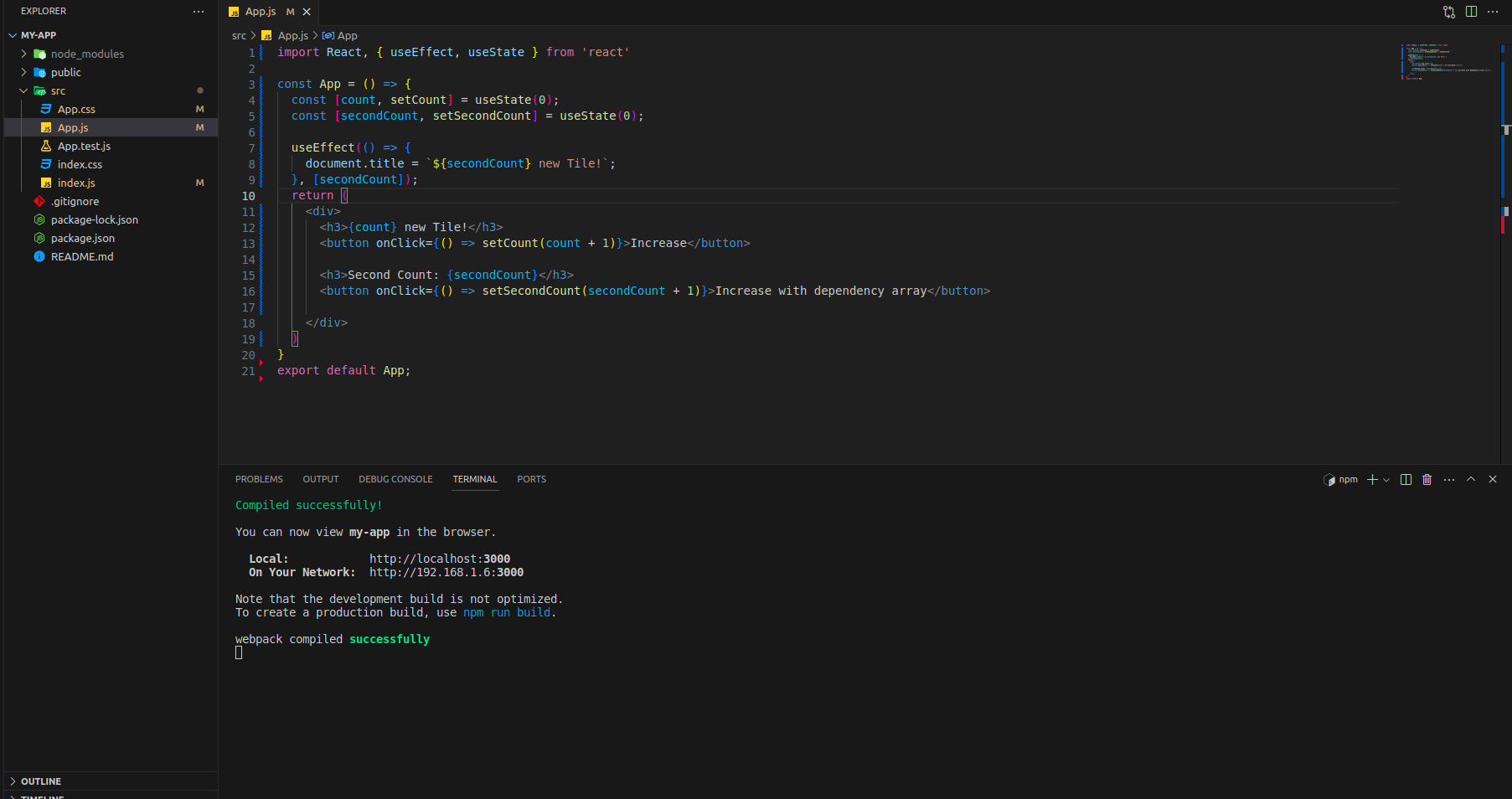
3. useEffect dependency array with variables
By adding secondCount variable in dependency array you will be able to see the changes in secondCount title only and not in the count because secondCount is added in dependency array. You can also add multiple variables in dependency array by seperating them with comma. As you can see warning in the above screenshot if you are using dependency array then you can also provide values to it.
3. useContext:
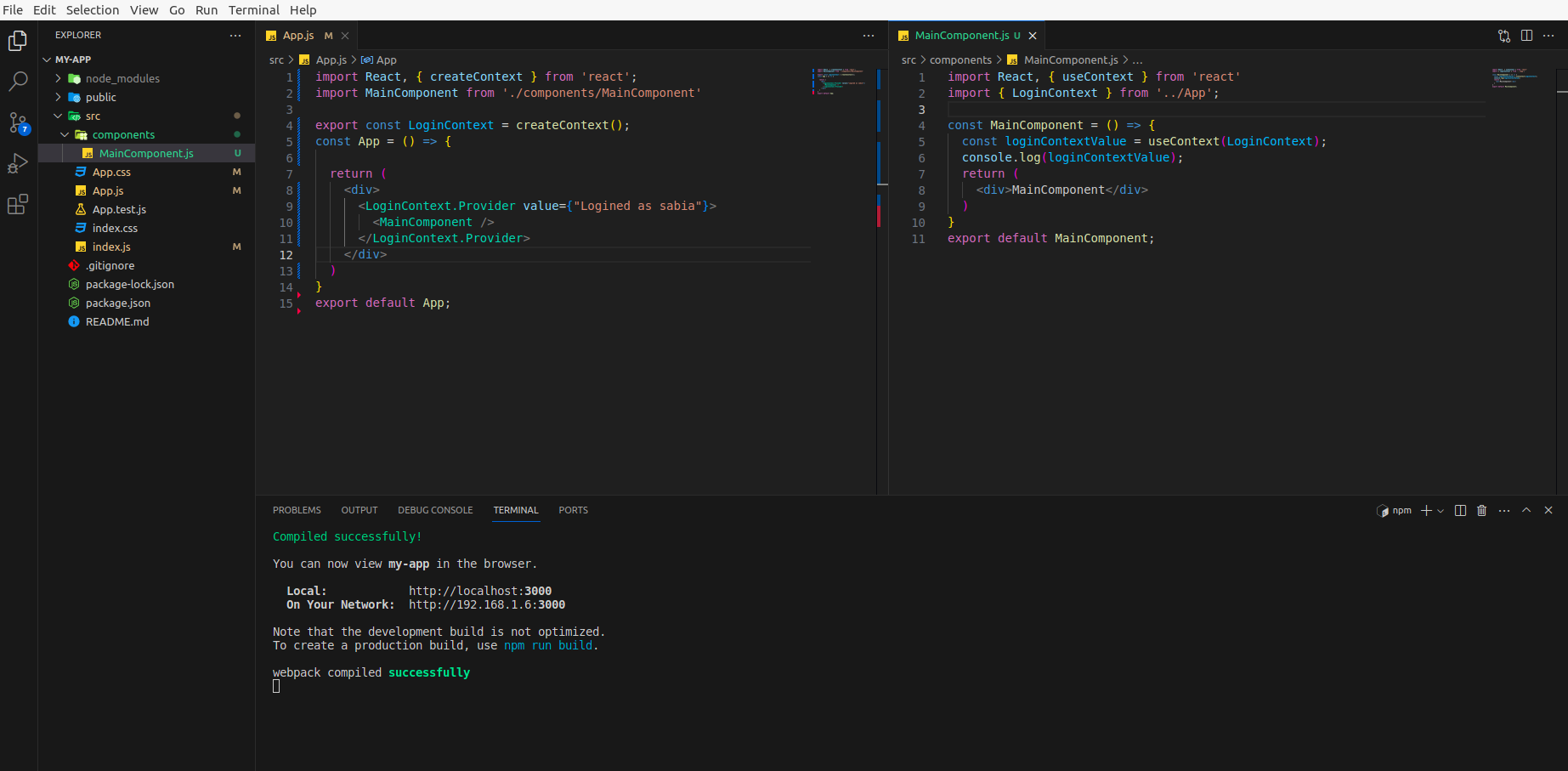
The useContext hook is used to manage global data in react application. Imagine you have many layers of components, like a grandparent component, a parent component, and a child component. Instead of passing data through each component individually (which can be complicated), you can use useContext to directly access the shared state from any of those components without passing it down manually through props.
Create context requires 3 simple steps:
- Creating the context
- Providing the context
- Consuming the context
4. useReducer:
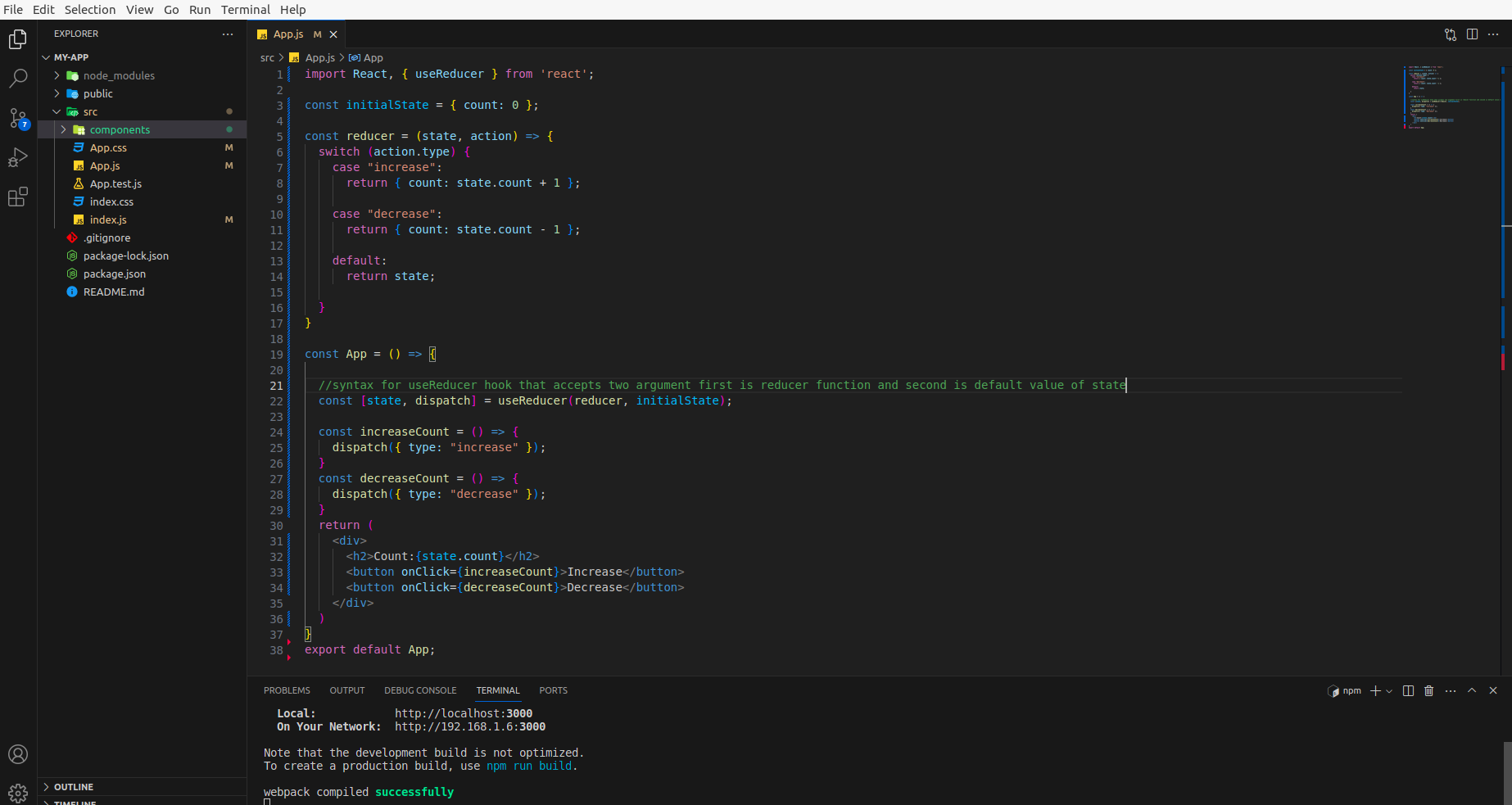
The useReducer hook in React is designed to manage more complex state logic in functional components. It provides an alternative to useState when the state transitions are more complex, involve multiple sub-values, or require conditional updates. Always use the useReducer hook when you have a lot of states and methods to handle.
5. useCallback:
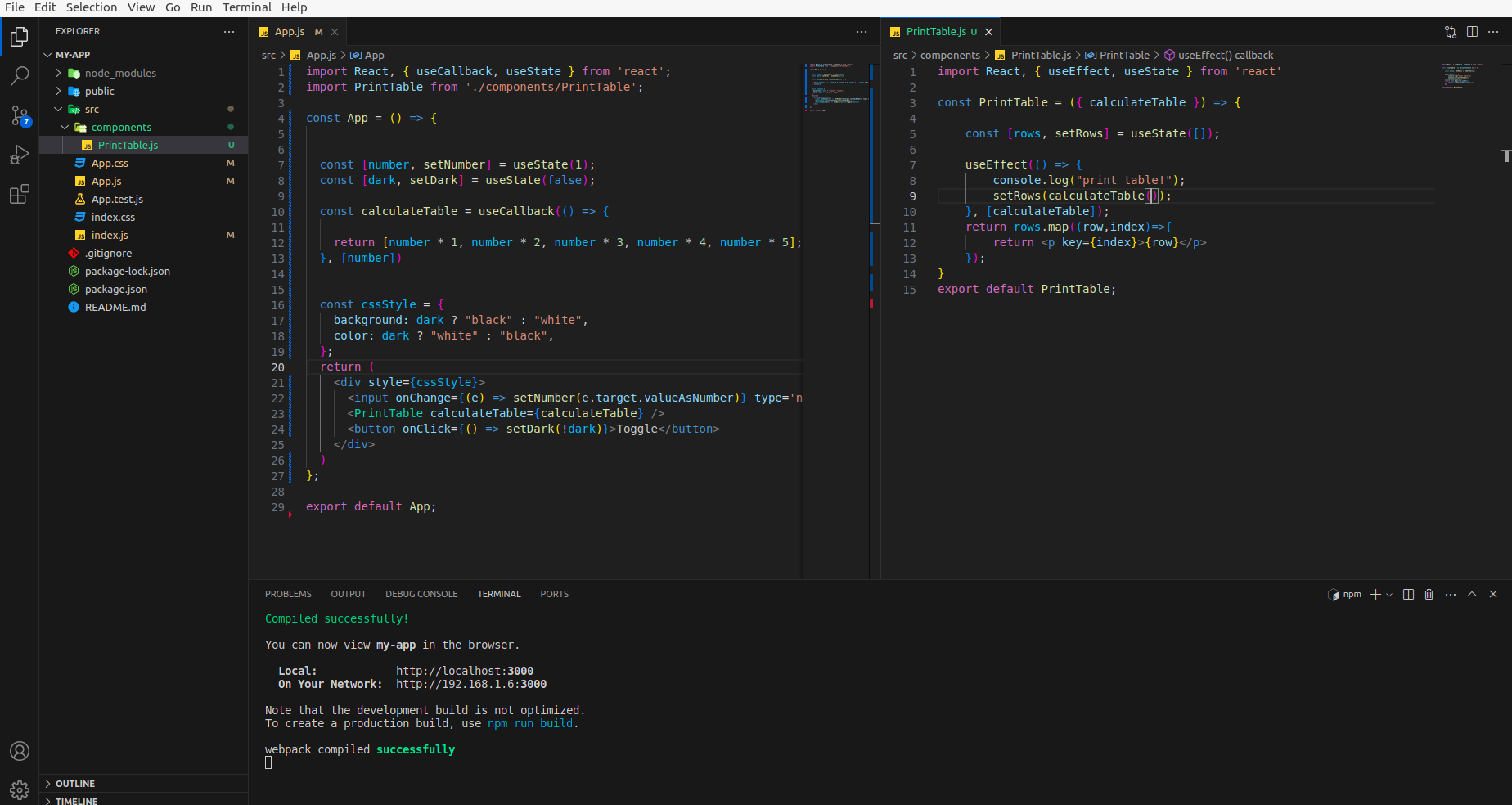
The useCallback hook is used to return Memoize function. It also prevents functions from being re-created on re-rendering, which is useful.
Imagine you have a function, and you pass it down to a child component. If this function is recreated on every render, it can cause unnecessary re-renders in the child component. useCallback ensures that the function stays the same between renders unless specific things (dependencies) change. useCallback syntax is same as useMemo but useCallback returns memoize function and useMemo returns memoize value. Also, we can pass value as argument in useCallback but not in useMemo.
6. useMemo:
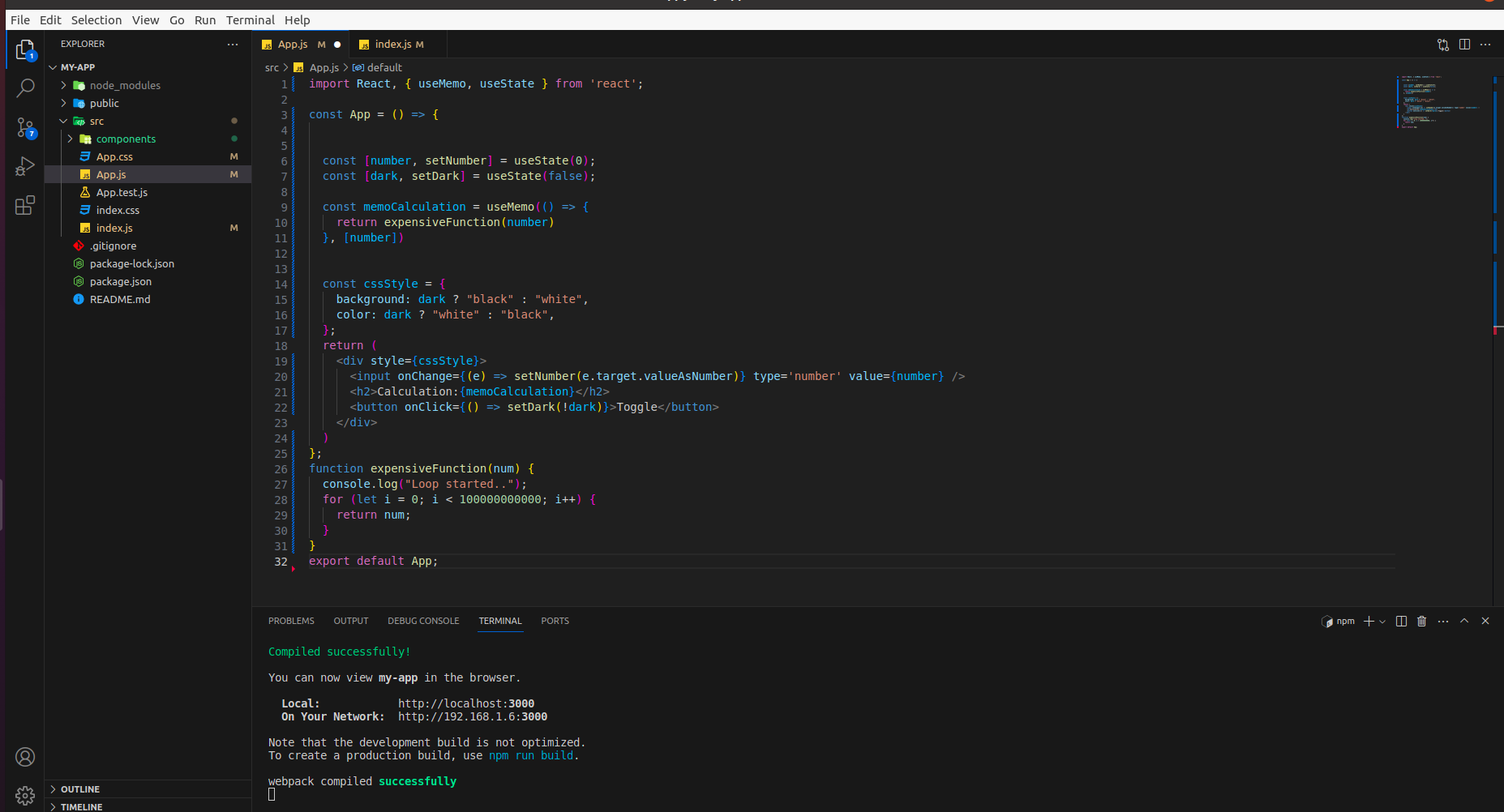
React’s useMemo hook is useful because it helps to avoid expensive calculations on every render, especially when the rendered value remains unchanged. It is used to improve performance of code.
7. useRef:
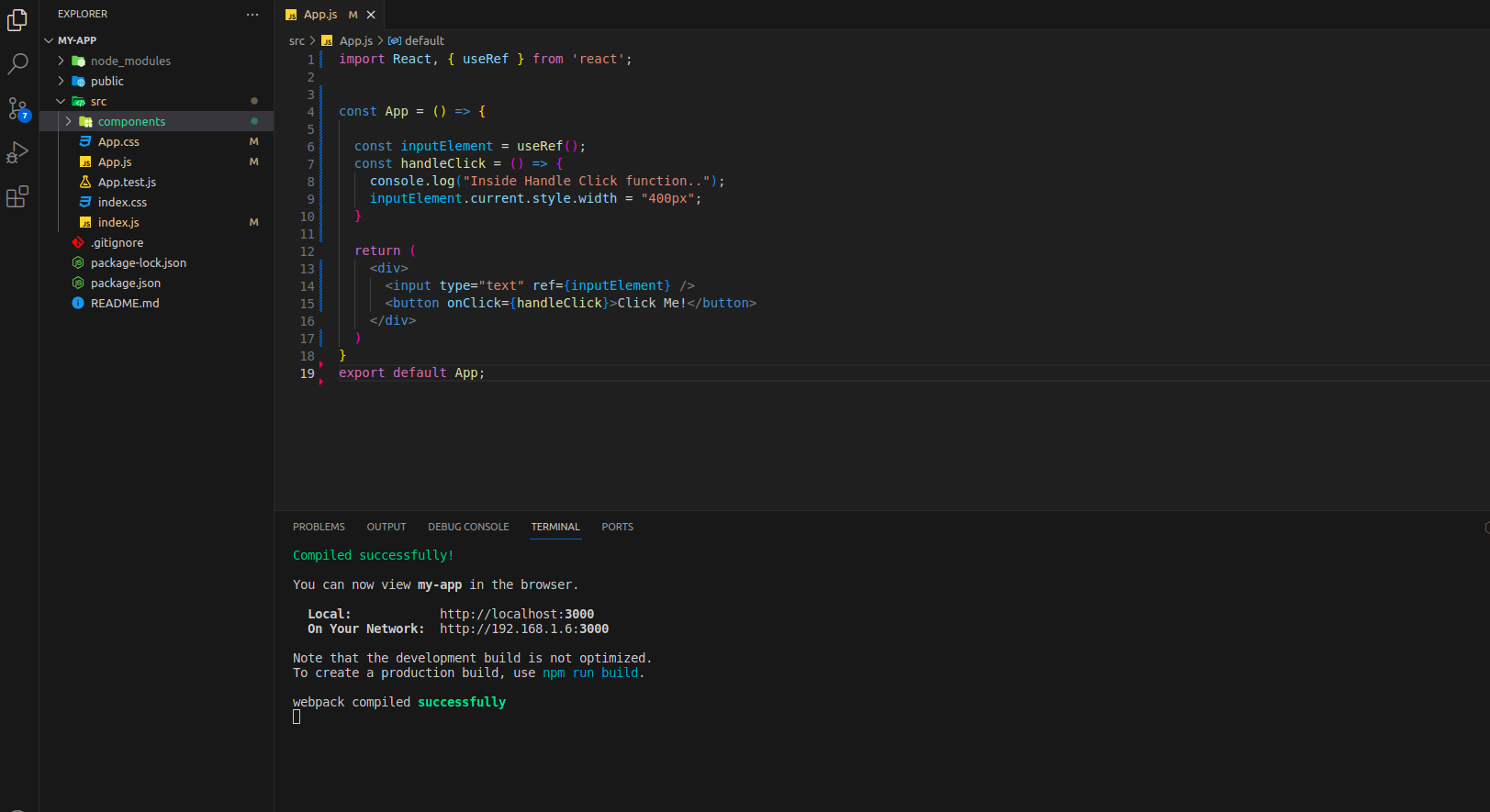
The useRef hook is a valuable asset in React development, offering a means to interact with the DOM, persist values, and overcome closure issues. Think of useRef like a magical memo pad. It lets us remember things between visits (renders) without causing a fuss.
useRef is like a buddy who helps us remember things and deal with the webpage in a smarter way. Whether it’s focusing on elements, remembering values or many more.
8. Custom hooks:
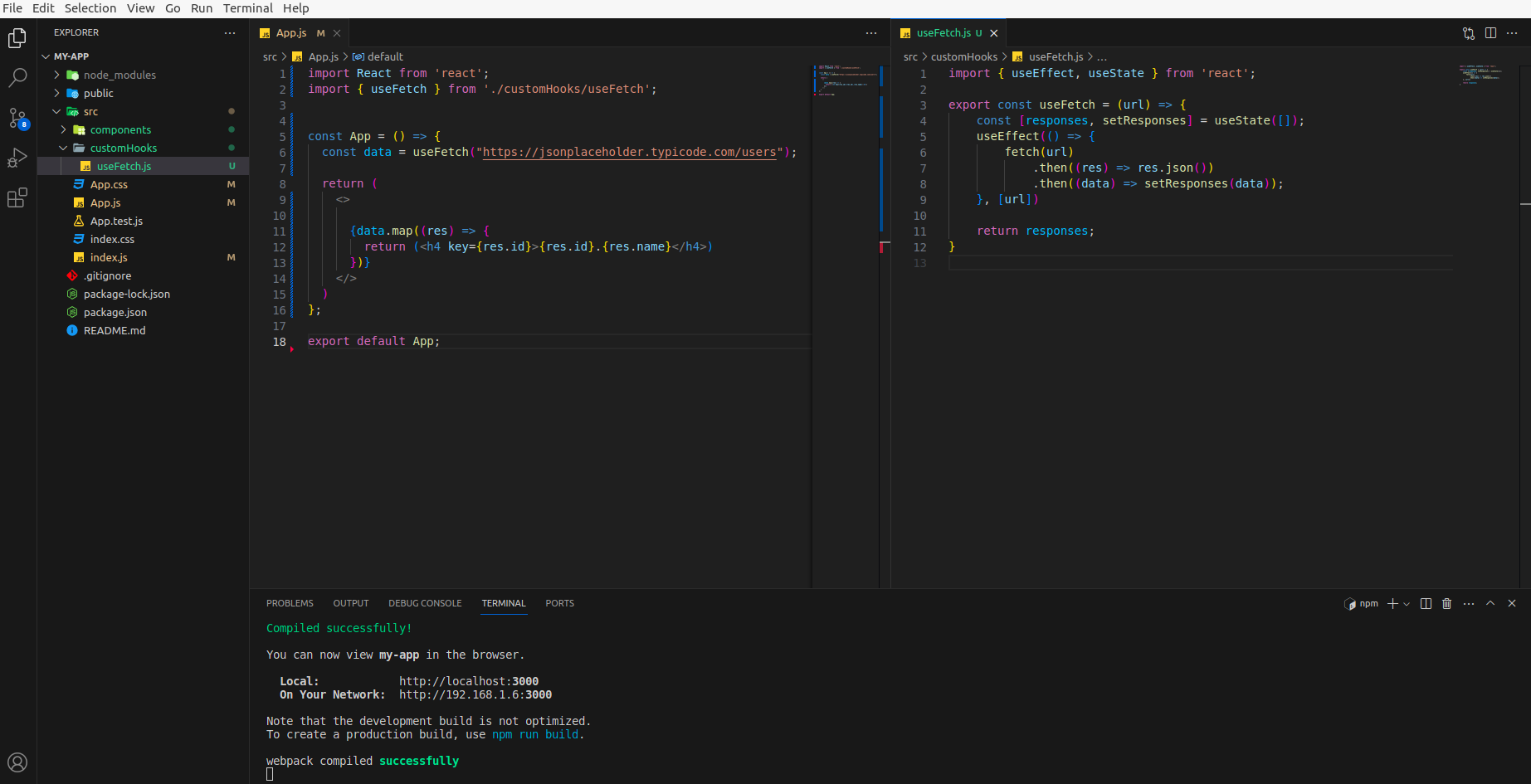
These provide a way to share logic between components without duplicating code. Custom hooks follow a naming convention; their names usually start with “use” to signify that they are hooks. Custom hooks enable you to encapsulate and reuse logic that involves state, side effects, or any other React feature. By creating custom hooks, you can separate the logic from the components, leading to cleaner and more modular code. Here, is a simple example for custom hook.
Conclusion
React Hooks provide a more functional and modular approach to building components, improving code organization and making it easier to understand and maintain. Each hook serves a specific purpose, addressing common challenges faced in React development. By leveraging these hooks, we can create cleaner and more efficient functional components. Stay connected for more such blogs https://blog.nashtechglobal.com/. Explore more about additional React hooks by clicking here.