


As we know, continuous testing is a must-have function when applying automation test. We need to use CI/CD tools for implementing it. Beside Jenkins, Azure DevOps pipeline, CircleCI becomes more popular now. Currently, a lot of projects are using Cypress as their automation testing tool. In this article, let’s see how to leverage Cypress Orb to implement testing pipeline with Cypress and CircleCI quickly.
1. Why’s CircleCI?
- Friendly user interface
- A lot of pre-built Docker images in various programming languages
- Support Orbs which are reusable packages of configuration that allow seamless integration with third-party tools
- Easy for debugging
- Supports self-hosted runner
- Flaky test detection
- Cost-Effective
2. Quickly create a testing pipeline with Cypress Orb on CircleCI
In this section, we’ll leverage the Cypress Orb to set up a pipeline on CircleCI for the following tasks
- Install node modules and the Cypress binary
- Split Cypress specs across machines (parallel)
- Use 4 CircleCI machines to distribute the run
- Record results with Cypress Cloud
- Group the test run for identification
- Upload artifact
2.1 What’s Cypress Orb
Firstly, let’s understand what a CircleCI Orb is. Orbs are shareable packages of CircleCI configuration used to simplify your builds. An Orb’s goal is to handle some of the complex configurations required when running applications in a virtual environment. This includes tasks like dependency installation, caching, and integration with third-party tools.
The Cypress Orb allows you to run your Cypress end-to-end and component tests without spending much time for configuring CircleCI.
2.2 How to create the pipeline with Cypress Orb
Let’s assume that we have already had an automation testing project with Cypress, and the pipeline will be created quickly with below steps:
- Create .circleci folder in the root folder of project as below structure

- Add config.yml file into above folder with below content
version: 2.1orbs:cypress: cypress-io/cypress@3.3.1workflows:build:jobs:– cypress/run:cypress-command: npx cypress run –env tags=’@LoginFeature’ –headless –browser chromeinstall-browsers: trueworking-directory: ‘.’post-steps:– store_artifacts:path: /cypress/reportsDetails of config.yml:
- version: 2.1 => version of CiclerCI
-
cypress: cypress-io/cypress@3.3.1 => orb version
- cypress-command: the command for running Cypress test case
- install-browsers: true => default supported browser is Electron. If we want test on other browsers, we should turn this feature on.
- – store_artifacts:=> if we want to push the folder which is not in default supported list of Cypress orb, we need to add this argument.
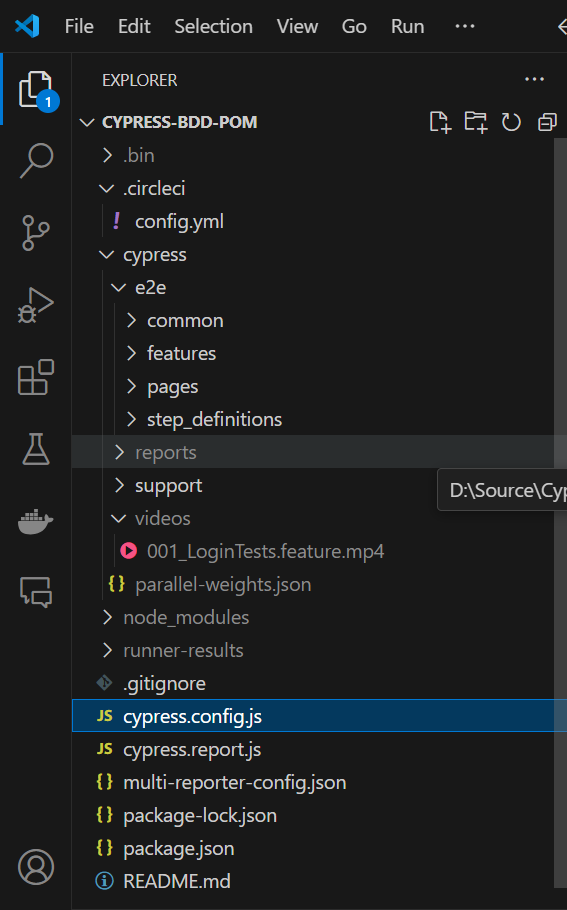
We’ve finished the configuration for the pipeline now. Let’s compare with the pipeline for running Cypress on Azure DevOps pipeline.
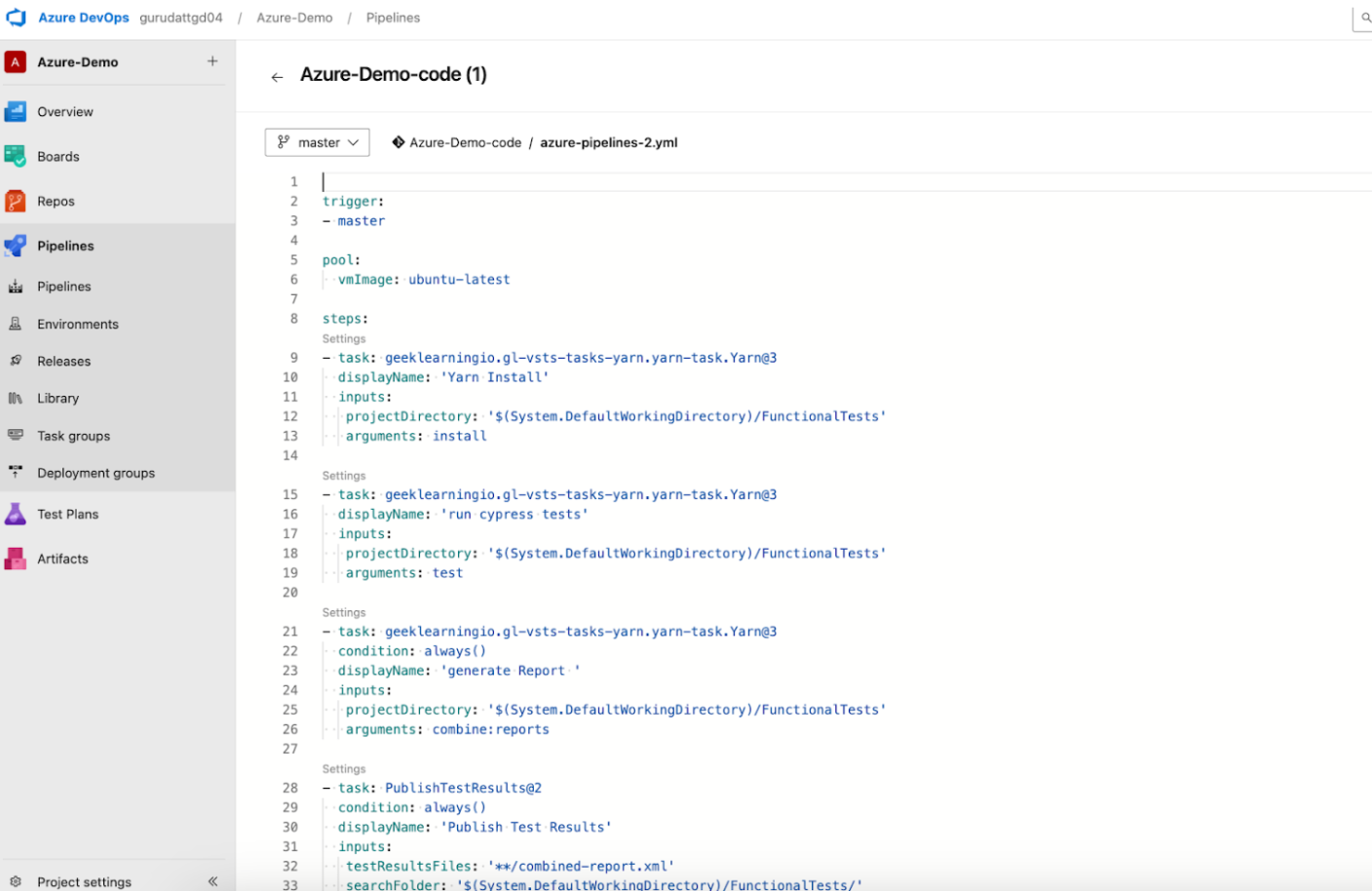
We can see that the script for Azure DevOps pipeline is much more complicated than the configuration file of Cypress Orb
2.3 Test Result
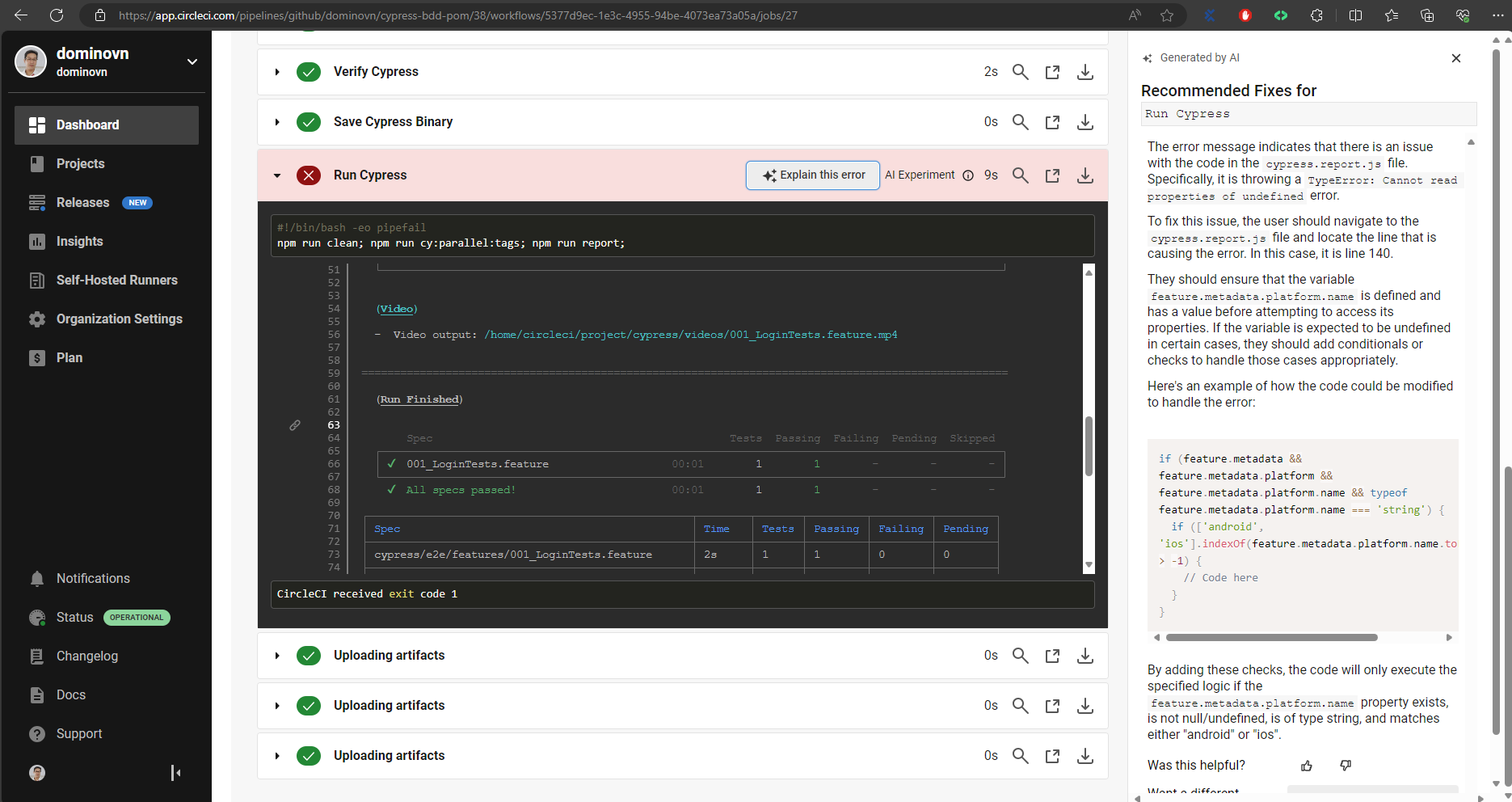
After running test with Circle CI, the test report as well as videos will be generated and uploaded to the artifact so that we can check the test result on Circle CI application.
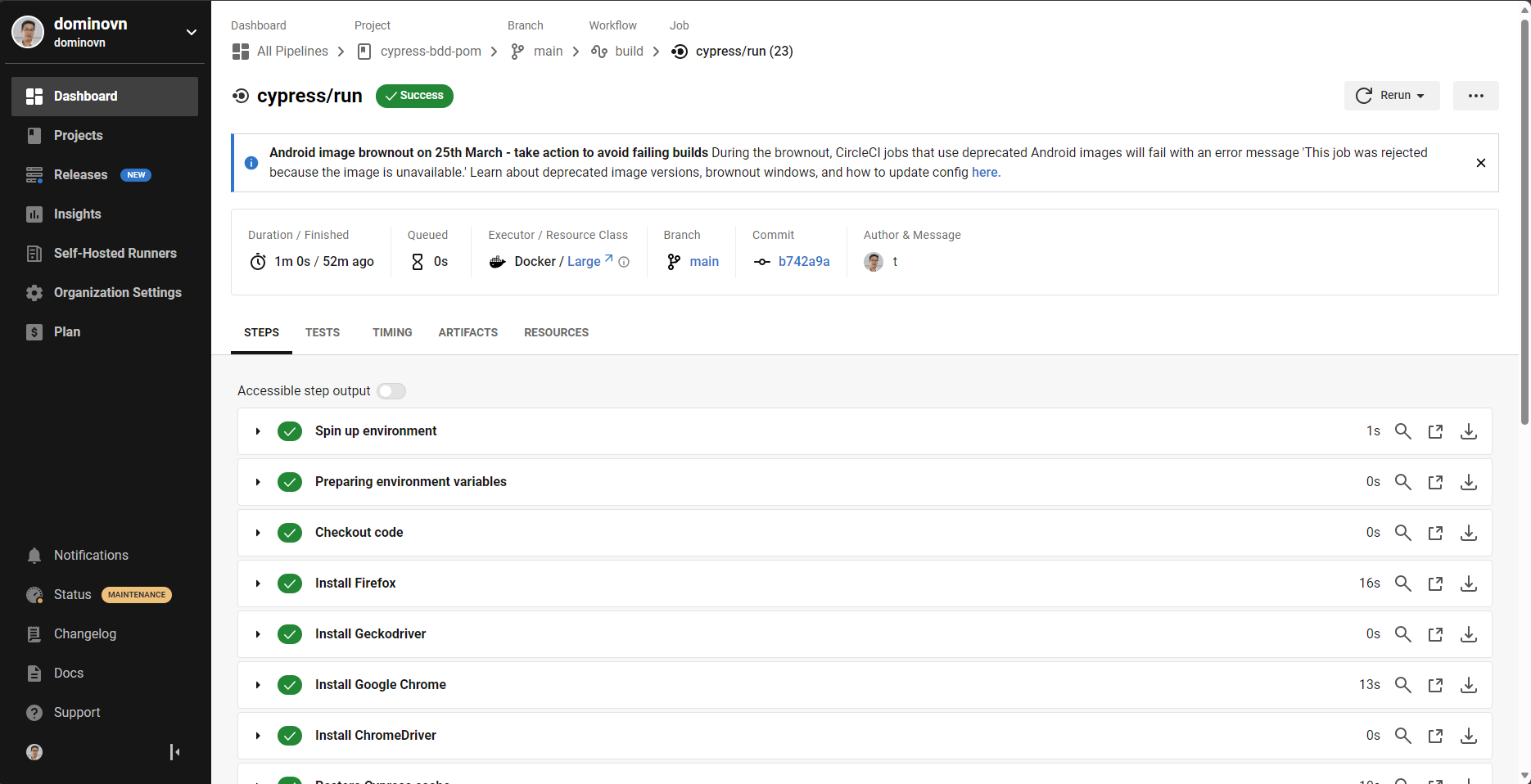
Whenever the issues occur, we can check the detailed steps for investigation.
Conclusion
Setting up CircleCI pipeline for your Cypress tests is now easier than ever. CircleCI provides free package so you can try playing with it to apply continuous testing in your testing process. It will help us to increase the test coverage as well as ensure the product quality.
Reference