


A/B testing the website using tools can be a great way to optimize the site for better conversions and user experience.
So, what exactly is A/B testing?
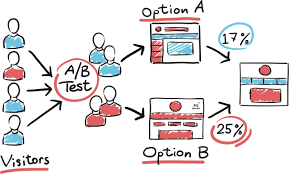
A/B testing, also known as split testing, is a research method in which we compare two versions of something (such as a webpage, ad, email, etc.) to see which one performs better.
We split our traffic in half, showing one version (A) to one group and the other version (B) to the other group. Then, we track a specific metric, like click-through rate, conversion rate, or engagement, to see which version performs better.
Beginner-friendly guide to get started with A/B testing our websites
1. Define our goals and target audience.
- What do we want to achieve with A/B testing? Is it increasing conversions, boosting engagement, or reducing bounce rate? Once we know our goals, we can identify our target audience and the specific elements we want to test.
- Who are our main website visitors? Understanding their demographics and behavior will help us choose relevant elements to test.
2. Formulate a hypothesis.
What do we think will happen when we change X? Will it lead to more Y? Be specific and measurable. For example, “I think changing the call-to-action button color from red to blue will increase click-through rates by 10%.”
3. Choose our A/B testing tool.
Several tools offer different features and price points. Popular options include:
- Optimizely: Powerful features for complex tests, but can be costly.
- Google Optimize: Free-to-use for basic A/B testing, integrates well with Google Analytics.
- Unbounce: Easy-to-use visual editor, ideal for landing page optimization.
- VWO: Affordable option with a good balance of features and ease of use.
- FigPii: All features unlocked. No commitment . No credit cards. A/B Testing for Life.
4. Create our variations.
- This is where we actually build the different versions of our page. Most A/B testing tools have visual editors that allow us to make changes without needing to code.
- Start with small, incremental changes like button text, headline wording, or image placement.
- Develop at least two versions of the element we’re testing. One is the “control” (our current version) and the other is the “variation” with the proposed change.
5. Set up our test.
- Our A/B testing tool will guide us through the process of setting up our test, including defining the variations, allocating traffic, and defining our goals and metrics.
- Use our chosen A/B testing tool to define our audience segments, randomly allocate them to see either the control or variation, and specify our conversion goals and metrics to track.
6. Run the test and collect data.
Give our test enough time to collect statistically significant data. This usually takes a few weeks to a month, depending on our website traffic.
7. Analyze the results.
- Once our test is complete, analyze the results through the tool’s reporting interface and our A/B testing tool will provide us with data on how each variation performed.
- Look for statistically significant differences in our key metrics to determine which version is the winner.
8. Implement the winner.
- If our test showed a clear winner, congratulations! Update our website with the winning variation and enjoy the fruits of our A/B testing labor.
- If not, try testing other elements or refining our hypothesis.
Demonstration
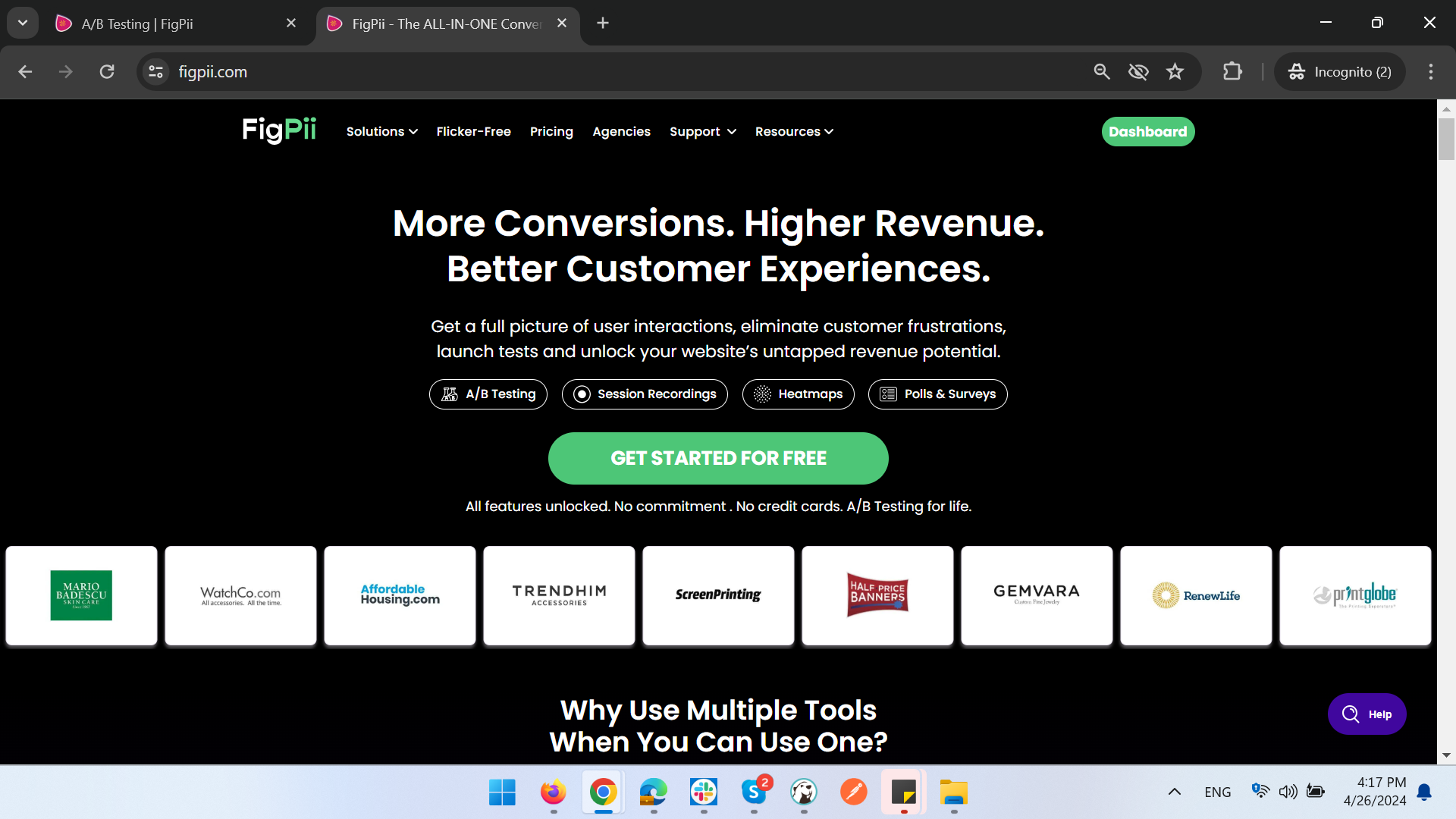
Testing site: https://www.figpii.com/
1. Choose a webpage to run the experiment on: in this case, we are choosing figpii’s homepage.
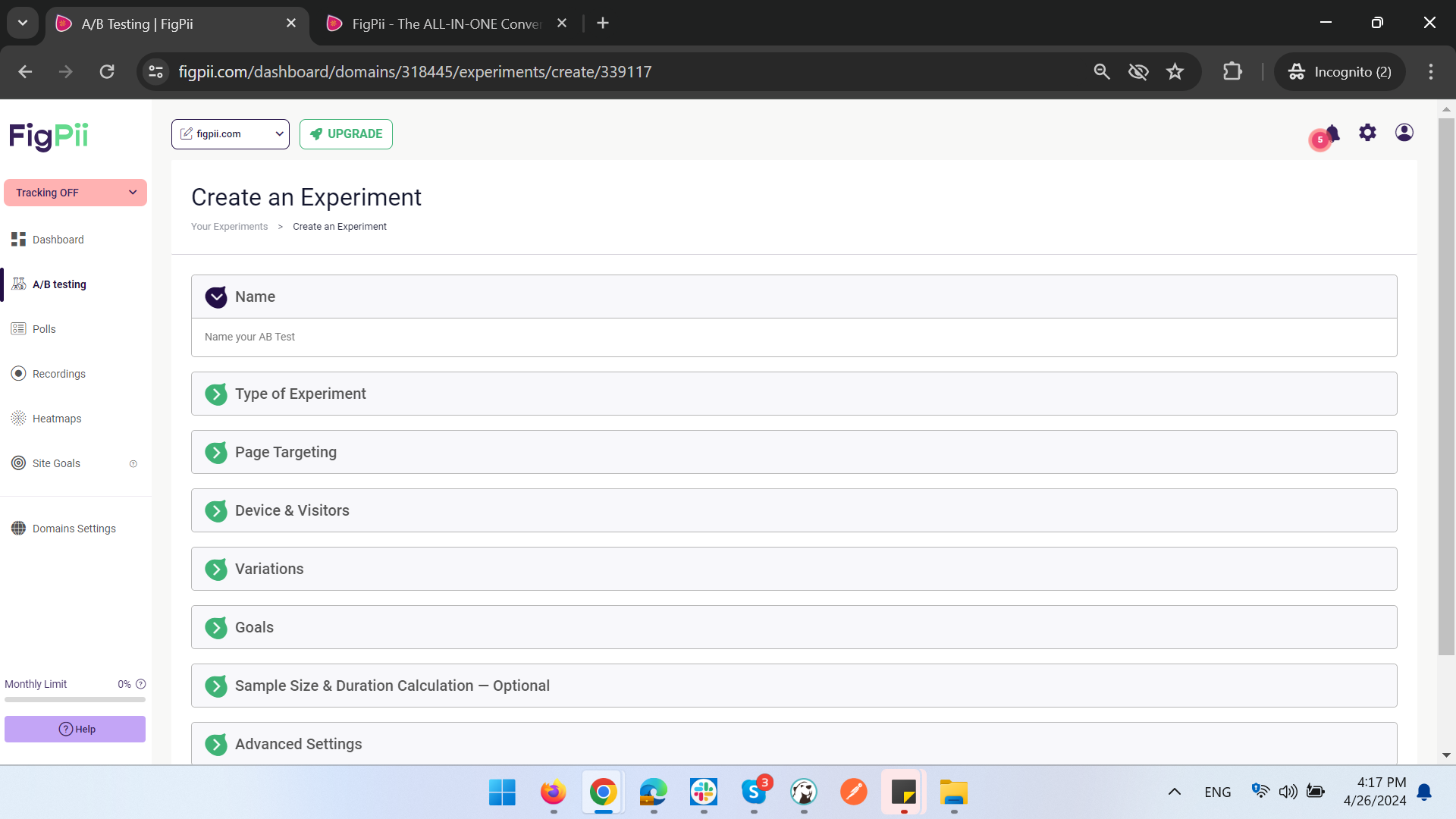
2. Determine the goal of the experiment: our goal is to see if a new headline will encourage more people to start the signup process.
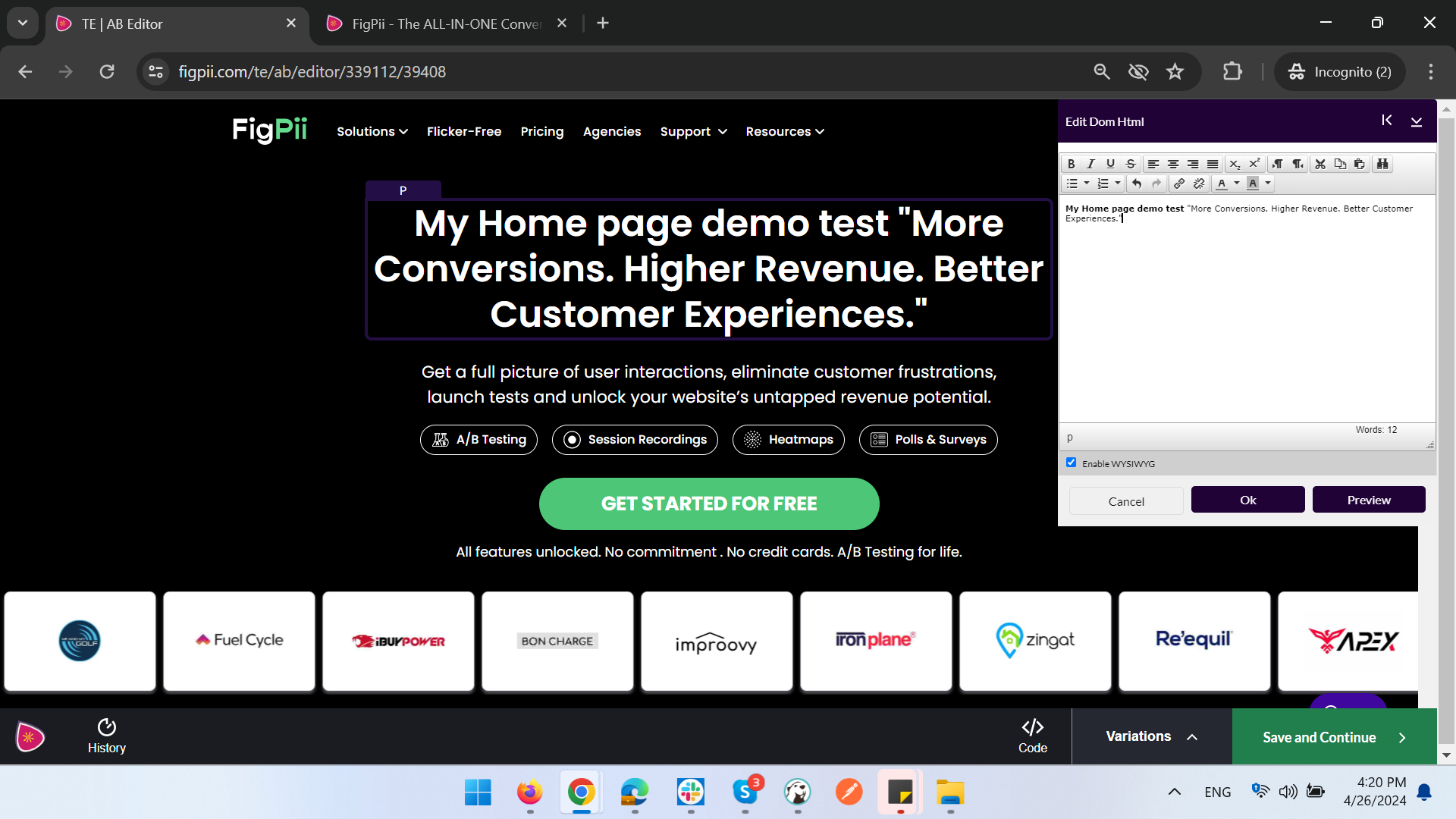
3. Create variations of the webpage: we create a variation of the webpage by changing the headline to My Home page demo test “More Conversions. Higher Revenue. Better Customer Experiences.” instead of the original headline, “More conversions, higher revenue, better customer experience”.
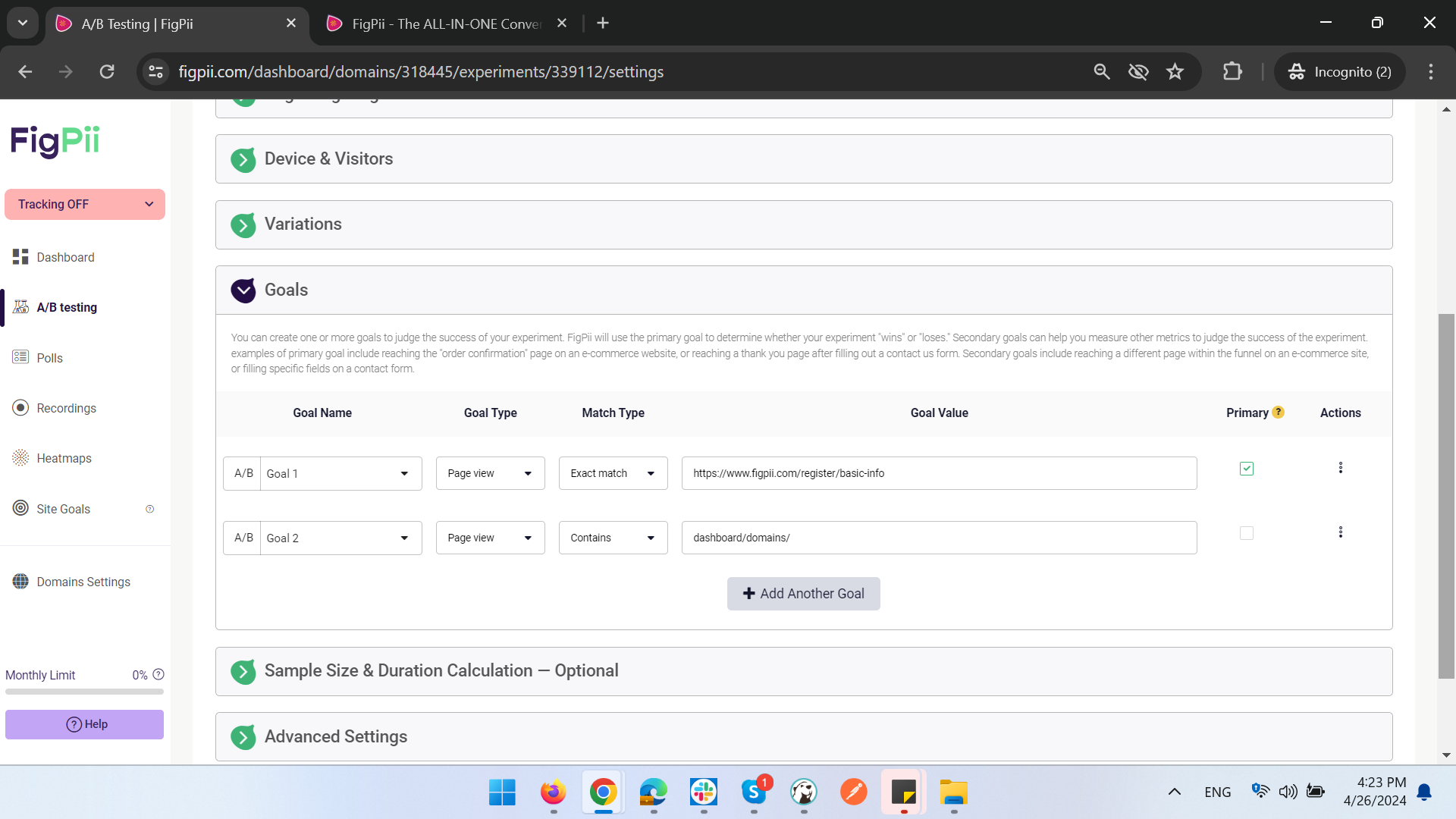
4. Set goals to measure success: we set two goals to measure success. The first goal is to see if people visit the signup process page and the second goal is to see if people sign up for Figpii by logging in and viewing the dashboard.
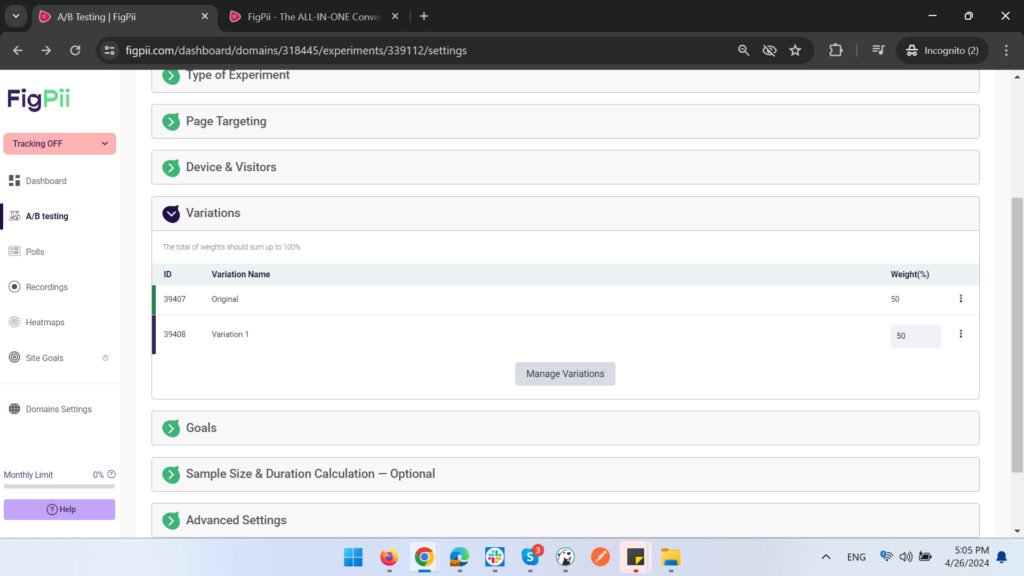
5. Launch the experiment: Figpii will split the traffic 50/50 between the original webpage and the variation with the new headline.
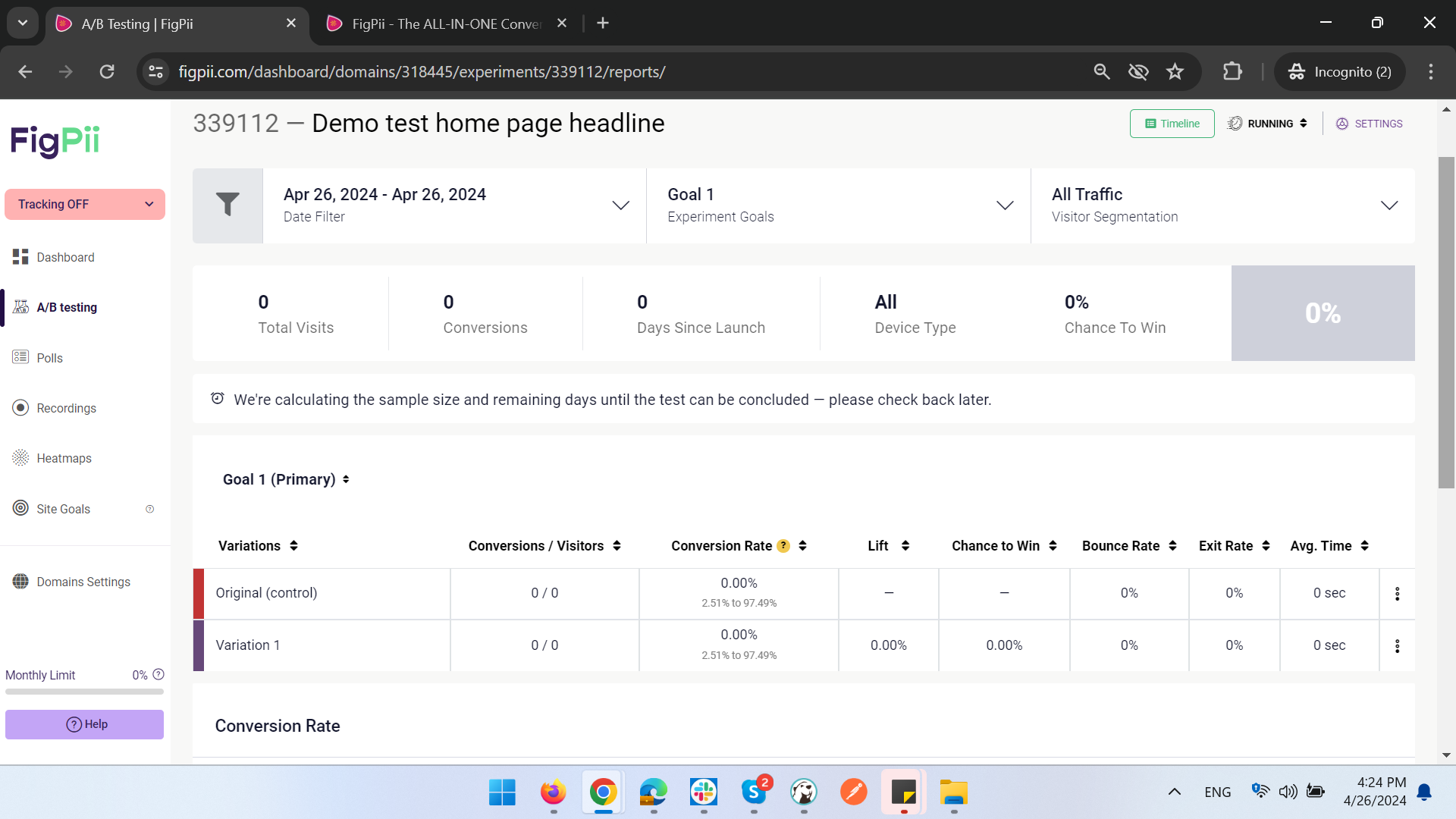
6. Analyze the results: after the experiment runs for a while, we can go to the reports section in Figpii to see which webpage variation resulted in more people signing up for Figpii.
Additional Tips
- Start small and focus on one element at a time.
- Run one test at a time to avoid confusing data.
- Ensure our tests are statistically valid to draw accurate conclusions.
- Track user behavior to understand why one version performs better.
- Continuously learn and iterate based on our A/B testing results.
- Don’t make too many changes at once.
- Be patient and give our test enough time to run.
- Learn from our results and use them to improve our website.
A/B testing can be a powerful tool for improving our website’s performance and achieving our business goals. By following these tips and the guidance provided in this blog, we can effectively leverage A/B testing to drive growth and success for our website.
Here are some additional resources that may find helpful:
- Google Optimize: https://support.google.com/analytics/answer/12979939?hl=en
- Optimizely: https://www.optimizely.com/
- VWO: https://vwo.com/
- A/B Testing: The Complete Guide: From Beginner to Pro: https://cxl.com/blog/ab-testing-guide/
- FigPii: https://www.figpii.com/ab-testing
Conclusion
A/B testing offers a powerful and data-driven approach to website optimization. By following the steps outlined in this guide, we can unlock the potential of A/B testing and continuously improve our website’s performance. Remember, the key is to start small, formulate clear hypotheses, and analyze our results carefully. With consistent experimentation and learning, we can refine our website to deliver a more engaging and effective user experience, ultimately achieving our business objectives.
I hope this helps! Let me know if have any other questions.