



1 – What is Selenium?
Selenium is a well-known automation suite composed of three sub-projects: WebDriver, Grid, and IDE. In this article, I’d like to share about the most impressive features to me.
2 – How do Selenium sub-projects work?
Selenium WebDriver
Is a library that allows the controlling of web browsers automatically. To that aim, it provides a cross-platform API in different language bindings.
The official programming languages supported by Selenium WebDriver are Java, JavaScript, Python, Ruby, and C#.

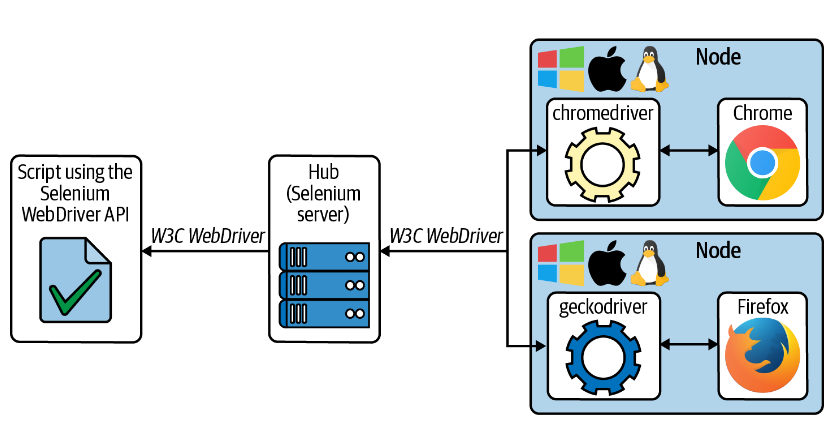
First, we need a Script using WebDriverAPI (Java, Python, …). This script sends W3C WebDriver Commands (It’s a protocol for communication between the script to the driver) to the second layer. It’s Driver (chromedriver for Chrome, geckodriver for Firefox). The third layer is native web browsers. In this case Chrome, the native browsers follow the DevToolsProtocol (DevToolsProtocol is based on JSON-RPC messages and allows inspecting, debugging, and profiling these browsers).
In Firefox, the native browser automation support uses the Marionette protocol (Marionette is a remote protocol based on JSON). Selenium WebDriver API provides multiple features to navigate webpages, interact with web elements, or impersonate user actions,…The target application is web-based (static website, dynamic web applications, single page applications, etc….)
Selenium Grid
The hub-nodes architecture in Grid has been available since Selenium 2. This architecture is also present in Selenium 3 and Selenium 4. However, this central architecture can lead to performance bottlenecks if the number of requests to the hub is high. Selenium 4 provides a fully distributed mode that implements load-balancing mechanisms to solve this bottleneck. As of version 4, we can execute the Grid following these nodes: Router, Session Queue, Distributor, EventBus, Session Map, and Node(s). We will discuss this solution in more detail on another topic.
See the basic architecture of the selenium grid to understand this sub-project. A group of nodes provides browsers used by Selenium scripts – These nodes are equivalent to the image above with various installed browsers and can use different operating systems. The central point to this Grid is Hub (Selenium Server) used to keep track of the nodes and proxy requests from the Selenium scripts
Selenium IDE
Selenium IDE is a tool that implements the Records and Playback automation technique.
Firstly, in Selenium IDE, the part of the record captures user interactions with the browser. Encoding actions as Selenium commands. Second, we use a generated Selenium script to excuse a browser session automatically
The selenium project is porting SeleniumIDE to Electron (Open source framework base Chromium and NodeJS)
3 – All features of Selenium Web Driver
A comprehensive overview of Selenium WebDriver encompassing all its functionalities, including session management, navigation, element locating, DOM handling, user interactions, JavaScript execution, screenshots, window management, cookies, web storage, event handling, error handling, browser capabilities, Chrome DevTools Protocol integration, and more.
4 – Explore new features
Relative locator
These locators are helpful when it is not easy to construct a locator for the desired element.
These new locators aim to find web elements relative to another known element
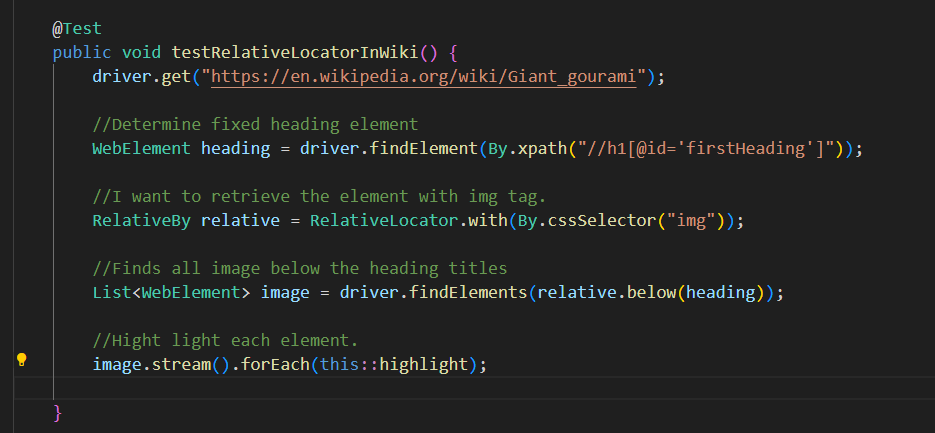
To this aim, first, we need to locate that web element using standard location strategies (CSS Selector / Xpath )
After that, determine the type of element want to get using: RelativeLocator.with(By.cssSelector(“CSSSelector/XpathNeedToGet”)))
Finally, using RelativeBy provides the following methods to carry out relative location.
- above()
- below()
- near() – Find elements located close to the original element. The default distance is 100px. This locator is overloaded to specific another distance.
- toLeftOf()
- toRightOf()
Require: Find all images below titles of the web page
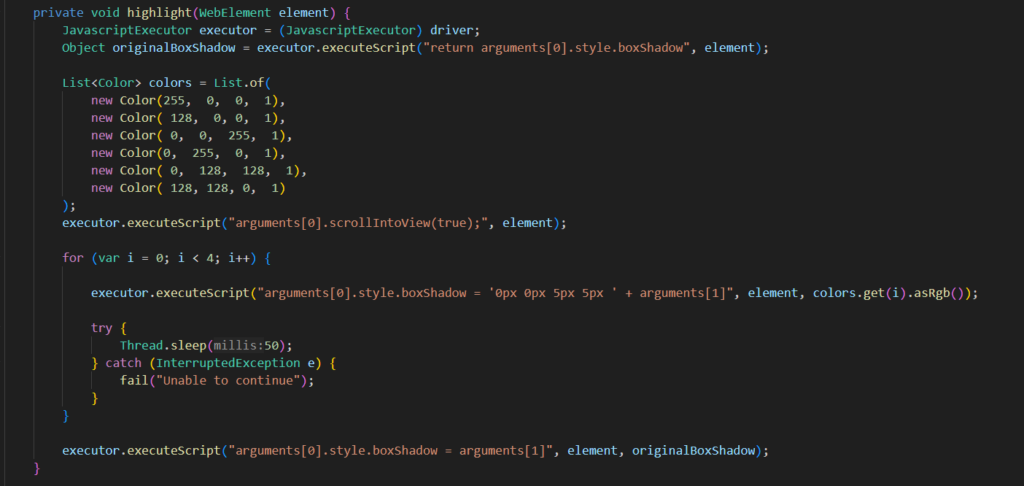
As a side note, if you want to clearly highlight the elements, you should use the following function using JS:
Results: Highlight all elements below the titles
[videopress lAYsA736]
CDP Selenium Wrappers
The Selenium WebDriver API contains a group of helper class that wraps some of the CDP commands
Network interceptor
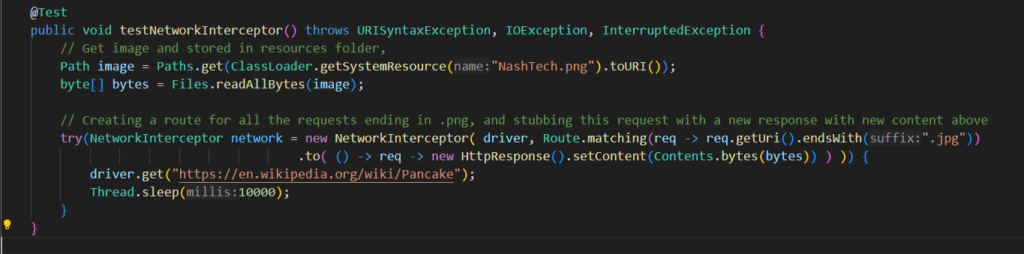
Provides a mechanism for stubbing out responses to requests in drivers that implement HasDevTools. Usage is done by specifying a Route, which will be checked for every request to see if that request should be handled or not. Note that the URLs given to the Route will be fully qualified.
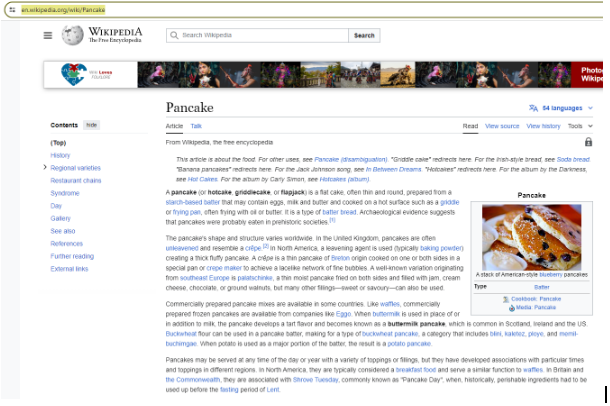
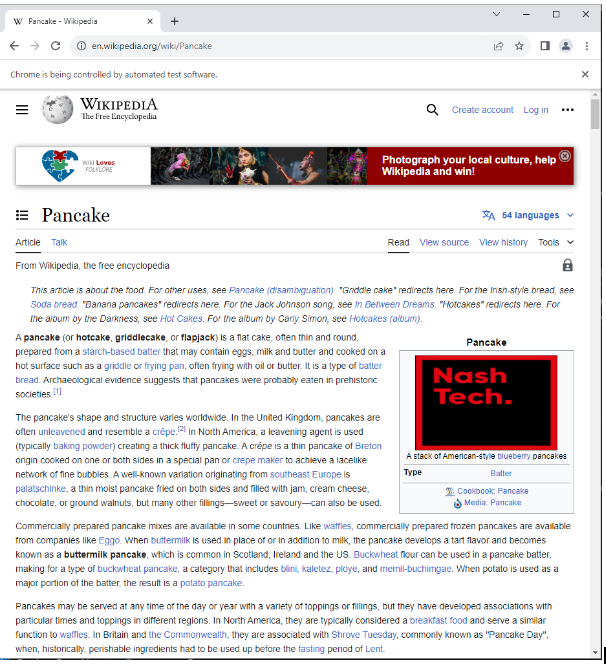
Example: Replace the pancake image with NashTech Logo.
Test script
Result: NashTech’s logo has now replaced the image of the cake.
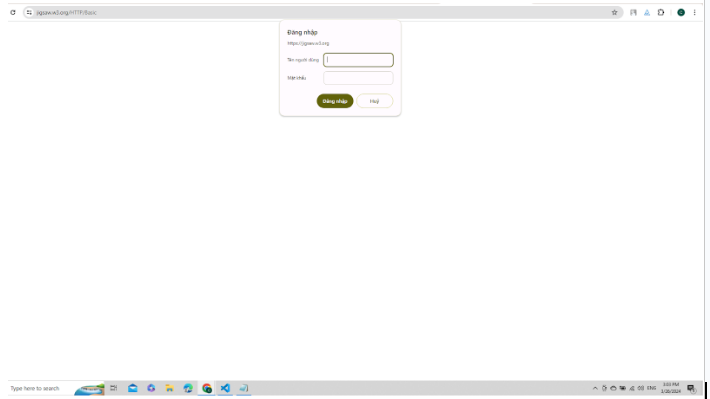
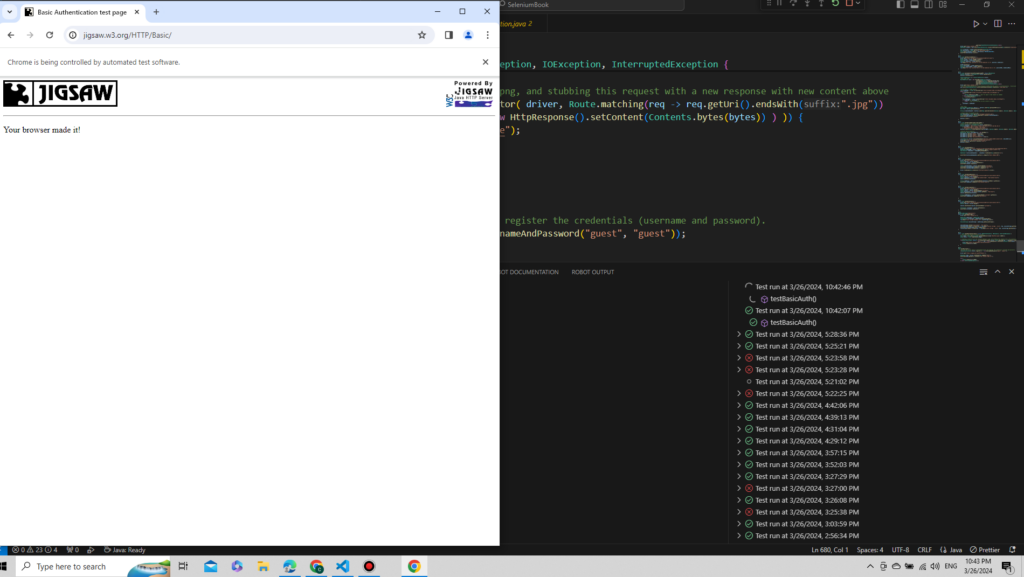
Basic and digest authentication
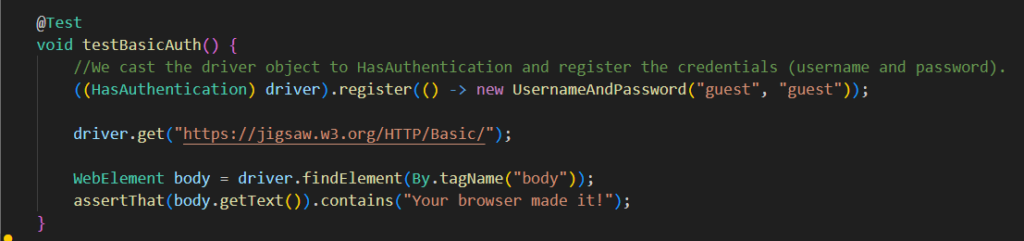
Both methods allow specifying the user’s credentials using a pair of values: username and password. In the case of basic authentication, base64 encoding is used to generate a cryptographic string (contains information of username and password). As this is not a secure implementation and transmits the password as plain text. But for digest authentication, the server provides the client a number that can be used once (Combining it with username, password, URI, realm). The client runs it through the MD5 hashing method. Which then will be passed to the server and validated. Selenium WebDriver provides the interface HasAuthentication to seamlessly implement basic and digest authentication. But this interface is NOT available for GeckoDriver (Firefox)
Example: User can log in without inputting username and password
Test script
Results: Users logged in successfully.
CDP Raw commands
Selenium provides the interface HasDevTools for using the CDP directly. To use this feature, firstly, we need to open a CDP session
Example setup:

Emulate network
Chrome DevTools Protocol provides Network.emulateNetworkConditions command to emulate different network conditions. This command takes 5 parameters: offline, latency, downloadThroughput, uploadThroughput, and ConnectionType. ConnectionType can be BLUETOOTH, 2G, 3G, 4G, WIFI, ETHERNET, and NONE.
Test script:
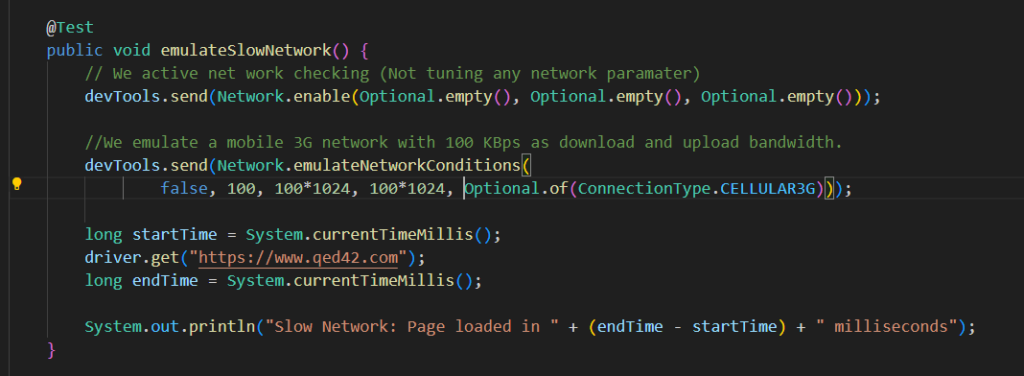
Results : It took 13 seconds to fully load the page.

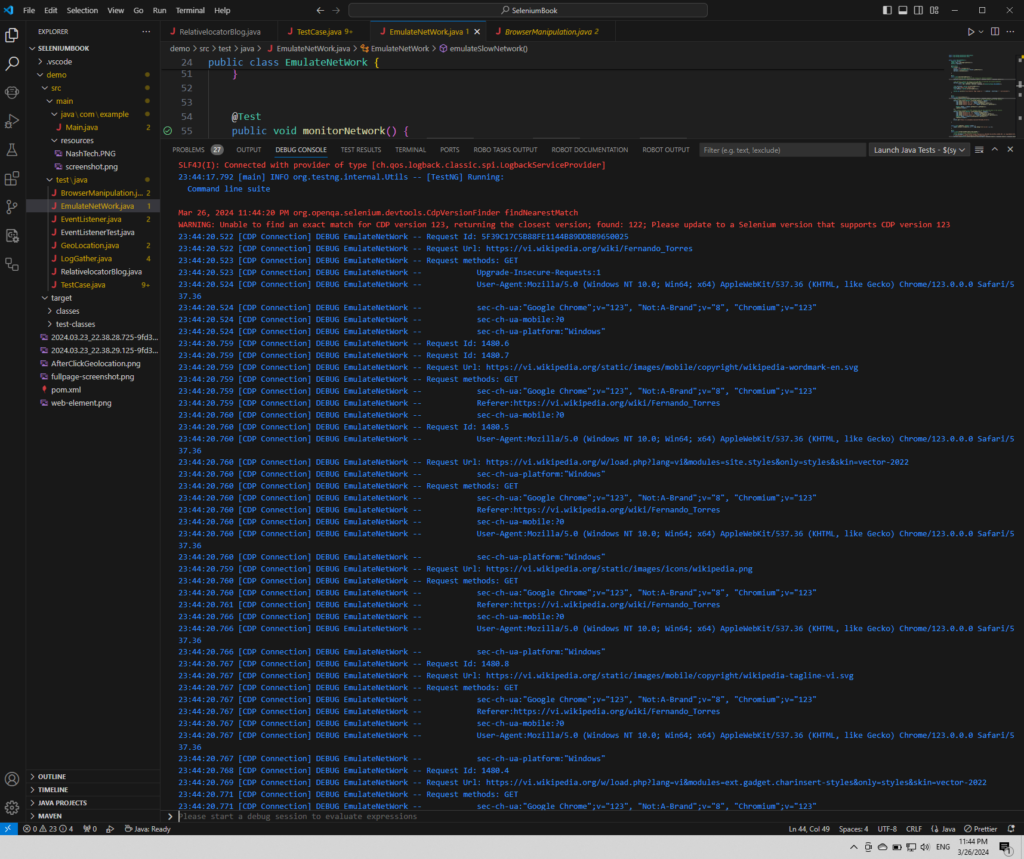
Network monitoring
We can also use the CDP to monitor network traffic when interacting with web pages

Result:
Device emulation
Besides using browser capabilities. Another feature provided by CDP is the ability to emulate mobile devices
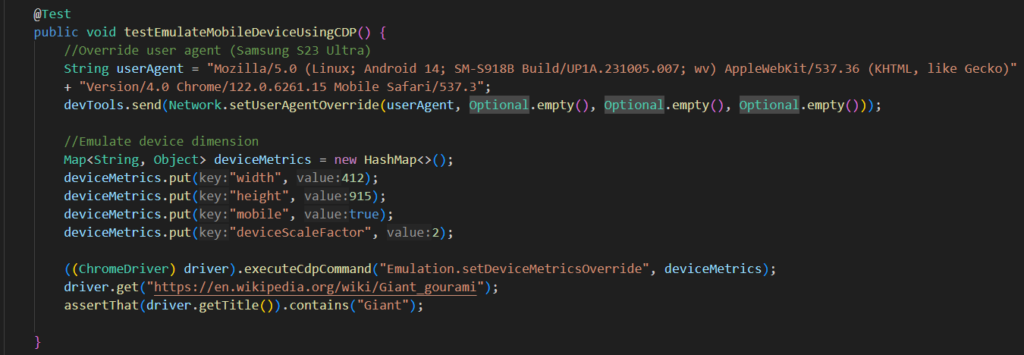
Result:
[videopress iKTrkiiG]
5 – Conclusion
There are many other features of the Selenium web driver to help interact with both the front-end and back-end of websites. Hopefully, the knowledge provided above will help you understand what Selenium Web Driver is capable of. In our next article, we will explore WebDriverBidi – the future of cross-browser automation.
Referral: Hands-on Selenium WebDriver with Java, The Selenium Browser Automation Project | Selenium, Selenium 4 API for Chrome dev tools, Chrome Dev Tools Protocol Document.