



Introduction
In C# programming, two keywords, `const` and `readonly` hold significant importance in defining the constants and read-only fields respectively. However, grasping their nuances and when to use them can be challenging for beginners. In this blog, we’ll go deep into these keywords, know their differences, and provide clear examples to facilitate better understanding.
What is Const in C#
The `const` keyword in C# is used to declare constants, i.e., variables whose values cannot be modified once assigned. These values are determined at compile-time and cannot be altered during runtime. Here’s a breakdown of how `const` works:
1. Declaration Syntax:
const dataType constantName = value;
2. Characteristics:
- Must be initialized at the time of declaration.
- Values cannot be changed later in the program.
- Scope is limited to the block in which they are declared.
- Must be of primitive data types or immutable reference types.
Let’s see an example:
using System;

class Program

{

static void Main(string[] args)

{

const int hoursInADay = 24;

// Attempting to modify the const value will result in a compile-time error

// hoursInADay = 25; // This line will produce an error if we try to modify the value

Console.WriteLine($"Hours in a day: {hoursInADay}");

}

}
In this example, `hoursInADay` is declared as a constant with a value of 24. Any attempt to modify its value afterward will result in a compilation error as shown in below.

What is Readonly in C#
On the other hand, the `readonly` keyword is used to declare fields whose values can only be assigned at the time of declaration or within a constructor. Unlike `const`, `readonly` fields allow for runtime assignment, making them suitable for scenarios where initialization with runtime values is required. Here’s how `readonly` works:
1. Declaration Syntax:
readonly dataType fieldName;
2. Characteristics:
- Can be assigned a value either at the time of declaration or within a constructor.
- Once assigned a value, it cannot be modified.
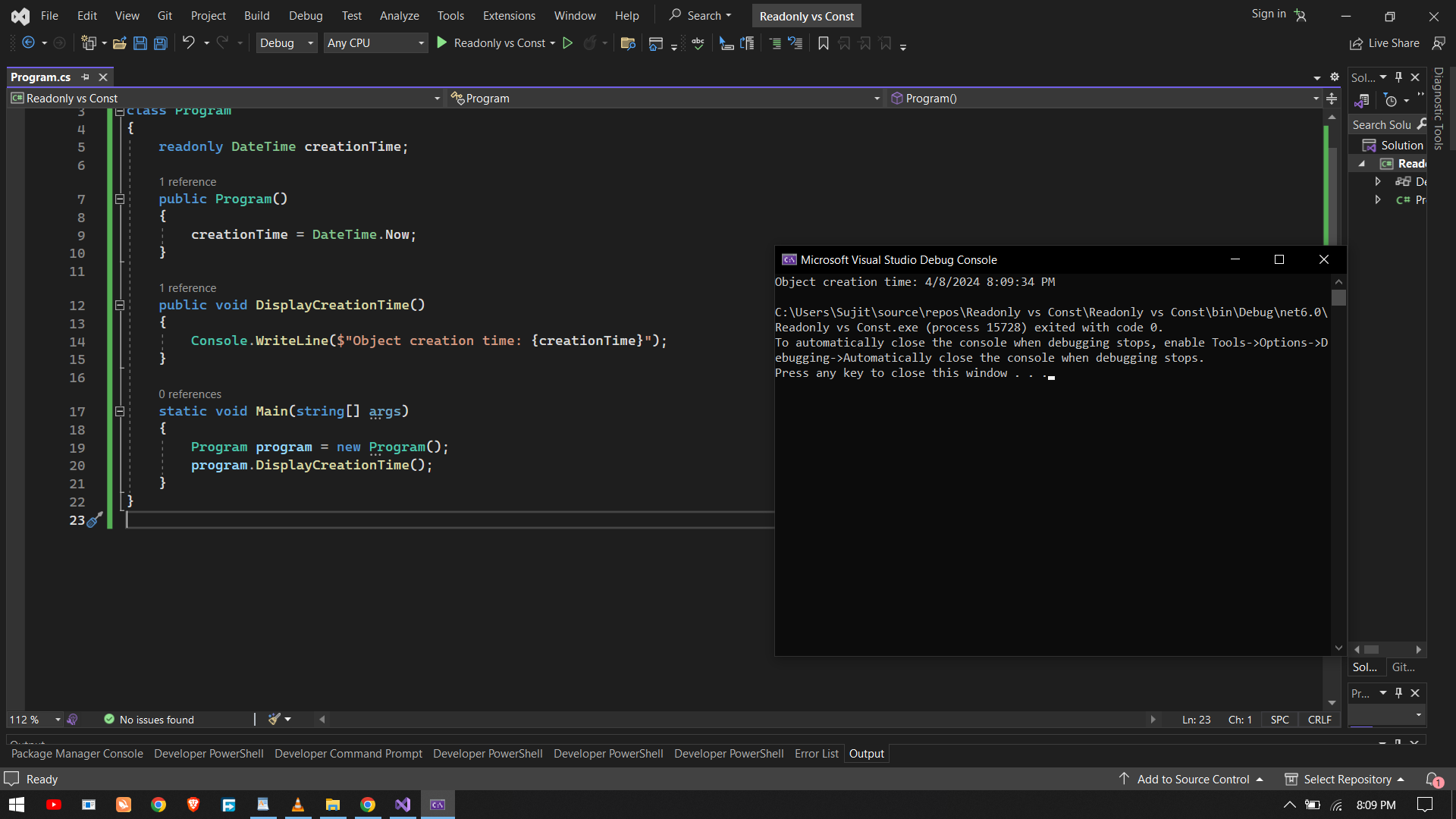
Let’s see with an example:
using System;

class Program

{

readonly DateTime creationTime;

public Program()

{

creationTime = DateTime.Now;

}

public void DisplayCreationTime()

{

Console.WriteLine($"Object creation time: {creationTime}");

}

static void Main(string[] args)

{

Program program = new Program();

program.DisplayCreationTime();

}

}
In this example, `creationTime` is a `readonly` field initialized with the current date and time within the constructor. Once assigned, its value cannot be modified, ensuring that the object’s creation time remains immutable throughout its lifetime.
Const vs Readonly Comparison
Here’s a comparison between const and readonly in two rows for easy reference:
|
Aspect |
const |
readonly |
|
Initialization |
Must be initialized at declaration. |
Can be initialized either at declaration or within constructors. |
|
Value Change |
Cannot be modified after initialization. |
Value remains constant after initialization, but can be assigned a value at runtime. |
|
Scope |
Limited to the block in which they are declared. |
Scope extends to the lifetime of the object or class instance. |
|
Data Types |
Supports only primitive types and immutable reference types. |
Supports all data types. |
|
Compile-time |
Values determined at compile-time. |
Values can be determined at runtime. |
|
Example |
const int HoursInADay = 24; |
readonly DateTime CreationTime; |
Conclusion
In summary, `const` and `readonly` are essential keywords in C# for defining constants and read-only fields respectively. While `const` is suitable for compile-time constants with fixed values, `readonly` provides flexibility for assigning values at runtime, ensuring immutability once initialized. Understanding when and how to use these keywords is crucial for writing robust and maintainable C# code. By incorporating `const` and `readonly` appropriately in your code, you can enhance readability, improve maintainability, and adhere to best practices in C# programming.