



Introduction
In today’s fast-paced software development environment, Test Automation Frameworks play a crucial role in automating repetitive tasks, increasing test coverage, and enhancing software quality. Among the essential components of these frameworks are Dynamic Element Interaction Tools, which simplify the process of locating and interacting with dynamic elements within web applications during test automation. These tools, such as Selenium WebDriver and Appium, employ advanced techniques such as machine learning, AI, and heuristic algorithms to accurately locate and interact with dynamic elements.
Definition and Explanation
Dynamic Element Identification Tools are software solutions designed to address the challenge of locating and interacting with dynamic elements within web applications during test automation. These tools employ advanced techniques such as machine learning, AI, and heuristic algorithms to accurately locate and interact with dynamic elements. They enhance test automation frameworks by dynamically adapting to changes in element attributes or structure, thereby improving the robustness and reliability of automated tests.
Best Practice for Dynamic Element Detection in Test Automation
Regular Maintenance:
Continuously update and maintain your dynamic element identification scripts to ensure they remain effective as web applications evolve.
Parameterization:
Utilize parameterization techniques to make your element locators more adaptable to changes, reducing the need for frequent script updates.
Reusable Functions:
Develop reusable functions for common dynamic element interaction tasks to promote code reusability and maintainability across test suites.
Cross-Browser Testing:
Test your dynamic element identification scripts across multiple browsers to ensure compatibility and consistent behaviour.
Collaborative Development: Foster collaboration among team members to share best practices, troubleshoot issues, and collectively enhance dynamic element identification strategies.
Challenges in Dynamic Element Identification
Dynamic Content: JavaScript-generated content, pop-up windows, overlays, and other features that load asynchronously or dynamically are common on web pages. It can be difficult to correctly identify and interact with these elements because their existence may change during the course of the exam.
Fragile Locators: When element identification is done only via XPath or CSS selectors, fragile locators may result, making them vulnerable to even little alterations in the DOM structure. Because of this, scripts are more likely to malfunction when elements’ layouts or attributes are changed.
Timing Issues: Accurate element recognition depends on synchronisation between test automation scripts and the online application. Timing problems, however, can occur when items are not instantly available or when scripts run more quickly than the programme can render updates, which can result in tests that are erratic or element not found errors.
Cross-Browser Compatibility: Test automation becomes more complicated when maintaining consistent element identification across many browser versions. Different browsers may behave differently and render elements differently, necessitating the use of different techniques and adding to the maintenance overhead.
Dynamic Element Attributes: In contemporary online applications, elements frequently feature dynamic properties like runtime-generated classes or IDs. Because of this dynamic nature, developing stable and reusable locators is difficult and necessitates the use of complex algorithms for reliable element identification.
Complex Element Hierarchies: When attempting to identify particular elements within a hierarchy, nested or complex DOM structures might make things more difficult. It takes great thought and testing to build strong XPath or CSS selectors that can navigate these structures with accuracy.
Performance Impact: During test execution, some element identification techniques, like the use of dynamic waiting strategies or intricate XPath queries, may cause performance overhead. To maintain appropriate test execution times, performance efficiency and accuracy must be balanced.
Dynamic Element Identification Tools are important in Test Automation Frameworks for a few reasons
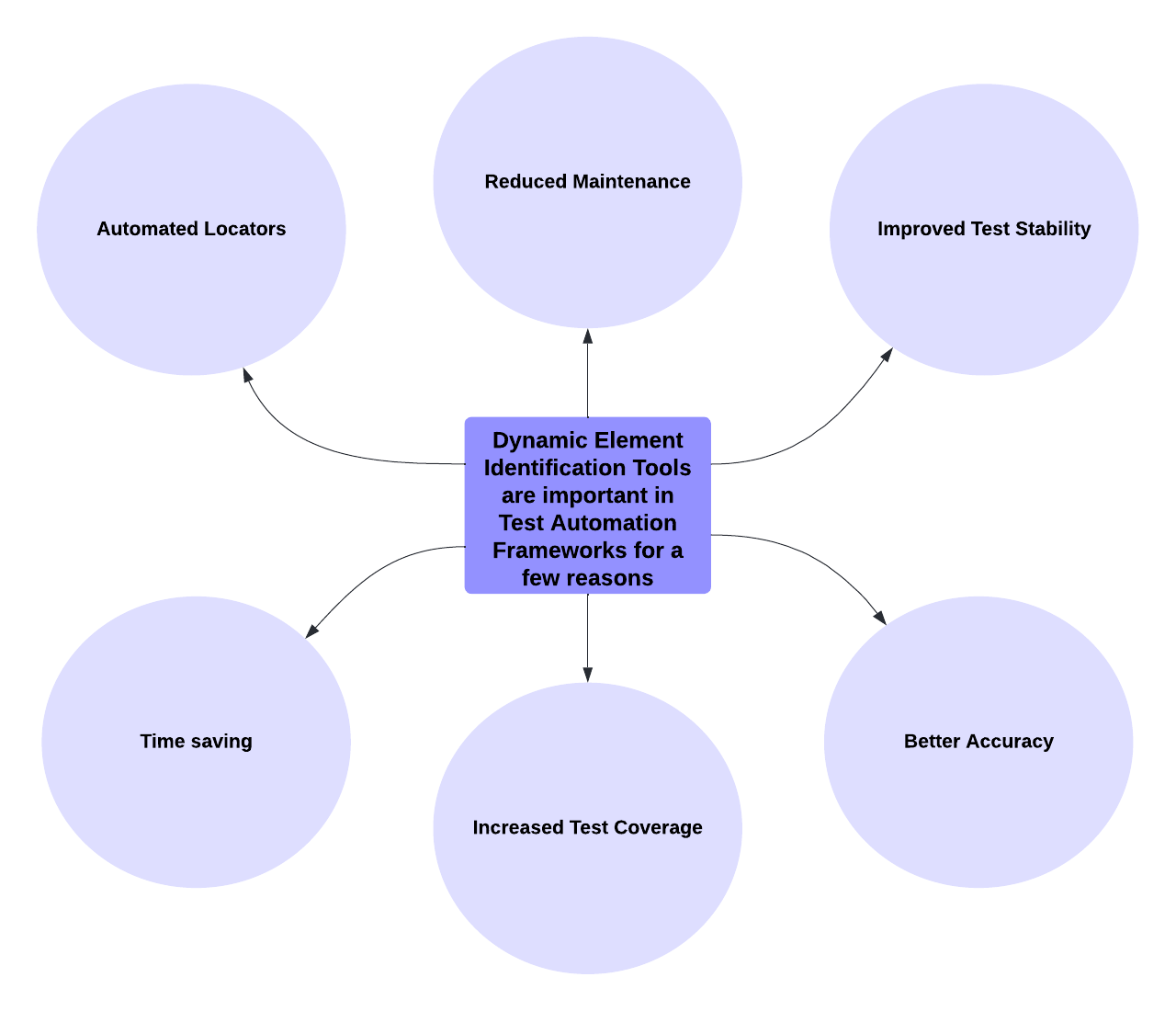
Automated Locators: These tools automatically find and locate elements on web pages, reducing the need for manual coding.
Reduced Maintenance: Tests become more resilient to changes in the UI, minimizing the effort required to update tests.
Improved Test Stability: tests are less likely to break when the layout of the page changes, thereby enhancing overall stability.
Time saving: These tools speed up the process of creating and running tests by automating element identification.
Increased Test Coverage: They enable testing of complex and changing parts of the website, leading to broader test coverage.
Better Accuracy: Tests interact with the correct elements on the page, ensuring reliability and accuracy.
Overall, Dynamic Element Identification Tools can enhance Test Automation Frameworks by making tests faster, more accurate, and less likely to break when things change on the web page.
Guide to Dynamic Element Integration in Test Automation
1. Choose the Right Tool: Start by selecting a Dynamic Element Interaction tool that fits your project requirements. Consider factors such as compatibility, features, and community support. For this guide, we’ll utilize Selenium WebDriver with JavaScript bindings.
2. Install Dependencies: Ensure you have Node.js installed on your system. You’ll also need to install Selenium WebDriver and any other necessary libraries. You can install them using npm:
npm install selenium-webdriver
3. Install Selenium WebDriver: Download the appropriate WebDriver executable (e.g., ChromeDriver for Google Chrome) for your preferred browser. Ensure that the WebDriver executable is either in your system’s PATH or include a reference to it in your test script.
4. Import Selenium WebDriver: In your JavaScript test script, import the necessary modules from the Selenium WebDriver library:
const { Builder, By, until } = require('selenium-webdriver');
const chrome = require('selenium-webdriver/chrome');
5. Initialize WebDriver: Create an instance of the WebDriver class and specify the browser to be used for testing
async function example() {
let driver = await new Builder()
.forBrowser('chrome')
.setChromeOptions(new chrome.Options().headless())
.build();
}
6. Go to the Web Page: Go to the desired URL by using the get() method
await driver.get('http://www.example.com');
7. Locate and Interact with Dynamic Elements: Utilize WebDriver’s methods to locate and interact with dynamic elements on the web page. For example, to click on a dynamic button:
let dynamicButton = await driver.wait(until.elementLocated(By.xpath("//button[contains(text(), 'Dynamic Button')]")), 10000);
await dynamicButton.click();
8. Test and Debug: Run your test script to ensure that the dynamic element identification functions as expected. Monitor the test execution and debug any encountered issues.
9. Refactor and Optimize:
Refactor your test scripts as necessary and optimize them for better performance. Consider using WebDriverWait for handling dynamic elements that may not be immediately available.
Here’s an example of a complete JavaScript test script using Selenium WebDriver to interact with dynamic elements:
const { Builder, By, until } = require('selenium-webdriver');
const chrome = require('selenium-webdriver/chrome');

(async function example() {
let driver = await new Builder()
.forBrowser('chrome')
.setChromeOptions(new chrome.Options().headless())
.build();

try {
await driver.get('http://www.example.com');

let dynamicButton = await driver.wait(until.elementLocated(By.xpath("//button[contains(text(), 'Dynamic Button')]")), 10000);
await dynamicButton.click();
} finally {
await driver.quit();
}
})();
In conclusion, Dynamic Element Interaction Tools are indispensable for effective test automation in today’s dynamic web environments. By simplifying element identification and interaction, these tools enhance the efficiency, accuracy, and reliability of test automation frameworks. To learn more about dynamic element identification and its integration into test automation frameworks, visit the Selenium official website and explore their documentation and resources.