



1. What is Test Replay
Test Replay in Cypress Cloud allows you and your team to accurately and efficiently troubleshoot and debug failed and flaky continuous integration test runs.
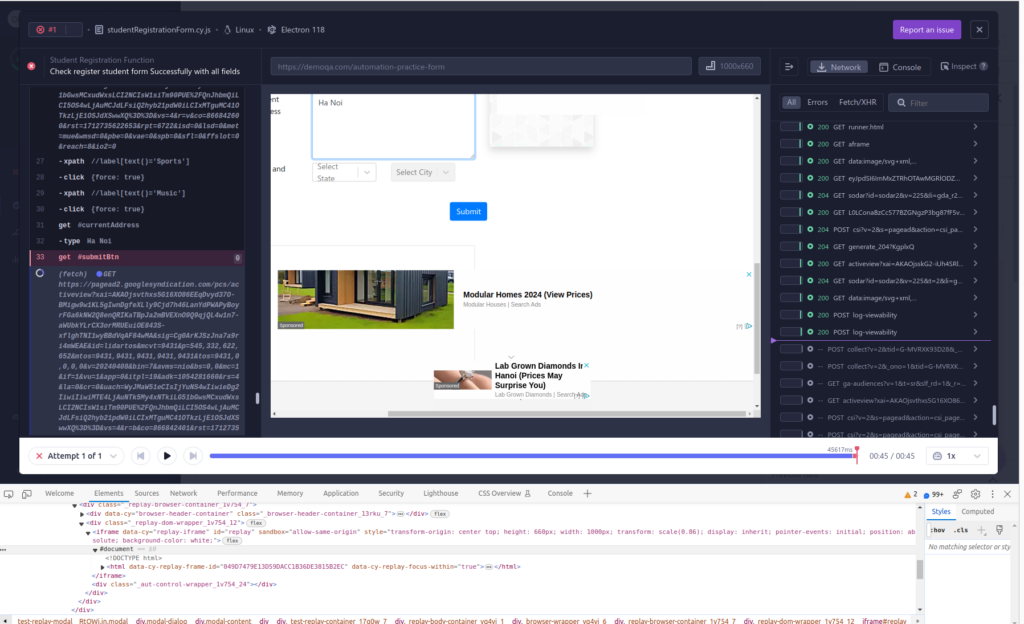
It captures every test run detail including inspecting the DOM, network requests, console logs, JavaScript errors, and element rendering, enabling users to replay it as well.
This is particularly beneficial because debugging in CI environments can be more challenging due to limited visibility and reproducibility.
2. How to use Test Replay
Test Replay is available in Cypress Cloud and automatically enabled when recording tests using Cypress v13 and up.
It currently supports Chromium-based browsers (such as Chrome, Edge, and Electron).
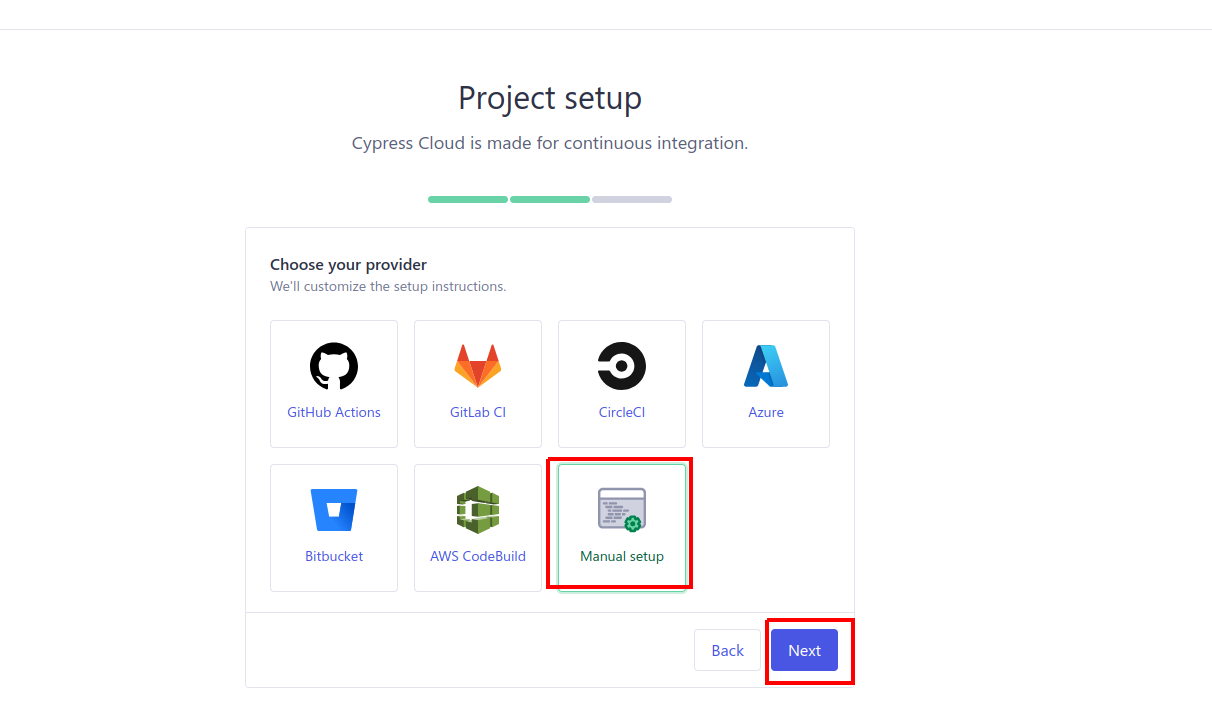
To get started, create a new Project Cypress Cloud to connect with the local project => in project setup select manual run
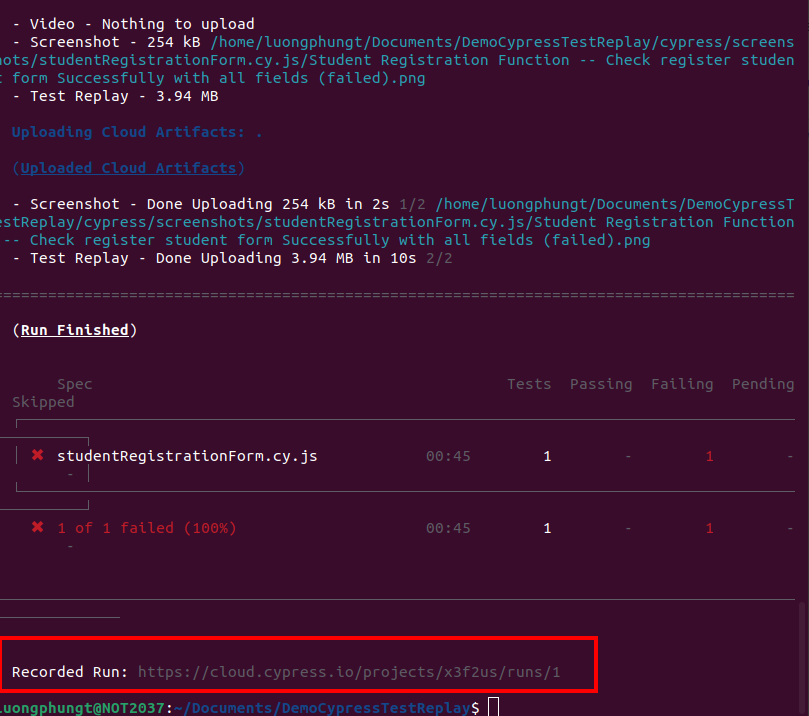
It will take you to the next screen that includes the command line, copy it, and record a run in your terminal.
After the test run is done, the result of all runs is shown in the Runs screen of your project within Cypress.

Click into any record that you want to replay the test, Cypress Cloud Project will be opened and you’ll have access to these new debugging capabilities
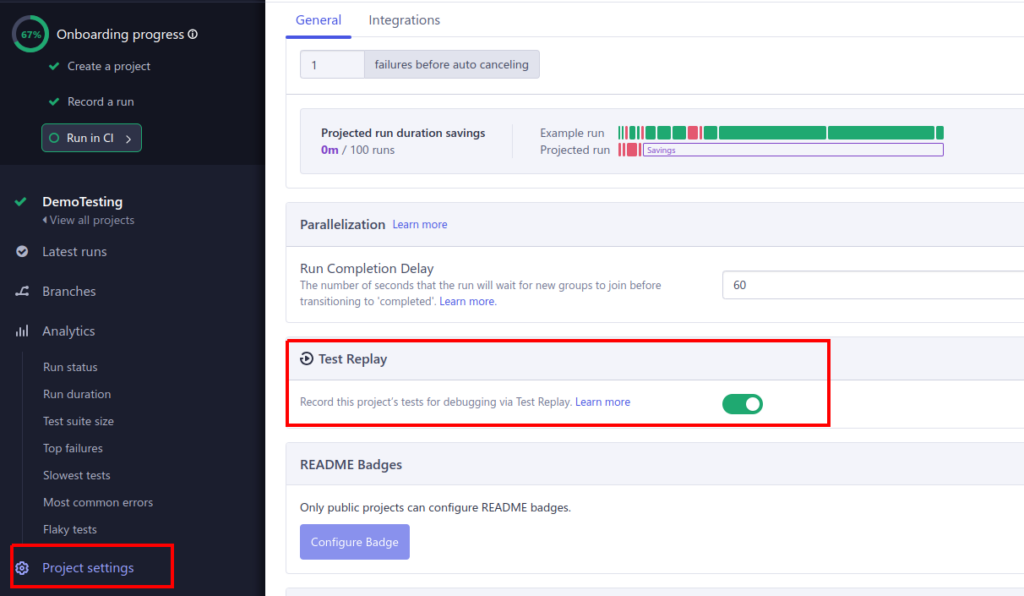
If you do not want to capture test data for replay and debugging purposes, simply disable Test Replay in project settings.
3. The benefit of using Test Replay
- Test Replay provides in-depth context during test failures.
- Users can see exactly what happened during the test run without reproducing the issue locally.
- Test Replay allows developers to time-travel to the exact moment of test failure.
- They can inspect the state of the application at that specific point.
- Identifying root causes becomes easier, leading to quicker issue resolution.
4. Compare Test Replay vs Screenshots and Videos
- Test failures in CI were captured through screenshots, videos, and stack traces. However, these artifacts often provide limited information, and users must reproduce issues locally for deeper analysis. With Test Replay, you gain access to previously inaccessible details.
- No more hours wasted recreating CI issues on your local machine! No more guessing games!
- Analyze test flakes at the exact moment they happened, leading to quicker resolution and more reliable test results.
5. Reference
https://docs.cypress.io/guides/cloud/test-replay
https://www.cypress.io/blog/2023/09/15/announcing-cypress-13-test-replay