


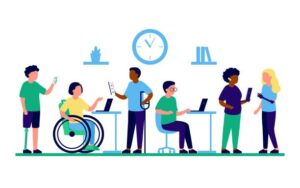
In the current digital age, ensuring that web applications are accessible to all users is not only a good practice but also a legal requirement in many countries. In this blog post, join me in exploring strategies to maximize the effectiveness of web app accessibility testing to create a more inclusive digital experience.
Understanding Web Accessibility Testing
Accessibility testing is the evaluation of whether a developing product can easily interact with users with disabilities. This includes testing various components such as navigation, content readability, keyboard control capabilities, and integration with assistive technologies such as screen readers.
Guidelines for effective accessibility testing
- Standards compliance: Understanding and complying with accessibility standards such as the Web Content Guidelines (WCAG) helps ensure testing is consistent with recognized best practices.
- User-centered approach: Putting yourself in the shoes of users with disabilities and prioritizing their needs and experiences during testing helps to further understand small requirements that are easily overlooked.
- Multidimensional testing techniques: Use a combination of automated testing tools, manual testing, and user testing to comprehensively evaluate accessibility.
- Continuous iteration: Accessibility testing is a continuous process, so integrating it into the development lifecycle and iterating based on feedback will make testing more effective.
Key Strategies for Maximizing Efficiency
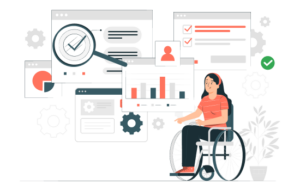
- Automation integration
Integrating automated accessibility testing tools into the development process will help quickly identify common issues. Commonly used tools include: Axe, WAVE and Lighthouse, ..etc. These tools scan websites for accessibility errors and provide quick, actionable insights. - Incorporate accessibility from the start
Design and development take into account accessibility from the start. By considering accessibility requirements during the planning and design phases, you can prevent problems from arising later in the development lifecycle. - Prioritize areas with high-impact
Focus testing on critical user functions, flows, and frequently accessed content. Identify highly visited pages or features and prioritize accessibility testing efforts accordingly to maximize impact. - Combine automated and manual testing
While automated testing tools can detect many accessibility issues, manual testing is still necessary to detect minor issues and verify results. Combining automated scanning with manual review helps determine coverage and increase coverage of test cases. - Engage Users with Disabilities
Involve users with disabilities in the testing process through usability testing and user feedback sessions. Their insights can provide valuable insights into accessibility barriers and usability challenges. - Continuous Learning and Improvement
Stay updated on emerging accessibility standards, guidelines, and best practices. Invest in ongoing training for developers, designers, and QA testers to enhance their understanding of accessibility principles and techniques.
Tips for Effective Accessibility Testing
- Screen Reading Test
Test your app with popular screen readers like JAWS, NVDA, or VoiceOver to ensure compatibility for users with visual disabilities. Confirm that all information is communicated effectively through screen reader notifications. - Keyboard Accessibility
Ensure that all interactive elements can be accessed and operated using the keyboard. Test your application’s functionality without using a mouse to confirm that users who rely on keyboard navigation can effectively interact with the interface. - Focus Management
Confirm that focus is managed properly when navigating through the application using the keyboard. Users should be able to know where they are in the app, and the focus should be visible and properly designed. - Facing Color and Visual Design
Check the color side-by-side to ensure that text and interactive elements have enough contrast for people with low vision conditions. Avoid relying too much on color to convey information, and ensure that your application is understandable even when viewed on a gray-white, black-and-white screen. - Subtitles and Interpretations
If the app to be checked includes media content, subtitles should be provided for the video and an interpretation for the audio content. This helps short hearers or deaf people to access information easily. - Forms and Input Fields
Make sure the forms are accessible, with clear labels and descriptions, error messages, and helpful instructions. Test the forms with screen readers to confirm that users can complete them successfully. - Responsive Design
Ensure that app designs are responsive and adapt well to different screen sizes. This helps users on multiple devices to access the application comfortably. - Test Users with Diverse Teams
Conduct usage tests with people with disabilities to gather practical opinions. This helps identify issues that may not be apparent through automated or manual testing - Notes and Troubleshooting
Take note of accessibility issues in a systematic manner and prioritize based on their impact. Create a plan to fix these issues and integrate accessibility considerations into the next development process. - Development Team Training
Provide training to development and design teams on the importance of accessibility. Encourage them to follow best practices early in the development process.
Conclusion
Maximizing the effectiveness of web application accessibility testing requires a combination of strategic planning, automation, and user-centered design principles. Prioritizing accessibility not only promotes web product inclusivity but also improves user satisfaction and compliance with legal requirements.
Reference
The images in the article are taken from online sources:
1. https://testsigma.com/tools/accessibility-testing-tools/
2. https://www.freepik.com/premium-vector/employee-people-with-disabilities-inclusion-work-office-disabled-different-people_16554275.htm