


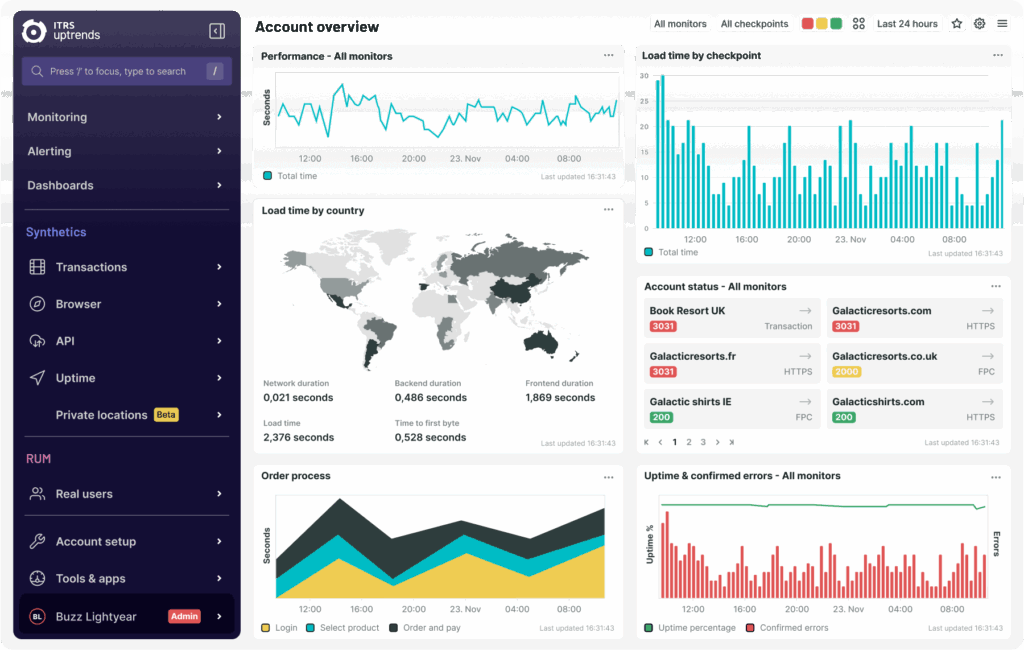
Nowadays, most of projects will apply continuous testing in their development lifecycle. This means we’ll have shift-left and shift-right testing beside the main traditional testing phase. In this article, I’d like to share about Uptrends, which supports us to implement shift-right testing in our project easily.
1. Uptrends Introduction
1.1. What is website monitoring?
Website Monitoring involves testing websites or web services for availability, performance, and function to ensure they are operational and usable by visitors. This can include automated or Real User Monitoring (RUM), but some sites may lack testing or rely on periodic manual checks. Manual testing is sporadic and undependable when considering the number of variables that influence a site’s availability, performance, and function.
1.2. What are Uptrends?
Uptrends is a SaaS (Software as a Service) Digital Experience Monitoring tool, providing users with detailed insights into the uptime and performance of their websites and services, from the end-user perspective. Easy to configure, Uptrends supports a wide range of monitor types for every monitoring scenario, as well as Real User Monitoring (RUM).
2. Uptrends key features
2.1. Synthetic Monitoring
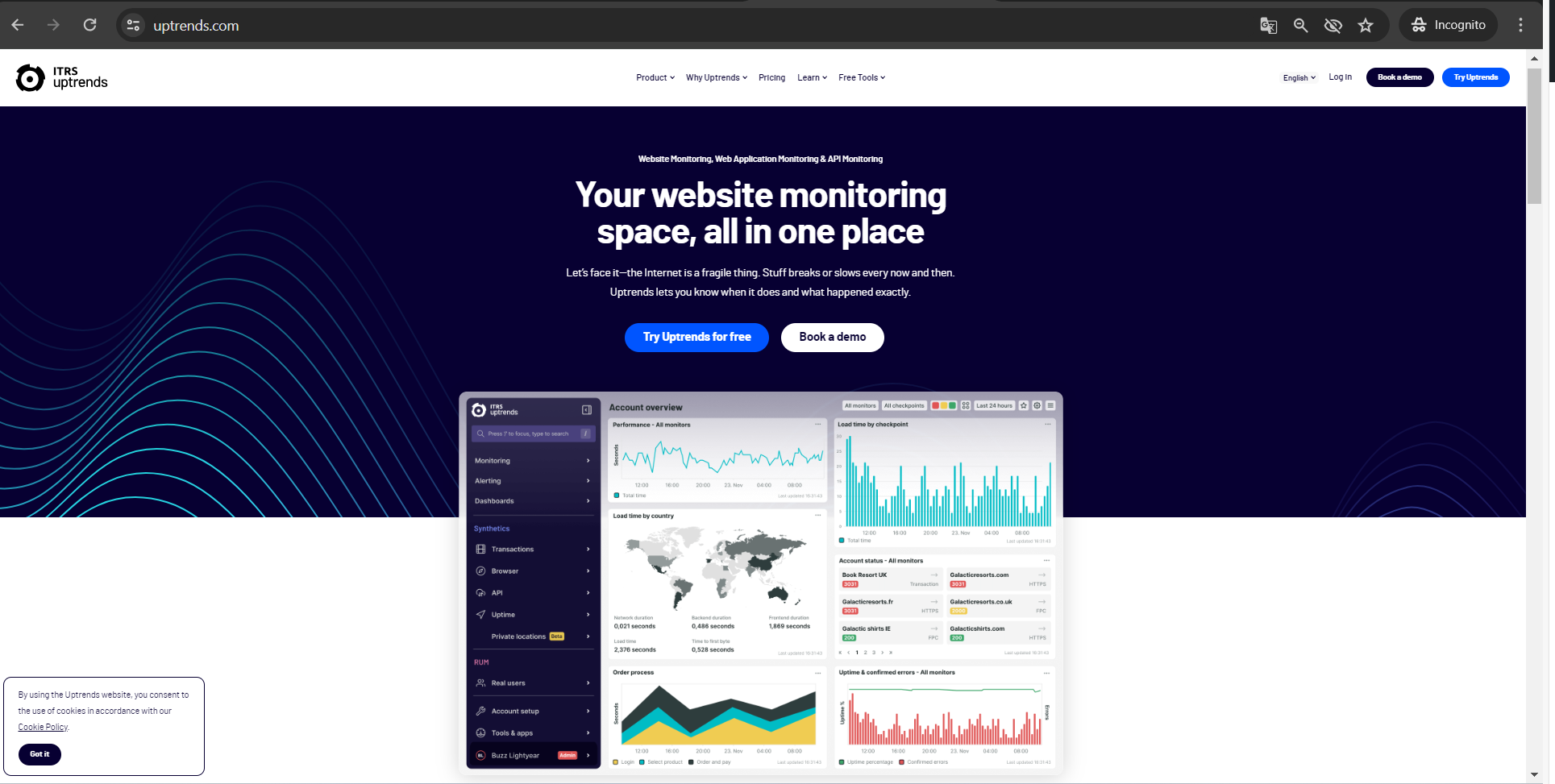
Synthetic monitoring is one of key technologies for shift-right testing. We usually apply it to make sure all the production services or main workflow of the application can work well on the production environment. With proactive synthetic monitoring, Uptrends leverages its extensive network of 233 website monitoring checkpoints worldwide to continuously assess your websites and processes for availability and performance around the clock, from strategically relevant locations for your business. Various monitor types cater to any potential use case you might encounter.
2.1.1. Uptime monitoring
Uptime monitoring ensures that your website and services are consistently available. Monitors like HTTPS check your site’s availability and functionality every minute worldwide. Additional monitors like DNS and SSL certificates ensure the correctness of your DNS setup and the validity of SSL certificates, sending alerts if any issues arise.
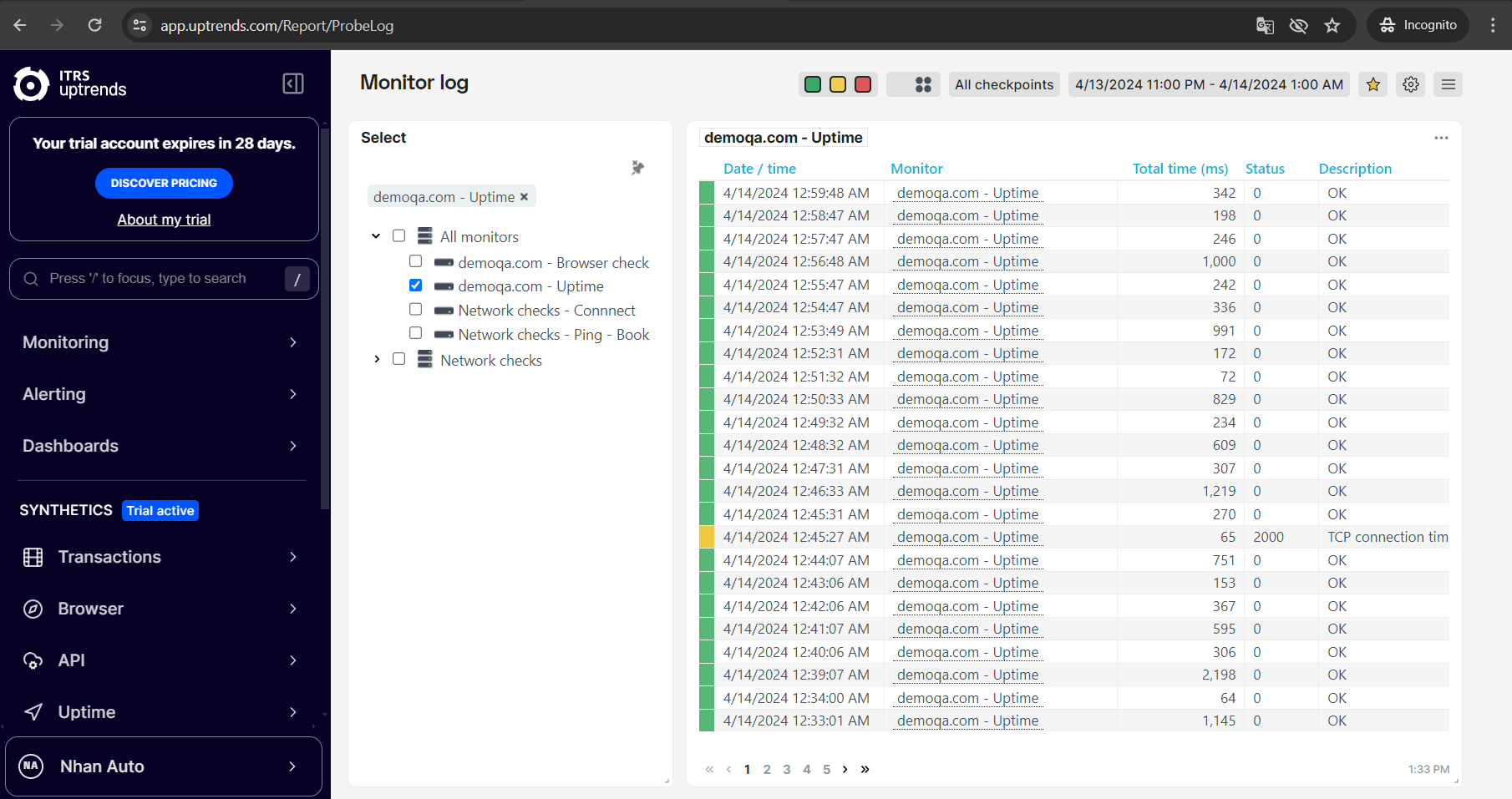 Image 2 – Uptime monitoring
2.1.2. Browser monitoring
In contrast to uptime monitoring, browser monitoring uses an actual browser to load your websites. This method, illustrated by the Full-Page Check (FPC) monitor type, mimics the end-user experience, generating detailed performance metrics such as a waterfall chart and key indicators like Core Web Vitals and W3C navigation timings, crucial for customer experience and search engine rankings.
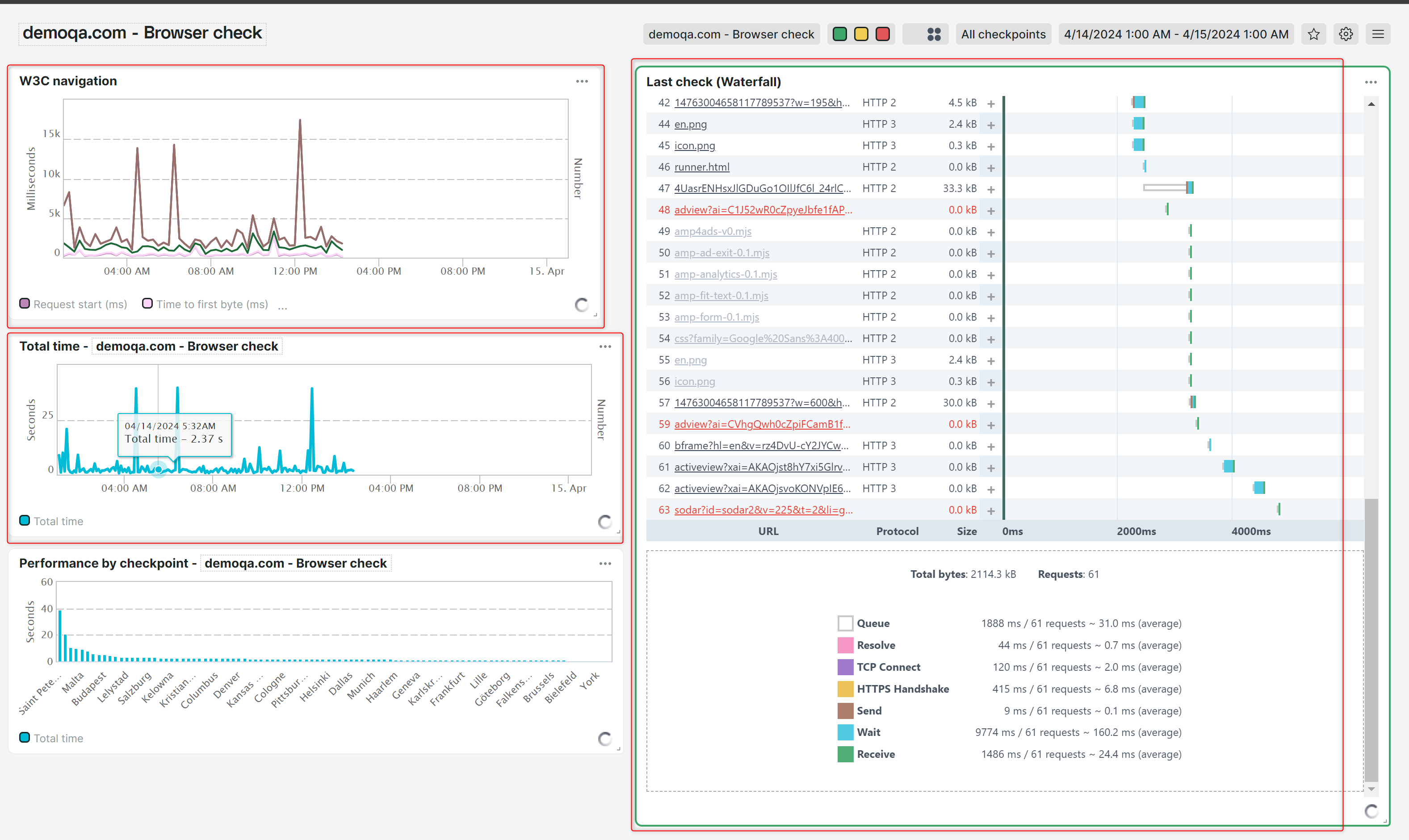
Image 3 – Browser monitoring (Core Web Vitals, W3C navigation timings, Waterfall chart)
2.1.3. Transaction / Web Application monitoring
A transaction (or Web Application) monitor loads your page in an actual browser, and then executes a script to interact with the page, imitating the actions of a real user. This monitor type can be used to test complete user journeys across your website, such as logins, searching for listed products, putting them in a shopping cart and proceeding through to the payment screen, filling in forms, et cetera.
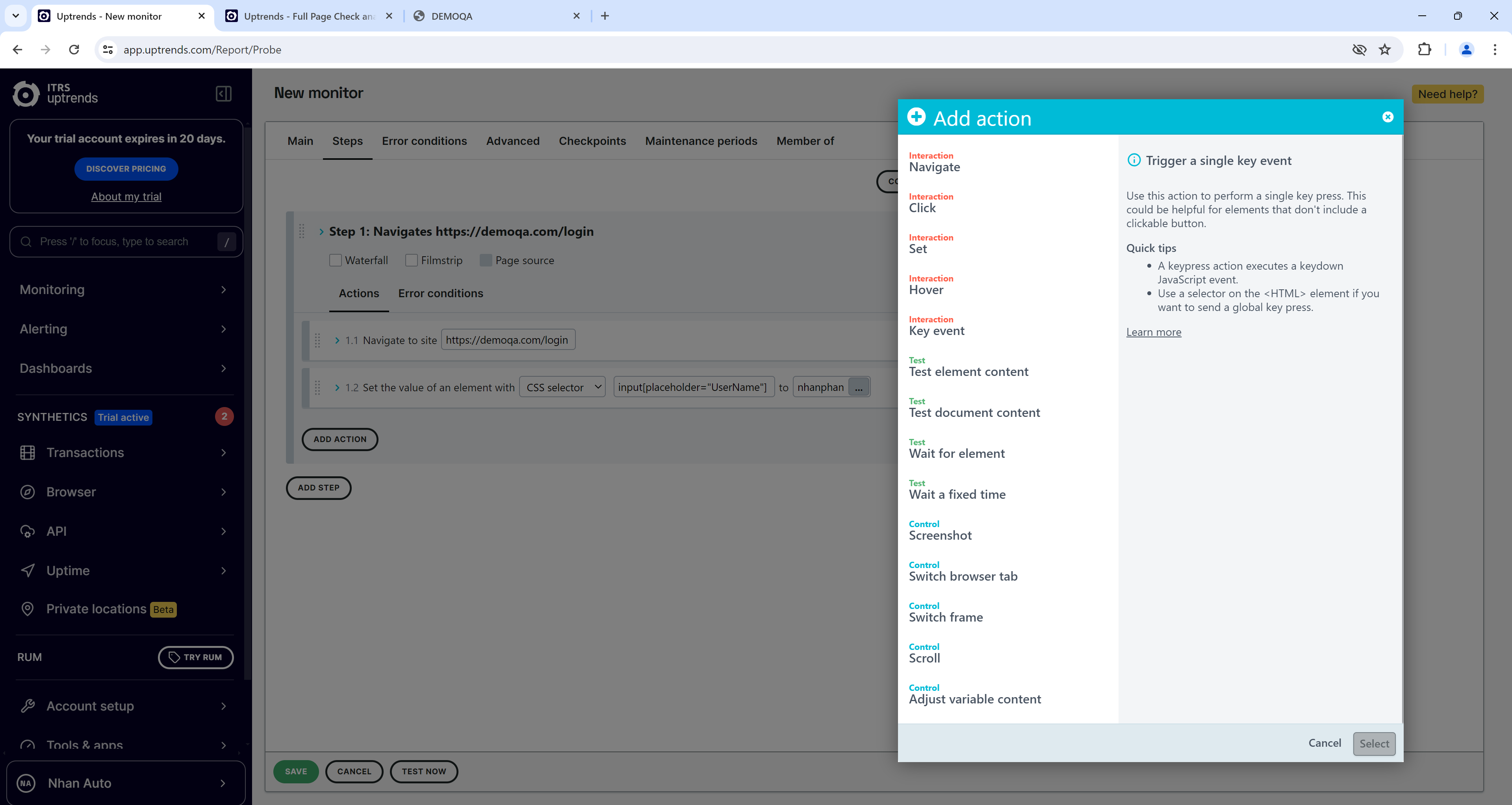
Image 4 – Add a new monitor transaction.
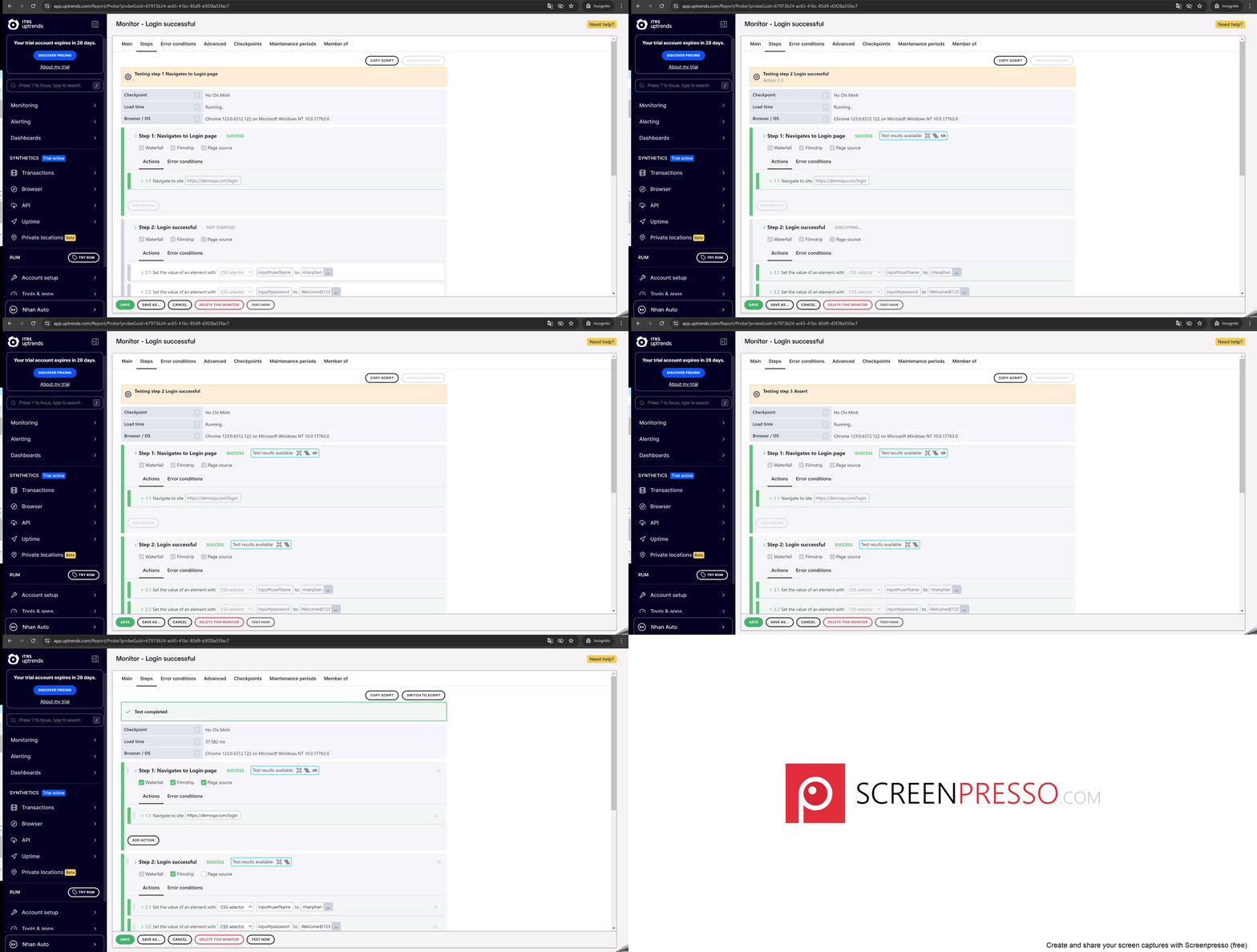
Image 5 – Run existing monitor transactions.
Please pay attention for the timeout setting in Uptrends:
- The default wait times for an element, unless otherwise specified, are 60 seconds for navigation and 30 seconds for all other action types.
- The maximum timeout value for any action type is 60 seconds.
- The maximum runtime Uptrends allows for a transaction monitor is 4 minutes.
- The interval is the time between the end of one check and the start of the next (5m-60m).
Note: Generally, it’s not necessary to change the default settings for the wait conditions. If you feel you need to adjust the wait conditions, reach out to support to help you optimize your monitor’s wait options.
A typical user flow, by which the user interacts with your website in several steps to complete a specific action, will touch multiple webservers, databases, APIs, or external resources. Transaction monitoring is the best way to check that all aspects of your critical user flows still function correctly. It is easy to set up, without any scripting experience required, by using the transaction recorder plugin for Chrome.
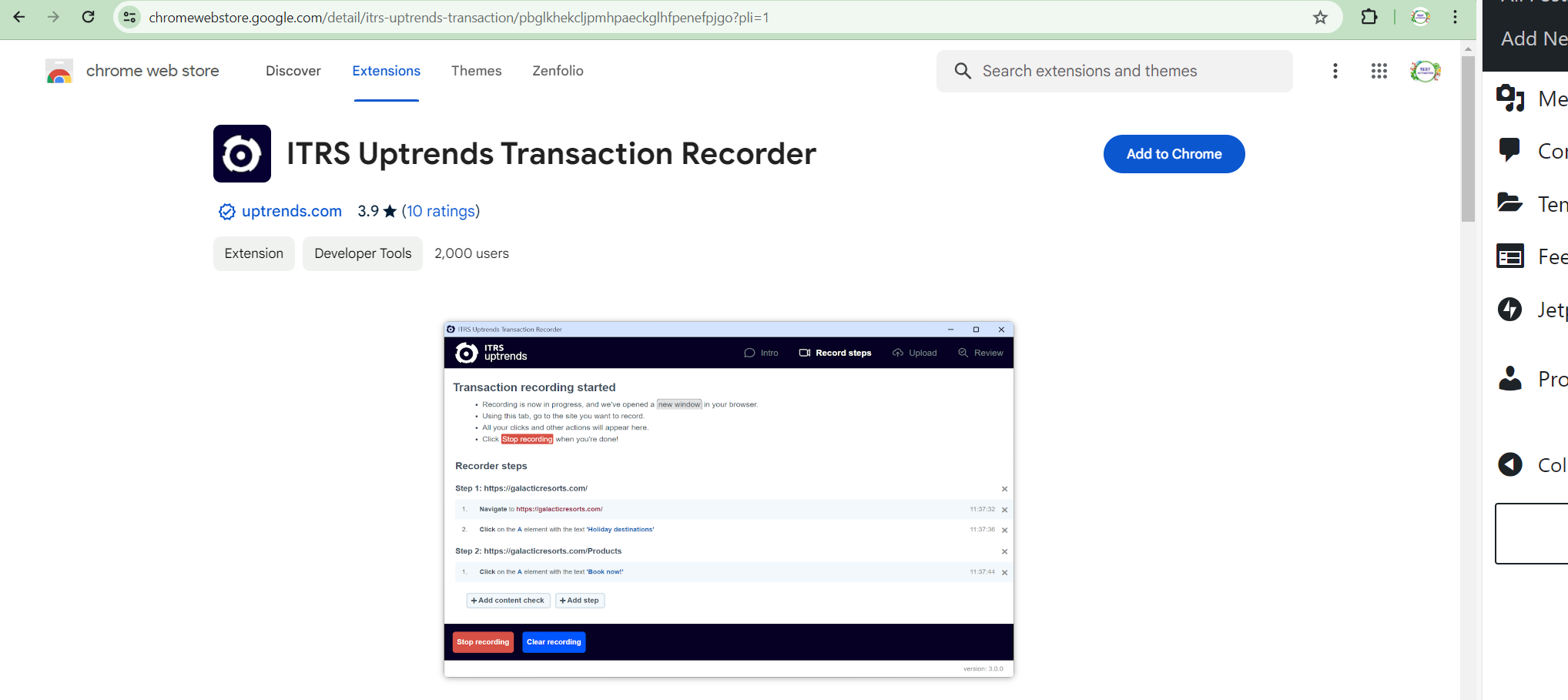
Image 6 – ITRS Uptrends Transaction Recorder
2.1.4. API monitoring
Uptrends API version 4 supports the Swagger environment to let you execute API methods directly.
[videopress hq5WA3uh w=”1200″ at=”1″ hd=”true” autoplay=”true”]
Video 1 – Introduction to Uptrends API
API Monitoring ensures the availability, correctness, and performance of an API. It detects outages and inefficient API calls, preventing application failures and enhancing user experience.
API monitoring is essential for businesses that provide or rely on APIs to maintain brand reputation and revenue. It ensures 24/7 availability and proper functioning of APIs, preventing application failures.
API monitoring works by using remote computers to send requests to APIs and evaluating responses for speed, content, and response codes. Errors are recorded, and alerts are sent out if issues are detected.
There are two types of API monitors: basic and multi-step. Basic monitors test single API calls, while multi-step monitors assess complete API interactions, handling various use cases.
2.2. Real User Monitoring
In addition to synthetic monitoring, Uptrends provides Real User Monitoring (RUM). RUM collects real-time performance data from actual end users using a script embedded in your page HTML. This offers insights into user experiences and details about their browsers and operating systems
2.3. Alerting
Uptrends’ monitoring offers robust alerting capabilities. Define when alerts are triggered and customize message content using alert definitions. Utilize built-in integrations to send notifications via email, SMS, phone call, or external platforms. Or create custom integrations to connect Uptrends alerts with any external platform, including those not listed.
A website monitoring tool that lets you decide how to get your alerts. Have many different methods to get alerts to your team. Choose one or multiple communication methods depending on the error and your staff’s needs:
-
- Get an email.
- Receive an SMS/text message.
- Get an automated phone call.
- Get push notifications through the Uptrends mobile apps for IOS and Android.
- Integrate Slack, PagerDuty, StatusHub, ServiceNow, VictorOps, Microsoft Teams, Zapier, Opsgenie, Statuspage, or use a custom webhook.
- Use the Uptrends API to interface with your own systems.
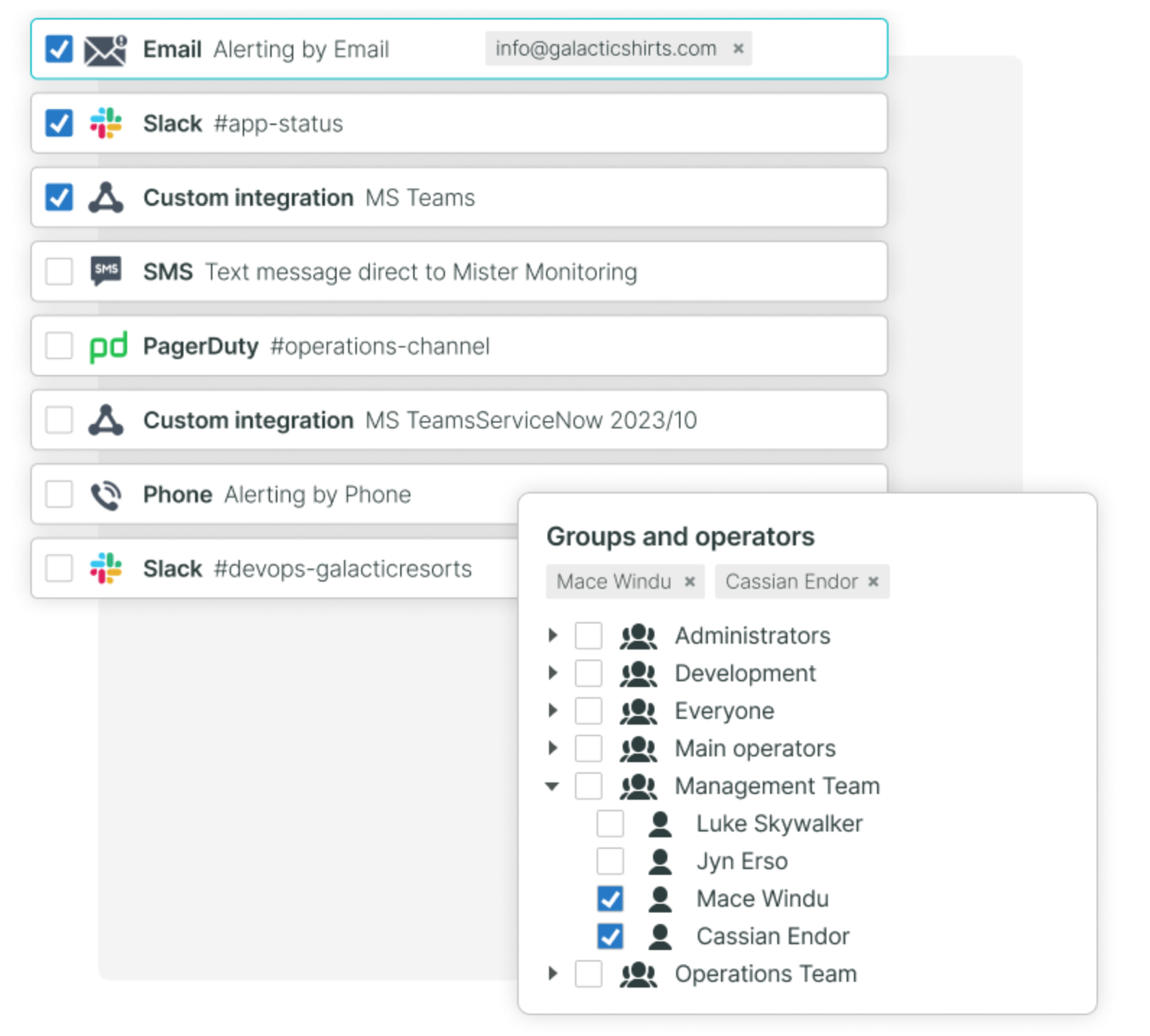
Image 7 – Alert option
3. Pros and cons
3.1 Pros
-
- Comprehensive Monitoring Suite: Uptrends offers a wide range of monitoring solutions, including synthetic monitoring, real user monitoring (RUM), API monitoring, and transaction monitoring, enabling businesses to gain detailed insights into various aspects of their website’s performance and user experience.
- Global Monitoring Network: Leveraging its global network of checkpoints, Uptrends provides monitoring from relevant locations worldwide, ensuring accurate performance data across diverse user bases.
- Detailed Performance Insights: Uptrends provides in-depth performance metrics such as uptime, page load times, and error rates, empowering businesses to quickly identify issues and optimize their website’s performance.
- Robust Alerting System: Uptrends’ alerting system is customizable and integrates with external platforms, allowing users to receive timely notifications of any performance issues and effectively manage incidents.
- User-Friendly Setup: Uptrends prioritizes user-friendliness, offering easy setup and intuitive interfaces for most monitoring types, reducing the need for extensive technical expertise.
3.2 Cons
-
- Occasional Performance Issues: Some users have reported occasional lag in the application and slower processing speeds, particularly when running scripts or saving configurations, which may impact user productivity.
- Limited Functionality: Certain user support functions, such as file uploads or inputting special characters, may be incomplete or limited, posing challenges for users performing tasks efficiently.
- Cost Considerations: The cost of Uptrends’ services may be a concern for some businesses, especially smaller organizations with limited budgets, prompting careful evaluation of the platform’s cost-effectiveness based on specific monitoring needs.
Uptrends offers a robust monitoring solution with comprehensive features and detailed insights into website performance, making it a valuable tool for businesses seeking reliable digital experience monitoring in 2024.
4. Comparison
Comparison table between Uptrends and similar tools like Pingdom, Datadog, and New Relic, highlighting key features:
| Features | Uptrends | Pingdom | Datadog | New Relic |
|---|---|---|---|---|
| Monitoring Types | Uptime, transaction, browser, RUM | Uptime, page speed, transaction, RUM | Infrastructure, app performance, synthetic, RUM | App performance, synthetic, infrastructure, RUM |
| Geographical Coverage | 233+ checkpoints globally | Global network | Global presence, customizable locations | Extensive global network |
| Alerting Options | Email, SMS, calls, external platforms | Email, SMS, push notifications | Email, Slack, webhooks, various integrations | Team-based notifications |
| Integrations | Built-in and custom solutions | Popular collaboration tools | Extensive with many tools and services | Wide range of software integrations |
| User Interface | Intuitive dashboard | User-friendly, easy navigation | Comprehensive but complex interface | Feature-rich, tailored for tech users |
| Pricing | Flexible plans for different needs | Tiered pricing based on features | Modular pricing, pay-per-use | Custom pricing based on usage |
5. Conclusion
As an end user, I sometimes experience lag in the application and difficulty saving scripts. Furthermore, the processing speed when running a script sometimes falls short of my expectations, and certain user support functions are incomplete or limited. For example, uploading files or entering special characters can pose challenges. However, these problems are relatively minor.
Uptrends offers comprehensive Digital Experience Monitoring solutions tailored for modern businesses. It provides detailed information about the uptime and performance of websites and services from an end-user perspective. Moreover, Uptrends’ powerful alert system ensures timely notification of any issues, allowing for a prompt response and resolution. With customizable alert definitions and flexible integration options, users can effectively manage alerts and communicate seamlessly with external teams or platforms.
Reference:
- Support center – https://www.uptrends.com/support
- Basics of the Uptrends app – https://www.uptrends.com/support/kb/basics
- Web Application Monitoring – https://www.uptrends.com/what-is/web-application-monitoring
- Waterfall chart – https://www.uptrends.com/support/kb/synthetic-monitoring/monitoring-results/waterfall-chart
- Using wait conditions – https://www.uptrends.com/support/kb/synthetic-monitoring/transactions/using-wait-conditions
- Page interactions – https://www.uptrends.com/support/kb/synthetic-monitoring/transactions/page-interactions
- Uptrends checkpoints – https://www.uptrends.com/checkpoints
- Uptrends’ API – https://www.uptrends.com/support/kb/api
- Multi-step API Monitoring – https://www.uptrends.com/products/synthetics/api-monitoring
- Uptrends Website Monitoring – https://www.uptrends.com/products/synthetics/website-monitoring
- Understanding the step editor – https://www.uptrends.com/support/kb/synthetic-monitoring/transactions/understanding-the-step-editor#css-selectors-and-xpath-queries
- Uptrends Integrations – https://www.uptrends.com/integrations
- Uptrends Alternatives – https://www.softwareadvice.com/website-monitoring/uptrends-profile/alternatives/
- Reviews of Uptrends – https://www.capterra.com/p/80467/Uptrends/reviews/
- Uptrends vs Pingdom – https://www.capterra.com/compare/80467-131928/Uptrends-vs-Pingdom
- Uptrends review – https://www.trustradius.com/products/uptrends/reviews?qs=pros-and-cons#overview
- Uptrends review – https://www.getapp.com/it-management-software/a/uptrends/reviews/
- Website Monitoring Software > ITRS Uptrends > ITRS Uptrends Reviews – https://www.g2.com/products/itrs-uptrends/reviews
- 10 Best Catchpoint Alternatives [2023 Comparison] – https://sematext.com/blog/catchpoint-alternatives/
- 10 Best LogicMonitor Alternatives [2023 Comparison] – https://sematext.com/blog/logicmonitor-alternatives/
- 10 Best Uptime Robot Alternatives [2023 Comparison] – https://sematext.com/blog/uptime-robot-alternatives/