


In this blog, we will run a simple Go program in the self hosted agents pool of Azure Virtual Machines.
Pre-Requisites:
- Azure Account
- Configure self hosted agents
Run a Go program in a self hosted agents
Open Azure Devops portal.
Go to your Organization.
Go to the Project you are working on.
I have configured the pipeline already. You can find the code here
This is the pipeline definition that will run our Go code in the agent.
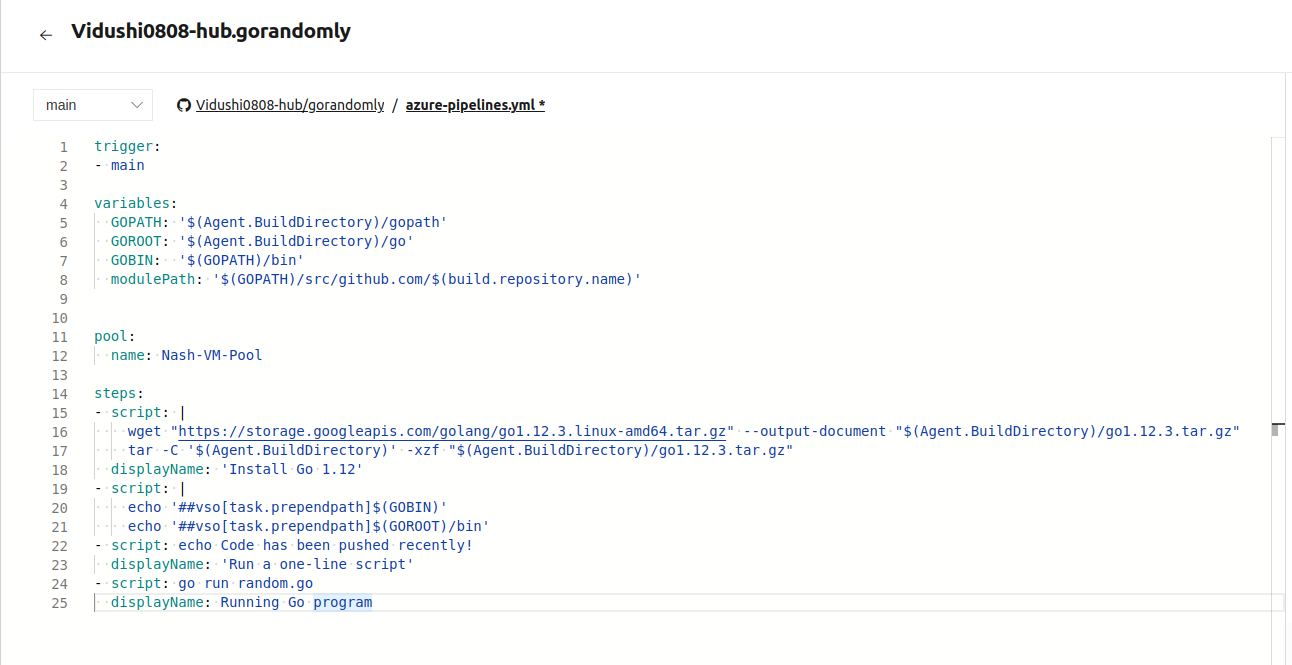
Explanation of the code:
trigger: The pipeline build will trigger when we add commits to the main branch
variables: This will capture all the variables that the pipeline needs to run effectively. Here we are storing Go related variables.
pool: This refers to the agent pool to use and run the pipeline script on. We will use self-hosted agent for this pipeline. This pool is named as Nash-VM-Pool.
steps: It refers to the steps the pipeline will perform in a sequential manner. The first step includes installing Go to the agent. The last step will run the Go program in the agent.
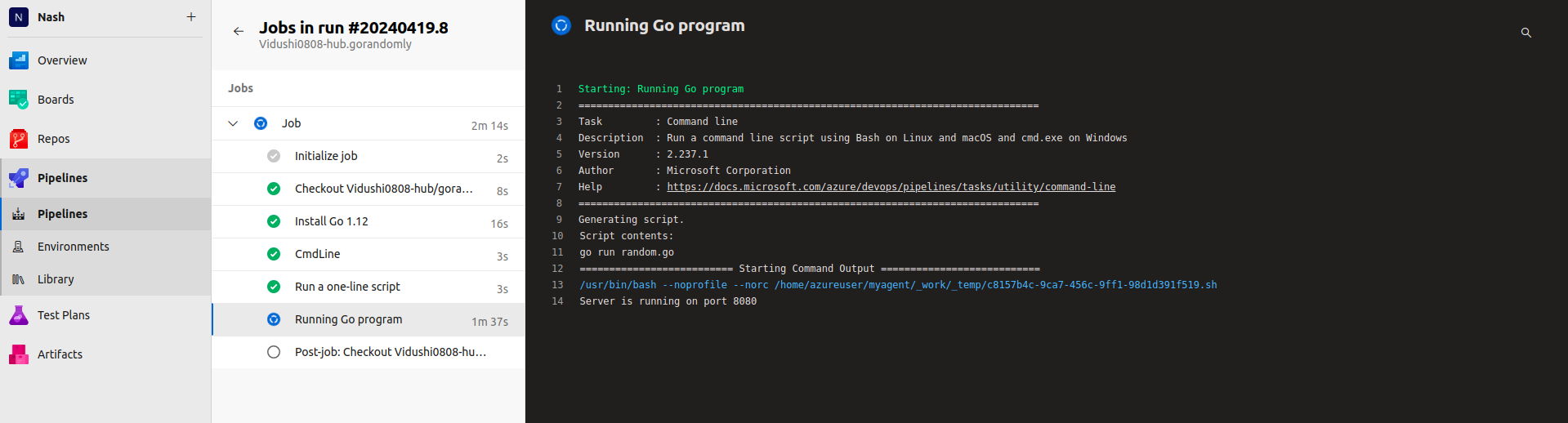
Lets run the pipeline
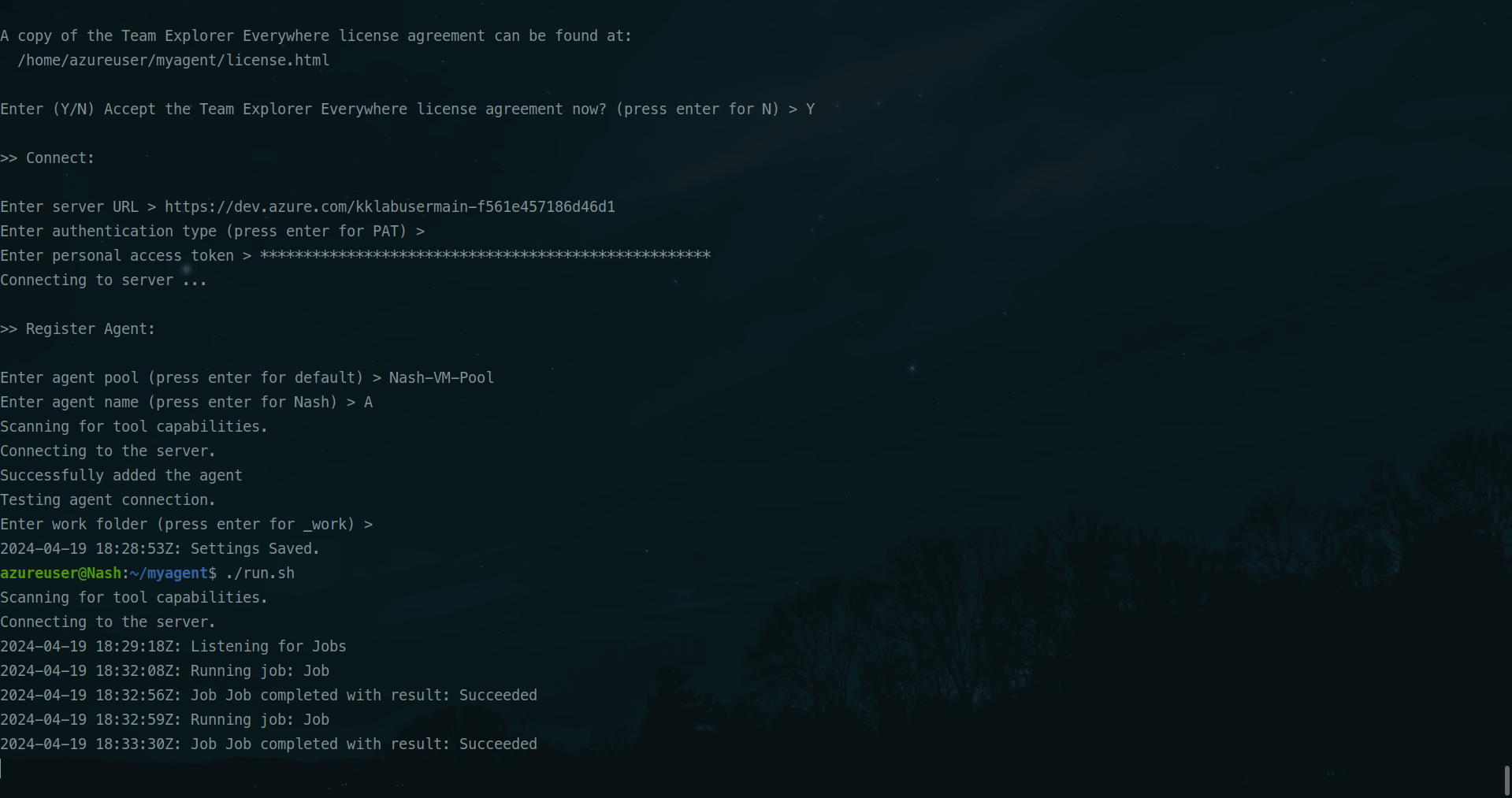
We can see the logs of self hosted runner too.
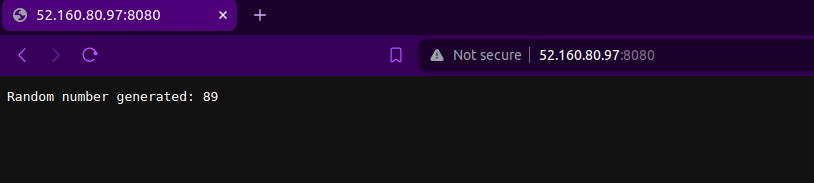
The job was successful. Since this Go program is created to run on port 8080 of the VM, we can also use the public IP of the agent we configured to see if our code is running on port 8080.
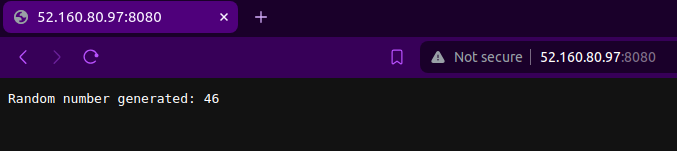
If you refresh it, another random number will be generated.
This is how you can create a basic Go program in the self hosted agent using Azure Devops. If you have any questions/feedbacks regarding this blog, I am reachable at vidushi.bansal@nashtechglobal.com. You can find more of my blogs here.