


One of the key features of ASP.NET Core MVC is ViewData, which allows passing data from controllers to views. In this article, we’ll see more into ViewData, its usage, and best practices for the application development.
What is ViewData?
ViewData is a dictionary object in ASP.NET Core MVC that is used to pass data from controllers to views. It is a dynamic object, meaning you can add properties to it dynamically. ViewData is a lightweight option for transferring data between controllers and views, especially for small amounts of data.
How to Use ViewData
Using ViewData involves 2 simple steps:
- Passing Data from Controller to View: In the controller action method, you can assign values to ViewData like so:
using Microsoft.AspNetCore.Mvc;

namespace ViewData_Net_Core_Explained.Controllers
{
public class HomeController : Controller
{
public IActionResult Index()
{
// Assigning a message to ViewData
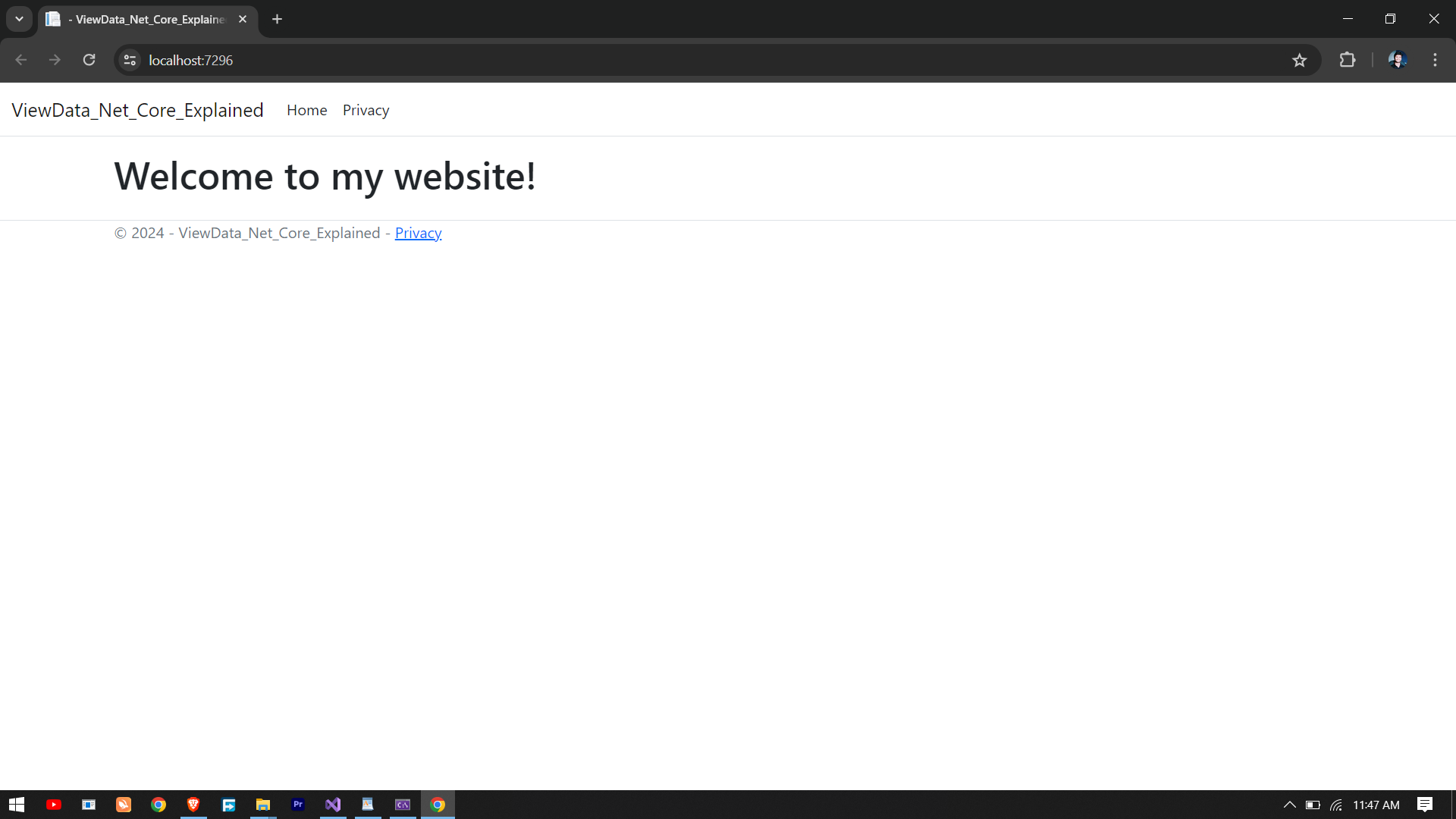
ViewData["Message"] = "Welcome to my website!";
return View();
}
}
}

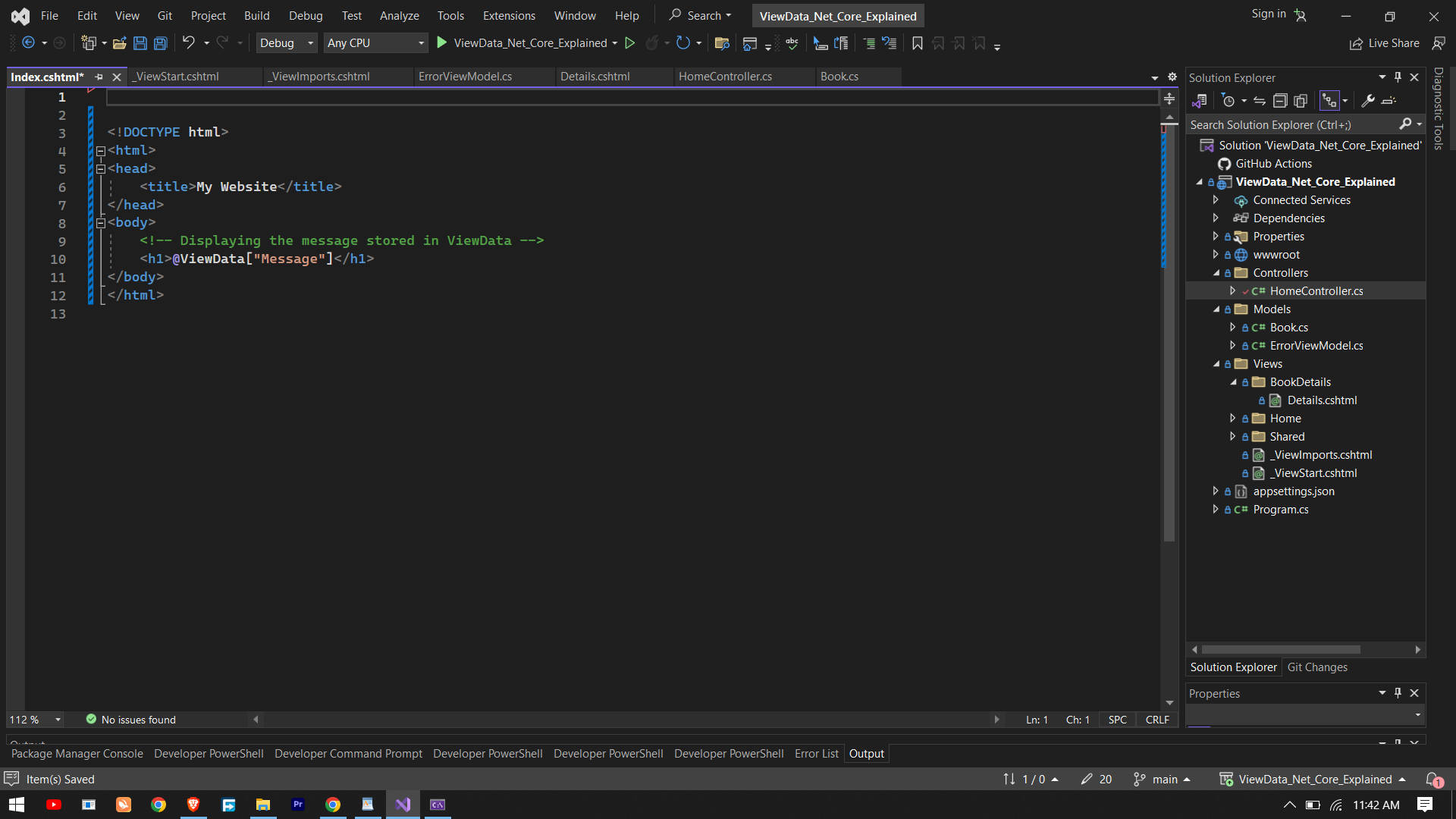
2. Accessing Data in the View: In the corresponding view, you can retrieve the data stored in ViewData using the same key:
<!DOCTYPE html>
<html>
<head>
<title>My Website</title>
</head>
<body>
<!-- Displaying the message stored in ViewData -->
<h1>@ViewData["Message"]</h1>
</body>
</html>
Output
Key Points to Remember
1. Dynamic Typing: Since ViewData is a dynamic object, there’s no compile-time type checking. Therefore, it’s essential to ensure consistency in key names and data types between the controller and view.
2. Limited to Current Request: ViewData is limited to the current request. Once the request is processed, ViewData is discarded. It’s not suitable for persisting data across multiple requests.
3. Performance Considerations: While ViewData is convenient for passing small amounts of data, it’s not recommended for large datasets due to its dynamic nature and potential performance overhead.
4. Use with Caution: While ViewData provides flexibility, excessive usage can lead to code maintainability issues, as it may make the code less readable and harder to maintain.
Note: ViewData is a dictionary-like object that stores data as key-value pairs. You can use it to pass data from a controller to a view, but you need to cast the data type when you retrieve it in the view.
Alternatives to ViewData
While ViewData is useful in certain scenarios, ASP.NET Core MVC offers other options for passing data between controllers and views:
1. ViewBag: Similar to ViewData, ViewBag is another dynamic wrapper around ViewData, offering a more concise syntax. However, it’s recommended to use ViewData over ViewBag for clarity and type safety.
2. Model Binding: Model binding allows passing strongly-typed objects from controllers to views, offering compile-time type checking and better code maintainability. It’s the preferred approach for passing data in most scenarios.
Conclusion
ViewData is a valuable tool in ASP.NET Core MVC for passing data from controllers to views. It offers flexibility and simplicity, making it suitable for scenarios where passing small amounts of data is required. However, developers should use it judiciously and consider alternatives like ViewBag and model binding for better code organization and maintainability. Understanding the strengths and limitations of ViewData is essential for effective ASP.NET Core MVC development.