


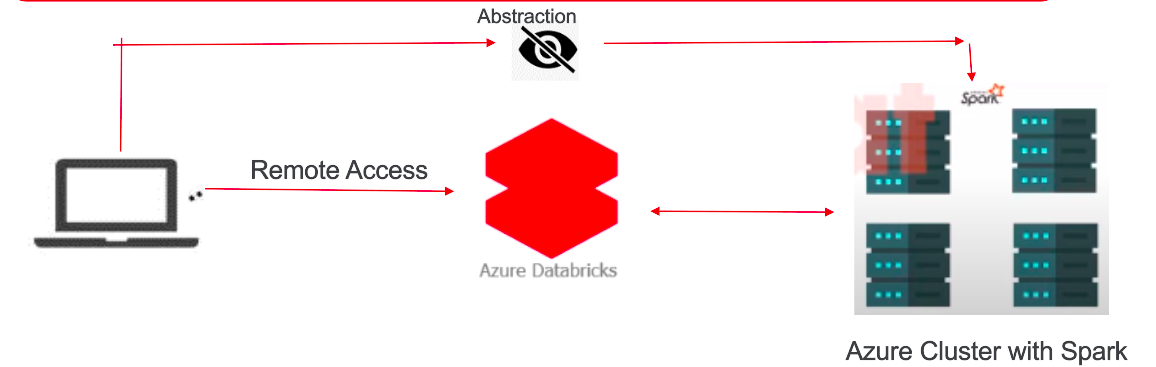
Databricks was founded by the original creators of Apache Spark. Consequently, it was developed as a web-based platform specifically designed for working with Apache Spark. It provides automated cluster management and iPython-style notebooks.
What is Databricks?
It is a platform that helps people work with large amounts of data more easily. Essentially, it enables different types of individuals, such as data scientists, engineers, and business analysts, to collaborate and analyze data together. Additionally, it serves as a digital workspace where you can write code, create graphs, and explore data without needing to worry about the technical details of managing computers and software. Moreover, Databricks assists with tasks like training artificial intelligence models and ensuring data security. Overall, it simplifies teamwork and facilitates the extraction of insights from data.
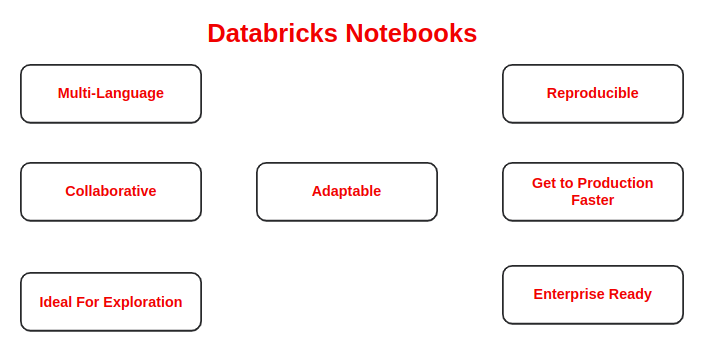
Notebooks are a common tool in data science and machine learning for developing code and presenting results. Moreover, in Azure Databricks, notebooks serve as the primary tool for creating data science and machine learning workflows and collaborating with colleagues. Notably, Databricks notebooks provide real-time co-authoring in multiple languages, automatic versioning, and built-in data visualizations.
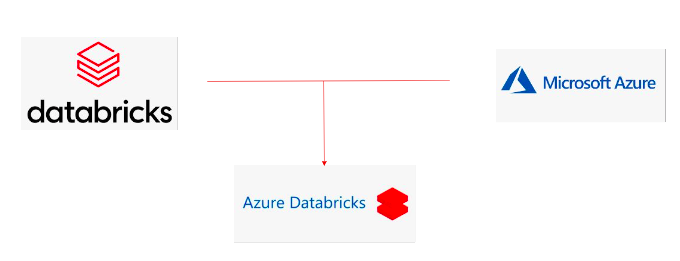
What is Azure Databricks?
Why to use Azure Databricks?
Given that Azure Databricks is a cloud-based service, it offers several advantages over traditional Spark clusters. Let us delve into the benefits of using Azure Databricks.
Optimised Spark Engine:
Data Processing with Auto-scaling and Spark optimized for up to 50x performance gain. Additionally, manual work (remove node) on cluster is removed by auto-scaling, hence eliminating the need for manual intervention. This automated process also simplifies the management of complex cluster settings.
Machine Learning:
Pre-configured environments with frameworks such as PyTorch, TensorFlow and sci-kit learn installed.
Mlfow :
Track and share experiments, reproduce runs, and manage models collaboratively from a central repository. Furthermore, this centralized approach enhances collaboration and streamlines the management of machine learning models.
Choice of language:
Choose your preferred language, such as Python, Scala, R, Spark SQL, or .NET, regardless of whether you utilize serverless or provisioned computing resources.
While launching a notebook after cluster setup you got option to start your notebook in your preferred language.
Collaborative Notebooks:
Enable rapid access to data, facilitating exploration and sharing of insights while collectively building models using a variety of languages and tools. Ex: Other team can easily access your code and execute it, etc. No manual sharing.
Delta Lake:
Provides data lake reliability and scalability by incorporating an open-source transactional storage layer, specifically designed to support the entire data lifecycle.
Data already indexed for you for faster transaction.
Integration with Azure Services:
Complete your end-to-end analytics and machine learning solution, coupled with deep integration with azure services such as Azure Data Factory, Azure Data Storage, Azure Machine learning, and Power BI (Business Intelligence). This seamless integration enhances data accessibility, analysis, and visualization across the Azure ecosystem, facilitating comprehensive insights and decision-making capabilities.
Interactive Workspace:
Easy and seamless coordination with Data Analysts, Data Scientists, Data Engineers, and Business Analysts ensures smooth collaborations. Additionally, this streamlined coordination fosters synergy among diverse teams, leading to more efficient data-driven decision-making processes.
Enterprise Grade Security:
Furthermore, Microsoft Azure’s native security features safeguard data within storage services and private workspaces, ensuring comprehensive protection.
Production Ready:
Easily run, implement, and monitor your data-oriented jobs and job-related stats. Moreover, this streamlined process enhances efficiency and provides real-time insights into job performance, facilitating proactive decision-making and optimization.
What are Databricks Utilities?
Databricks utilities and DButils help us to perform a variety of powerful tasks, including efficient object storage, chaining notebooks together, and working with secrets. Additionally, within Azure Databricks notebooks, the DBUtils library furnishes utilities facilitating interaction with different facets of the Databricks environment. These utilities encompass file system operations, database connections, and cluster configuration, thereby enhancing the overall functionality and efficiency of data workflows.
All DButils are available for notebooks of the following languages:
- Python,
- Scala
- R
Note: DBUtils are not supported outside Notebooks
Regardless of the notebook language being used (Python, Scala, or R), you can harness the capabilities offered by DBUtils to interact with diverse facets of Azure Databricks. Moreover, this versatility enhances the flexibility and efficiency of data workflows across different programming languages.
Integrating Azure Databricks with Azure Blob Storage
Seamless integration with various Azure services:
- Azure Storage: Data storage and retrieval.
- SQL Data Warehouse: Data warehousing and analytics.
- Cosmos DB: NoSQL database for scalable applications.
- Data Lake Storage: Scalable data lake storage.
- Active Directory: Identity and access management.
Microsoft Azure provides a multitude of services. Consequently, it’s often beneficial to combine multiple services together to approach your use-case.
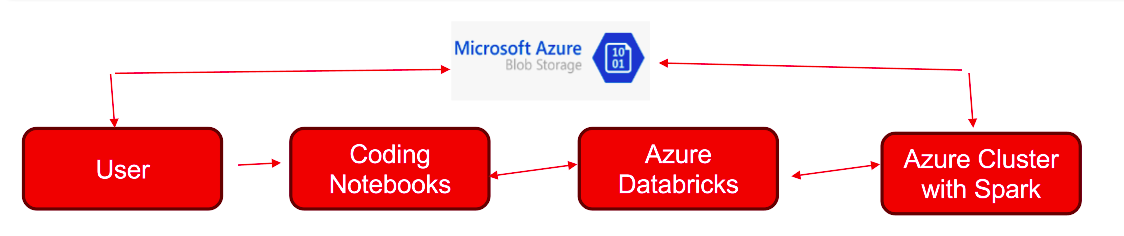
Step 1: Set up Azure Databricks
- First, log in to the Azure portal (https://portal.azure.com).
- Next, search for “Databricks” in the search bar.
- Then, create a new Azure Databricks workspace by providing necessary details like subscription, resource group, workspace name, and pricing tier.
- Finally, once the workspace is provisioned, navigate to it from the Azure portal.
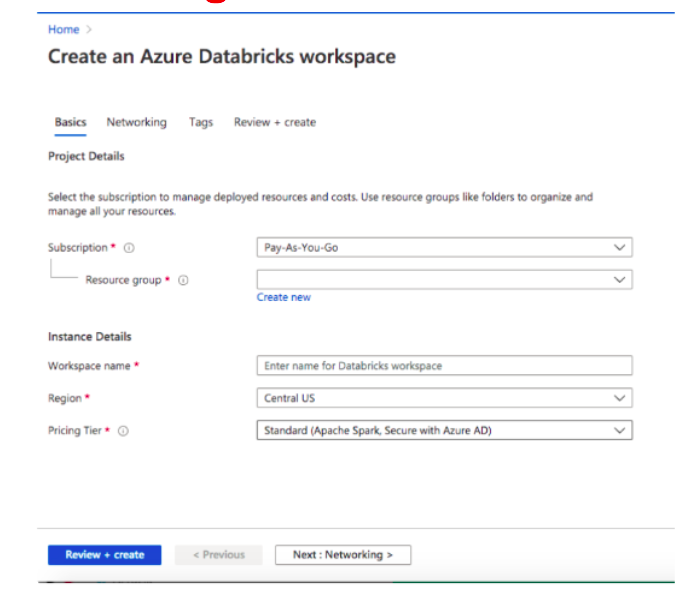
Step 2: Create a Cluster
- Within the Azure Databricks workspace, navigate to the “Clusters” tab.
- Click on “Create Cluster” and configure the cluster settings such as cluster mode, instance type, and number of workers.
- Click “Create Cluster” to provision the cluster.
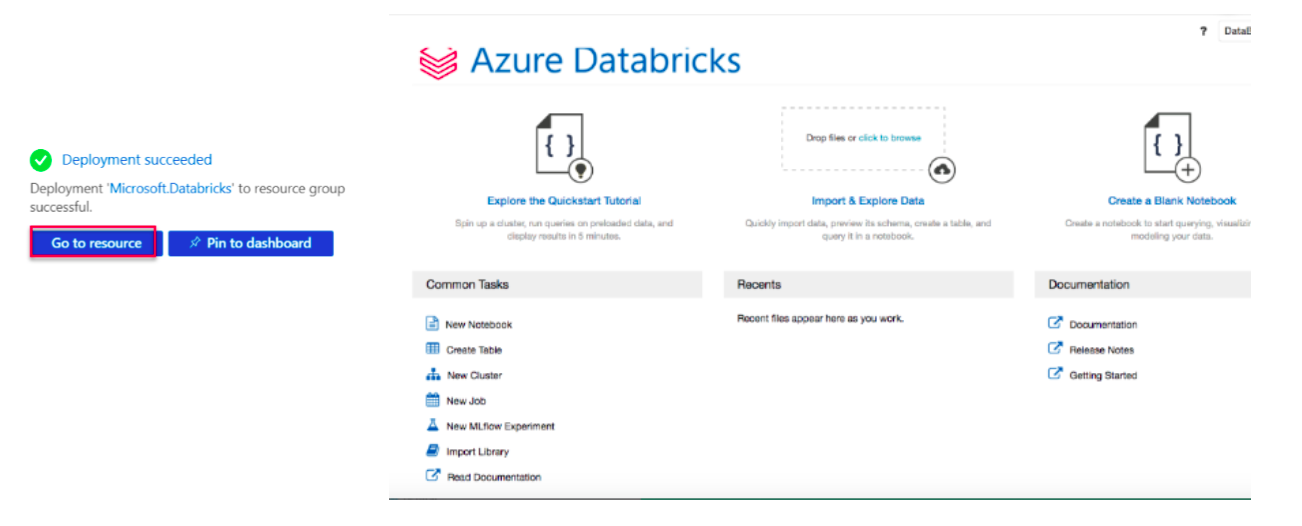
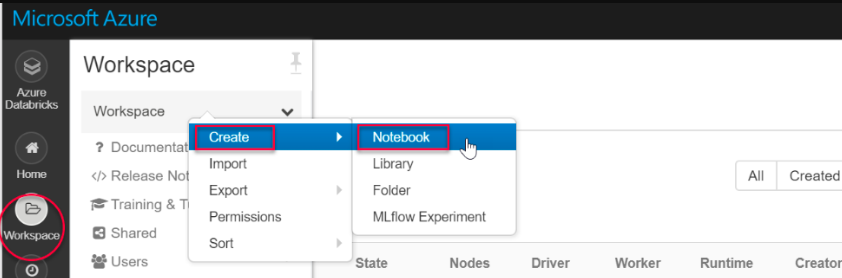
Step 3: Create a Notebook
- Go to the Notebooks tab in the workspace.
- To initiate the process, select “Create” and then opt for your preferred language from the available options (Python, Scala, SQL, or R).
- Name your notebook and click “Create.”
Step 4: Connect to Azure Blob Storage
In your notebook, use the following code to configure Azure Blob Storage credentials:
pythonCode . For example,
val containerName = “containername“
val storageAccountName = “storage“
val sas = “your own secrete generated key“
val config = “fs.azure.sas.” + containerName+ “.” + storageAccountName + “.blob.core.windows.net”
Replace “containerName “ and “storageAccountName “ with your actual storage account name and access key.
Step 5: Access Data in Azure Blob Storage
After establishing the connection, subsequently, you can utilize Spark APIs to access data stored in Azure Blob Storage.
For example,
pythonCopy code
# mount Azure Blob Storage
dbutils.fs.mount(source = “myfile csv path that you want to read“,
mountPoint = “/mnt/myfile“,
extraConfigs = Map(config -> sas))
Replace “source“ with your file path.
Step 6: Perform Data Operations
- Furthermore, you have the flexibility to conduct a wide range of data operations on the data loaded from Azure Blob Storage using Spark DataFrame APIs.
- Additionally, you can analyze, transform, visualize, or model the data as required directly within your notebook.
Step 7: Cleanup (Optional)
- Once you’re done with your analysis, you can terminate the cluster to avoid incurring unnecessary costs.
- Navigate to the “Clusters” tab, choose your cluster, and then click on the “Terminate” button to shut down the cluster.
Excellent work! By now, you’ve successfully completed the integration of Azure Databricks with Azure Blob Storage and executed various data operations within a notebook.
Conclusion:
Here, we have read about Azure Databricks. Additionally, we can explore further and leverage Azure Databricks and Azure Blob Storage for data analytics needs.
For more: look into below.
https://learn.microsoft.com/en-us/azure/databricks/introduction/
For further insights, please visit this blog.