


Building a strong testing plan is critical for software development. While automation brings many advantages, manual testing remains key to achieving complete testing. Testerum offers a unified solution that smoothly combines both manual and automated testing processes in a single platform.
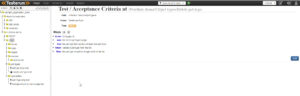
Presented below is the UI of Testerum:
I. Key Advantages of Testerum:
- Supports a Wide Range of Testing Needs: Execute manual and automated tests effectively. Whether you’re testing web apps, APIs, databases, or integrations, Testerum has the flexibility to meet your demands.
- Simplified Test Case Creation: Craft clear and concise test cases using a user-friendly interface. No coding knowledge is required to get started. Define steps, expected results, pre-conditions, and other relevant details in a structured format. Testerum guides you through the process, ensuring all crucial aspects are covered.
- Enhanced Collaboration: Improve communication among your team by centralizing functionality, acceptance criteria, and test stages in one spot. Share test cases and collaborate on updates effortlessly, ensuring that everyone is on the same page.
- Improved Readability: Write test cases in a clear and understandable format, using plain language whenever possible. This ensures everyone on the team, from testers to developers and stakeholders, can comprehend the testing process.
- BDD Acceptance Criteria: Leverage Behavior-Driven Development (BDD) principles to define acceptance criteria in business language. Describe how the system should behave from the user’s perspective, promoting better stakeholder understanding and ensuring the application meets their needs.
II. Beyond the Basics:
- Reusable Test Steps: Minimize redundancy and improve efficiency by creating reusable steps for common actions. Break down complex test cases into smaller, reusable steps. This allows you to easily combine these steps into various test cases, saving time and reducing the chance of errors.
- Seamless Automation Integration: Integrate Testerum with your existing automation framework for a cohesive testing strategy. Whether you’re using Selenium or another popular framework, Testerum allows you to manage both manual and automated tests within a single platform. This eliminates the need to switch between different tools, streamlining your testing workflow.
- Real-Time Analytics: Gain valuable insights into your testing progress with Testerum’s comprehensive reports. Track execution status, identify areas with high failure rates, and monitor overall test coverage. Use these insights to optimize your testing efforts, prioritize bug fixes, and ensure a smooth development process.
III. Key Features:
- Supported Platforms: Windows, macOS, and Linux
- Testing Types: Manual and Automated
- Applications Under Test: Web & APIs
- Scripting Language: JavaScript (for advanced users and customization)
- Supported Browsers: Google Chrome, Firefox, Safari, Edge, Remote and Headless browsers
- Programming Skills: Not Required (JavaScript knowledge helpful for customization)
- Learning Curve: Easy
- Test Maintainability: Easy (structured format and reusable steps)
- CI/CD Integration: Integrates with Jenkins, Bamboo, TeamCity, etc.
- Versioning System Integration: Supports external systems like GIT and SVN
- Extensibility: Allows for custom integrations using Java
- Reporting: Native Reports Included (detailed and customizable)
- Pricing: Free tier available (Paid support plans available)
IV. Testerum vs. Xray: A Feature Comparison
Here’s a table comparing Testerum and another test management tool Xray :
|
Feature
|
Testerum
|
Xray
|
|
Primary Focus
|
Manual & Automation Testing
|
Test Management (primarily manual)
|
|
Supported Testing Types
|
Manual, Automated (various frameworks)
|
Manual, Limited Automation Support
|
|
Test Case Creation
|
User-friendly interface, no coding required
|
User-friendly interface, scripting optional
|
|
Collaboration Features
|
Centralized test cases, comments, discussions
|
Shared test cases, comments, approvals
|
|
BDD Support
|
Yes, supports writing acceptance criteria in plain language
|
Yes, supports BDD practices
|
|
Reusable Test Steps
|
Yes, create reusable steps for efficiency
|
Limited support for reusable steps
|
|
Automation Integration
|
Integrates with various frameworks (connectors & scripting)
|
Limited automation integration (primarily plugins)
|
|
Reporting
|
Built-in reports (detailed & customizable)
|
Built-in reports, customizable to an extent
|
|
CI/CD Integration
|
Integrates with Jenkins, Bamboo, TeamCity, etc.
|
Integrates with Jenkins, Bamboo, etc.
|
|
Version Control Integration
|
Supports GIT & SVN
|
Supports GIT & SVN
|
|
Learning Curve
|
Easy to learn and use
|
Easy to learn, moderate for scripting
|
|
Pricing
|
Free tier available, paid plans for support
|
Freemium model (limited features in free tier)
|
V. Conclusion:
Testerum enables you simplify your testing process, boost cooperation, and obtain useful insights into improving product quality. Its simple design, diverse features, and free tier make it an appealing option for testers of all skill levels.
Whether you’re an experienced automated tester or part of a team looking to transition from manual to automated testing, Testerum can enhance your testing approach.
However, Testerum has two primary drawbacks: it is a relatively new tool with a limited community, and its documentation could be more comprehensive.
Reference: https://testerum.com/features
Note: I will publish additional blog posts demonstrating how to create, update, and execute manual test cases, as well as how to convert these manual test cases to automated ones using Selenium before execution. You can find related blogs by searching keyword “Testerum” in the NashTech blogs.