



What is OData?
As defined from OData’s homepage:
“OData (Open Data Protocol) is an ISO/IEC approved, OASIS standard that defines a set
of best practices for building and consuming RESTful APIs.”
In simple terms, OData is an open protocol that facilitates querying and updating data
Why should we use it?
There are two reasons why I think we should consider using OData for our web service APIs:
- Simplified Development
- We can focus on the core business logic of our service without worrying about defining intricate request and response formats. It will have faster development cycles and reduced maintenance overhead.
- Enhanced Interoperability
- Because our system will have so many services each service uses different communication methods to access data. This causes the API to lack consistency. Let me give an example below:
- Scenario: Imagine you’re developing a mobile app that allows users to track their fitness goals. This app needs to integrate with two different services:
- A fitness tracker: This service provides data on steps taken, calories burned, and sleep patterns.
- A nutrition app: This service offers information on consumed calories and macronutrients.
- The Problem Without OData
- Traditional APIs: Both services likely have their own unique APIs for data
access. You’d need to write custom code specific to each API to retrieve
the necessary information. This is time-consuming, complex, and requires
expertise in both APIs.
- Traditional APIs: Both services likely have their own unique APIs for data
- The Solution with OData
- If both the fitness tracker and nutrition app expose their data through
OData APIs, your life becomes much easier. You only need to learn and
use the common OData syntax for querying and filtering data.
- If both the fitness tracker and nutrition app expose their data through
- Scenario: Imagine you’re developing a mobile app that allows users to track their fitness goals. This app needs to integrate with two different services:
- Because our system will have so many services each service uses different communication methods to access data. This causes the API to lack consistency. Let me give an example below:
Take it easy to implement Selection and Filtering with OData in ASP.NET Web API in 5 steps
Step 1: Create the Web API Project
Run this command with Terminal (Linux or MacOS) or PowerShell (Windows) to create a
web API project with controller’s option.
dotnet new webapi -controllers -n odata.example
Step 2: Install “Microsoft.AspNetCore.OData”
Insert the line below into *.csproj file. As reference the illustration below.
<PackageReference Include=”Microsoft.AspNetCore.OData” Version=”8.2.5″ />
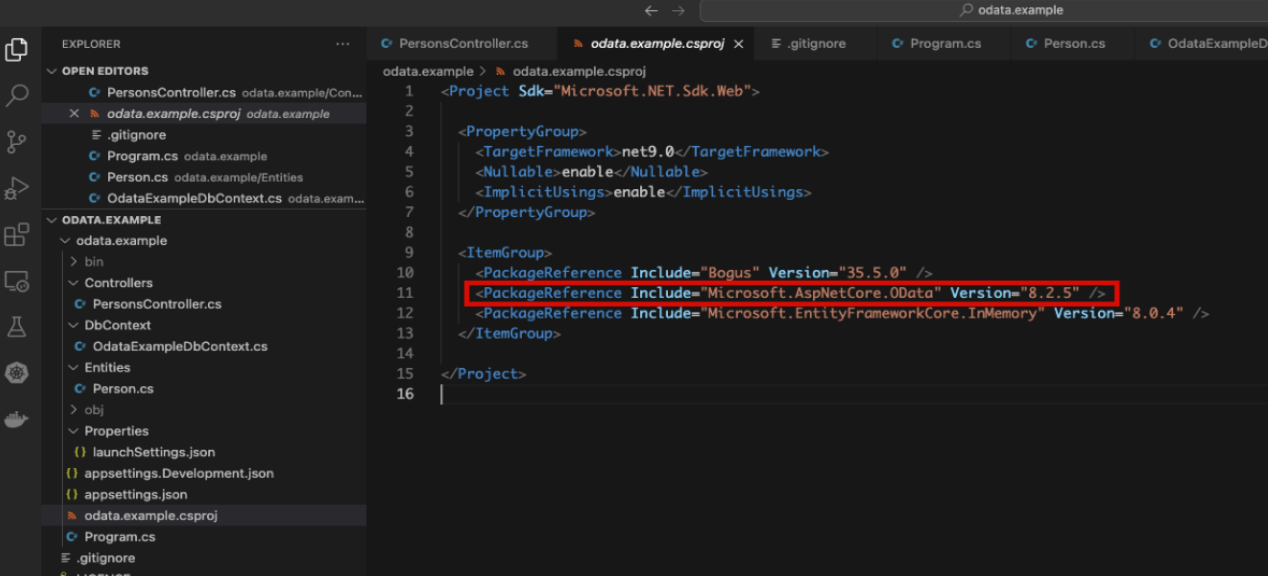
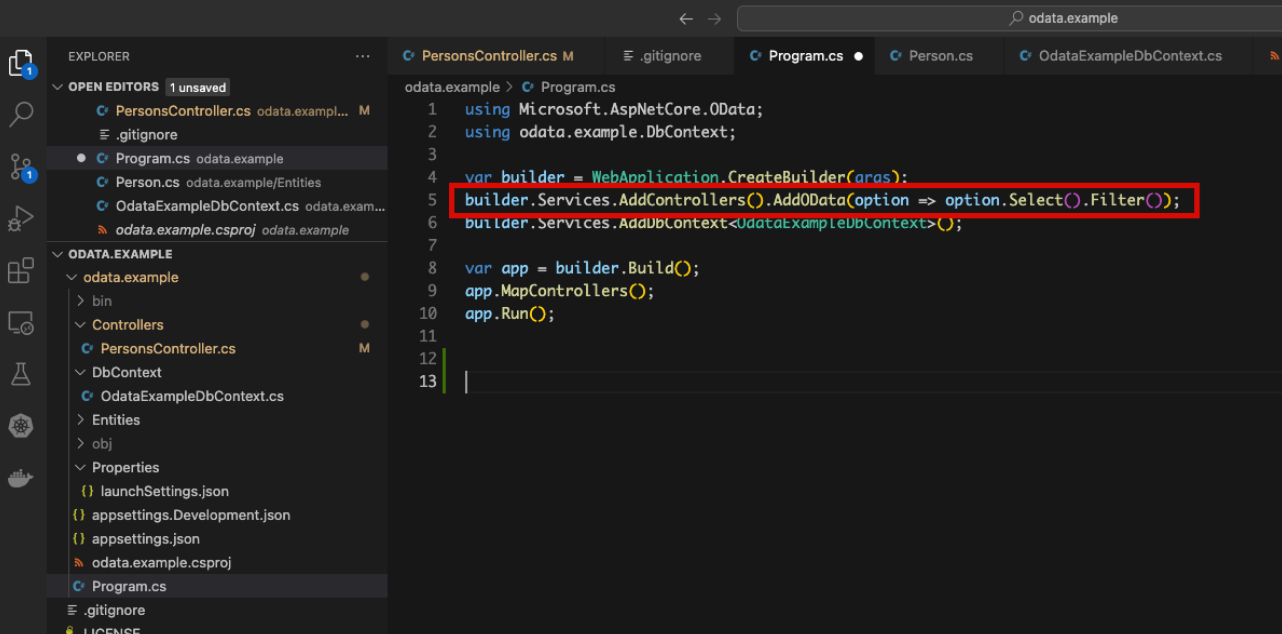
Step 3: Add Dependency Injection enables your existing endpoint with power of OData.
Insert the line code below into the Program.cs file. At this, we defined the query method that we are going to use.
builder.Services.AddControllers().AddOData(option => option.Select().Filter());
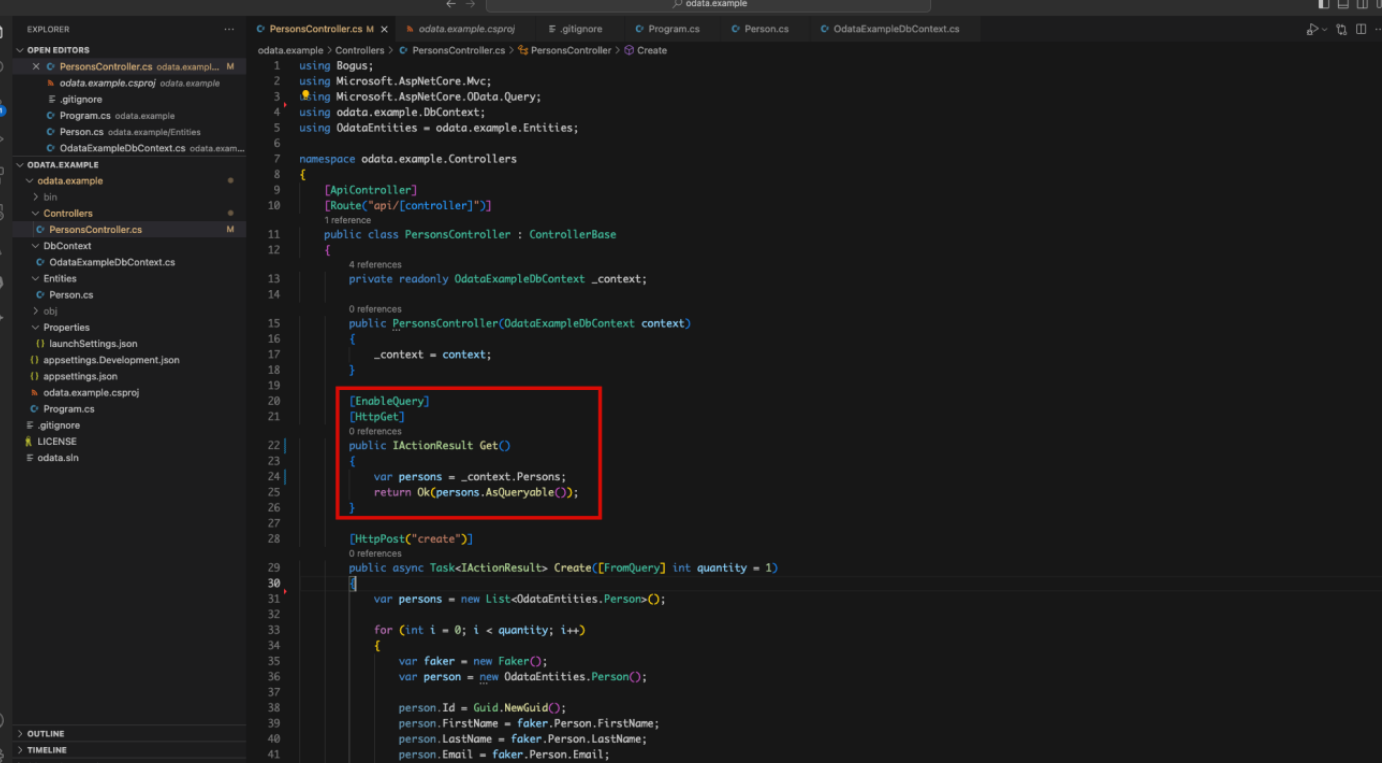
Step 4: Create GET request in “PersonsController”
We create a GET request to return all Persons data as in the image below.
Step 5: Enjoy
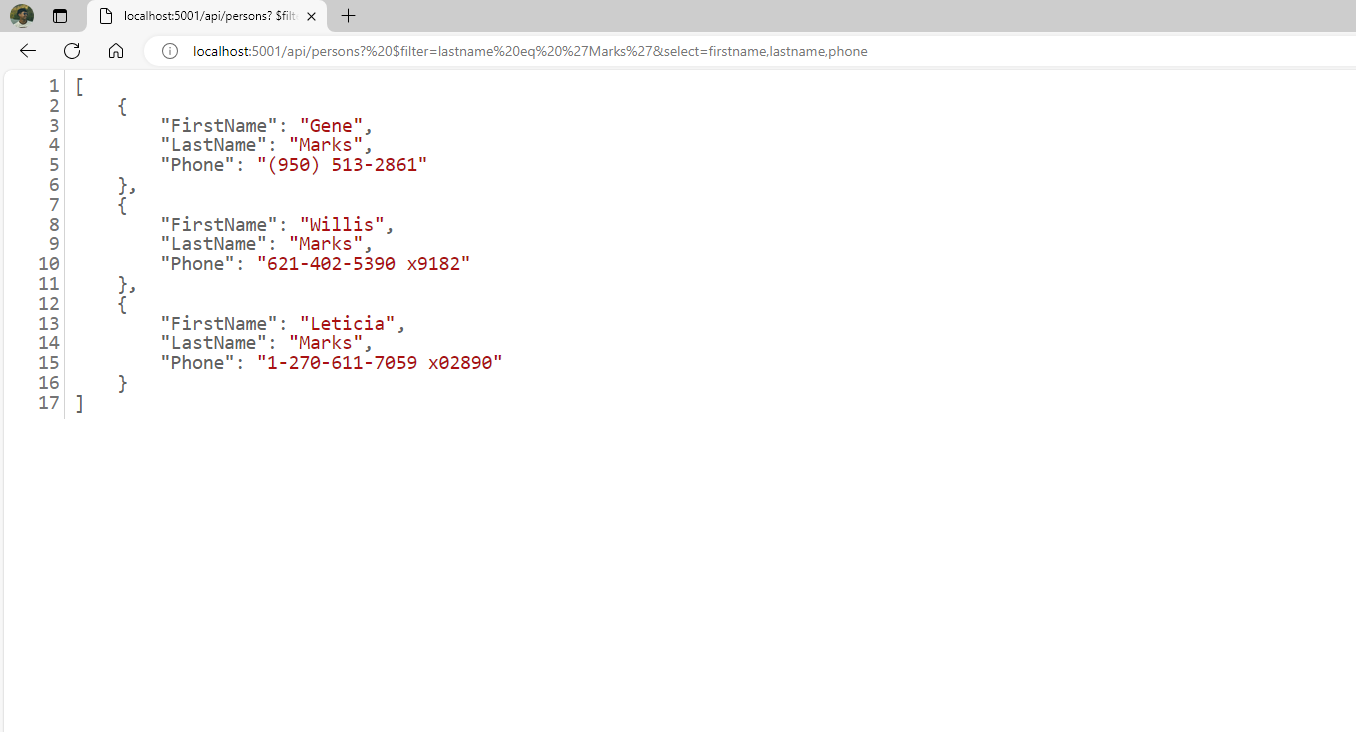
Now if we have the requirements: Get FirstName, LastName and Phone of these members have the last name is ‘Marks’.
We have API Get Persons by triggering the endpoint.
http://localhost:5001/api/persons
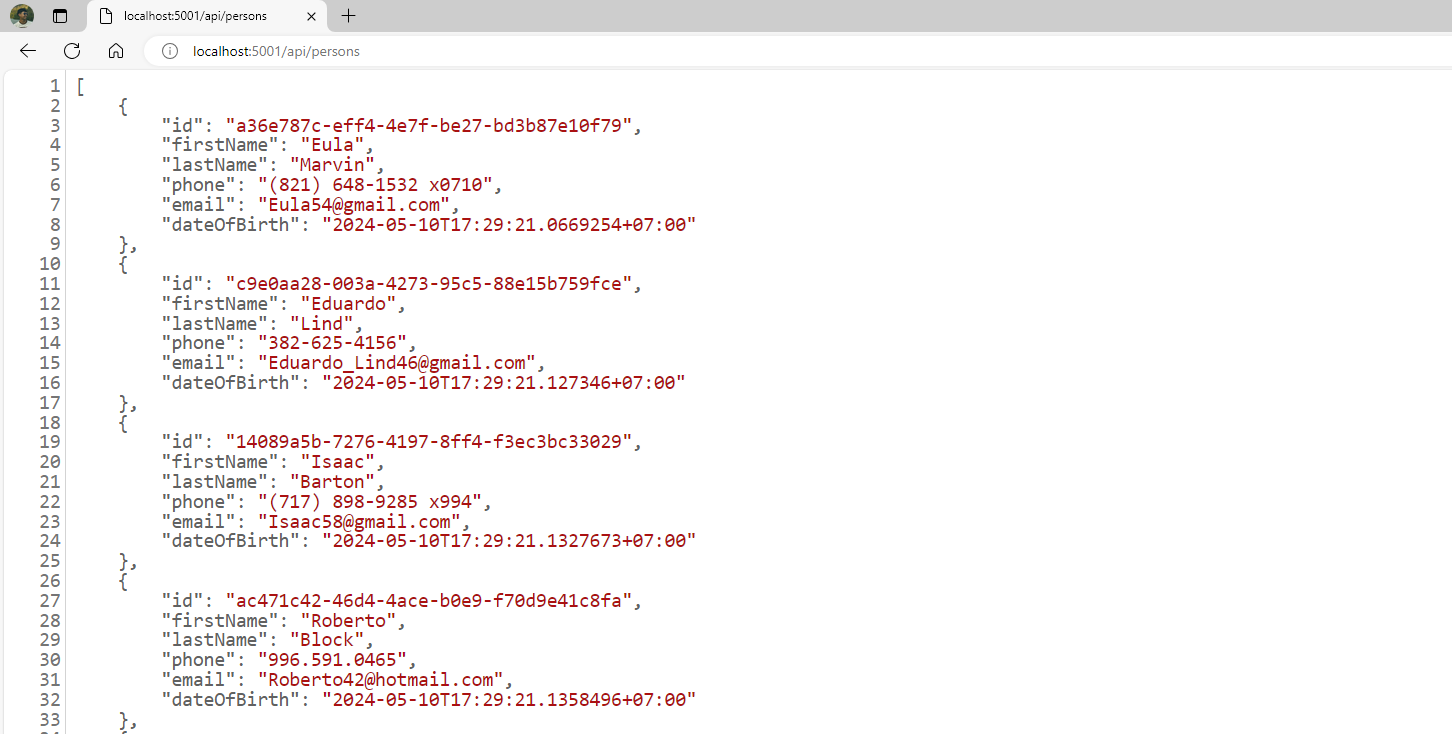
To filter these members the last name is ‘Marks’. We add the filter into the endpoint of API Get Persons without implementing another API endpoint.
http://localhost:5001/api/persons?$filter=lastname%20eq%20%27Marks%27
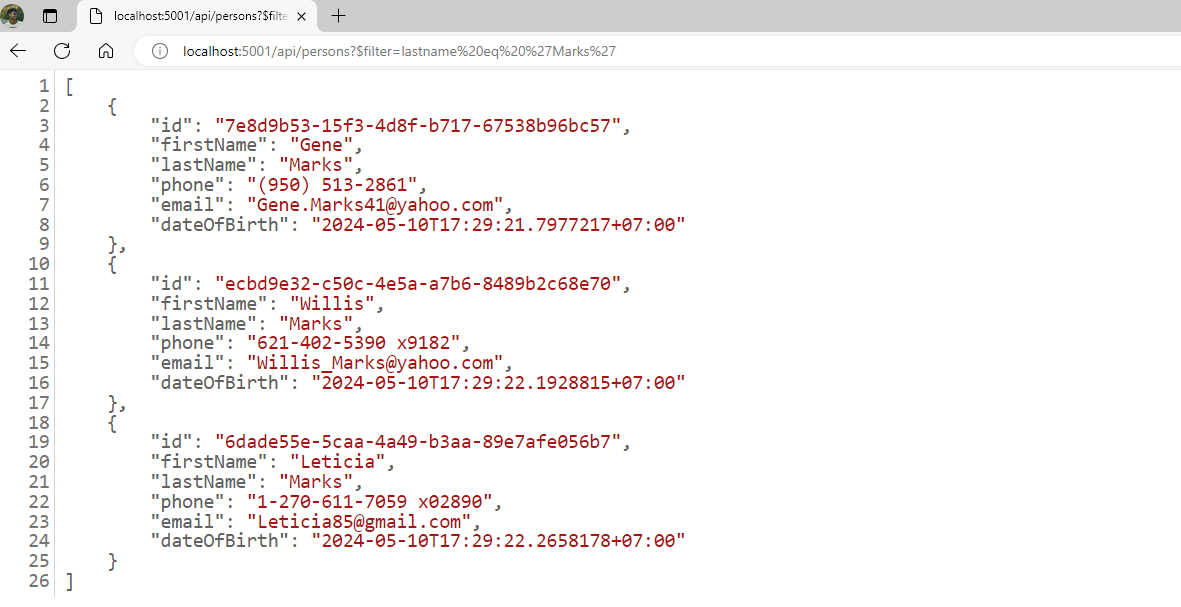
After that, we need to select the FirstName, LastName and Phone. It’s a doddle to add select into API Get Persons like below:
http://localhost:5001/api/persons?%20$filter=lastname%20eq%20%27Marks%27&select=firstname,lastname,phone
Conclusion
With Odata, we can fulfil so many requirements without creating different endpoints, and develop applications that can access data from different sources. That’s the Power of OData.
References
- Source Code for Example: https://github.com/loctranhc/OData.Example
- AspNetCoreOData repo: https://github.com/OData/AspNetCoreOData
- OData: https://www.odata.org/