


1. OVERVIEW
1.1. What is Zephyr Scale for JIRA?
Zephyr Scale Cloud (ZSC), formerly TM4J Cloud, is pitched as “a full-featured test management solution that seamlessly integrates with Jira”. Well, all the solutions out there say pretty much exactly the same. So, let’s dig deeper and find out what ‘full-featured’ means.
1.2. Installing the App
To install Zephyr Scale for project, we must either be a site admin or have the required role as per the permission scheme for the project.
- Log in to Jira instance as an admin.
- Go to Apps tab.
- If Zephyr Scale did not appear in the list on the drop-down menu, click Explore more apps.
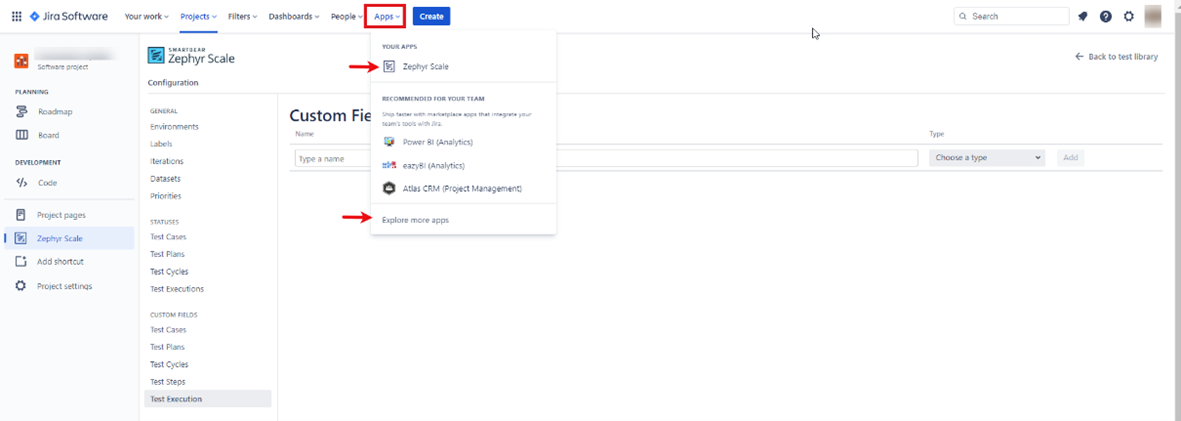
Install Zephyr app - Search for Zephyr Scale.
- The app tile appears as the search results filter.
- Click the Zephyr Scale app tile.

Discovery Zephyr on Jira - The Add to Jira screen appears.
- Click Try it free.

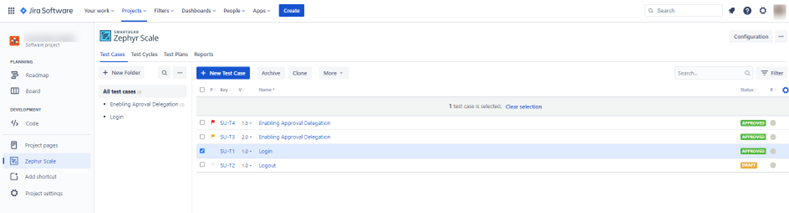
“Try it free” Zephyr - The app installs and access Zephyr Scale from the side panel on the left side of the screen.

Zephyr Scale from left side menu


1.3. Terms and Concepts
Below is a reference for terms used throughout Zephyr Scale Cloud.
- Test Case: A test artefact developed for a particular test condition, such as to exercise a particular program path or to verify compliance with a specific requirement.
- Test Library: The location where test cases are created and stored. This is also known as a test repository. Any Jira project can be a test library. Test cases are created and managed under a test library; however, we can share and reuse test cases across Jira projects when necessary to prevent duplication and increase reusability. Within a test Library, we can organize test cases by using a folder structure and categorize by using labels or custom fields.
- Test Script: A specified sequence of steps and expected results for the execution of a test case. This is also known as manual test script or test procedure specification. Zephyr Scale allows the use of traditional step-by-step as well as BDD (Gherkin syntax) and plain text scripts.
- Test Cycle: An ordered list of test cases assigned to testers and test environments created to achieve specific testing goals (usually a longer test run, such as regression tests, build verification tests, end-to-end tests, etc.).
- Test Plan: An artefact used to track testing progress throughout an entire release or version. We can associate several test cycles to a test plan to can get real-time progress reports. Test plan fields are customizable, which allows we to track scope, risks, strategy, entry and exit criteria, test environment, test bed, and more.
- Test Execution Result: A set of information that generates and is stored when a test case is executed. Data includes the tester responsible for the execution, the execution date, the defects raised, the environment and the status of the execution (e.g., passed or failed), and more.
- Test Environment: A test environment is an attribute of a test execution result used to determine the environments to be tested for each test case. Planning test environment includes defining platform coverage, such as operational systems, browsers, databases, etc.
1.4. Useful Concepts
The tight integration between Zephyr Scale Cloud and Jira means we can reuse common elements created on Jira, such as projects, users, versions, etc., and avoid duplication.
The following diagrams show a high-level overview of the relationship between Zephyr Scale and Jira:
ZSC implements the standard set of components we’d expect. Plan, Cycle, Case and Result. It doesn’t try to give them different stand out names for the sake of differentiation – like some tools. This keeps things simple from the start and makes it easier to get started.
With this structure ZSC allows to work in several different ways. They define these ways as ‘Workflow Strategies’. Or if we want to be less highfalutin then think of it as ‘Usage Scenarios’. The idea is that we can configure ZSC to fit different methodologies. Either Agile or Waterfall methodologies. We tweak the setup to fit particular implementation of those methodologies.

- Agile development: Ad-hoc/lightweight approach for small teams using acceptance tests
- Waterfall development with test cycles: Structured testing that takes place when it’s required to plan the test-execution cycles and assignments in advance (for structured regression testing)
- Waterfall development with test plans: Structured testing with formal test planning. Instead of using Microsoft Word or Excel to specify traditional test-plan documents, create and customize test plans with Zephyr Scale to address any planning topics, such as scope, strategy, resources, environments, risks, and more.

2. COMPLEXITIES AND CORE FEATURES ARE
2.1. Assignment
Test cases are executed in cycles within Zephyr Scale. The cycle has an owner at the top level. Then we can assign individual test cases can to specific testers for execution. This is also supported with an ‘Executed by’ field that shows who actually ran the test. Then we also have the “owner”. The person responsible for developing and maintaining the test case. In short Zephyr Scale will let us to record the owner, assignee and executed by values all independently.
We can filter the assignee and bulk update. It’s pretty simple to update the assigned tester in bulk. It is also possible to update the ‘executed by’ value retrospectively. That may or may not be a good thing depending on how rigorously or flexible want to be.
2.2. Version Control
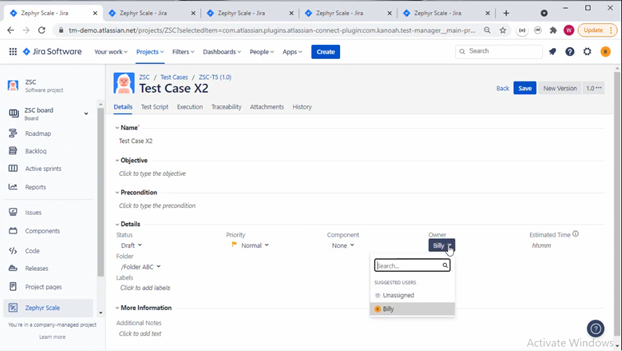
In Zephyr Scale, the ability to increment the version of a test case. In reality this creates another test case instance. From this, we can see the different versions that have been run in the Execution view which provides an accurate record of exactly which test case has been run. The history view also gives a good view of the changes that are made across various versions.
When we update a version that’s already been run, the instance in the test run isn’t updated. That’s good. We will get a warning that the script is outdated and we can easily update. That’s good too.
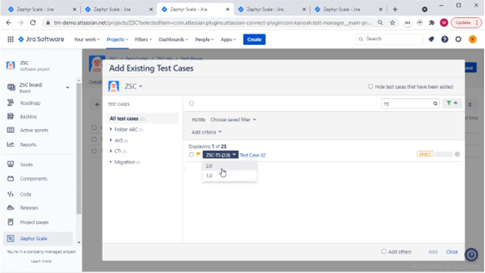
When we add a test case to a cycle, get to pick the version to add. We can use old versions if required or just pick the latest. When viewing the executions in the test case, the exact version that was run in the test cycle.
The approach Zephyr Scale takes to version control of test cases is well thought out and works well.
2.3. Parameterization
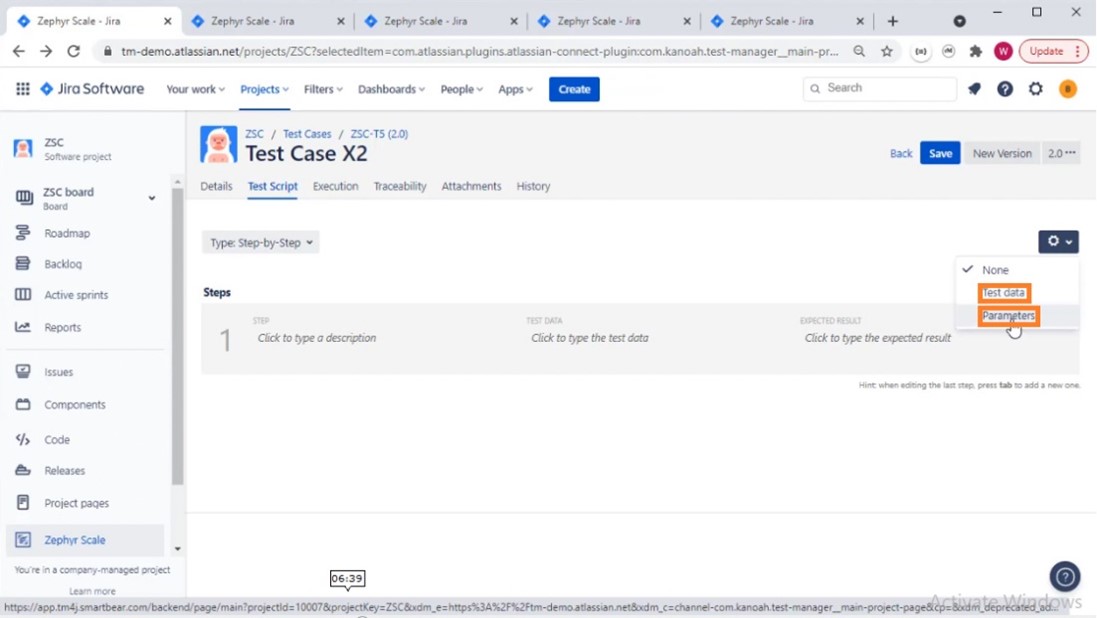
Parameters offer simple option where we can define variables and set values in the test case. The values set can be used across the test steps. When running the test, don’t get different permutations of test steps, get the test steps defined with the value update.
We can also add test data at the project level and reuse across many test cases. This is a smart way to reuse and distribute test data. When runnning the test cycle, get to see the parameter values clearly in the test script.
2.4. Libraries
Zephyr Scale manages the pool of test cases that we write with folders and labels. We can categories by the ‘component’ defined within Jira, apply a status, and configure status values.
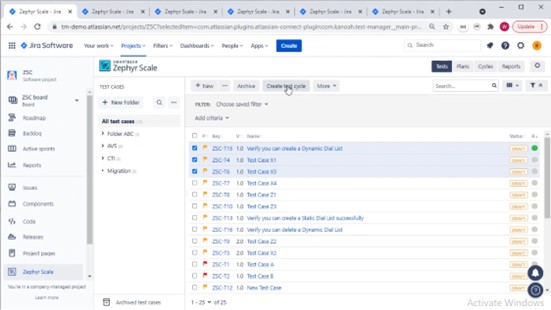
Test cases are re-used in cycles either by directly adding when viewing the cycle or creating a new test cycle. The UI for managing their libraries of tests is well laid out and works well. Simple to get to grips with and very effective.
2.5. Result Aggregation
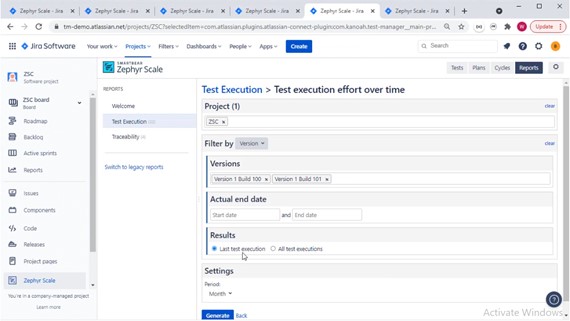
We have the ability to aggregate results from multiple versions or builds using the “Result” type feature in the reports. Pick either the ‘Latest test execution’ result or ‘All test execution’ results. So we may have a test case executed multiple times in different test cycles, but we can choose to just have the latest result.
2.6. Retesting
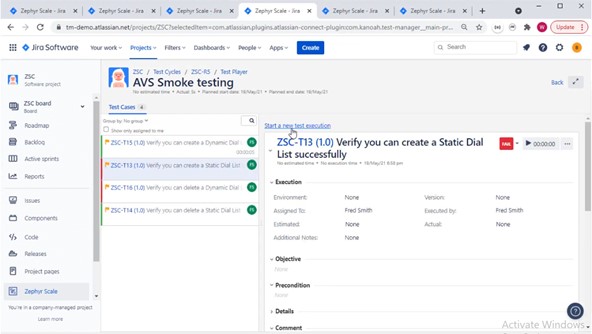
We may have a failed test in the last release and want to re-run it. The ‘start a new test execution’ feature handles this. We’ll log the result of the test against a different version or build after rerunning the failed test again in the same test cycle. We can order by the last test result execution, add them to a new test cycle, and run them as a group to see if the re-tests pass.
If the previous failures display in any reports where we have run the same test case multiple times, we’ll have to use the ‘start new execution’ capability within the test cycle we’re executing. This way we can log that individual test case against a different version for accuracy.
2.7. Configurations and Releases
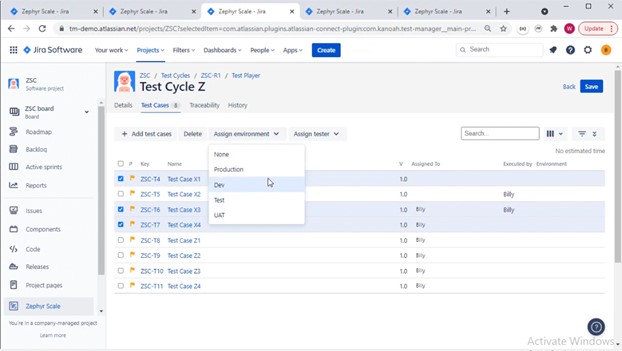
Configurations or environments are defined in the Zephyr configuration area. When we build the Test Cycle, we can allocate individual test cases to an environment and bulk assign tests to environments.
We can add a test case multiple times to a test cycle and allocate to different environments or duplicate a test cycle and run each cycle against different environments.
2.8. Generate detailed bug reports
By allowing users to create and manage their tests directly within JIRA, Zephyr streamlines the process of generating bug reports. With this service, there is no need to export data or switch between tools; all of the information necessary to generate a robust bug report is readily available within the JIRA interface.
This report can include information such as the bug’s severity, priority, and assignee. This information can help determine the progress of project and identify any potential issues.
In addition, Zephyr for JIRA makes it easy to track the progress of tests and associated bugs over time. By consolidating all of the information related to a given bug in one place, Zephyr for JIRA provides users with a powerful tool for managing and tracking their testing efforts.
2.9. Customize bug workflows
Zephyr for JIRA allows users to customize their bug workflows to match the specific needs of their projects. By tailoring workflows to fit the unique requirements of a given project, users can optimize their testing process and ensure that bugs are appropriately tracked and managed.
Additionally, Zephyr for JIRA’s flexible workflow system makes it easy to add new steps or modify existing ones. This flexibility ensures that users can always keep their bug workflows up-to-date and in line with the latest changes to their projects.
2.10. Integrate with other tools
Zephyr for JIRA integrates with many popular development tools, such as Jenkins and Bamboo. This integration allows users to automatically trigger tests when code changes are made, ensuring that bugs are properly identified and tracked.
The integration with these tools allows users to run tests regularly, making it easy to track the progress of their project over time. This data can be used to identify trends and make necessary changes to the project’s development process.
3. WHAT I LIKE AND WHAT I DON’T LIKE
It is a great software to create proper test cases and execute them easily, It helps to create testing cycles very easily and understandable for new employees. It has a great user interface which is user friendly. It makes the work very fast and efficient. It makes the work enjoyable as it is deployed quickly.
These are the points I like and don’t like:
3.1. What I like
- Navigation simplicity
- Top end features and functionality
- Well thought out integration with Jira
- Different Flexible workflow strategies
- Good for both Agile and Waterfall
- Step-by-Step, plain text and BDD
- Custom field support
- Can use tests across projects
- Bulk creation of test cases
- Support for CI/CD and comprehensive API
3.2. What I don’t like
- Plan issue type could do with some embedded reports/gadgets
- Planning, scheduling and resource allocation limited
- Step attachments have to be added in the html editor
- No workflow enforcement for test case status
- Can’t save and reuse report criteria
4. SUMMARY
What I like about Zephyr Scale Cloud (ZSC) is the navigation simplicity. Flick between Tests, Plans, Cycles and Reports with ease. The useful pop up dialogue boxes that seem to anticipate next move. Links provided to the next step in workflow. A lot of thought has gone into this.
The act of planning tests is not particularly well supported at the moment. We can organize testing by cycles. Yet, it’s not possible to schedule when we want to execute the cases in those cycles. I’m guessing that’s work in progress because the new ‘Burn down’ reports will need that data to work.
Another potential enhancement for the future is workflow. Currently there’s no ability to enforce workflow status changes. We can define own ‘status’ values for cases (e.g. Draft, In Review, etc). Just that there’s nothing controlling or enforcing the progression through those status values. Not a big issue but could be important for some teams.
Don’t let those two points put we off though. This is a well thought out test management solution. Lots of features that are comparable to the enterprise solutions out there. Well integrated with Jira, simple enough for beginners to use and plenty of advanced features. Advanced features that will allow to scale (hence the name I guess). Overall ZSC does what it says on the tin. “A full-featured test management solution that seamlessly integrates with Jira”. A solution that feels like it’s been cleverly woven into Jira.