



1. Introduction — Why Real-Time Production Testing Matters
In modern software engineering, testing in production is no longer a controversial idea — it’s a necessity.
Traditional staging environments are rarely identical to production. Differences in data, traffic, and dependencies can lead to undetected issues that only appear after deployment.
Real-time production testing helps you:
- Detect downtime or slow responses before your customers do.
- Validate API and UI flows across real user regions.
- Ensure uptime and reliability for critical user journeys.
For outsourcing and multi-technology teams, it’s especially valuable — since your clients often depend on you to maintain 24/7 service availability across multiple platforms and stacks.
2. What Is Checkly?
Checkly is a developer-friendly synthetic monitoring and testing platform that merges monitoring and end-to-end testing in one place.
It enables teams to continuously test APIs, websites, and full browser flows in real time — directly in production.
Key capabilities:
-
API checks: Monitor REST endpoints for uptime, latency, and correctness.
-
Browser checks: Run Playwright-powered UI tests that simulate real user actions.
- Integration-ready: Works seamlessly with Slack, GitHub, Datadog, and CI/CD pipelines.
- Smart alerting: Flexible notifications via email, Slack, or webhooks.
- As-code configuration: Manage test definitions using Checkly CLI or Terraform.
- Video recordings of failing browser checks: When a browser test (via Playwright) fails, Checkly records a video of the session and makes it available in the UI.
-
Global run locations & private locations support: You can schedule tests to run from multiple cloud regions or even your own private infrastructure.
-
Detailed trace files & screenshots for diagnostics: Along with video, you get trace/history files of the steps executed, making debugging easier.
-
Monitoring as code / infrastructure as code support: Define checks, alert channels, schedules in code (JavaScript/TypeScript) alongside your application code.
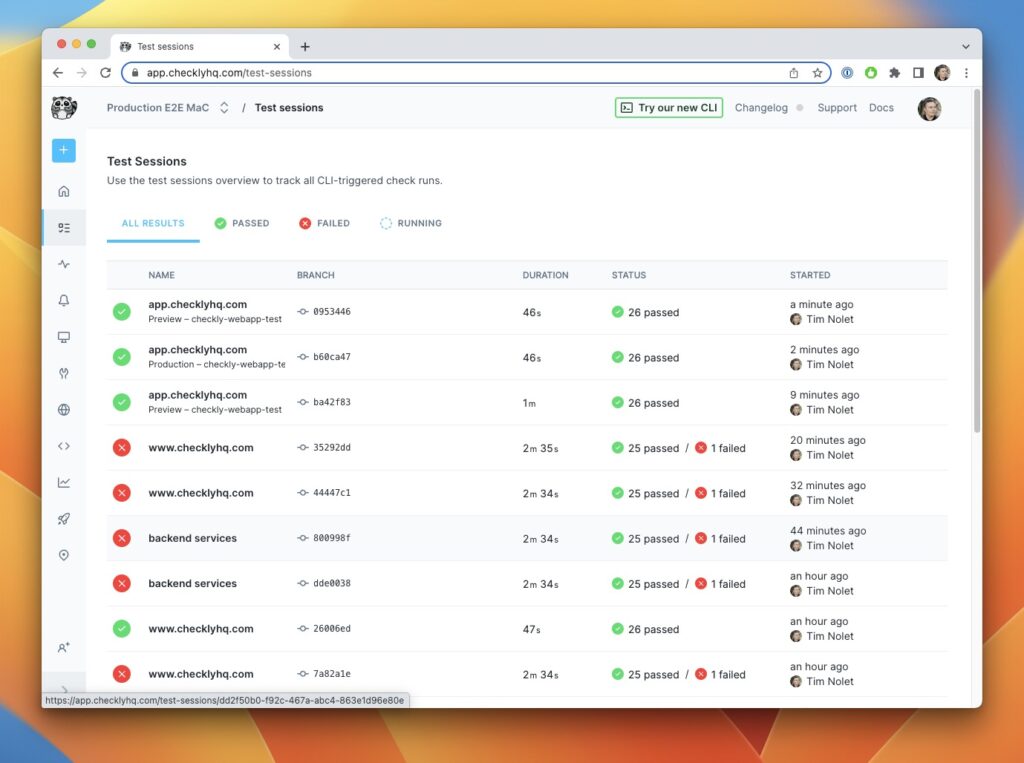
Compared to classic uptime tools like Pingdom or UptimeRobot, Checkly offers a full-stack approach — monitoring both infrastructure (e.g., “is endpoint up?”) and user experience (e.g., “can a real user log in?”) in one unified dashboard.
3. Getting Started with Checkly
3.1 Creating Your Account
- Visit https://checklyhq.com.
- Click Sign up with GitHub (recommended) or use your email. ) ( Free plan limited to 10 checks )
- Choose your workspace name and default region (close to your production servers).
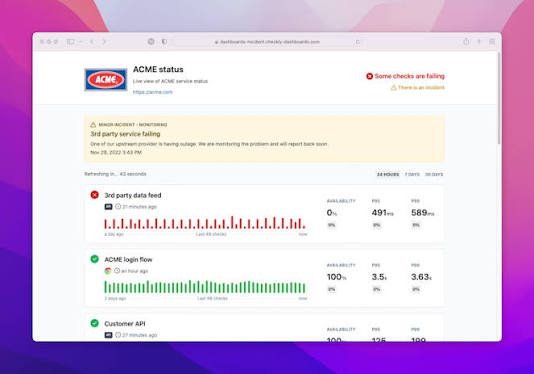
- Once logged in, you’ll see the Checkly Dashboard.
3.2 Creating Your First Test (via Dashboard)
Let’s start with a simple API uptime check.
- On the left sidebar, click Checks → New check → API check.
- Fill in the details:
- Name: “Production API Health”
- URL:
https://api.example.com/health - Method:
GET
- Scroll down to Assertions, and add:
Response time < 2000 msStatus code = 200
- Set the frequency to run every 1 minute.
- Choose an alert channel (Slack or email).
📸 Suggested Screenshot:
→ “Checkly API Check configuration screen”
(with assertions and frequency fields highlighted)
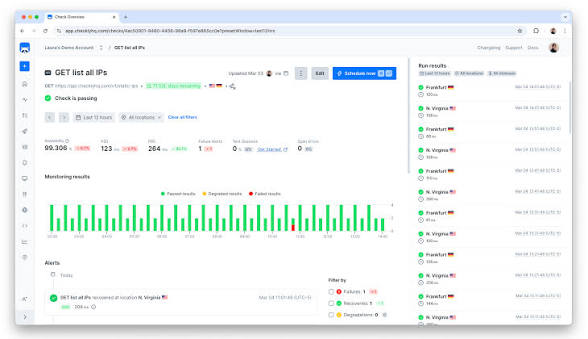
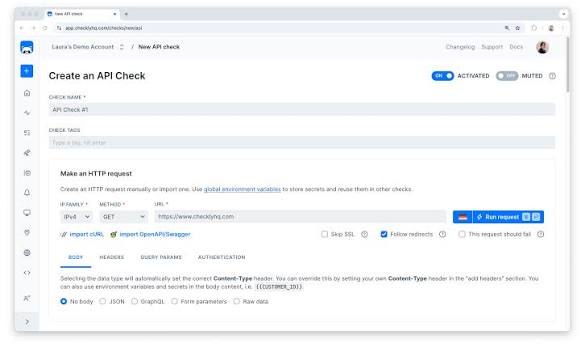
Click Create Check — and within 60 seconds, Checkly starts testing your endpoint in real time.
4. Browser Checks — Testing Real User Journeys
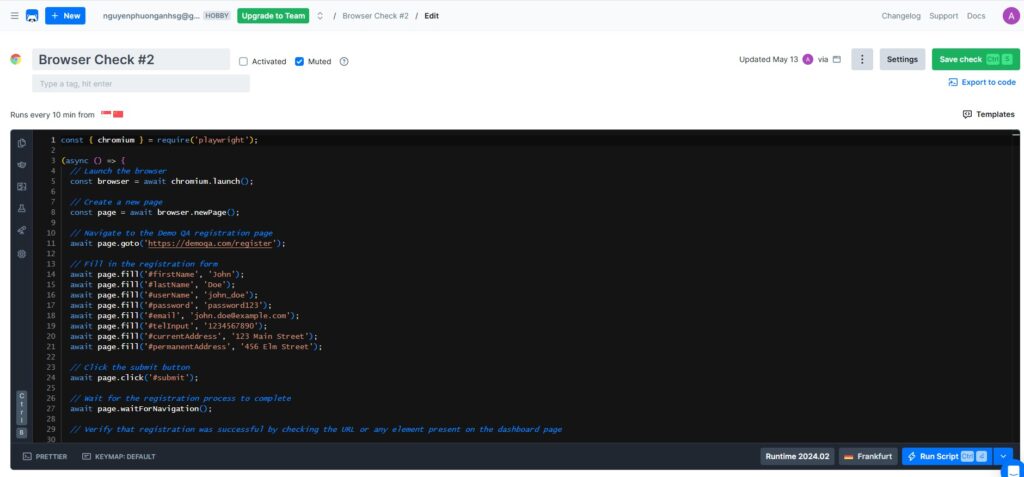
Now, let’s move one step further and create a browser check to simulate real user actions.
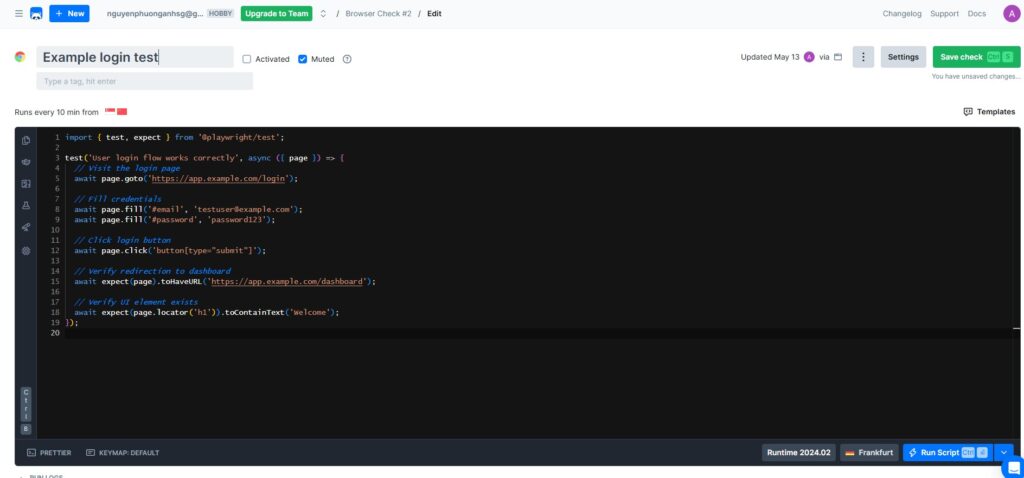
Example: Login Flow Test
You can either use the UI Builder in Checkly or define the test via code.
Here’s how a Playwright-based browser check looks in Checkly:
import { test, expect } from '@playwright/test';

test('User login flow works correctly', async ({ page }) => {
  // Visit the login page
  await page.goto('https://app.example.com/login');

  // Fill credentials
  await page.fill('#email', 'testuser@example.com');
  await page.fill('#password', 'password123');

  // Click login button
  await page.click('button[type="submit"]');

  // Verify redirection to dashboard
  await expect(page).toHaveURL('https://app.example.com/dashboard');

  // Verify UI element exists
  await expect(page.locator('h1')).toContainText('Welcome');
});
💡 Tips:
- Use stable CSS locators instead of fragile XPaths.
- Group related tests (e.g., “Login”, “Checkout”, “Upload”) into Check Groups.
- Use environment variables for credentials and URLs.
5. Organizing Test Groups for Efficiency
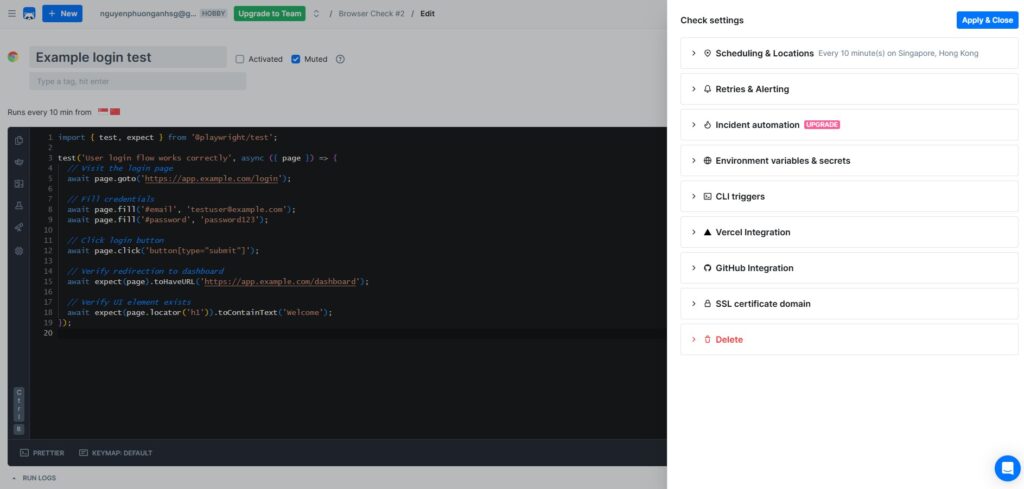
Running multiple checks simultaneously can overload your endpoints or cause redundant alerts.
To avoid this, Checkly lets you group and schedule your checks smartly.
Example setup:
| Group Name | Includes | Schedule | Region |
|---|---|---|---|
| Core API | /auth, /users, /products | Every 1 min | US-East |
| Frontend | Homepage, Login, Dashboard | Every 3 min | EU-West |
| Upload Flow | /upload, /video/process | Every 5 min | AP-Southeast |
Best practices:
- Stagger execution times between groups to avoid traffic spikes.
- Separate alert channels per group (e.g., Slack channel per project).
- Use tags for filtering dashboards and reports.
6. Integrating Checkly into CI/CD Pipelines
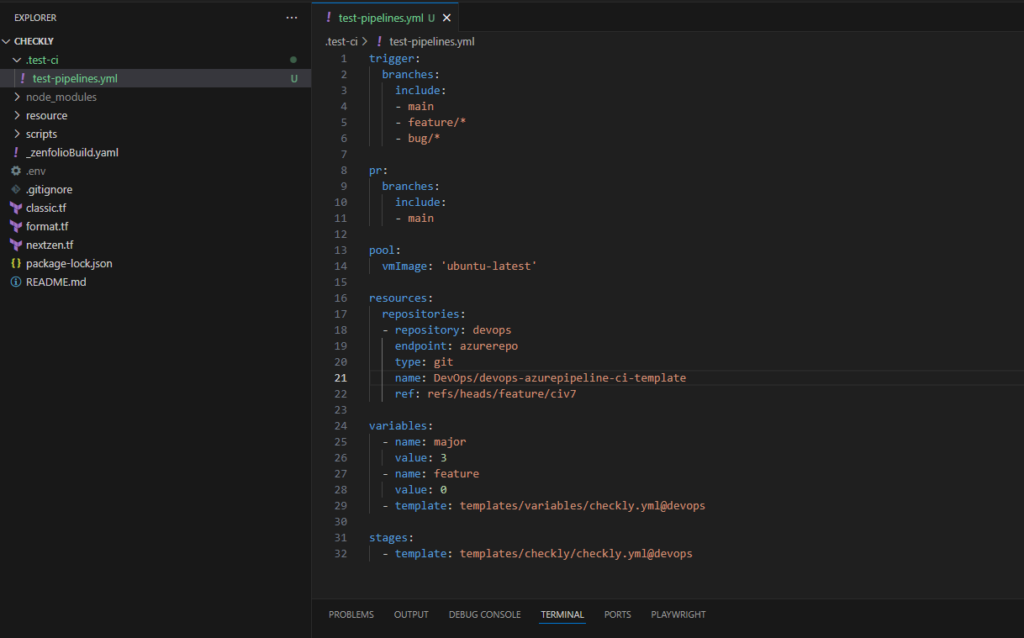
One of Checkly’s strongest features is its “as-code” capability.
You can define checks programmatically and push them to version control using Checkly CLI or Terraform provider.
Example using Checkly CLI (checkly-cli):
npm install -g checkly-cli
checkly login
checkly create test --type=api --name="Staging Health" --url="https://staging.example.com/health"
checkly deploy
This approach allows you to:
- Version-control your test definitions.
- Trigger tests automatically after each deployment.
- Keep monitoring consistent across environments.
7. Advanced Features for Multi-Technology Teams
Checkly supports diverse stacks and integration scenarios.
Some advanced workflows commonly used in outsourcing or SaaS environments:
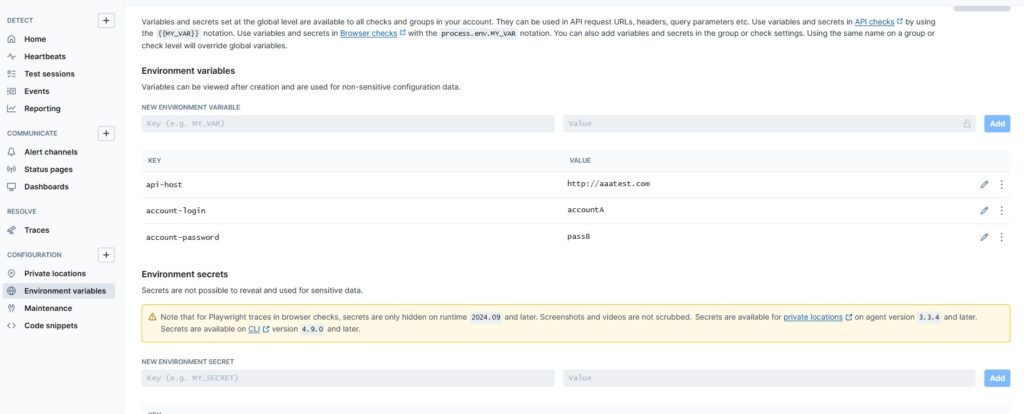
- Cross-environment testing: Run the same test suite across staging, UAT, and production using variables.
- Multi-region insights: Detect region-specific latency by testing from global nodes.
- Integration with observability tools: Send metrics to New Relic, Grafana, or Datadog for unified dashboards.
- Alert routing: Send different alert types (errors, slow responses) to different Slack channels.
- Maintenance windows: Pause checks automatically during scheduled deployments.
Example of defining environment variables:
checkly env add BASE_URL=https://api.production.com
checkly env add AUTH_TOKEN=your_secure_token
8. Pros & Cons of Checkly for Production Testing
| Advantages | Limitations |
|---|---|
| Quick setup with UI or code | Free plan limited to 10 checks |
| Combines browser & API testing | Playwright scripting required for advanced flows |
| Great for multi-region monitoring | May overlap with existing monitoring tools |
| Robust alerting & integrations | Paid tiers for higher frequency checks |
| Checkly CLI for versioning | Lacks deep backend observability (e.g., traces) |
Overall, Checkly provides a developer-centric and highly visual platform that fits perfectly into modern DevOps and QA pipelines.
9. Best Practices for Real-Time Production Testing
- Start with critical endpoints — monitor login, checkout, and upload flows.
- Avoid testing with real credentials — use non-sensitive or synthetic data.
- Define clear alert thresholds — e.g., only alert if latency > 2s for 3 consecutive runs.
- Rotate alert recipients to avoid fatigue.
- Combine Checkly with other observability tools — e.g., link Checkly alerts to your New Relic dashboard.
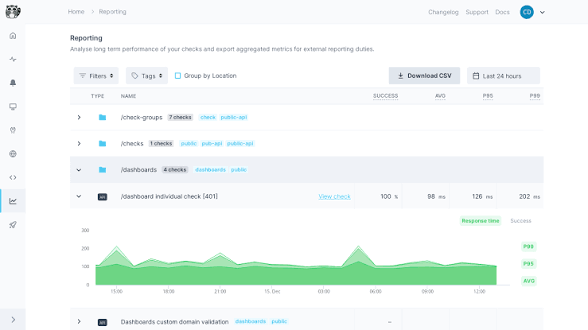
- Analyze trends weekly — use Checkly reports to identify performance degradation before it becomes downtime.
10. Conclusion
Testing in production doesn’t mean taking unnecessary risks — it means taking proactive control over your systems.
Tools like Checkly allow teams to continuously monitor and validate critical paths, blending real-time visibility with automated assurance.
For outsourcing companies and multi-technology engineering teams, this is more than a technical advantage — it’s a competitive differentiator.
Your clients trust you not only to deliver software but to ensure it runs flawlessly after deployment.
If your team hasn’t implemented real-time production testing yet, Checkly is a great place to start.
You can begin with just a few checks, integrate it into your CI/CD pipeline, and scale up as your system grows.