


When Java 11 was released in September 2018, there was some confusion about whether it was free or required payment. Let’s clear things up before we dive into what’s new in Java 11.
Is Java 11 Paid?
Oracle JDK 11 and newer versions need a subscription for commercial use, but here’s the good news:
- Oracle JDK: You need a subscription for commercial use, but it’s free for personal use, development, testing, and learning.
- OpenJDK: This is the open-source version of Java and it’s completely free to use under the GNU General Public License. Most developers and companies use OpenJDK without any cost.
So, you can still use Java 11 for free, thanks to OpenJDK. Now, let’s look at the cool new features and updates in Java 11.
What’s New in Java 11?
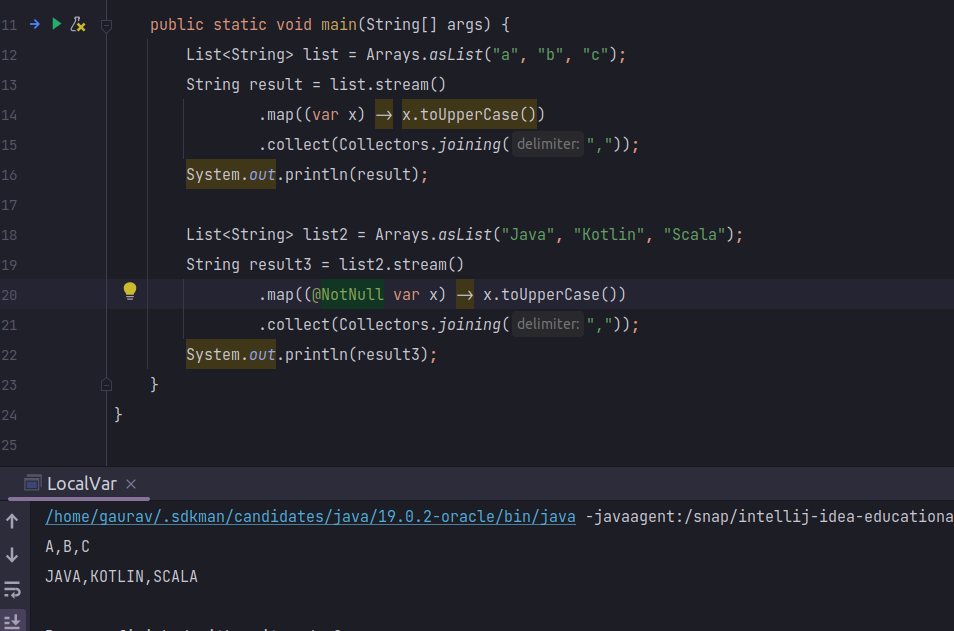
1. Using var in Lambda Expressions
Java 11 lets you use var in lambda expressions, making your code cleaner and easier to read.
Example :
List<String> strings = List.of("Java", "Kotlin", "Scala");
strings.forEach((var str) -> System.out.println(str));
Output:
2. New String Methods
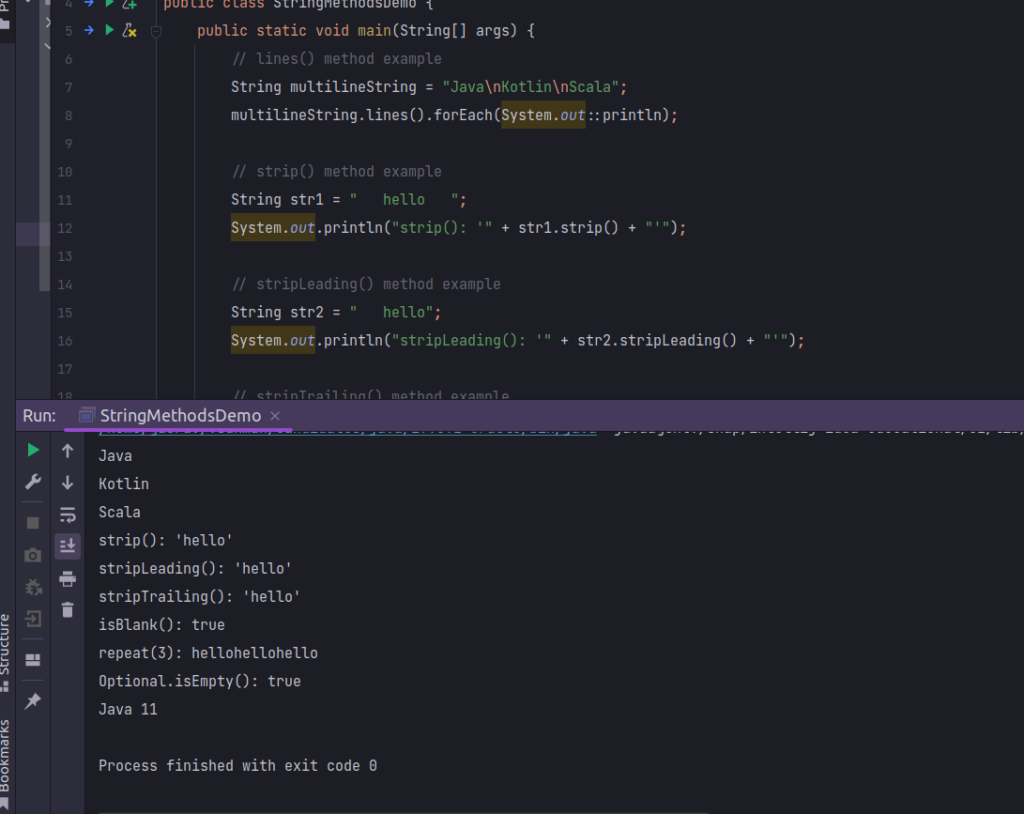
Java 11 adds several handy methods to the String class:
lines()
Splits the string into lines.
Example :
String multilineString = "Java\nKotlin\nScala";
multilineString.lines().forEach(System.out::println);
strip()
Removes spaces from the start and end.
Example :
String str = "   hello   ";
System.out.println(str.strip()); // "hello"
stripLeading()
Removes spaces from the start.
Example :
String str = "   hello";
System.out.println(str.stripLeading()); // "hello"
stripTrailing()
Removes spaces from the end.
Example :
String str = "hello   ";
System.out.println(str.stripTrailing()); // "hello"
isBlank()
Checks if the string is empty or just spaces.
Example :
String str = "   ";
System.out.println(str.isBlank()); // true
repeat(int)
Repeats the string a specified number of times.
Example :
String str = "hello";
System.out.println(str.repeat(3)); // "hellohellohello"
Output :
3. Improvements to Optional
Java 11 makes Optional even better with some new methods.
isEmpty()
Checks if the value is missing.
Example :
Optional<String> optional = Optional.empty();
System.out.println(optional.isEmpty()); // true
ifPresentOrElse(Consumer, Runnable)
Executes an action if the value is present, or runs something else if it’s not.
Example :
Optional optional = Optional.of(“Java 11”);
optional.ifPresentOrElse(
System.out::println,
() -> System.out.println(“Value is absent”)
);
4. Standard HTTP Client
Java 11 includes a new HTTP client API, which was previously experimental. It supports both synchronous and asynchronous operations and handles HTTP/2.
HttpClient client = HttpClient.newHttpClient();
HttpRequest request = HttpRequest.newBuilder()
    .uri(URI.create("https://example.com"))
    .build();

client.sendAsync(request, HttpResponse.BodyHandlers.ofString())
    .thenApply(HttpResponse::body)
    .thenAccept(System.out::println)
    .join();
5. Run Java Files Directly
Java 11 lets you run a single Java file with the java command without compiling it first. This is great for quick tests or scripts.
Example :
java HelloWorld.java6. Nest-Based Access Control
This new feature improves the access control mechanism between nested classes, allowing classes that are part of a logical group (nest) to access each other’s private members more easily.
Example :
public class OuterClass {
    private int outerField = 10;

    class InnerClass {
        void accessOuter() {
            System.out.println(outerField);
        }
    }
}
7. Removal of Java EE and CORBA Modules
Java 11 removed the modules that were deprecated in Java 9, including java.xml.ws, java.xml.bind, java.activation, java.corba, java.transaction, java.xml.ws.annotation, and java.se.ee. This streamlining helps reduce the size and complexity of the Java runtime.
8. Epsilon: A No-Op Garbage Collector
Epsilon is an experimental no-op garbage collector introduced in Java 11. It handles memory allocation but does not perform any garbage collection, making it useful for performance testing and memory-intensive applications where developers manage memory manually.
Example :
java -XX:+UnlockExperimentalVMOptions -XX:+UseEpsilonGC -Xmx1g MyApp
9. Flight Recorder
Java Flight Recorder (JFR), a profiling and diagnostics tool previously available only in commercial JDKs, was open-sourced and included in OpenJDK with Java 11. JFR provides detailed insights into application behavior with minimal performance overhead.
Example:
java -XX:StartFlightRecording=duration=60s,filename=recording.jfr -jar MyApp.jar
Conclusion
Java 11 brings numerous improvements and new features that enhance developer productivity and application performance. From new string methods and Optional enhancements to the standardized HttpClient API and the innovative Epsilon garbage collector, Java 11 is a significant step forward in the evolution of the Java language. Whether you are upgrading from an earlier version or starting fresh, these features will help you write cleaner, more efficient code.
By understanding and utilizing these new features, you can take full advantage of Java 11’s capabilities to improve your development workflow and build robust, high-performance applications. Happy coding!
Reference
https://www.oracle.com/java/technologies/javase/11-relnote-issues.html
For further insights, please Check my profile.