


In today’s fast-paced software development, effective API testing is essential for seamless integration and functionality. This comparative analysis of WireMock and Postman highlights their features, use cases, and coding examples to help you choose the right tool for your API testing needs.
Purpose of the Comparative Analysis
This blog provides a brief comparative analysis of these tools, their features, use cases, and coding examples to help you choose the right tool for your API testing needs.
Introduction to API Mocking
API mocking involves creating fake API responses to simulate real behavior. This is useful for:
- Testing applications independently of external services.
- Simulating various scenarios, including edge cases and error conditions.
- Moreover, by accelerating development and thereby avoiding delays that occur due to unavailable APIs, teams can maintain momentum and enhance productivity.
WireMock Overview
Moreover, WireMock is not only a powerful tool for mocking HTTP services, especially in Java applications, but it is also widely used in these contexts. Importantly, it is also compatible with other languages, which provides additional flexibility and extensive customization options.
Key Features of WireMock
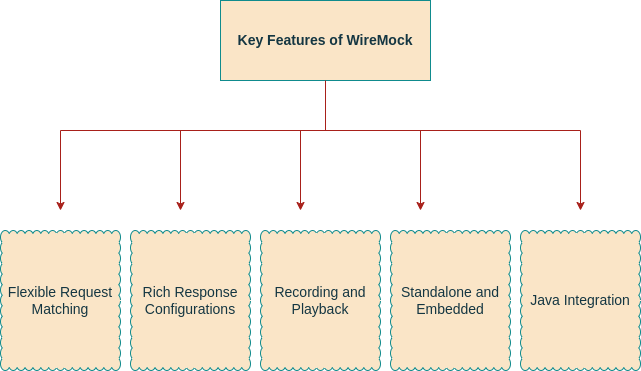
- Flexible Request Matching: Define requests based on URL, headers, and body content.
- Rich Response Configurations: Customize responses with status codes, headers, body, and delays.
- Recording and Playback: Record real API interactions and replay them.
- Standalone or Embedded: Run as a standalone server or embed in tests.
- Java Integration: Integrate seamlessly with Java projects using code or JSON files.
WireMock Example
Below is a simple example of setting up WireMock in a Java application:
Imports:
WireMockServer: Manages the WireMock server.WireMock.*: Simplifies stubbing and request
Starting the Server:
WireMockServer wireMockServer = new WireMockServer(8080);
wireMockServer.start();- Creates and starts a server on port 8080.
Creating a Stub:
wireMockServer.stubFor(get(urlEqualTo("/api/test"))
.willReturn(aResponse()
.withStatus(200)
.withHeader("Content-Type", "application/json")
.withBody("{ \"message\": \"Hello, World!\" }")));- Matches GET requests to
`/api/test`. - Responds with `
200 OK`, JSON content, and a message.
Stopping the Server:
wireMockServer.stop();- Stops the server and releases resources.
import com.github.tomakehurst.wiremock.WireMockServer;
import static com.github.tomakehurst.wiremock.client.WireMock.*;

public class WireMockExample {
    public static void main(String[] args) {

        WireMockServer wireMockServer = new WireMockServer(8080);
        wireMockServer.start();

        wireMockServer.stubFor(get(urlEqualTo("/api/test"))
            .willReturn(aResponse()
                .withStatus(200)
                .withHeader("Content-Type", "application/json")
                .withBody("{ \"message\": \"Hello, World!\" }")));

        // Your test code here

        wireMockServer.stop();
    }
}
}
This example starts a WireMock server on port 8080 and sets up a mock endpoint that returns a JSON response.
Postman Overview
Postman is a popular API development and testing tool with a user-friendly interface and extensive features, including API mocking capabilities.
Key Features of Postman
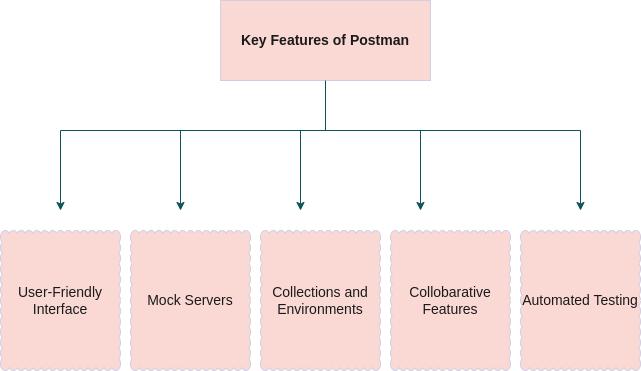
- User-Friendly Interface: Define requests based on URL, headers, and body content.
- Mock Servers: Customize responses with status codes, headers, body, and delays.
- Collections and Environments: Record real API interactions and replay them.
- Collaborative Features: Run as a standalone server or embed in tests.
- Automated Testing: Integrate seamlessly with Java projects using code or JSON files.
Postman Example
Creating a mock server in Postman involves a few simple steps:
Create a Mock Server:
- Click “Create a mock server” and configure it with a name and selected requests.
- Open Postman and click on the “Mock Server” option.
Add Mock Responses:
- Specify the request method, URL, and response body for the mock server.
- Example response for a GET request to `
/api/test`:
{
  "status": 200,
  "content-type": "application/json",
  "responseBody": "{ \"message\": \"Hello, World!\" }"
}
Use the Mock Server:
- Use the mock server URL in your application to simulate API responses.
Comparative Analysis
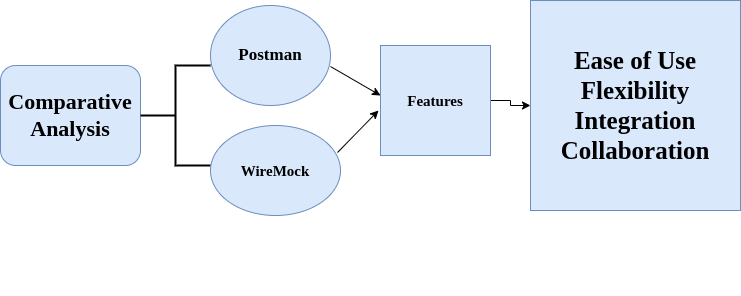
| Features | WireMock | Postman |
| Ease Of Use | WireMock requires a solid understanding of coding and is primarily geared towards developers who are comfortable writing and managing code. Moreover, its setup and configuration are done through code, making it highly customizable but also necessitating a higher level of technical expertise. Therefore, this makes it ideal for development teams that prefer a more hands-on, code-centric approach to API mocking. | In contrast, Postman is designed with ease of use in mind, featuring an intuitive graphical interface that allows users to create and manage API requests and mocks with minimal coding knowledge. Consequently, this makes it accessible not only to developers but also to QA engineers, business analysts, and other team members who might not be as comfortable with coding. The user-friendly interface furthermore simplifies the process of setting up and using mock servers, making it a versatile tool for a wide range of users. |
| Flexibility | WireMock excels in flexibility. Firstly, it offers extensive customization options for request matching and response configurations. Additionally, it allows users to define requests based on various criteria such as URL, headers, and body content, and to configure responses with status codes, headers, body, and delays. Consequently, this level of flexibility makes WireMock suitable for complex and large-scale testing scenarios where precise control over API behavior is required. | While Postman provides good flexibility, it is primarily geared towards simpler use cases and may not offer the same level of detailed customization as WireMock. However, advanced configurations in Postman might require additional scripting, which could be a limitation for users looking for out-of-the-box solutions. For most standard API testing scenarios, though, Postman’s flexibility is sufficient, and its ease of use makes up for any limitations in advanced configurations. |
| Integration | WireMock integrates seamlessly with Java projects, making it a natural choice for Java developers looking to embed API mocking directly into their test suites. Additionally, it can be used as an embedded server in unit tests, providing a high degree of control and integration within the development environment. This tight integration with Java allows for a streamlined workflow and consistent testing practices. | Postman integrates well with continuous integration and continuous deployment (CI/CD) pipelines. Additionally, it leverages other Postman features such as Newman for automated testing. Consequently, this makes it a strong candidate for teams that rely on automated workflows and need to incorporate API testing into their CI/CD processes. Moreover, Postman’s integration capabilities extend to various environments and platforms, thereby making it a versatile tool for modern DevOps practices. |
| Collaboration | While WireMock supports collaboration through shared configurations, it lacks the built-in collaborative features that make team-based development more efficient. Configurations can be shared among team members, but this process is more manual and less integrated compared to Postman. | Postman excels in collaboration, offering features such as shared workspaces, collections, and team libraries. These collaborative tools allow team members to easily share API requests, mocks, and testing configurations, fostering a collaborative development environment. This makes Postman particularly well-suited for teams that prioritize communication and shared resources in their development workflows. |
Conclusion
This comparative analysis of WireMock and Postman not only thoroughly highlights their features, use cases, and coding examples, but also assists you in choosing the right tool for your API testing needs. On one hand, WireMock is particularly ideal for developers seeking a flexible, code-centric approach, especially within Java environments. Additionally, its extensive customization options and seamless Java integration make it exceptionally powerful for complex testing scenarios. On the other hand, Postman provides a user-friendly interface and robust collaborative features, making it well-suited for a broader range of users, including non-developers. Moreover, its ease of use, CI/CD integration, and strong collaboration capabilities collectively contribute to its high versatility for team-based API development and testing.
Reference
By understanding the strengths and use cases of each tool, you can enhance your API testing process and accelerate development. For more details, visit their official documentation:
Comparative analysis of WireMock and Postman offer robust solutions for effective API mocking, improving test coverage and development cycles.