


As organizations increasingly seek efficient ways to manage their data and automate business processes, Microsoft PowerApps has become a key tool in the realm of low-code development. PowerApps offers two main app-building approaches: Canvas Apps and Model-Driven Apps. While Canvas Apps give users full design control over the layout, Model-Driven Apps focus on creating apps that are backed by data models and business logic. In this blog post, we’ll explore Model-Driven Apps and explain why they might be the right choice for beginners in certain scenarios.
What Are Model-Driven Apps?
Model-Driven Apps in PowerApps are built on top of the Microsoft Dataverse (formerly Common Data Service), which means they focus more on the underlying data structure and logic rather than the UI design. These apps are driven by the data model you define—hence the name “model-driven.” Users do not need to worry about manually designing the app layout as the system automatically generates user interfaces (UI) based on the data model and business processes configured.
Key Features of Model-Driven Apps
Here are some notable characteristics of Model-Driven Apps:
- Data-Centric Development:
Model-Driven Apps are built around your data. The primary focus is to define a well-structured database or entity model and establish relationships between these entities. For instance, a sales organization might have entities for leads, opportunities, and accounts, with relationships defined between them. - Pre-Built Layout:
Unlike Canvas Apps, where you drag and drop controls, Model-Driven Apps automatically generate a user interface based on the data model. You don’t need to spend time designing individual screens. Instead, the layout is standardized and optimized for functionality. - Integrated Business Logic:
With Model-Driven Apps, you can embed business rules, workflows, and automated processes directly into the app. You can create complex logic that responds to events like data changes, ensuring that users follow the correct procedures. - Cross-Device Compatibility:
Since Model-Driven Apps are responsive by nature, they automatically adjust to different screen sizes and resolutions. Whether you access them on a desktop or a mobile device, the user experience remains consistent. - Security & Permissions:
Built on top of the Dataverse, Model-Driven Apps allow you to define user roles and control who can view, create, or modify specific data. This ensures that sensitive information is protected, and users only see what they are authorized to see.
Building a Model-Driven App: A Step-by-Step Guide for Beginners
Here’s a simple process to get started:
Step 1: Set Up Microsoft Dataverse
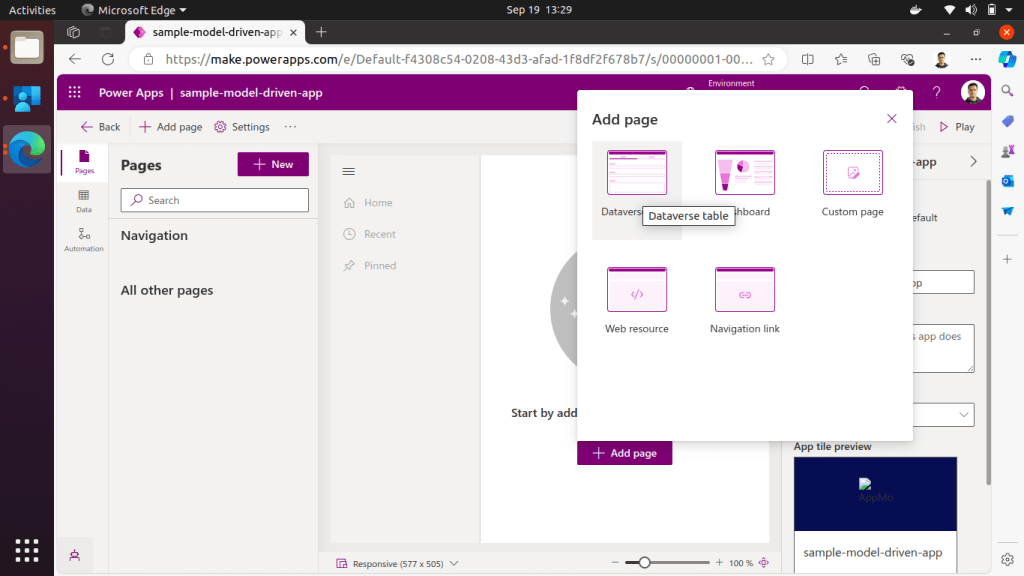
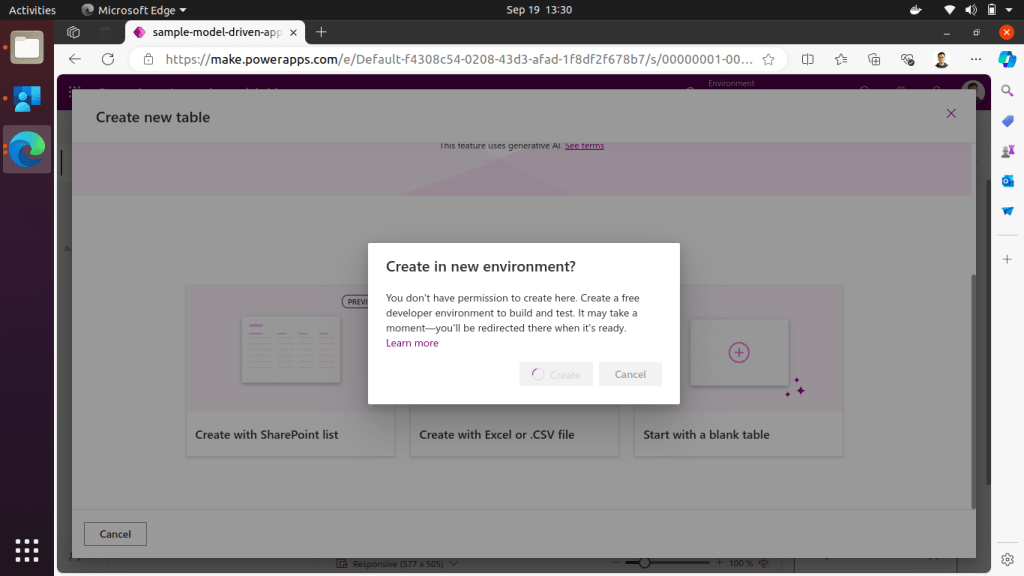
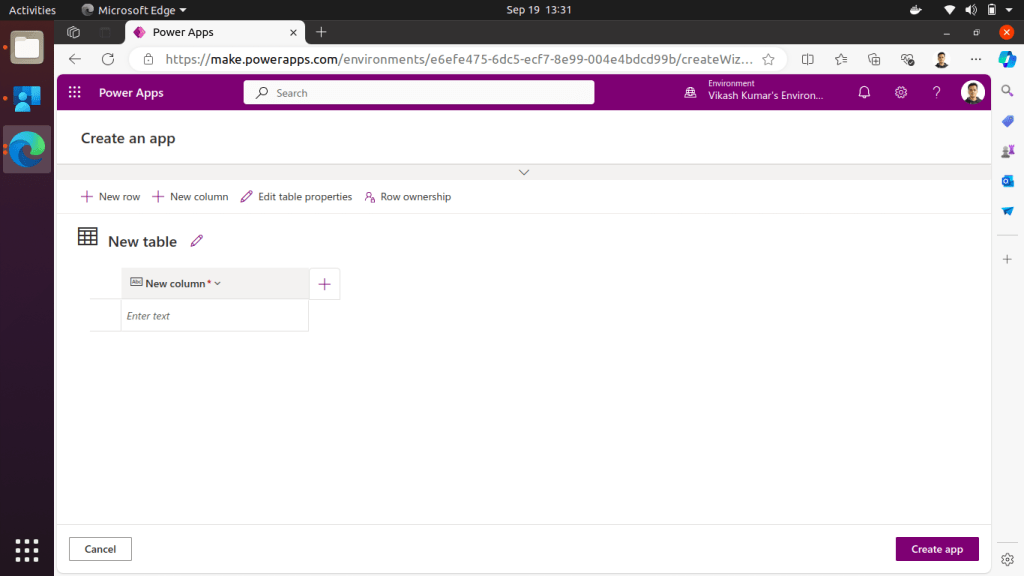
To build a Model-Driven App, you need to start by setting up the Dataverse (your data platform). Here, you’ll define the tables (entities) and relationships that will serve as the foundation for your app.

Step 2: Define Entities and Fields
Create entities that represent the key data elements in your app. For example, if you’re building a CRM app, you might create entities like Contacts, Leads, and Opportunities. Define fields such as name, email, and phone number, ensuring that each entity has the right data structure.
Step 3: Design Business Logic
Next, add business rules and workflows to automate repetitive tasks and ensure data consistency. For example, you can set up rules to notify users when a lead has been inactive for too long or when a new opportunity is created.
Step 4: Build the App
After defining the entities and business logic, PowerApps will automatically generate the user interface. The app will include features like forms, views, and dashboards that allow users to interact with the data.
Step 5: Publish and Share
Once the app is ready, you can publish it and share it with your team. PowerApps allows for seamless collaboration, ensuring that the right users have access to the app and its data.
Benefits of Using Model-Driven Apps
- Rapid Development: You can quickly create robust apps by focusing on the data and business logic rather than spending time on UI design.
- Scalability: Since Model-Driven Apps are built on the Dataverse, they can handle large volumes of data and complex relationships between entities.
- Standardization: The automatic generation of user interfaces ensures consistency across your apps, reducing the likelihood of design errors.
- Integration: Model-Driven Apps can integrate with other Microsoft tools such as Power Automate and Power BI, enabling comprehensive workflows and data visualization.
When Should You Use Model-Driven Apps?
Model-Driven Apps are ideal for scenarios where:
- Your app is highly data-driven.
- You need to implement complex business processes.
- A consistent, responsive user interface across devices is a priority.
- You want to minimize manual design and focus on automation.
Conclusion
For beginners, Model-Driven Apps offer a structured and efficient way to create enterprise-grade applications without needing to worry about the user interface. The emphasis on data models and business processes makes these apps powerful tools for managing complex data and workflows. If your app development needs center around data consistency, automation, and scalability, diving into Model-Driven Apps might be the best approach. Happy building!