



What is Postbot?
– Postbot is an AI Assistant in Postman that can support writing test scripts, creating API Documents, and visualizing the response…It’s useful for testing APIs or automation workflows and helping users manage their Postman collections more effectively.
– The main features of the Postbot:
+ Write API documentation;
+ Generating test script;
+ Visualize response data;
+ Debug requests;
+ Get Help;
How to use Postbot
Pre-requisite:
– API example: https://reqres.in/
– Using Login request 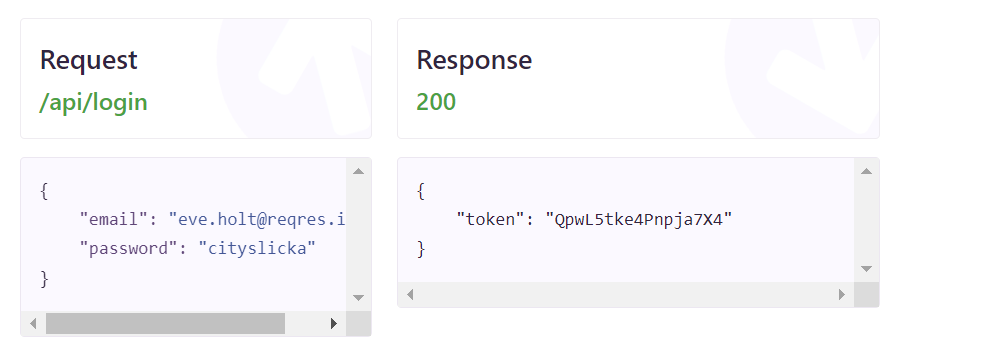
– Write API Document: to add API Document using Postbot in Postman, you can use “Generate with Postbot” or “Add Document” option in Postbot with step-by-step guide as below:
+ Create your API Collection or select an existing one which you want to add document.
+ Click on “Document” icon on right side -> click on “Generate with Postbot” 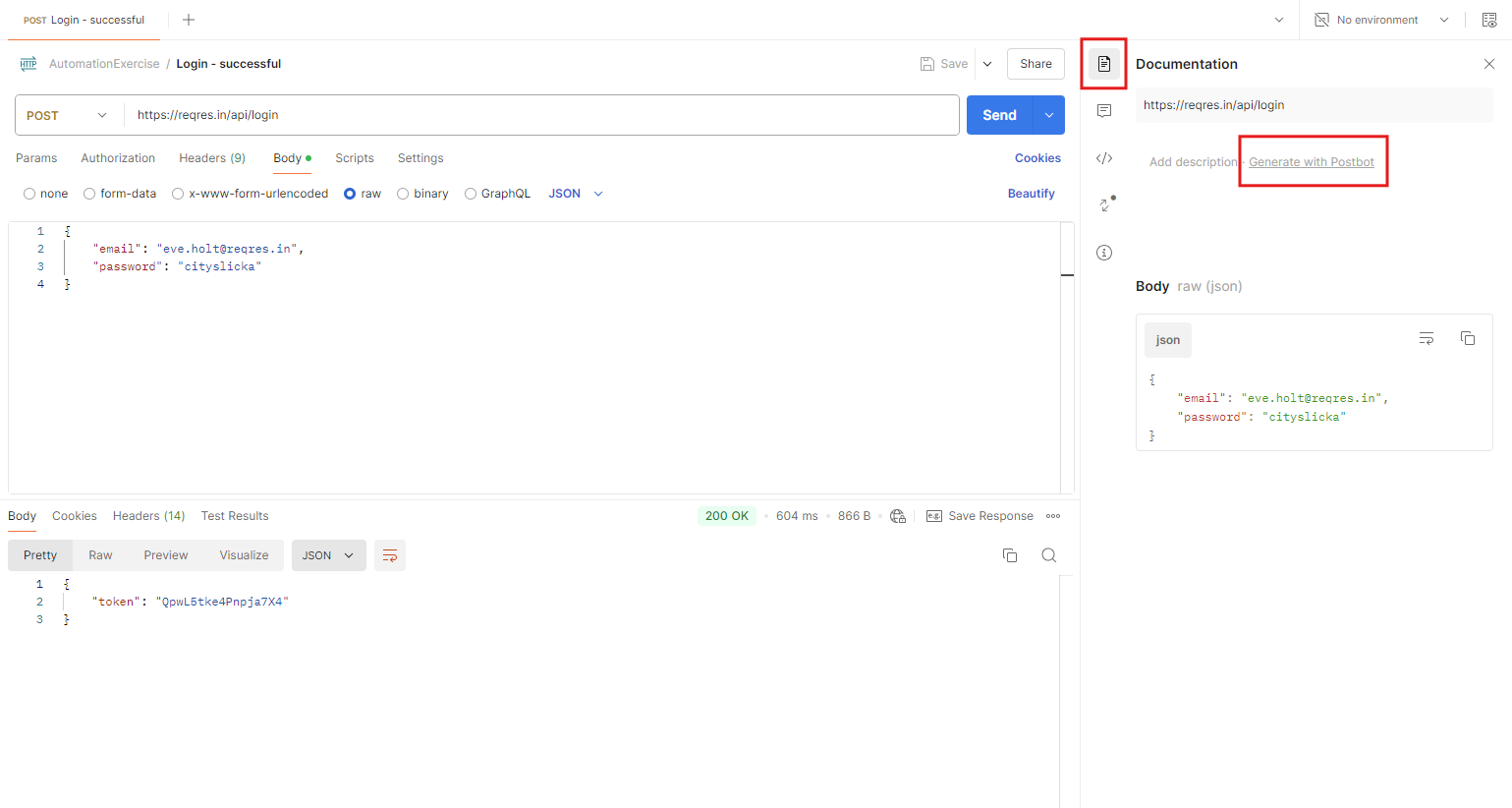
+ API Document is generated based on API request/ response. You can edit API Document to ensure that it meets your specific needs. 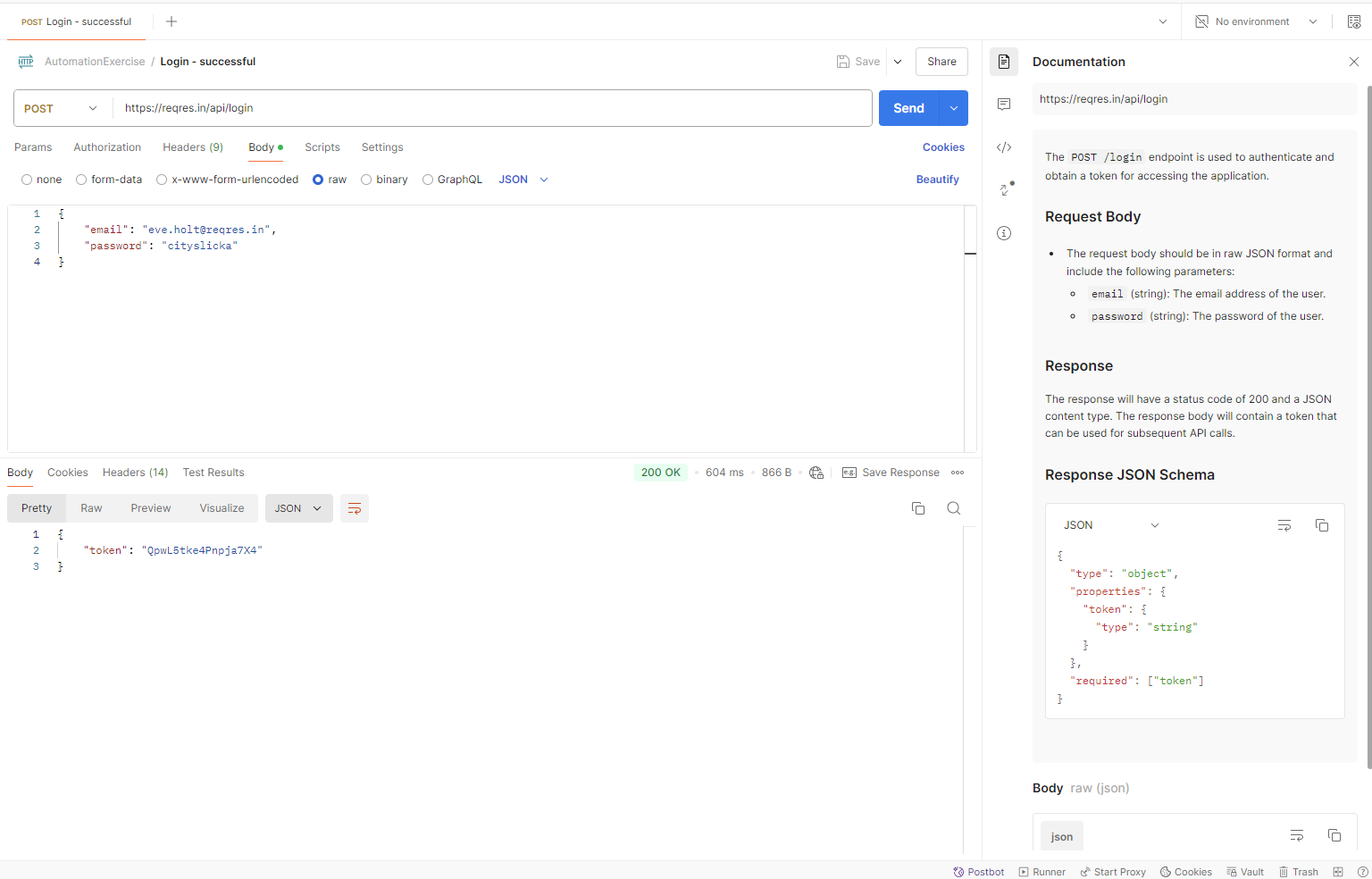
+ To publish an API Document, the user can click on API Collection/ View Document -> Publish -> change API Document information/ permission and click on the Publish button. 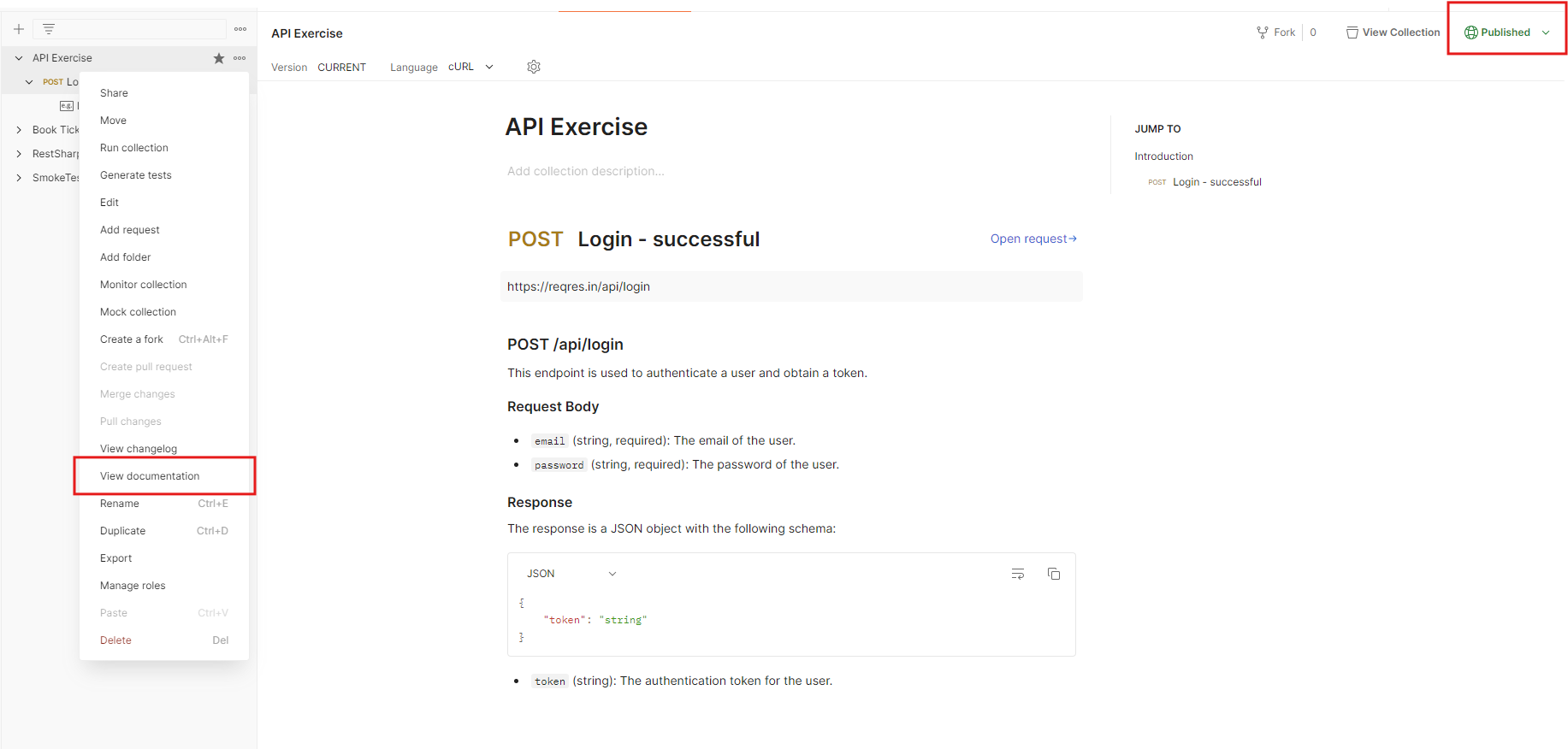
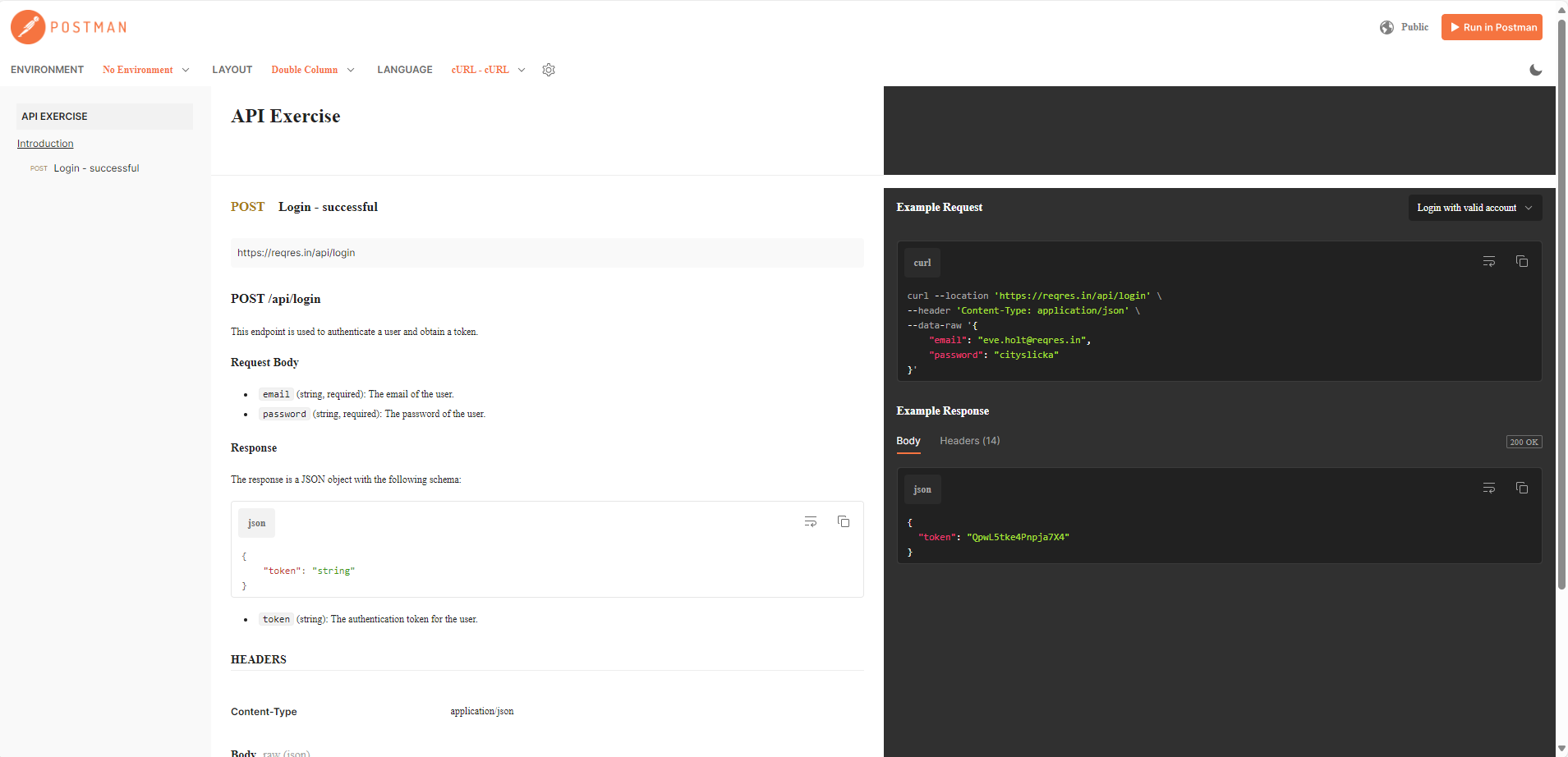
Note: You should verify that publishing API documentation does not compromise security.
– Test script Generation: to generate a test script with Postbot, follow step-by-step as below:
+ Send the request to get the response
+ Select “Scripts” tab -> click on Postbot icon in the code editor or Postbot tab on the footer 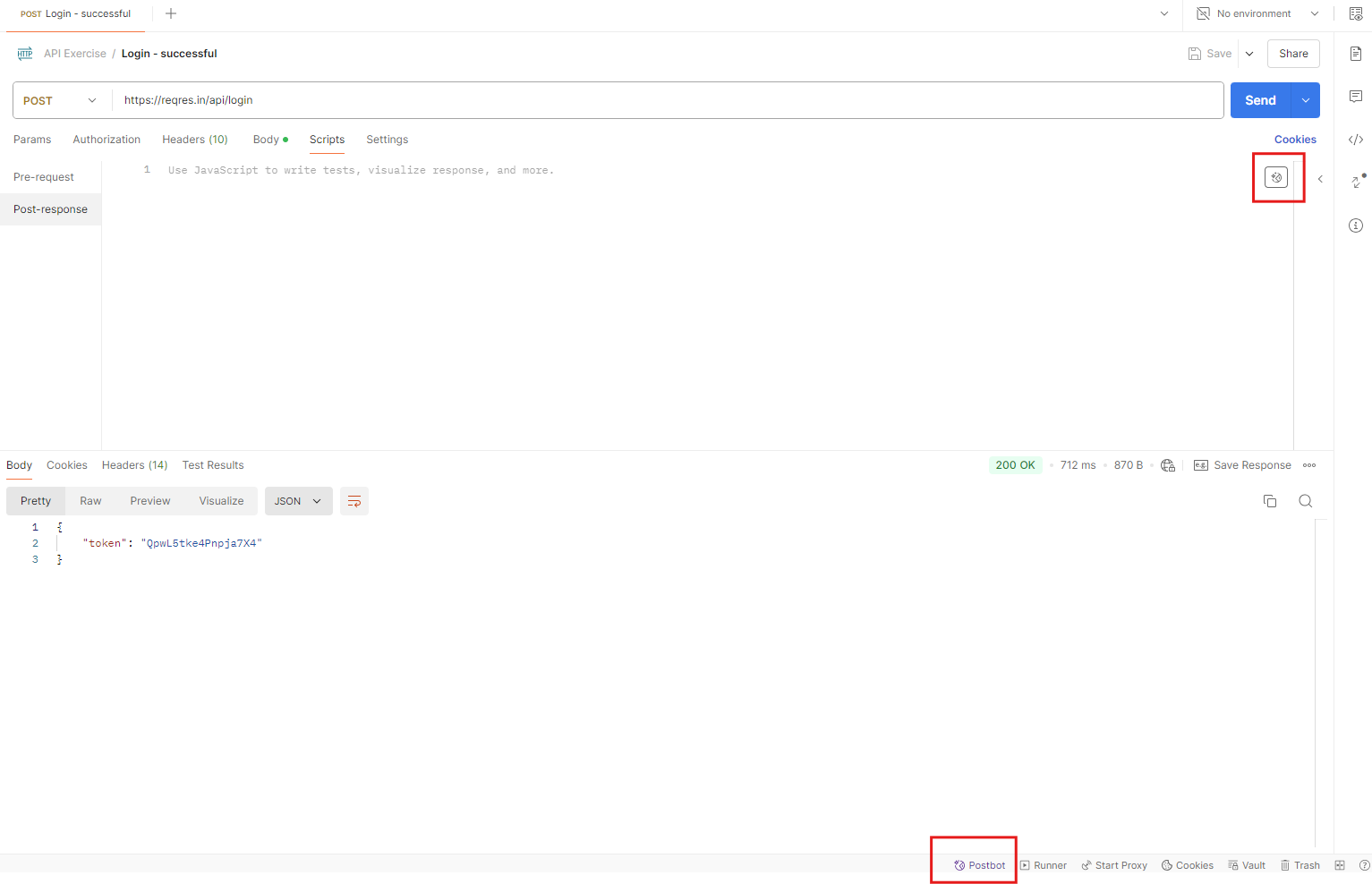
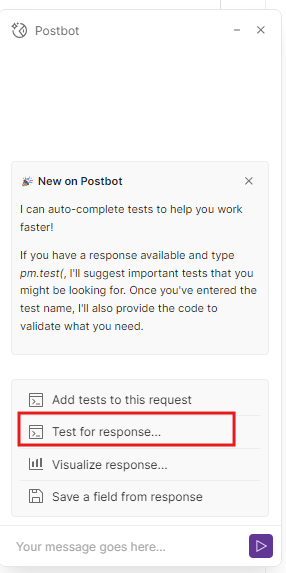
+ Click on “Test for response” -> Choose from the suggested queries that you need or enter a custom query to have PostBot generate the tests for you.
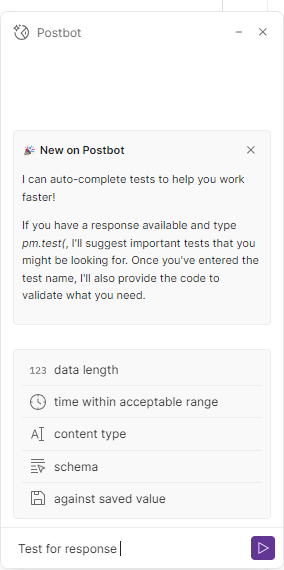
– For example, choose the suggested query “Tests for response schema” to check the response schema. 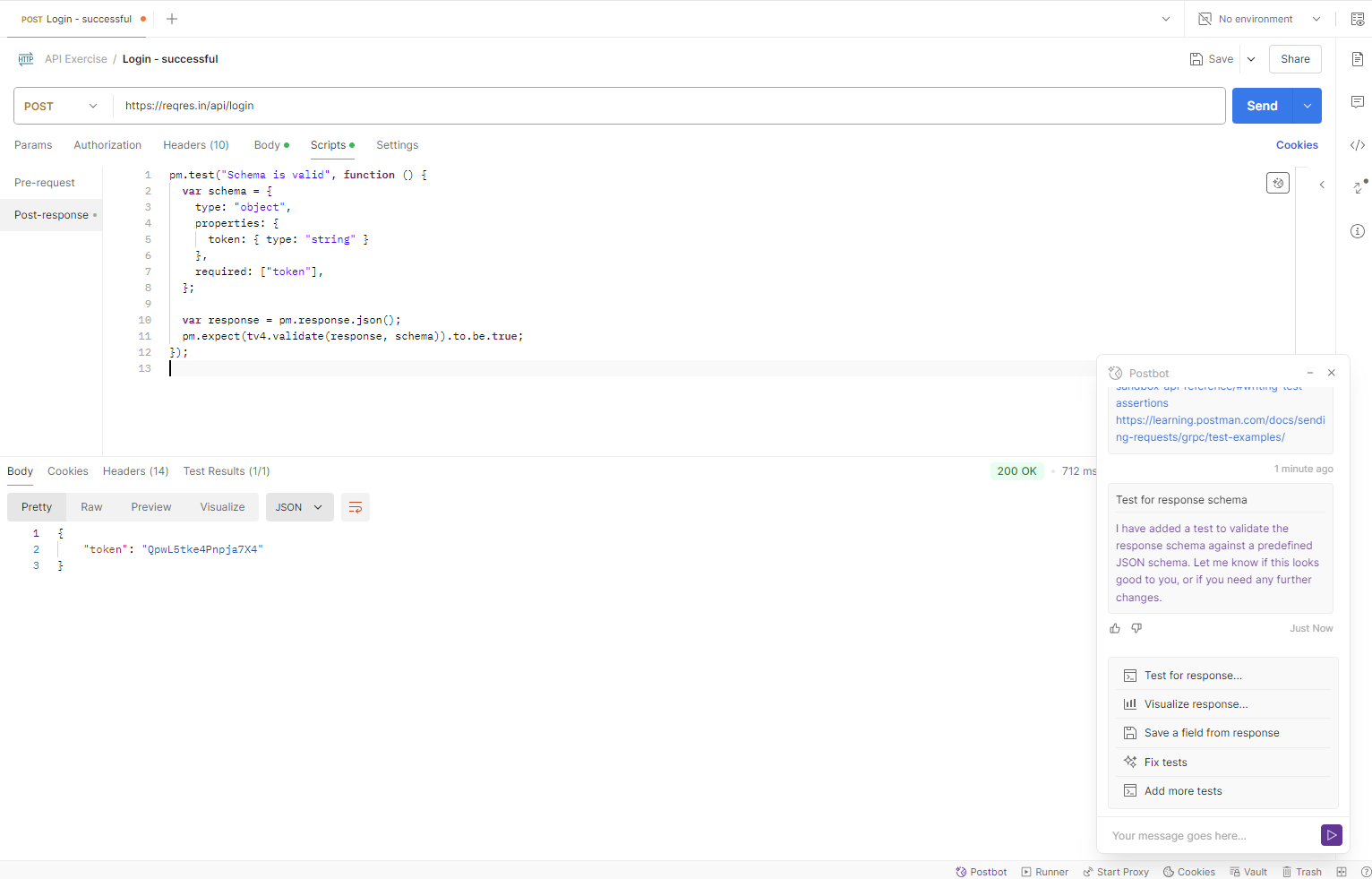
– Enter a custom query to have PostBot generate the tests for you.
For example: Get the value of “token” and save it as a collection variable. 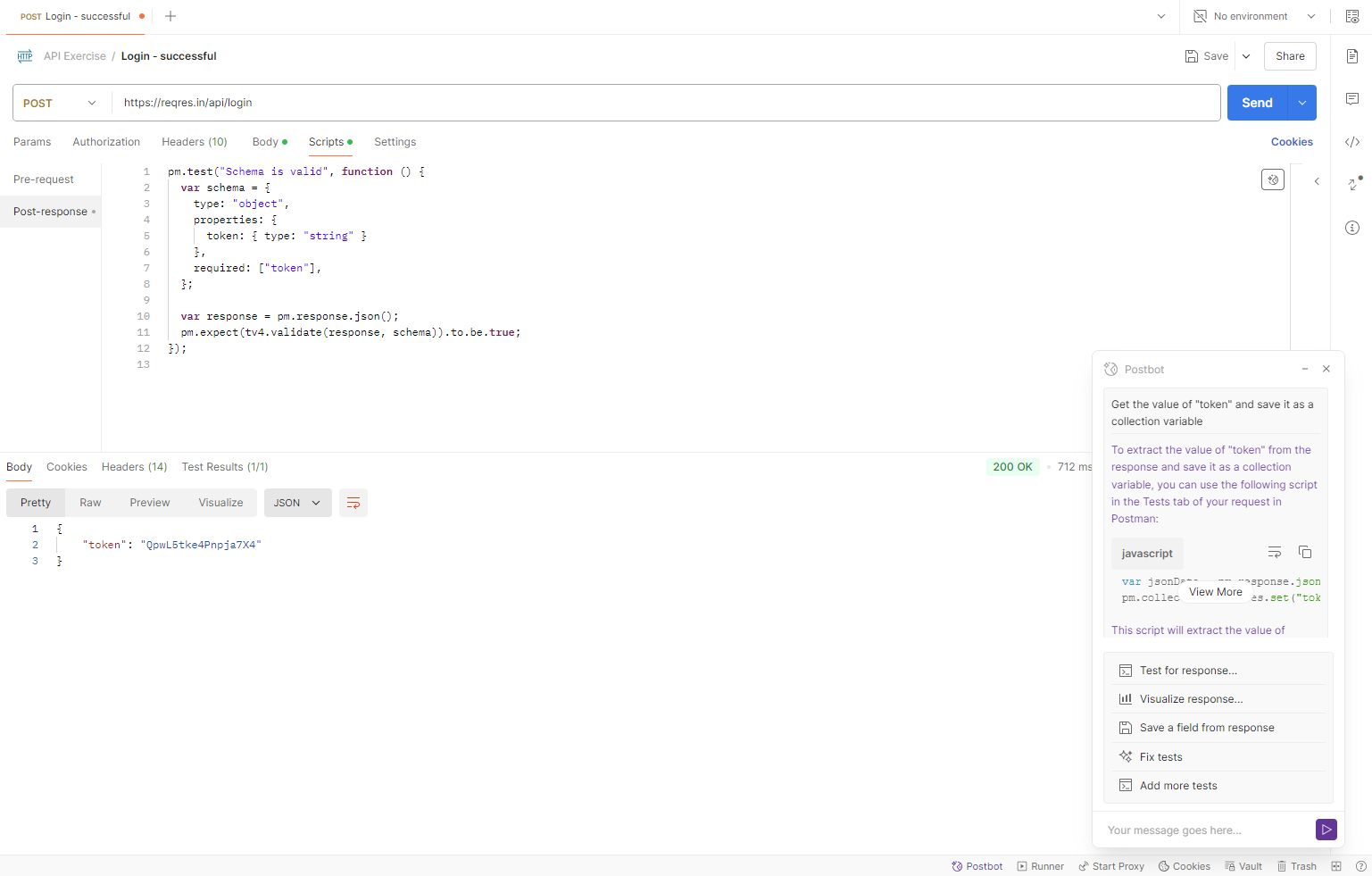
The result is shown in the screenshot below: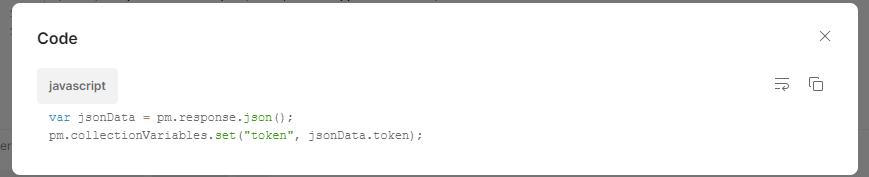
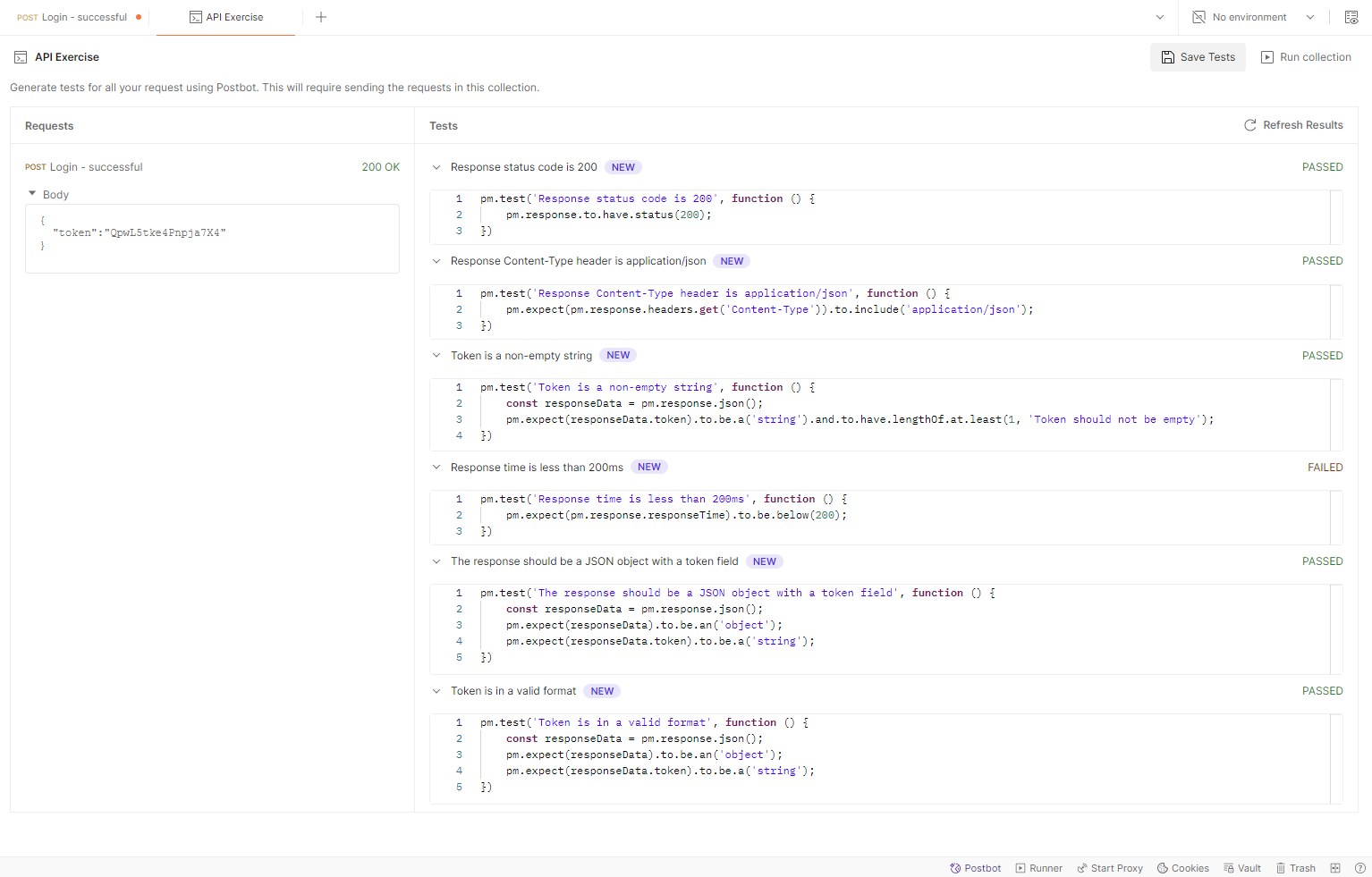
– Generate Tests for API Collection by clicking on API Collection/ Generate Tests. After that, the Postbot will generate the tests related to the response such as response status, content type, response time, and response format… 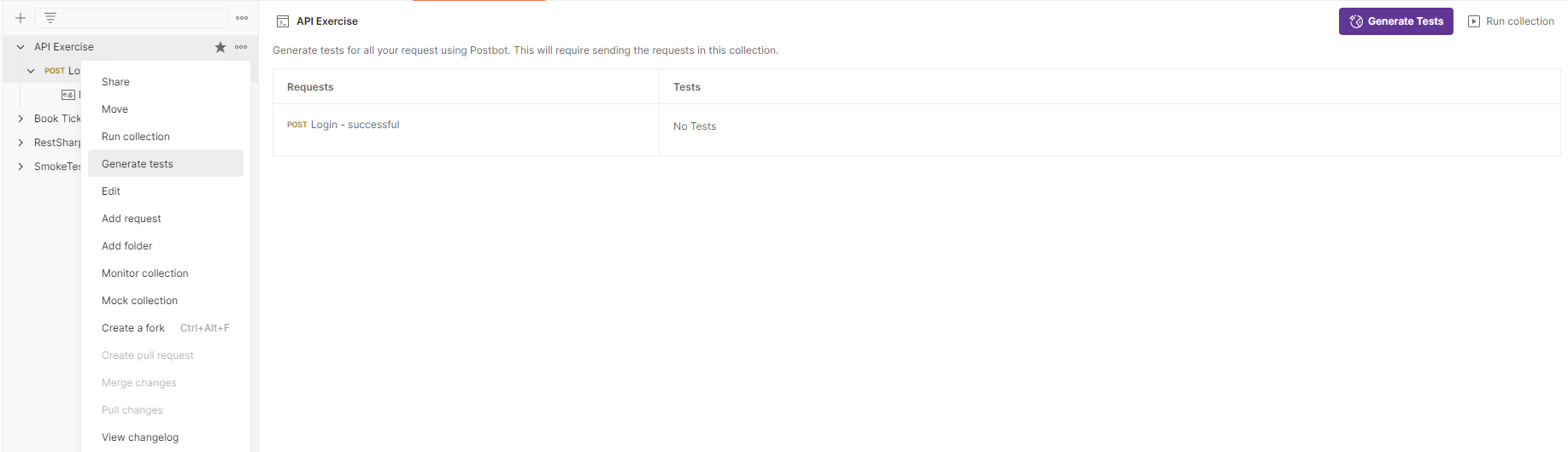
Pros and Cons
Pros
– Flexibility: Creating test scripts with custom queries that enable interactions tailored to your specific requirements.
– Consistency: By automating tests and other interactions, PostBot ensures that everything runs consistently, reducing human error and making test results more reliable.
– Efficiency: It can run tests and perform actions at scale, handling large volumes of requests and responses efficiently.
Cons
– Postbot Add-on Fee: Postbot is available for purchase with all plan types such as Professional, Basic, and Free plans. At the Enterprise level, Postbot includes additional privacy and security features.
– Learning Curve: There might be a learning curve associated with setting up and scripting PostBot, especially if you’re not familiar with JavaScript or Postman’s scripting environment.
– Maintenance: It requires ongoing maintenance and updates to ensure it works correctly with changes in APIs or project requirements.
In conclusion, while a postbot in Postman can improve productivity and efficiency, it’s essential to consider the potential complexities and maintenance it may require.
References
https://learning.postman.com/docs/getting-started/basics/about-postbot/
https://www.postman.com/product/postbot/
Youtube Channel: @ExecuteAutomation