


This guide walks you through how to use OpenAI’s ChatGPT to streamline QA processes and simplify test plan creation. Dive into these steps to see how AI can help make your testing more efficient and effective.
Getting Started
Before diving into AI-powered test planning, here’s how to customize ChatGPT for your QA needs:
- Go to Profile Settings: Open ChatGPT and navigate to the settings section in your profile.
- Select “Customize ChatGPT”: In your profile, find the option to personalize ChatGPT and click on it.
- Input Specifics: Use the customization menu to enter details about your testing project or any particular instructions.
- Save Changes: Remember to save your preferences to ensure ChatGPT is tailored to your requirements.
Using AI to Simplify Test Planning
With ChatGPT, you can streamline the test planning process, automating tasks that would otherwise require extensive manual input and allowing you to focus on high-impact quality checks.
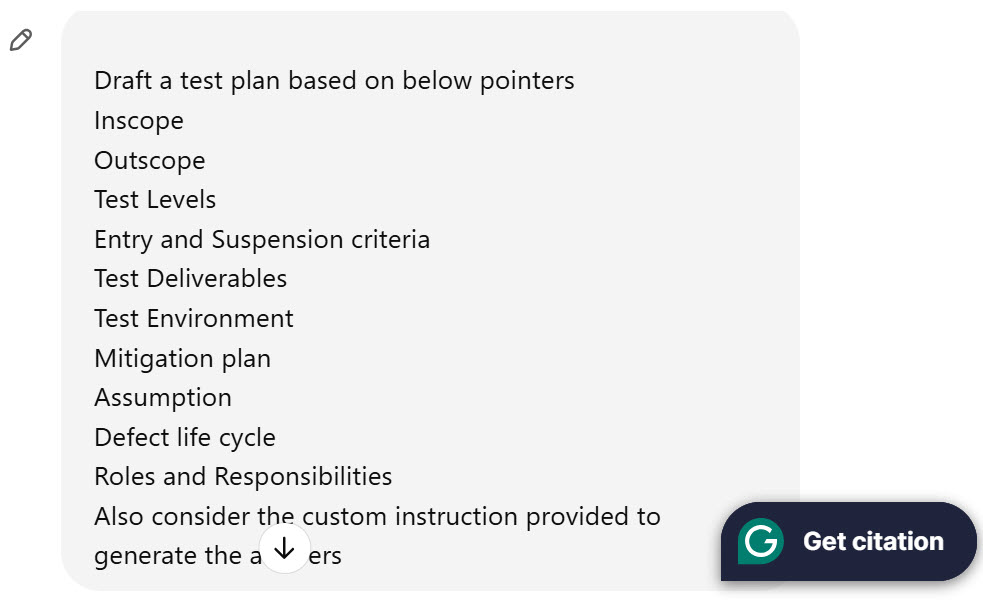
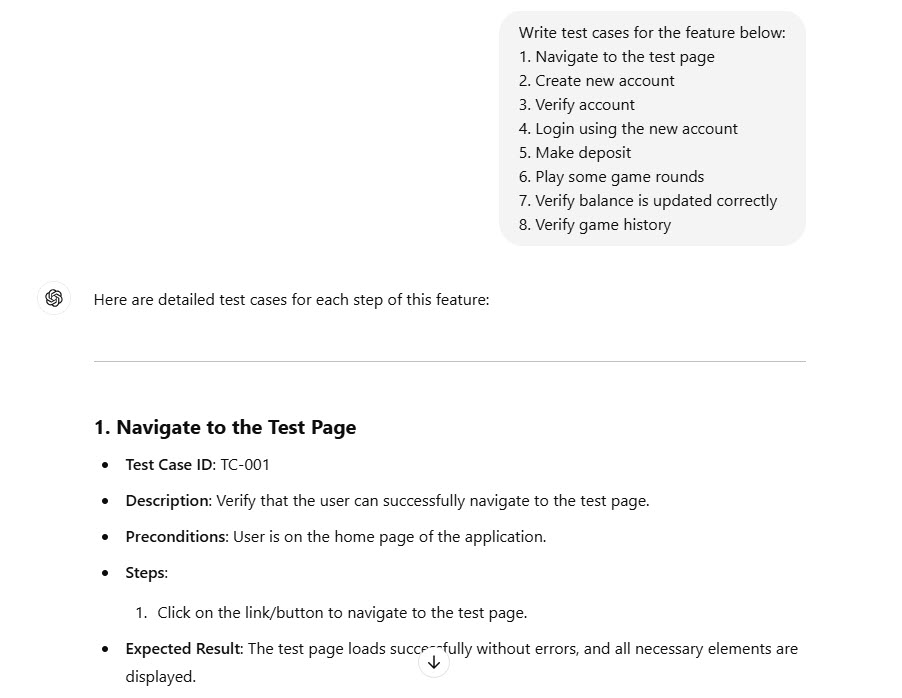
Automated Test Case Creation
AI can rapidly generate test cases by interpreting requirements and applying standard rules or patterns. Just provide your project’s specifications, and ChatGPT will generate relevant test cases, saving you time and minimizing manual work.
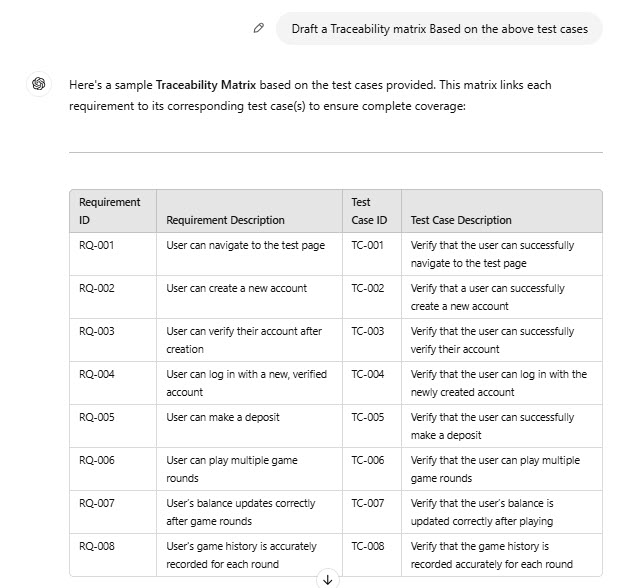
Requirement Traceability Automation
Managing requirement traceability becomes effortless with AI assistance. ChatGPT links test cases directly to requirements, eliminating manual tracking and simplifying oversight.
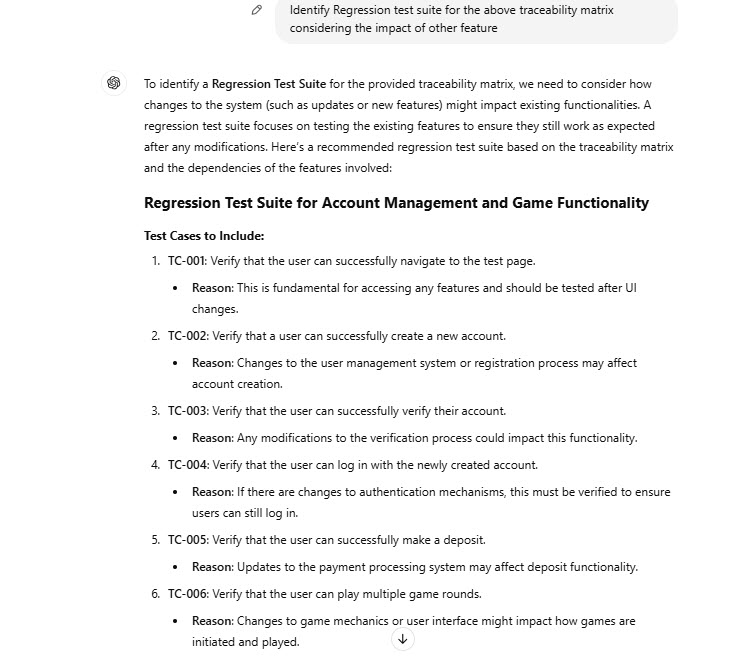
Identifying Regression Test Cases
AI helps pinpoint essential test cases for regression testing, ensuring you have effective coverage without redundancy. By evaluating previous test results, ChatGPT can highlight the most critical cases for testing the current release.
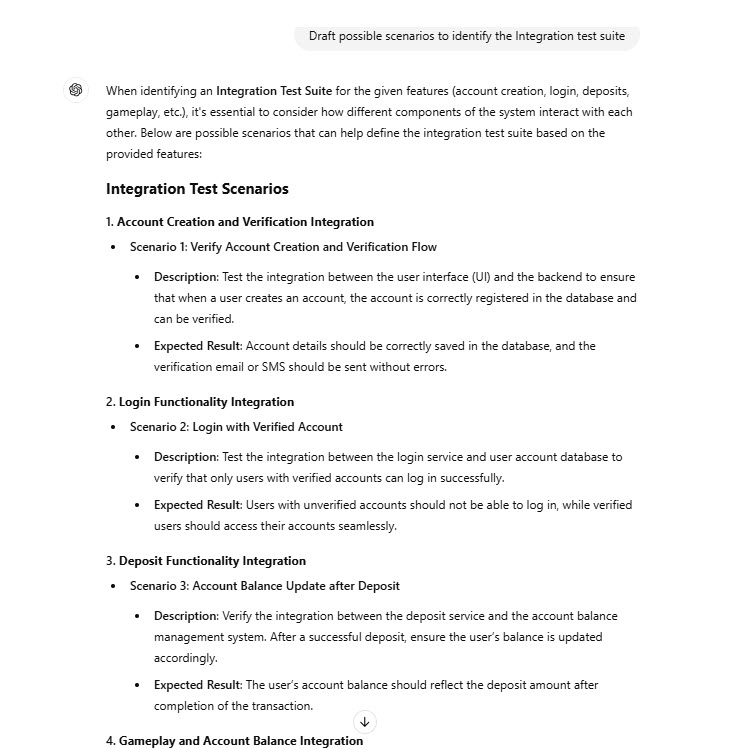
Generating Integration Tests
Integration testing validates how various software components work together. With ChatGPT, you can automate the generation of integration test cases, allowing you to efficiently test component interactions without the need for extensive manual setup.
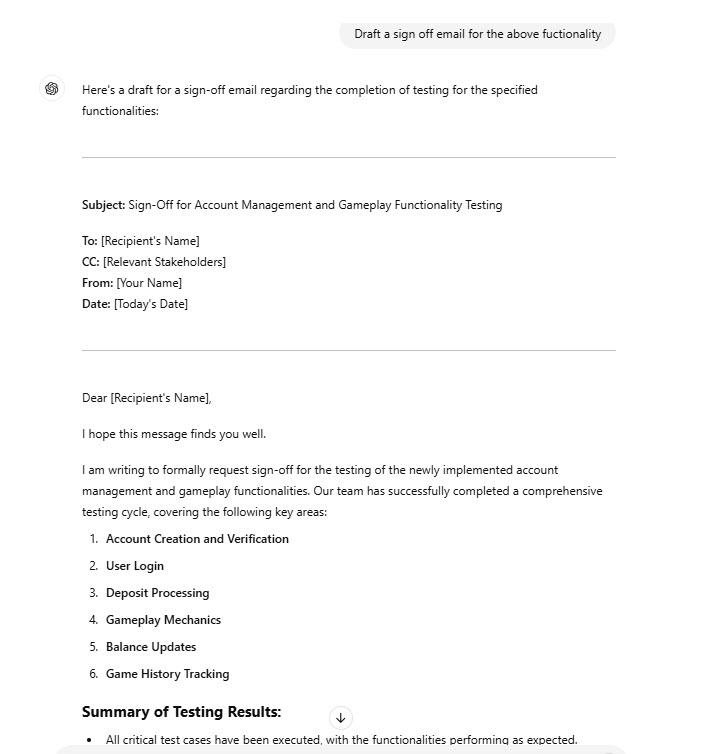
Automating Sign-Off Emails
Use ChatGPT to generate comprehensive sign-off emails for stakeholders. These emails summarize testing results, communicate any issues, and confirm readiness for release in a clear, consistent format.
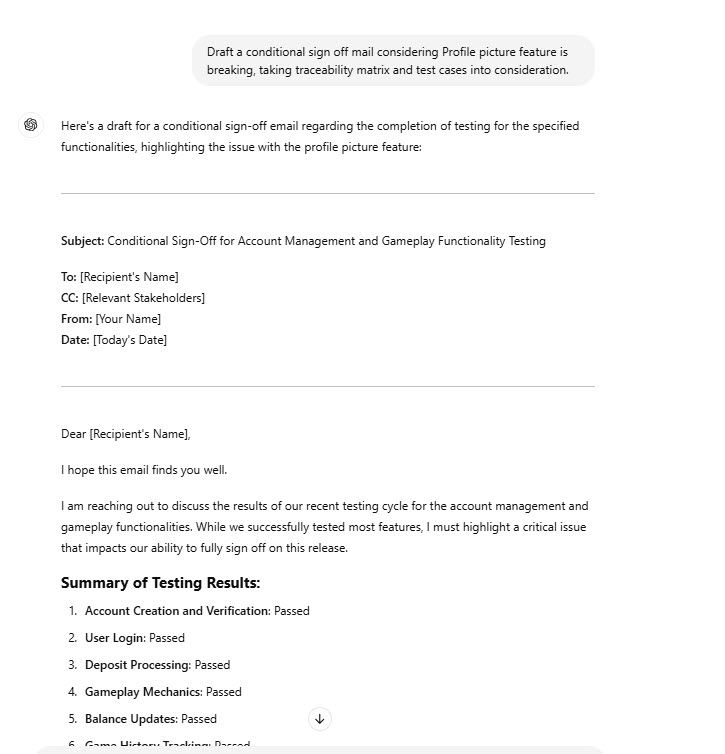
Drafting Conditional Sign-Offs
AI assists with conditional sign-offs by generating industry-standard outlines for cases needing specific validation. ChatGPT’s guidance ensures thorough assessments that align with project requirements.
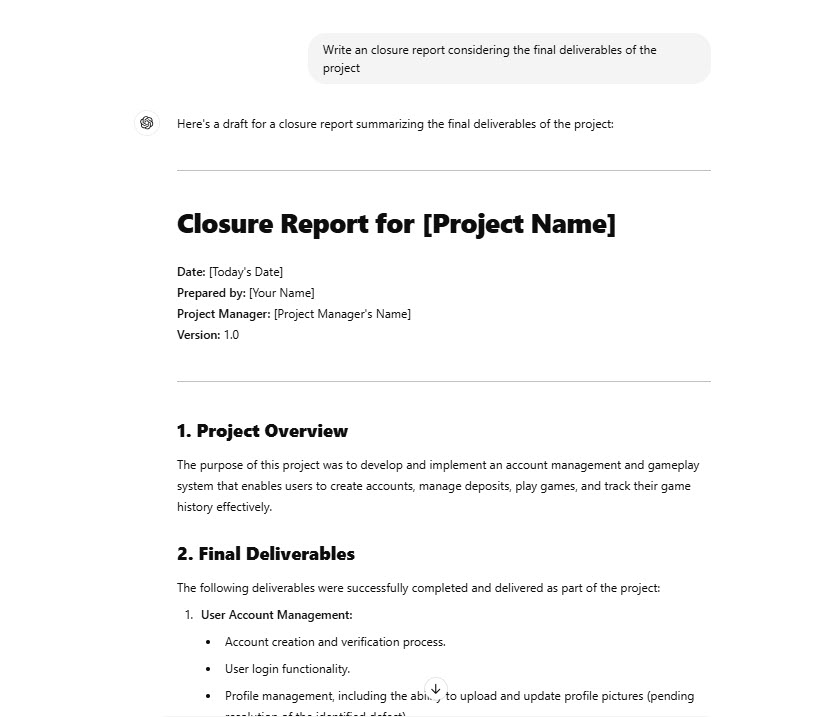
Creating Detailed Closure Reports
Let ChatGPT help you draft detailed reports summarizing all testing activities, outcomes, and project insights. These AI-generated reports save time on documentation while providing a comprehensive analysis of the testing process.
Best Practices for Adopting AI in Software QA
- Start with Small Projects: Test AI on specific tasks or scenarios with small-scale projects. This helps you gauge AI’s value in real testing environments without a large initial investment.
- Focus on Data Quality: Use accurate, diverse datasets to enhance the AI’s performance. Quality data is essential for reliable results across different testing conditions.
- Foster Collaboration: Encourage teamwork between data scientists, QA engineers, and AI experts. Open communication ensures testing challenges are addressed, and AI’s full potential is leveraged in QA.
- Set Clear Goals: Define measurable objectives like improved test coverage or faster execution to track AI’s impact and evaluate the ROI of your AI initiatives.
- Choose Suitable Tools: Carefully select AI testing tools based on your project needs, making sure they’re compatible, scalable, and work well with your current frameworks.
How AI Testing Impacts QA Roles and the Future
AI in testing doesn’t replace QA engineers—it complements their skills. By automating repetitive tasks, AI allows testers to shift focus to strategic problem-solving, data analysis, and ensuring ethical AI deployment. This transition enables QA testers to add even more value by honing critical thinking and tackling complex testing scenarios.
Ultimately, AI is changing the way we approach quality assurance, enabling teams to launch high-quality applications at scale. This transformation is about embracing efficiency, innovation, and continuous improvement, with AI driving new standards in software testing. As the technology advances, its influence on software development and QA will undoubtedly help shape the industry’s future.