


Visual Testing with Applitools Eyes
Applitools Eyes uses AI, which is powered by Visual AI, that replicates the human eyes to quickly find functional and visual regressions. Visual AI can compare dynamic content, smartly detect, or ignore regions that contain ads. It is faster, more stable, and more reliable.
The AI technology from Applitools can help to capture, compare, and detect even the minor changes that might be missed by human eyes. The Applitools Eyes can validate UI elements, content. It can also perform execute tests on many browsers, devices, cross-platforms.
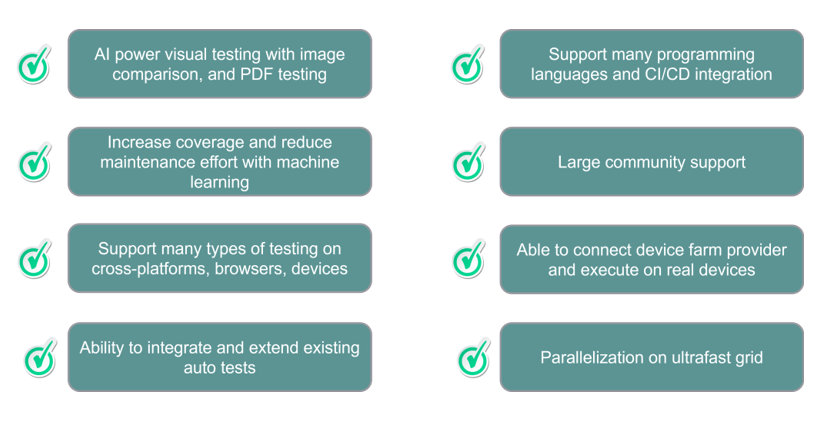
The tool provides a powerful dashboard, and test management which easily setup and executes tests for multiple projects in multi-languages.
In addition, tests powered by Visual AI can take the advantage of using the Ultra-fast test grid from Applitools cloud.
Key features of Applitools platform

The Applitools platform provides several key features that helps for automate visual testing:
- Visual Comparison: the ability to capture and compare visual checkpoints from a specific area or a whole web page or application.
- Deep learning: Applitools Visual AI uses complex algorithms to automatically clean up and tag data, then uses for training the machine learning and deep learning models.
- AI Powered Accuracy: Using AI algorithms of the network called ‘Layout Match’, a complex algorithm that utilizes dozens of algorithms to accurately compare the layout and structure of the UI. With analyzing and training over 1 billion images, the Applitools Visual AI engine has achieved 99.9999% accuracy.
- AI Powered Auto-maintenance: In visual testing, the maintenance of a big number of screenshots comparison takes a lot of resources. Using AI auto-maintenance, this could help save costs and resources by resolving similar differences instantly by leveraging algorithms that automatically analyze differences across all the test cases. Approve or reject changes that will automatically apply across all similar changes within the entire test suites.
Setting up the Applitools Visual Testing Environment
To start using Applitools, you’ll need to install and configure the Applitools SDK.
The SDK is available for popular programming languages and frameworks and can be easily integrated to existing automation test frameworks.

Install and Configure Applitools Eyes SDK – with Java
Search for Applitools Eyes dependency – “Eyes Common Java3” from maven repository.
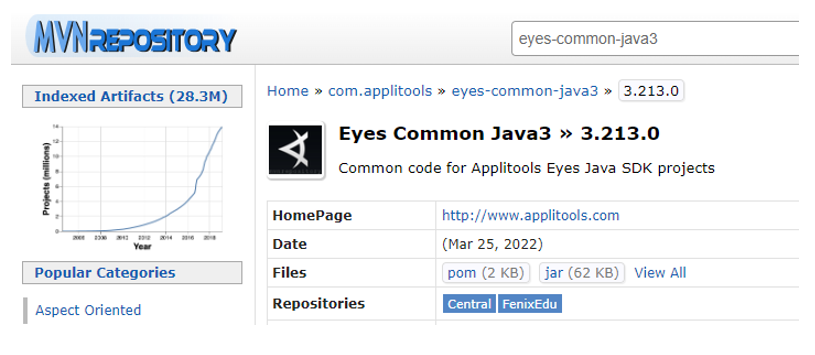
Then install the Eyes SDK using jar file, or install using build tools like Maven or Gradle.
With Maven:

With Gradle:

Configure Applitools Eyes to automated test project
To execute visual tests with Applitools Eyes, you will need to register an Applitools account.
Retrieving Applitools API key
Each Applitools account has a secret API key. Visual tets require the API key to authenticate the account and upload test results to the Applitools cloud and conntect the results to that account

Import and use Eyes with Applitools API Key
Before running the visual test, set up your API key as an environment variable, and get that api key in the test setup
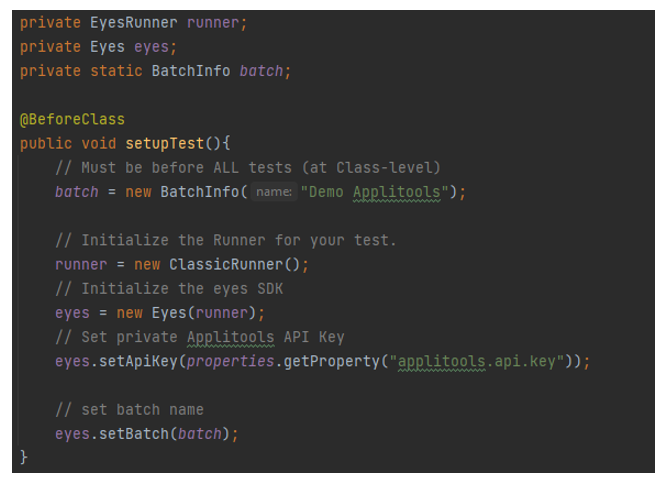
Use “eye.checkWindow()” to capture current screen, and set that as a checkpoint for the next execution.
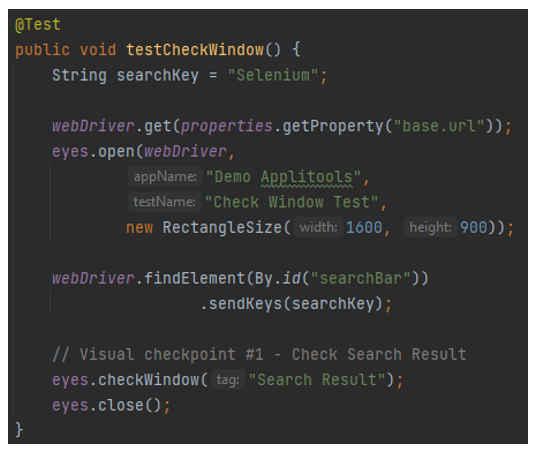
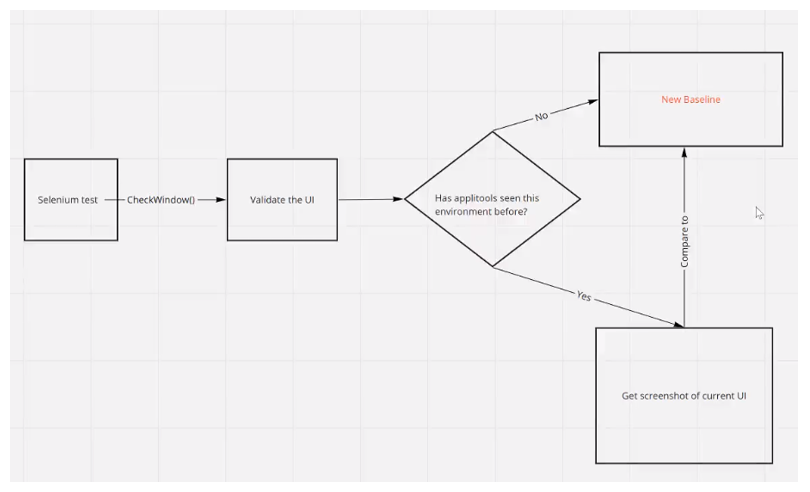
In next execution, the “eye.checkWindow()” will validate the screen that set in check point.

The Baseline flow from Applitools Visual Testing is as below:
Conclusion
Automated visual testing is an important testing to ensure the quality and user experience when browsing applications. The Applitools Visual Testing provides an effective solution that supports and simplifies the way of implementing and verifying in visual testing.
With the AI-powered algorithms, Applitools is a powerful platform for automating visual testing. The advanced algorithms help quickly analyze and verify a large amount of visual data, and also support a smart way to fix and adapt new layouts in multiple screens.
Given the increasing variety of devices and browsers today, there is a need for specialized tool like Applitools to automate visual testing. This helps reduce the effort required for manual testing and enables faster and more efficient testing, ultimately delivering better product quality.