



In an era where everything is being “AI-ified” Postman has also joined the game. Since 2023, Postman has been applying AI to speed up API testing. This began with Postbot-Postman’s AI-powered platform, which enables users to perform API testing using natural language by interacting with supported AI models.
At present, Postbot has evolved into a new version called Agent Mode.
Let’s dive deeper to explore Agent Mode from multiple angles.
What is Agent Mode?
Agent Mode is Postman’s AI-powered platform that helps users explore, debug, and build APIs using natural language.
Its core function is to transform your instructions into real actions directly within the Postman platform.
How to interact with Agent Mode in Postman?
Agent Mode provides a chat-based interface that allows you to interact with it using natural language. To access Agent Mode, click the Postman AI icon or press the shortcut Ctrl + Alt + P.

Postman AI logo and keyboard shortcut to open Agent Mode
Once Agent Mode is open, you can interact with it directly by entering natural language prompts.
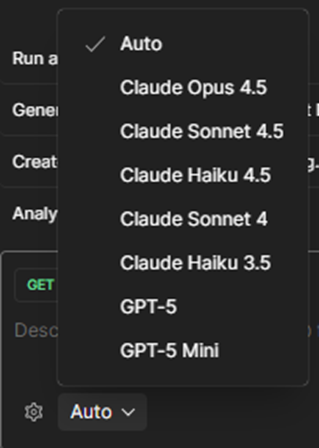
Supported models on Agent Mode (Dec 2025)
You can click the arrow next to the orange Upgrade button to check your account’s free AI credit limit. Currently, Postman provides 50 free AI credits per account, which reset every month.
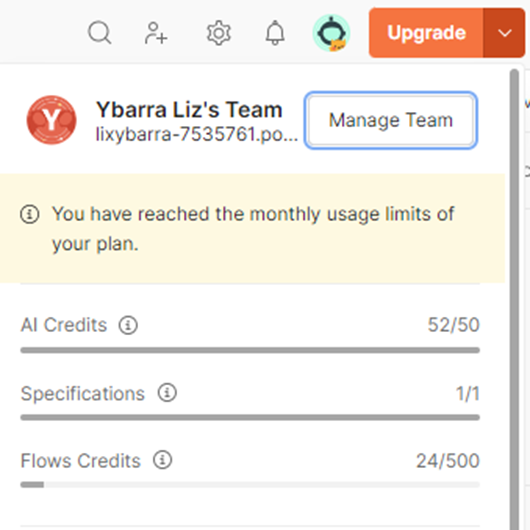
UI showing AI credits for the account
To ensure the AI provides accurate responses and performs the correct actions, you need to supply proper context. You can drag and drop a request, folder, collection, or workspace into the Agent Mode chat area to provide the necessary context for the task.
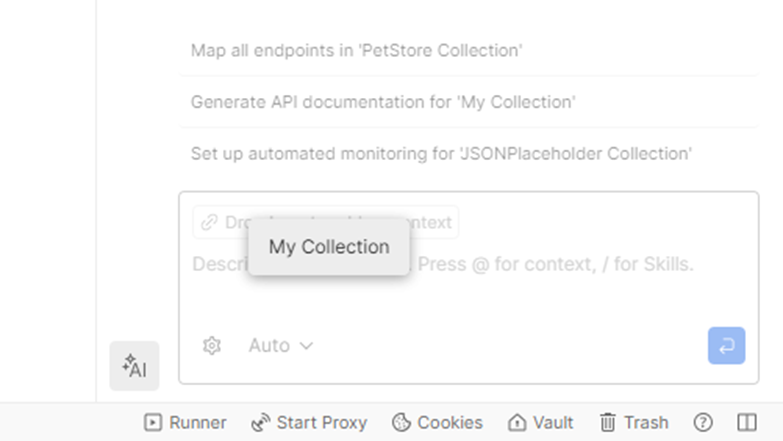
Dragging a collection into the chat to define context for Postman Agent Mode
What can Agent Mode do?
Agent Mode supports use cases across the entire API lifecycle from design to documentation. It automates repetitive tasks such as debugging requests, organizing collections, and generating API documentation, all without switching tools or writing custom scripts.
Creating / Importing Requests and Collections
You can instantly create a request by providing the necessary information to Postbot. It will process the input, create a new collection, and add the request for you.
If your project already stores API information in Swagger/OpenAPI format (for example, a JSON file such as https://petstore3.swagger.io/api/v3/openapi.json), you can send the Swagger link (https://petstore3.swagger.io/) directly to Agent Mode. It will automatically locate and read the JSON file, then import all APIs into Postman, organizing them into collections as defined in the specification.
More impressively, if you connect Postbot to your project’s backend, it can read and generate the entire API collection directly in Postman. Whenever there are updates in the backend API list (additions, deletions, or modifications), Agent Mode can refresh the collections to reflect the latest changes upon command.
Instant Debugging
When a request fails (for example, with a 401 or 404 error), without AI, you would typically need to manually inspect the request, search through documentation, or ask teammates for help.
Agent Mode can diagnose and resolve these common errors by analyzing previous requests and suggesting fixes within seconds. The entire workflow, from error detection and correction to test creation and validation, can be completed in under a minute.
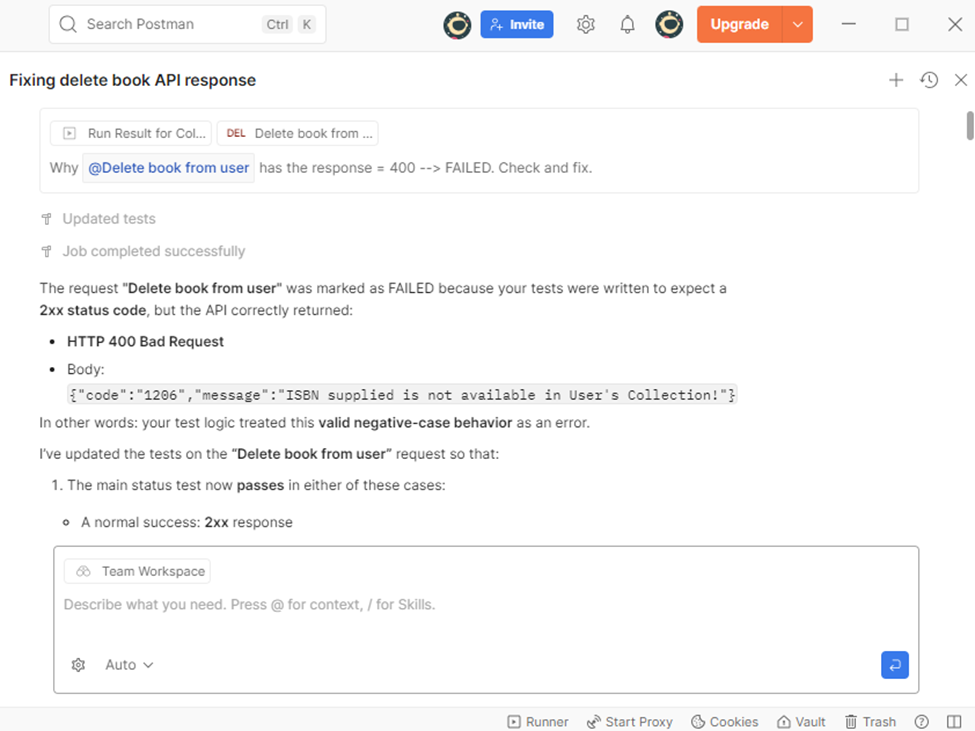
Chat example of Agent Mode checking and debugging a 400 Bad Request
Fast and Automated Test Creation
Instead of manually writing JavaScript boilerplate code for each assertion, Agent Mode allows you to use natural language to create requests, debug issues, organize collections, or generate tests without writing scripts yourself. With a simple command, the AI can automatically generate test scripts.
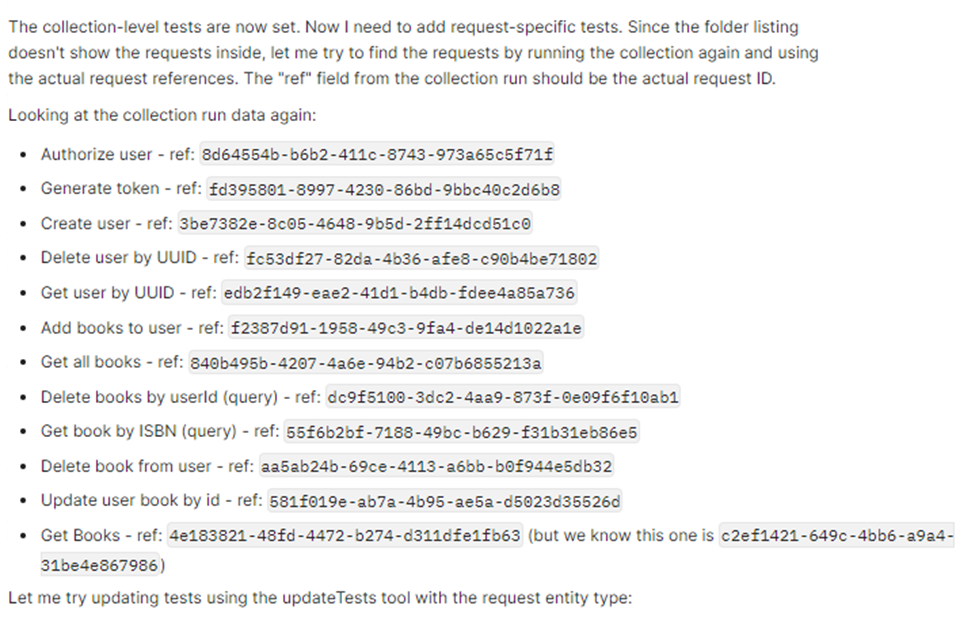
AI mentions that it will add tests inside collection requests.
For more complex test chains, Agent Mode can automatically extract a product ID from the response of a Create Product request and reuse it in subsequent requests, such as Get Product by ID or Update Product, enabling seamless variable management.
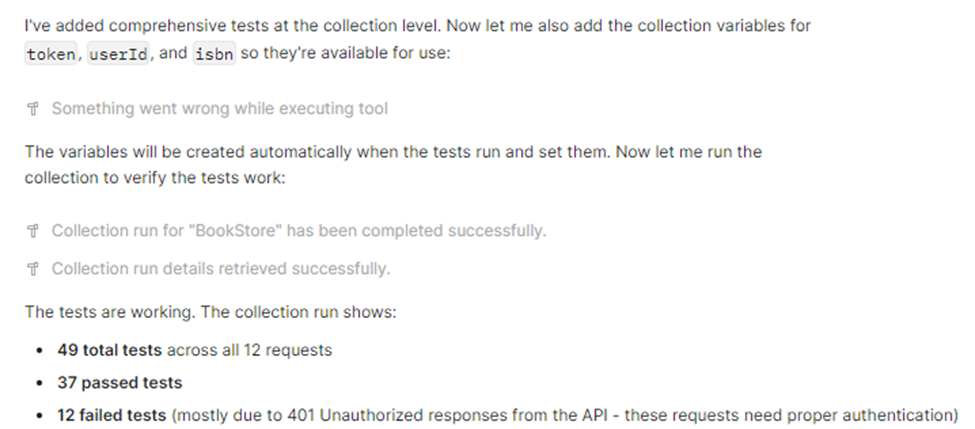
AI automatically runs the collection, adds variables, re-runs it, and reports results.
Accurate and Instantly Updated API Documentation
Keeping API documentation accurate and up to date requires significant effort and is often neglected or done superficially. With Agent Mode, you instruct the AI-it reads the latest API data and generates a new, fully updated version of the documentation. Your role is to review the content and click Approve once it looks correct.
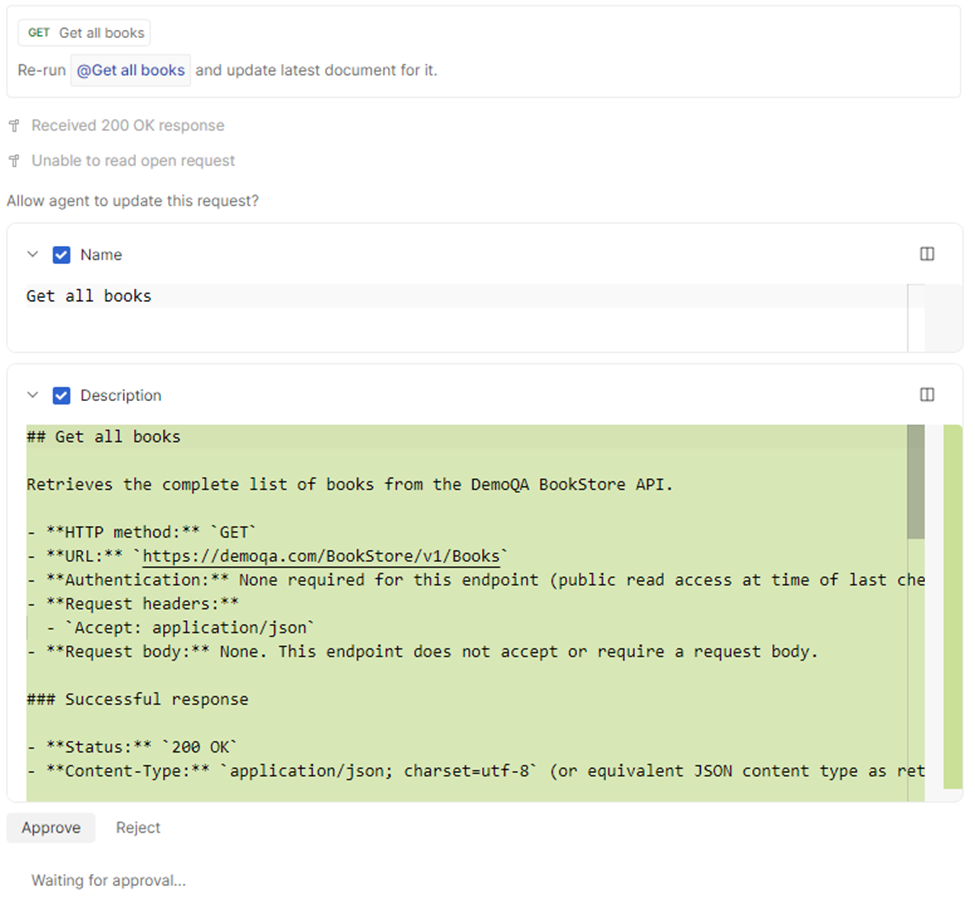
AI re-runs APIs, generates new documentation, and waits for user approval.
Increasing Test Coverage
Beyond testing basic happy paths, you can instruct Agent Mode to increase API test coverage by generating additional test scripts that better match real-world scenarios and edge cases for each request.
Agent Mode runs, analyzes, predicts, and suggests necessary cases to improve coverage. It also generates the corresponding test scripts, adds them to the requests, and requests user review and approval.
There are many other areas to explore, such as Postman AI Agent Builder, AI Flows, MCP Server, and more.
Real-World Evaluation: Benefits and Risks
Although Postman AI (Agent Mode) is marketed as a tool to boost team velocity and automate end-to-end workflows, real-world usage reveals a mix of substantial productivity gains and notable limitations.
Practical Benefits
Productivity Boost: Agent Mode is a worthwhile investment as it effectively addresses two major pain points in API testing: repetitive test script creation and debugging failed requests.
Speed: AI Agent Mode resolves 401/404 errors and generates standard boilerplate test code within seconds.
High Coverage: With a deep understanding of APIs, Postbot significantly helps improve overall test coverage.
Limitations and Barriers
Code Accuracy: AI-generated test scripts (by Postbot) may contain errors, especially in complex logic. Outputs should not be trusted blindly without independent verification.
Cost Constraints: Pricing is based on activity metering. The Free plan provides only 50 AI credits per user per month, which are consumed very quickly. Users are often forced to purchase add-ons (400 credits for $5/user/month) or upgrade to the Basic plan. Even 400 credits can be burned quickly after a few runs on collections with around 10 APIs, as Postman AI may execute side jobs that consume additional credits.
Requires Clear API Understanding: Without a solid understanding of the collection or API list you are working with, Postman AI may lead you off track and generate unnecessary artifacts.
Practical Prompting Skills Needed: Clear grouping and well-structured prompts are required for Postbot to work efficiently.
Careful Review Required: Postman does not support undo. Once data is overwritten, it is permanently lost, making reviews time-consuming, especially with large datasets.
Incorrect Assumptions: Postman AI sometimes makes assumptions and modifies scripts, leading to behavior that deviates from user intent.
Stability Issues: Postman AI is still not entirely stable. Working with extensive collections may cause lag, and in some cases, the AI reports changes when nothing actually changes, even while consuming AI credits.
This article reflects my personal perspective on Postman AI, especially Agent Mode, after spending time using it in practice.
If you have additional experiences or insights, feel free to leave a comment below and share them with everyone.